

YCMC is a well-known US store specializing in trendy sneakers and apparel, focusing on streetwear, athleisure, sneakers, boots, and fashion accessories for men and women. With over six decades of history, it has built a solid reputation in the industry and gained popularity among countless customers.
This article provides a guide on how to shop on the YCMC US official website, walking you through the process of placing an order. If you want to shop on YCMC but don't know how, feel free to check out this YCMC shopping guide.
1. YCMC US Official Website Ordering Tutorial:
1. Open the website
YCMC US official website entrance: https://www.ycmc.com/
2. Register an account
Click the top right corner of the page

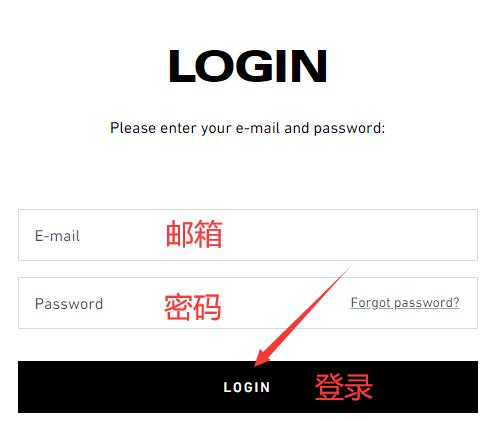
Existing customers can log in using their email and password
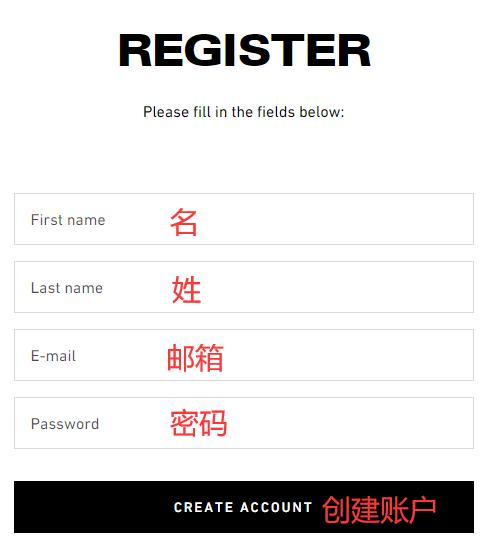
New users who haven't registered should enter their information and click confirm
3. Select products
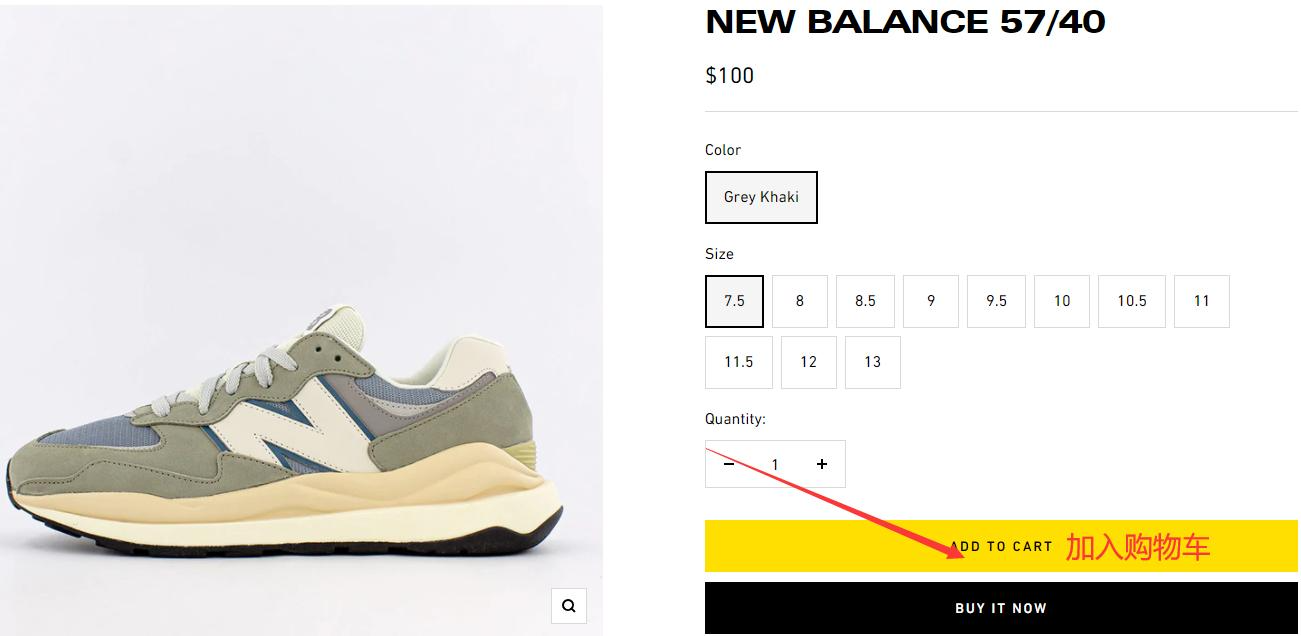
Browse by category or search for your favorite products, choose color, size, and other details, then add to cart
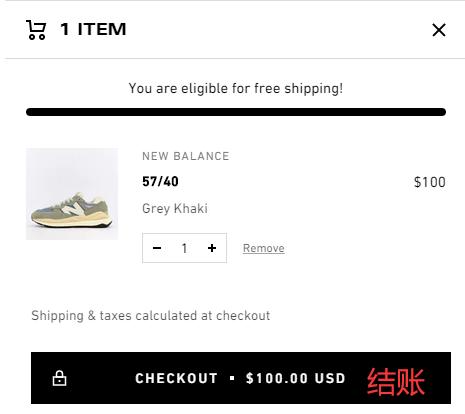
Click the shopping cart icon in the top right corner to proceed to checkout
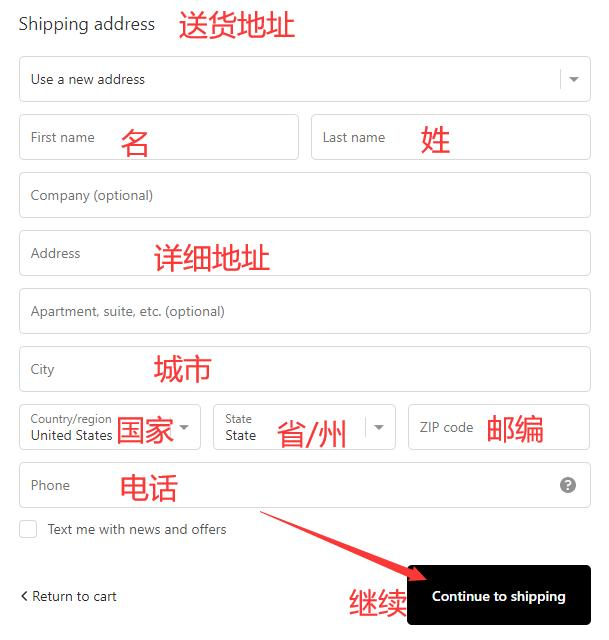
4. Enter shipping address
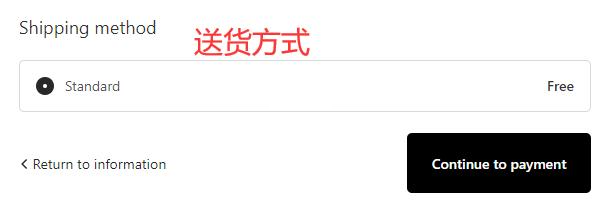
5. Choose shipping method
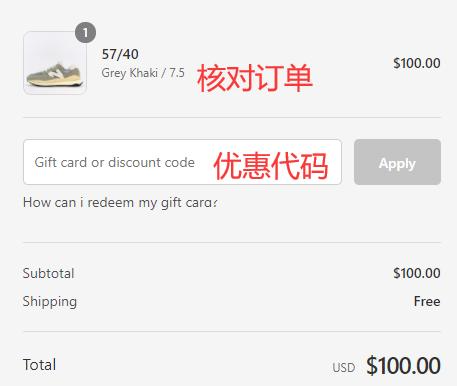
6. Review order
Enter a promo code if available to get a discount
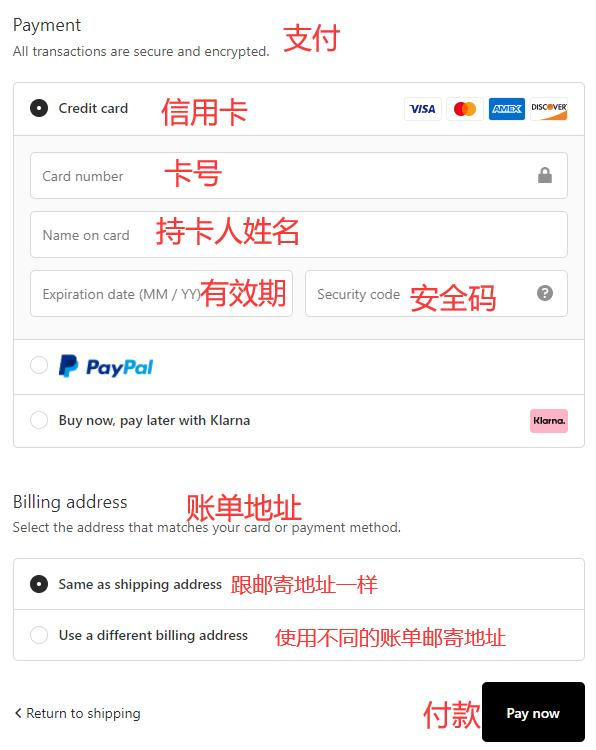
7. Select payment method
Using a credit card as an example, fill in the card number, name, expiration date, and other relevant details accurately, then click to review the order
8. All that's left is to wait for the forwarding company to receive the package, prepare the shipping details, and sit tight for delivery!
2. YCMC US Official Website Ordering Notes
1. Registered users get a 10% discount on their first order
2. The official website does not support direct shipping; use a forwarding service. Free US shipping on orders over $75
3. The website accepts Visa, Mastercard, Discover, American Express, and PayPal payments