

Ann Summers is a British multinational retailer of lingerie and adult toys, with over 140 high street stores across the UK, Ireland, and the Channel Islands. This article provides a guide on how to shop on the Ann Summers UK official website, explaining how to place orders and purchase items on the Ann Summers UK official website. If you also want to buy lingerie on the Ann Summers UK official website but don't know how, feel free to bookmark this Ann Summers UK official website shopping guide.
1. Ann Summers UK Official Website Ordering Tutorial
1. Open the official website
Ann Summers UK official website entrance: https://www.annsummers.com/
2. Log in
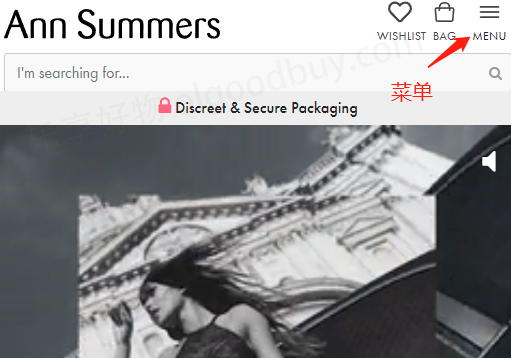
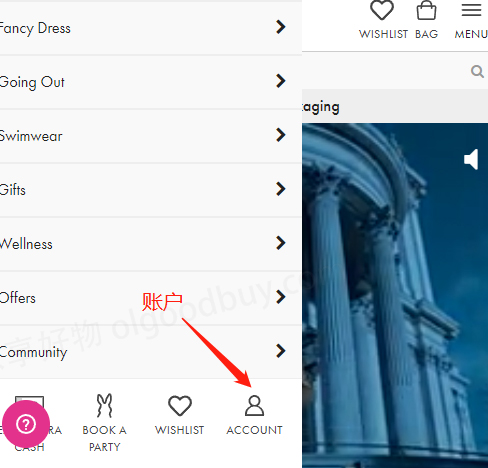
Click the menu in the top right corner of the page and select Account
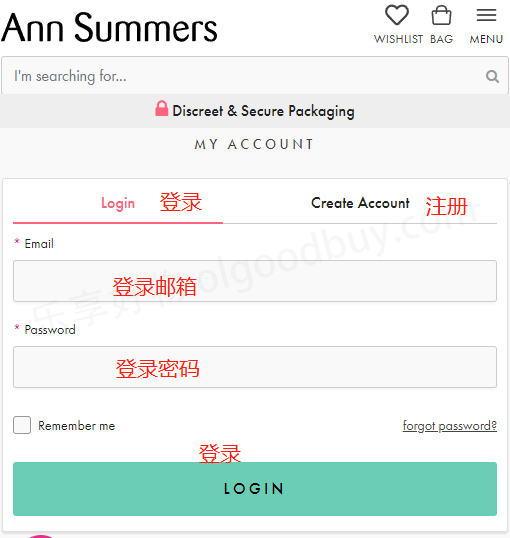
Registered users can log in with their email and password. Users who haven't registered should click Create Account
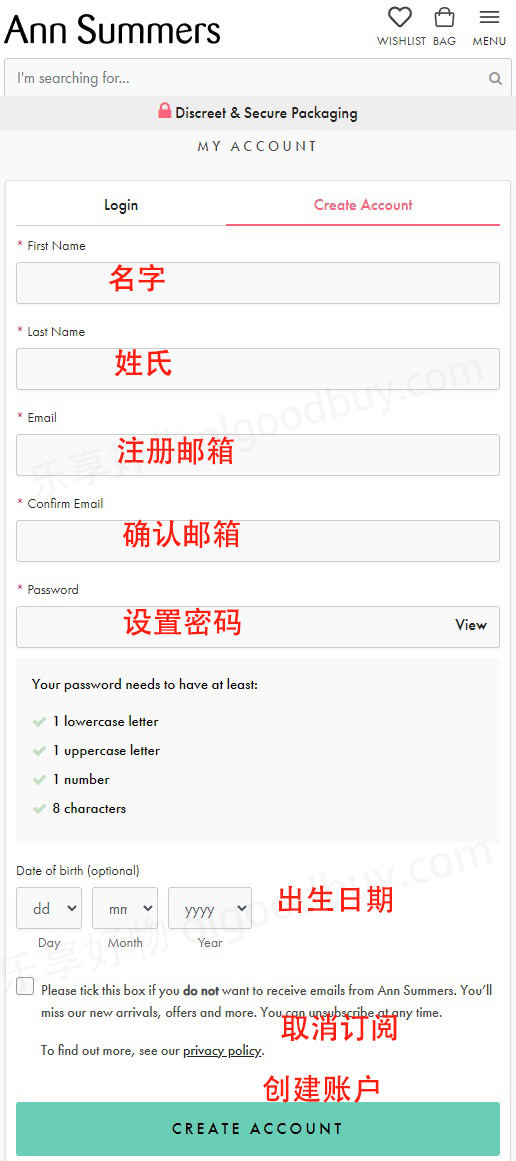
Enter registration information to create an account
3. After registering, return to browse products and add them to the cart
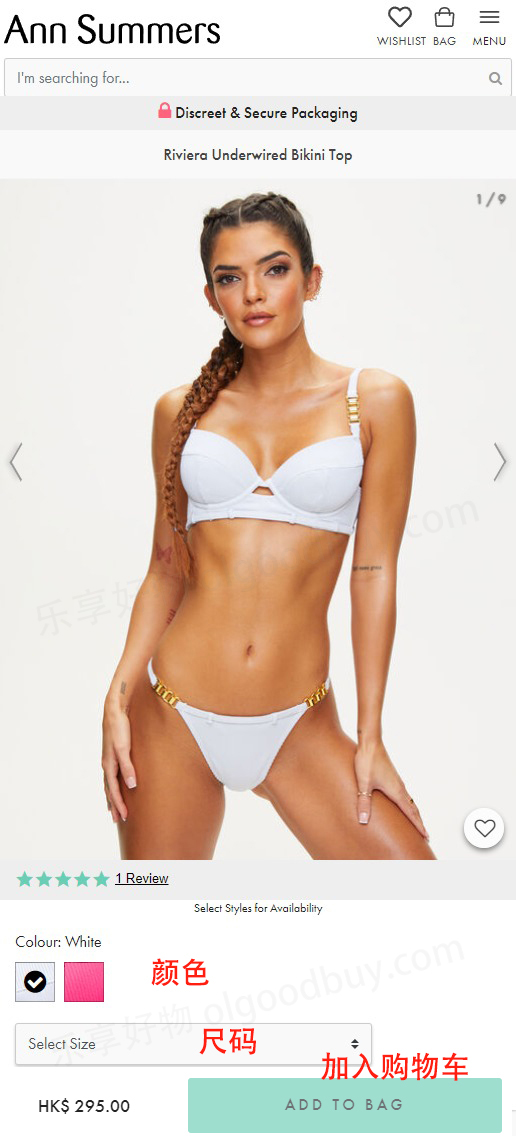
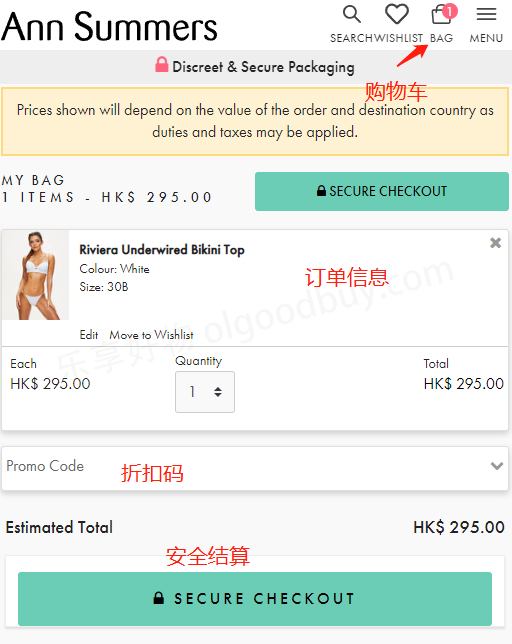
4. Open the shopping cart page and review the order
If you have a promo code, you can enter it here to get a discount
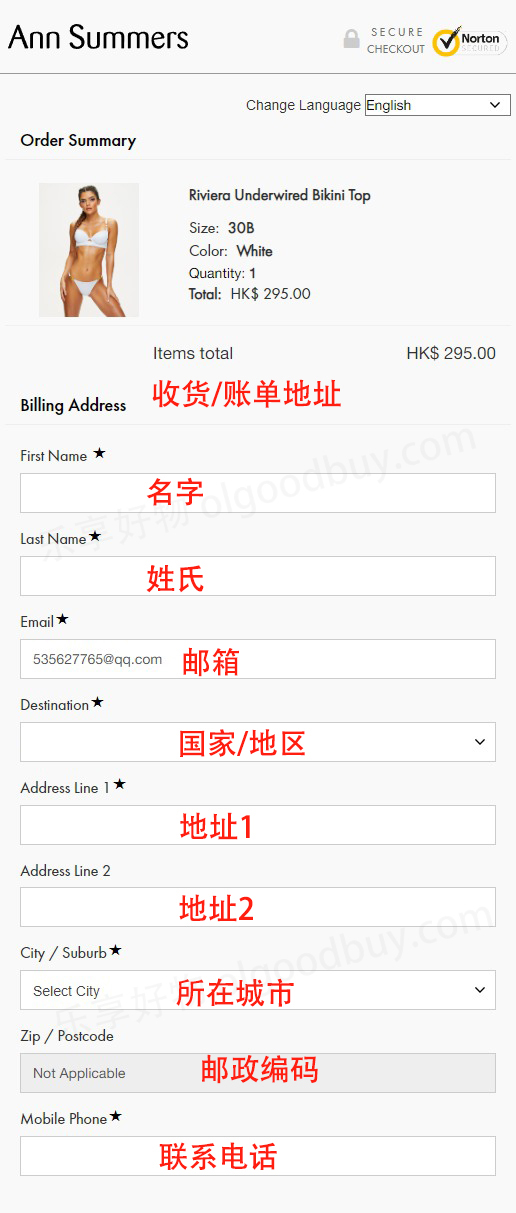
5. Fill in the shipping address
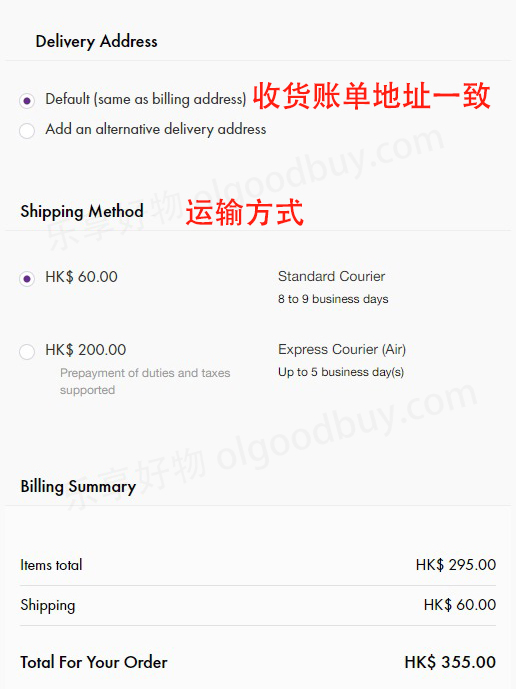
6. Scroll down to select the delivery method
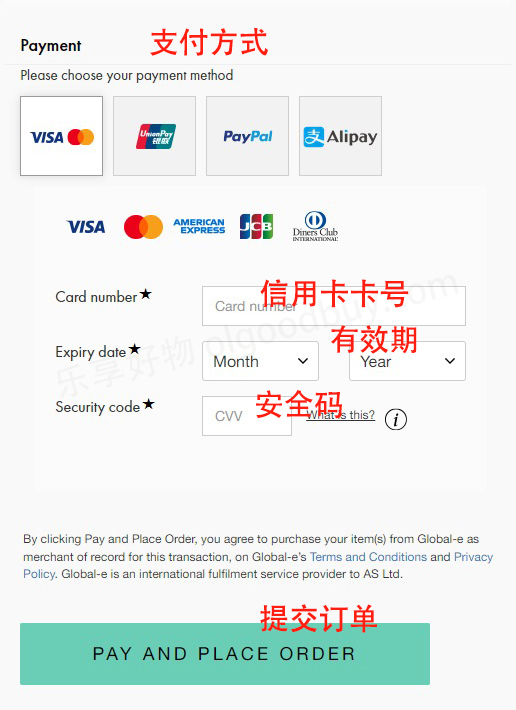
7. Scroll down to select the payment method and complete the payment
The official website supports UnionPay and Alipay payments. Here we use a credit card as an example. Fill in the credit card number, expiration date, security code, and other information, then review the billing address. Confirm everything is correct and submit the order
8. Wait for delivery!
2. Ann Summers UK Official Website Ordering Notes
1. The website accepts credit card payments via Visa, Mastercard, American Express, and Discover, and also supports online payments via UnionPay, Alipay, and PayPal
2. Supports direct shipping to China, with customs duties prepaid at checkout