

Adidas is a globally renowned sportswear brand, offering products ranging from running shoes, basketball, football, fashion, and outdoor gear to clothing, footwear, and accessories. It is one of the most popular sportswear brands among young people and has many loyal fans in China. This article introduces a guide on how to shop on the Adidas Hong Kong official website, explaining the steps to place an order and make a purchase. If you also want to order from the Adidas Hong Kong official website but don't know how, feel free to click and bookmark this Adidas Hong Kong official website shopping guide.
1. Adidas Hong Kong Official Website Ordering Tutorial
1. Open the official website
Adidas Hong Kong official website entrance: https://www.adidas.com.hk/
2. Log in to your account
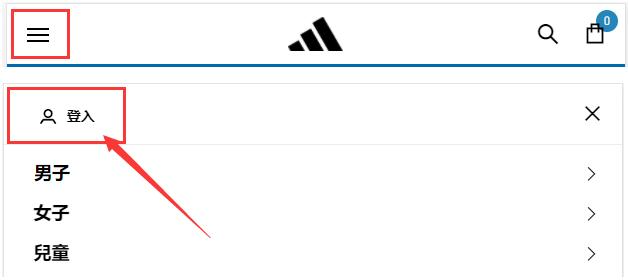
Click the dropdown menu in the upper left corner of the page and select Log In
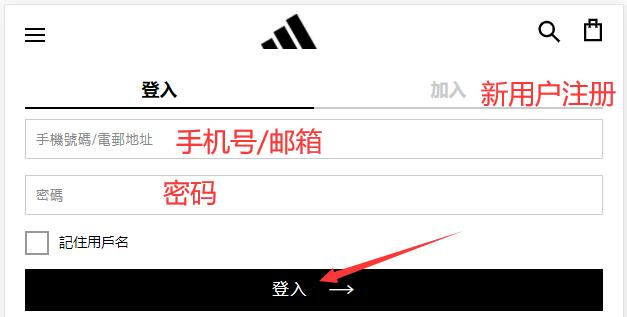
Registered users enter their phone number/email and password to log in. Unregistered users click Join
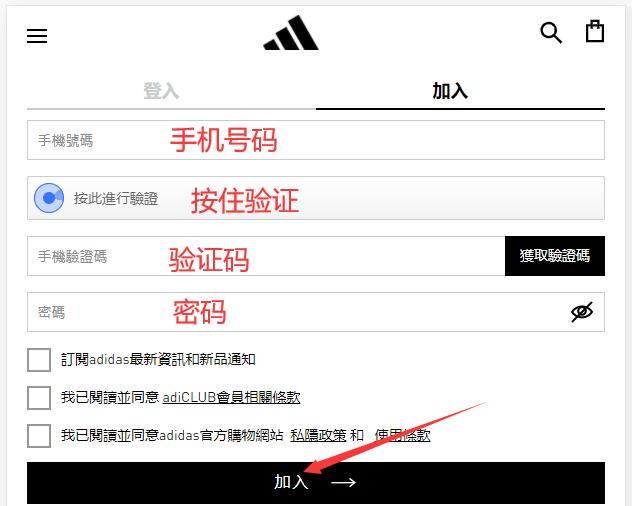
Enter your phone number for verification, enter a password, and click Register
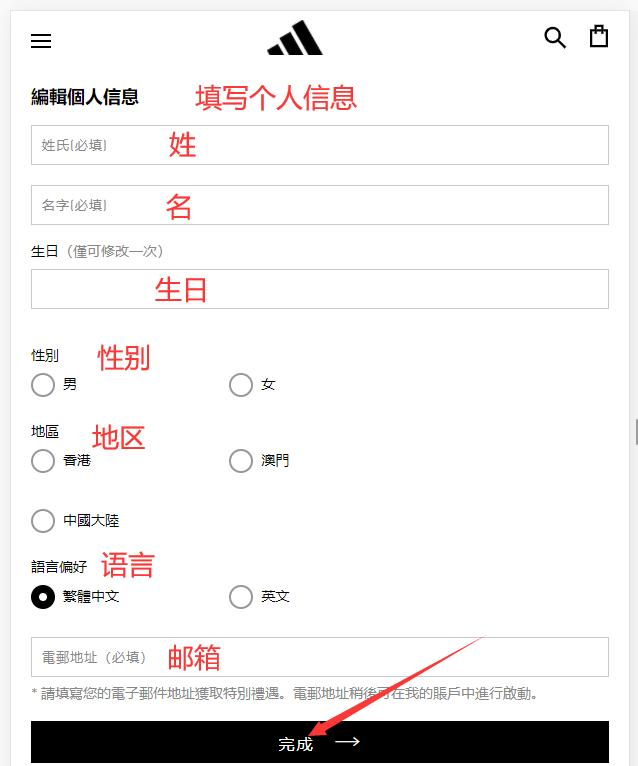
Fill in your personal registration information to complete registration
3. Select products and add to cart
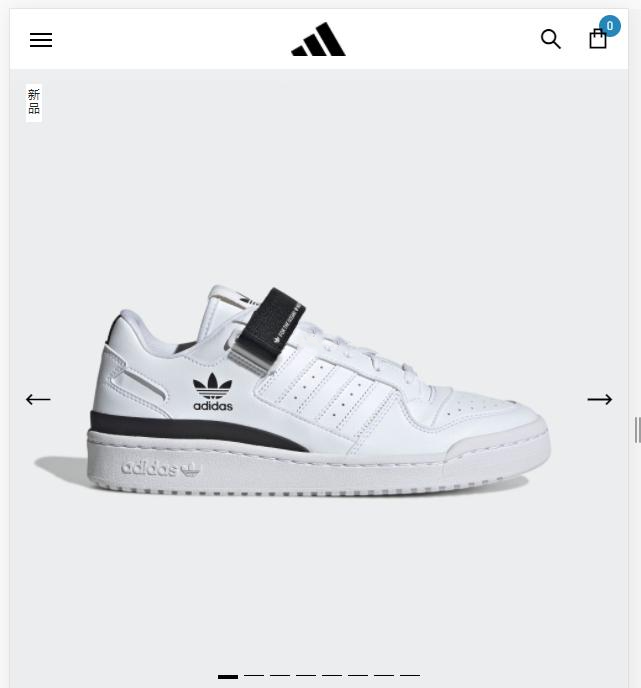
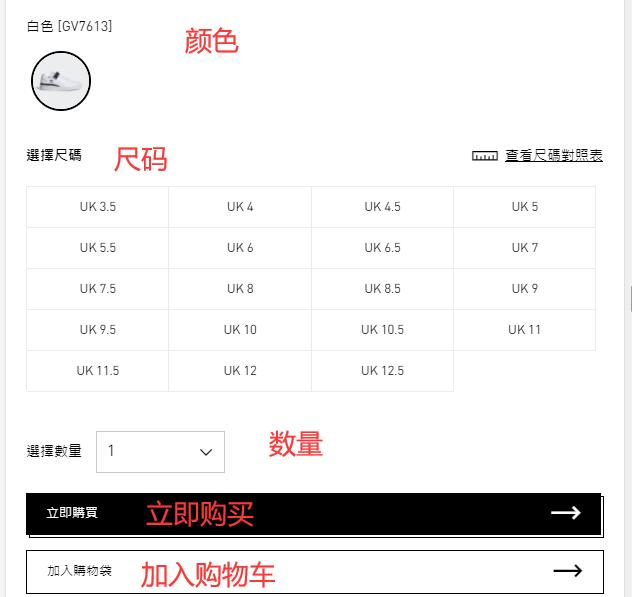
4. Open the shopping cart and proceed to checkout
Enter a promo code if available to get a discount
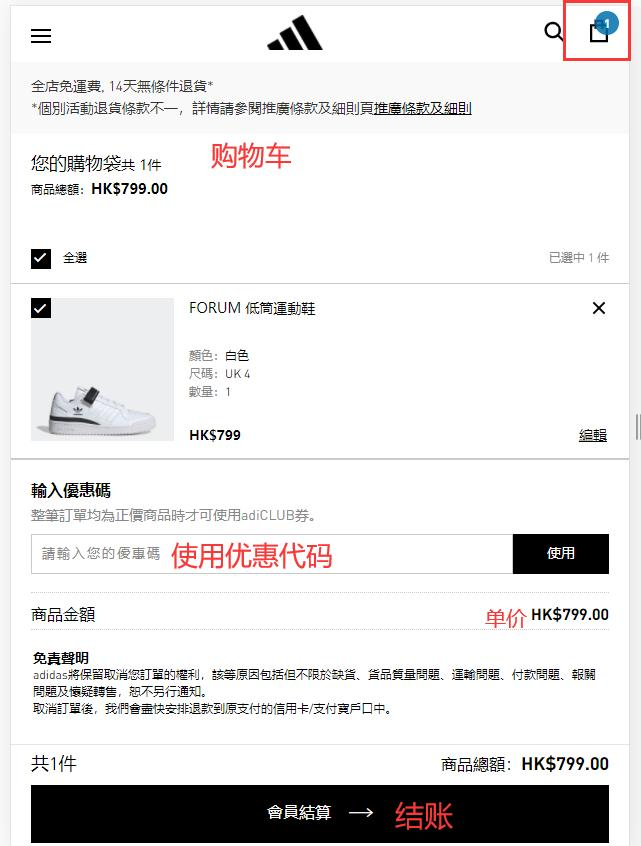
5. Choose a shipping method and fill in the delivery address
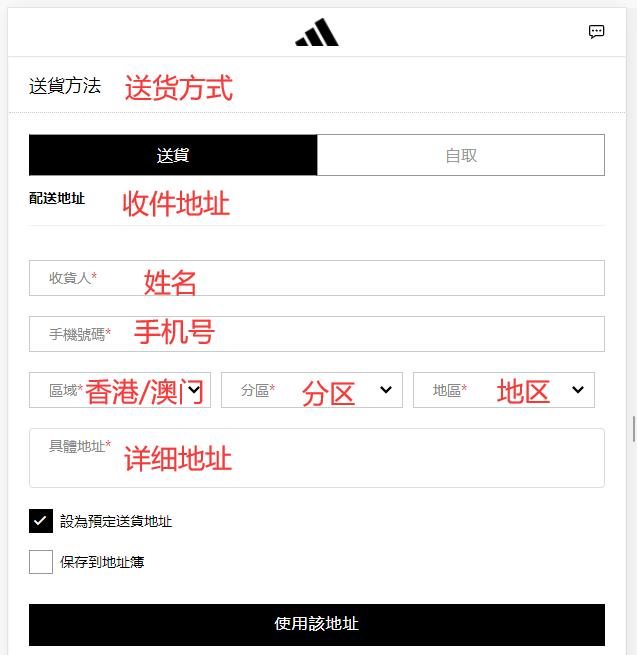
6. Review the order information and select a payment method
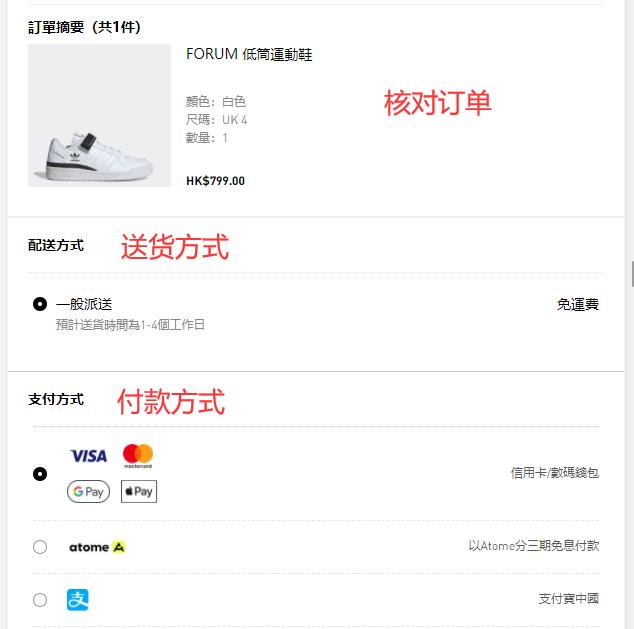
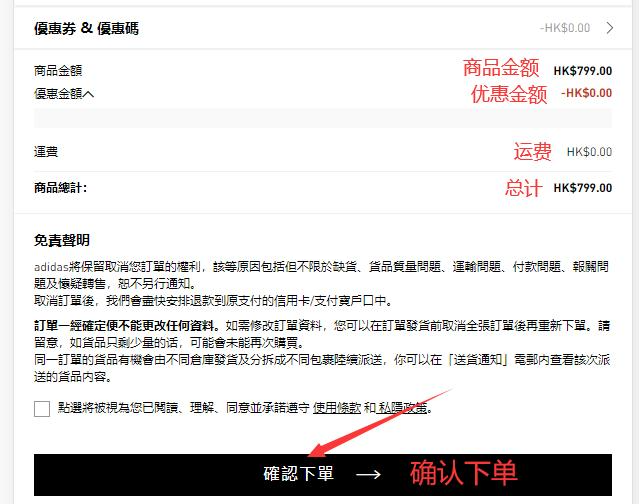
7. Fill in payment details and click Pay
Using credit card payment as an example, fill in the cardholder's name, card number, expiration date, security code, and other relevant information, then confirm payment
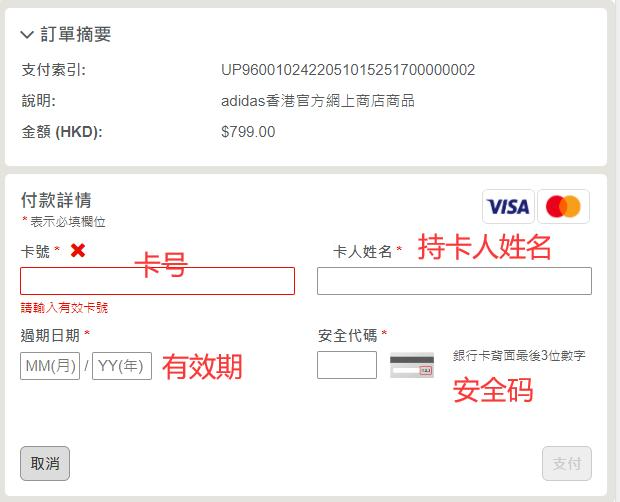
8. All that's left is to wait for the forwarding company to receive the goods, prepare the shipping details, and sit tight for delivery!
2. Notes for Ordering on the Adidas Hong Kong Official Website
1. The official website supports payment via Alipay and VISA, MasterCard credit cards
2. Direct shipping to mainland China is not supported; you can use a forwarding service for orders. Free shipping is available for Hong Kong and Macau regions