

Earlier compiledAmazon Japan overseas shopping guides have brought a lot of convenience to many. Given the growing number of mobile users, we have reorganized the ordering guide for Amazon Japan, based on both the computer and mobile interfaces, as follows:
Computer Version Ordering Guide:
1. Click to enter the Amazon Japan websitewww.amazon.co.jp
First, the language issue. For users unfamiliar with Japanese, Amazon Japan can now switch to a simple Chinese page. Click to select Simplified Chinese.
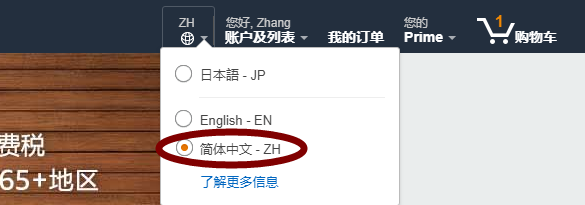
After switching, you may be prompted to save the changes. Click "Save Changes" to proceed.
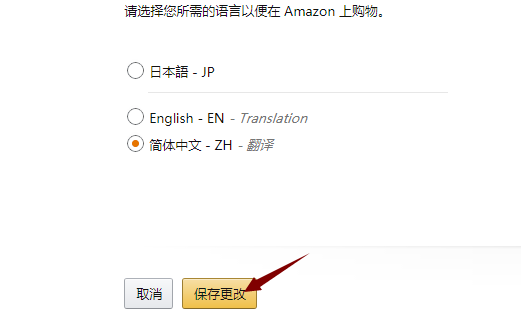
2. Registration
Click the registration button on the Chinese version.
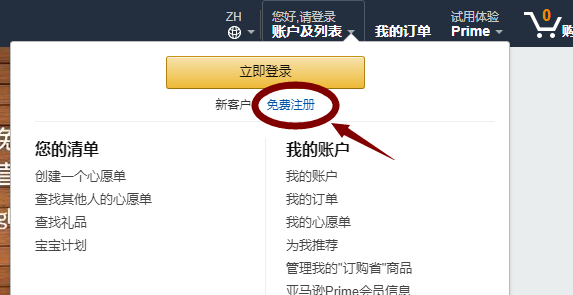
On the registration page, fill in the required information.
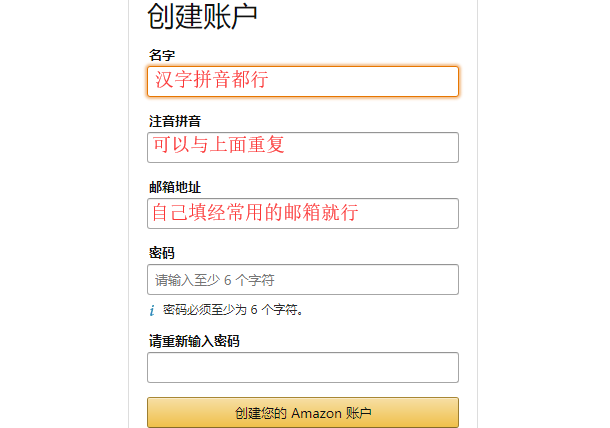
Click "Create your Amazon account" to complete registration.
You can then start shopping directly, or choose to complete your account information for easier ordering later. We chose to complete the account information.
3. Complete Account Information
Click to enter your account.
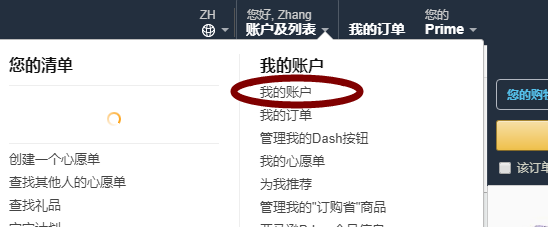
You can view all the information here.
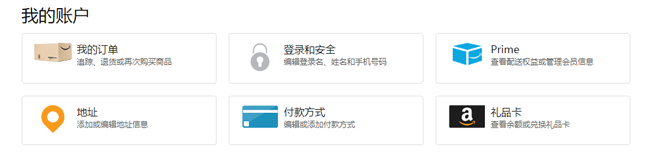
Two things need to be added here: Credit Card and Shipping Address
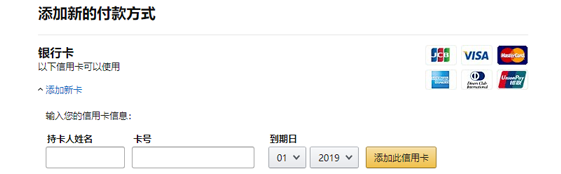
To add a credit card, click on "Payment methods" in the image above, then add your credit card information. Remember to select the credit card expiration date and fill in the details accurately.
To add a shipping address, click on "Addresses" in the account information. The screen below will appear. Select Japan as the country for a forwarding address, or select China for direct shipping.
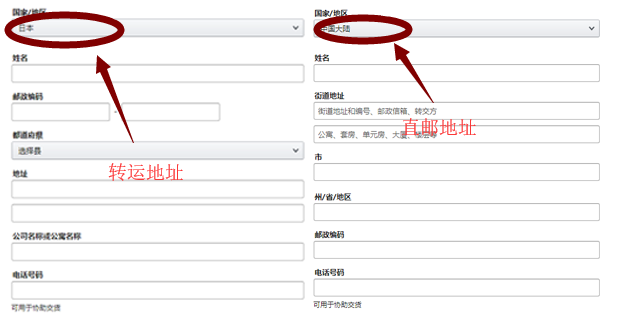
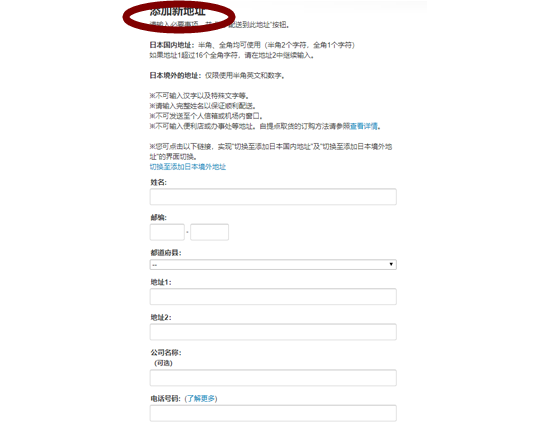
If using a forwarding address, simply copy the information provided by the forwarding company and add it accordingly. For a direct shipping address, write in pinyin, including your name and local street address.
After the above settings, your account should be ready for ordering. Below is a demonstration of how to place an order.
4. Placing an Order
Amazon Japan has a wide range of products. Generally, here are ways to find products on Amazon Japan:
(1) Check the Japan shopping list on the Bacaoo website for curated good finds. Buy what you need.
(2) If you know what you want, search directly by product name, model, etc.
(3) Browse through the navigation bar. Categories are clear in the Chinese interface.
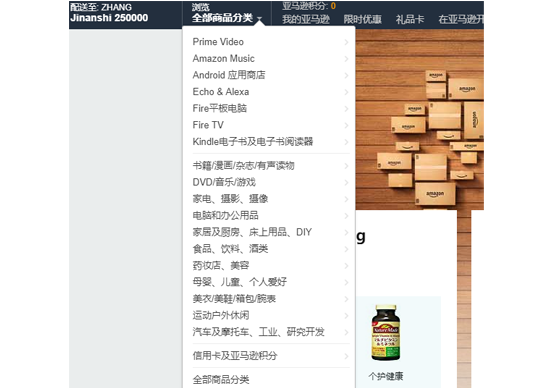
Select a product to enter its page.

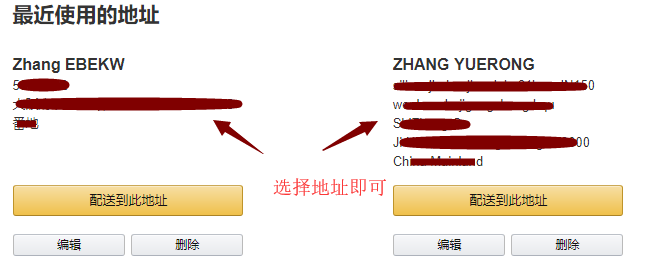
Select the desired product, add it to the cart, and proceed to checkout. Choose the address you want to use from the options below, or scroll down to add a new address.
Next, select a credit card or add a new one.
On this page, you need to double-check all the information, including the address, credit card, and whether a promotional code is applied. After clicking "Place your order," the order is complete! You can then check it under "My Orders."
This concludes the basic process for placing an order on Amazon Japan.