

Babyshop is a baby and children's products shopping website originating from Sweden, founded by Linn and Marcus Tagesson in 2006. It offers children's clothing, shoes, maternity wear, strollers, toys, car seats, feeding plates, and more for kids aged 0-10 and mothers. As an established online shopping platform for maternal and infant products, Babyshop not only features the most popular Swedish brands but also collaborates with many internationally renowned brands. This article introduces a guide on how to shop on the Babyshop official website, explaining how to place orders and purchase items. If you want to order on the Babyshop official website but don't know how, feel free to click and check out this Babyshop overseas shopping guide.
1. Babyshop Official Website Overseas Shopping Order Guide:
1. Open the website
Babyshop official website entrance URL: https://www.babyshop.com
2. Log in to your account
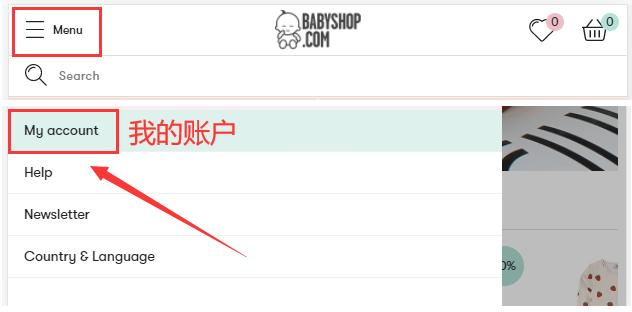
Click the dropdown menu in the upper left corner of the page and select "My Account" to log in to your account
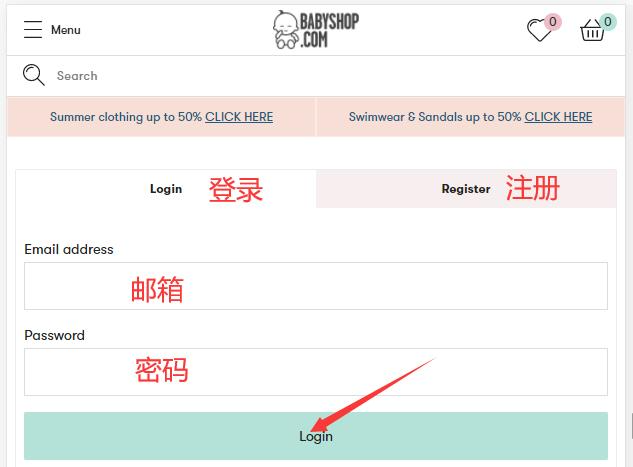
If you already have an account, you can log in directly with your email and password. If you are not registered, click to register;
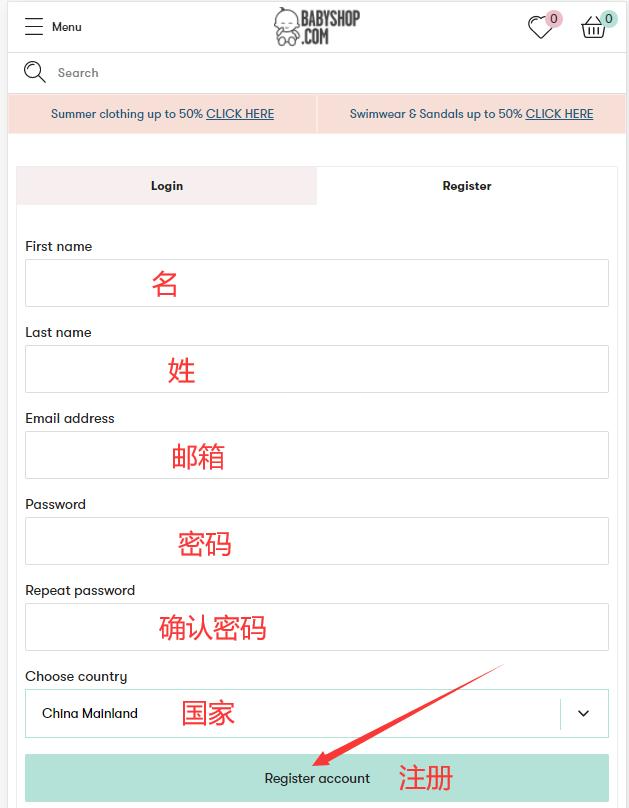
Fill in the information to register a personal account
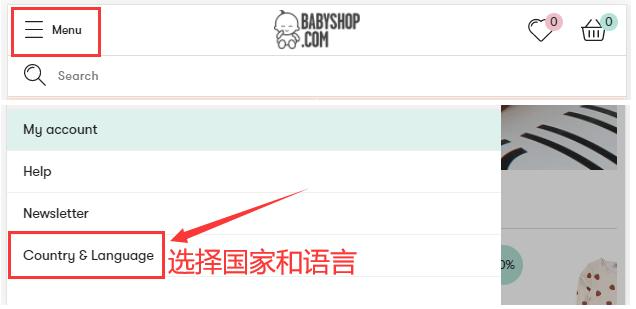
3. Switch the website to the Chinese page
Click "Region & Language" to select the country and language
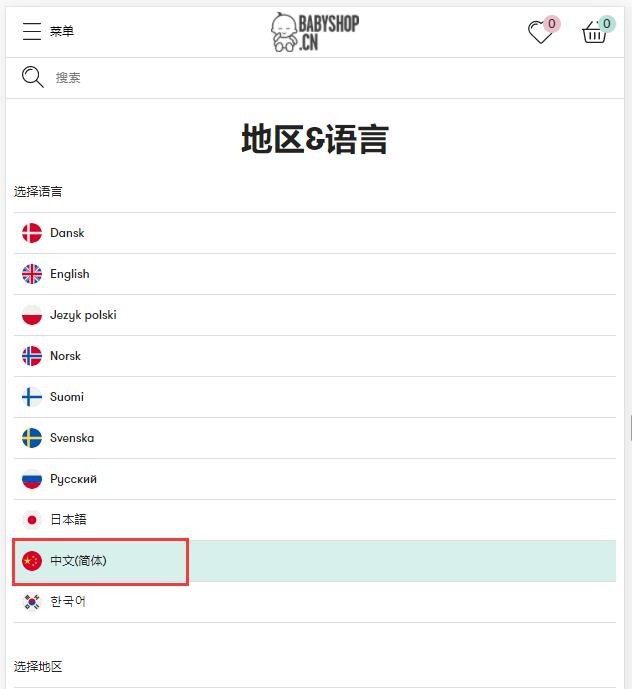
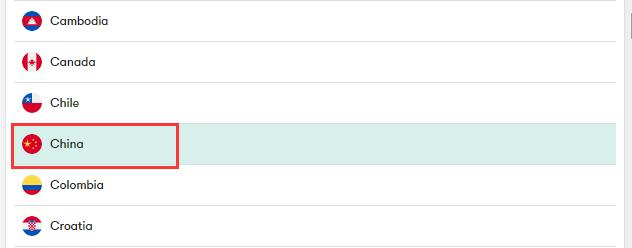
4. Browse products on the website and add them to your shopping cart
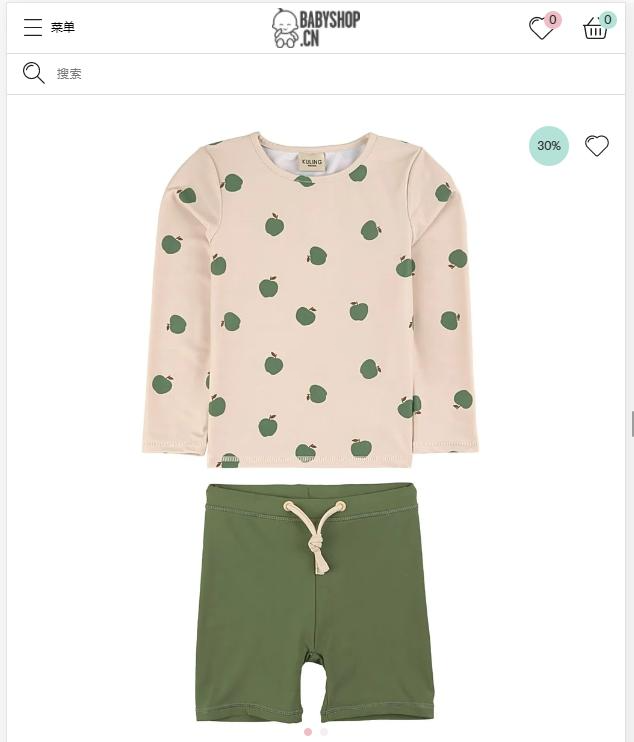
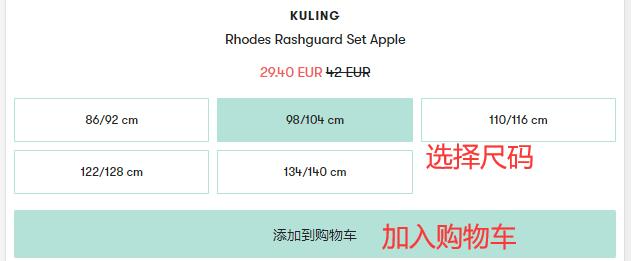
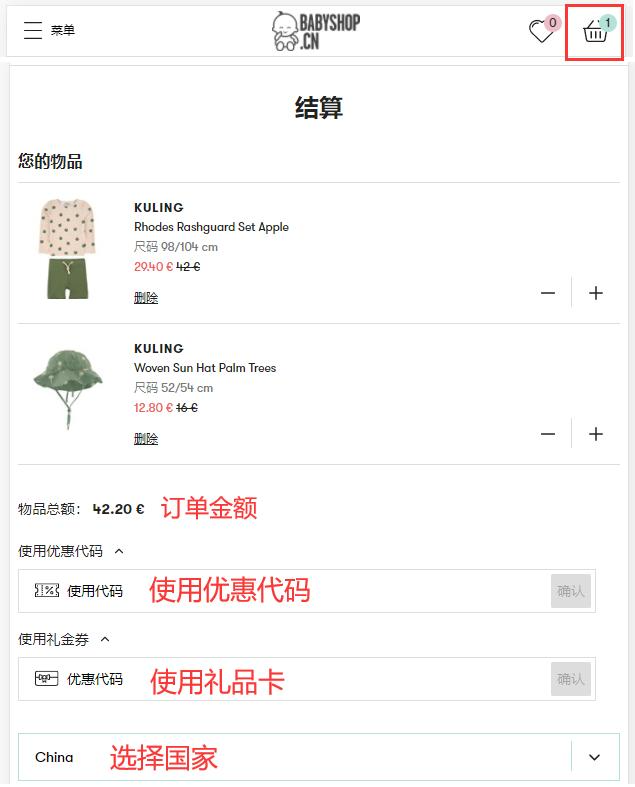
5. Open the shopping cart to view the added order
If you have a discount code or gift card, you can enter it here to get a discount
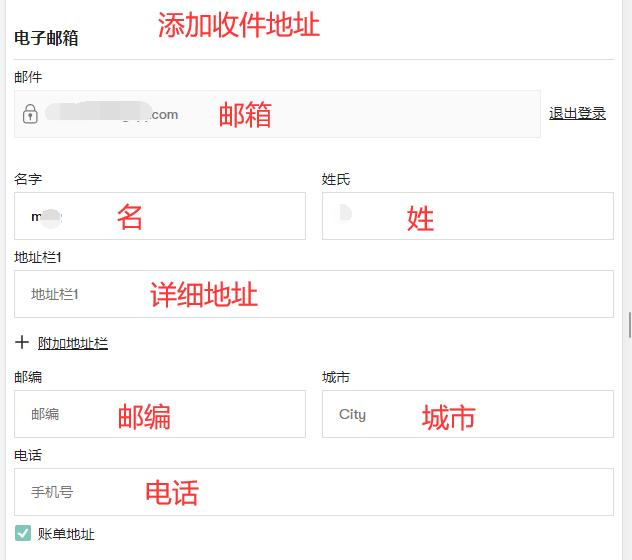
6. Fill in your shipping address
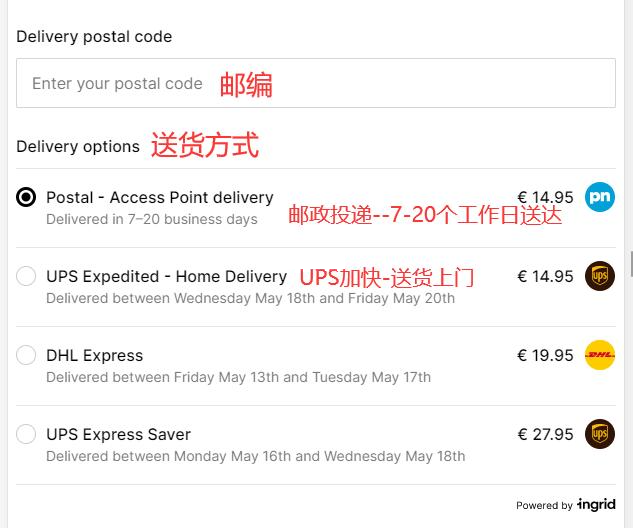
7. Select the shipping method for your items
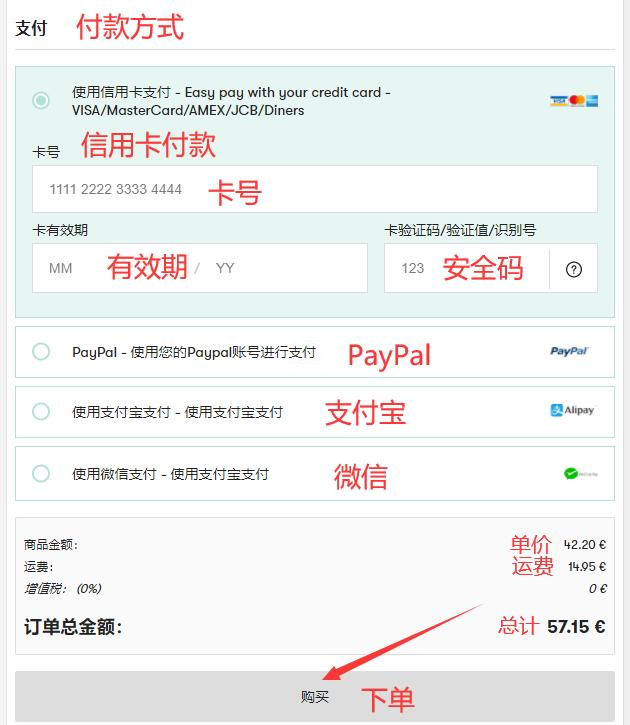
8. Choose a payment method, confirm and submit the order
Taking bank card payment as an example, fill in the card number and expiration date as shown in the image below, confirm everything is correct, and click to purchase and place the order
9. All that's left is to wait for the forwarding company to receive the goods, prepare the shipping details, and sit tight for delivery!
2. Other Ordering Notes for Babyshop Official Website:
1. The minimum order amount on the Babyshop official website is 39€. Orders under 39€ cannot be placed.
2. The official website can ship directly to China. For packages under 2kg, you can choose "Mailbox" special postal service. Free shipping applies for orders over 159€. For large packages, you can choose "Postal" standard postal delivery, with free shipping for orders over 259€.
3. The official website supports payment via WeChat, Alipay, and Visa/MasterCard credit cards.