
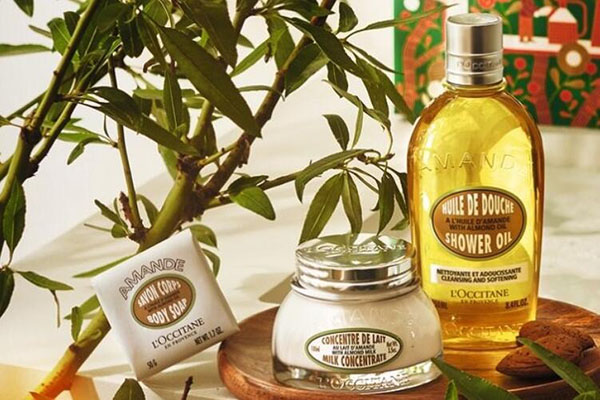
L'OCCITANE, from the famous unpolluted paradise of Provence in France, has a history of over thirty years. Its products are all made from natural ingredients. L'OCCITANE products have always attracted everyone with their high-quality natural and fragrant characteristics. It provides customers with high-quality natural facial, body care, fragrances, and other natural care products. The integration of natural plant extracts with cutting-edge technology has established L'OCCITANE's unshakable position in the hearts of women.
The L'Occitane US official website supports domestic dual-currency cards and also supports PayPal payments registered abroad. It is relatively friendly to forwarding addresses, but order cancellations occasionally occur. Therefore, it is recommended to use a real billing address to reduce cancellations. Below is a guide for mobile overseas shopping on the L'Occitane US official website:
L'Occitane US Official Website Entrance: https://www.loccitane.com/en-us
1. First, register an account. Click the profile icon in the top right corner of the homepage to log in:
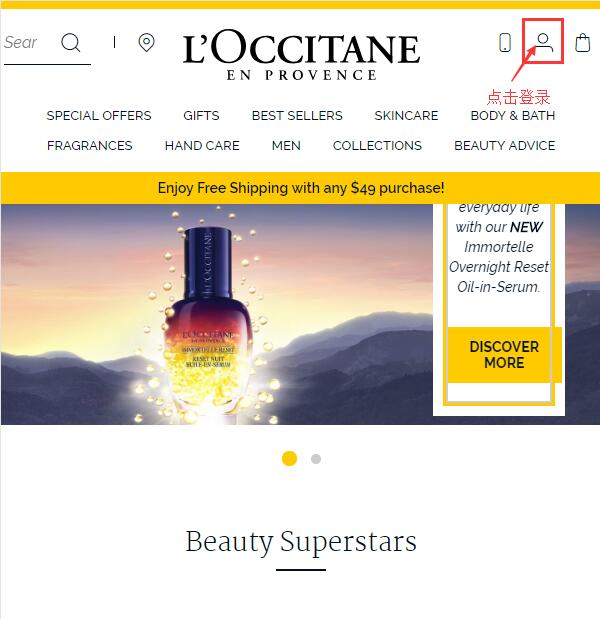
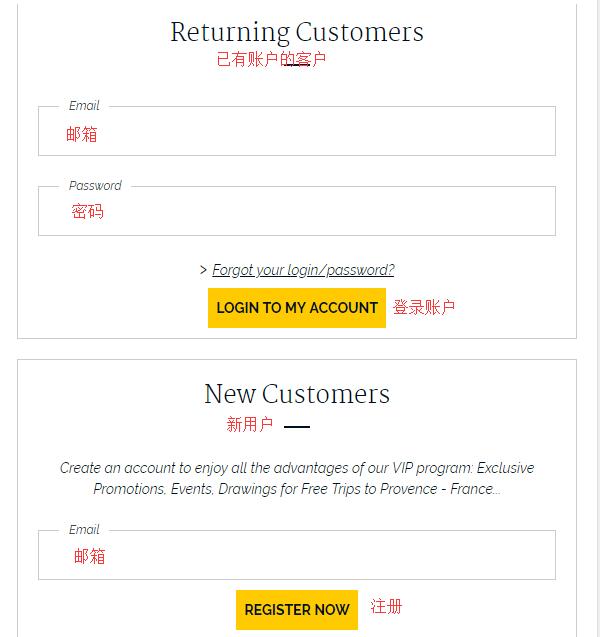
Existing users, choose to log in using email and password. New users, enter your email address and select Register now below to register:
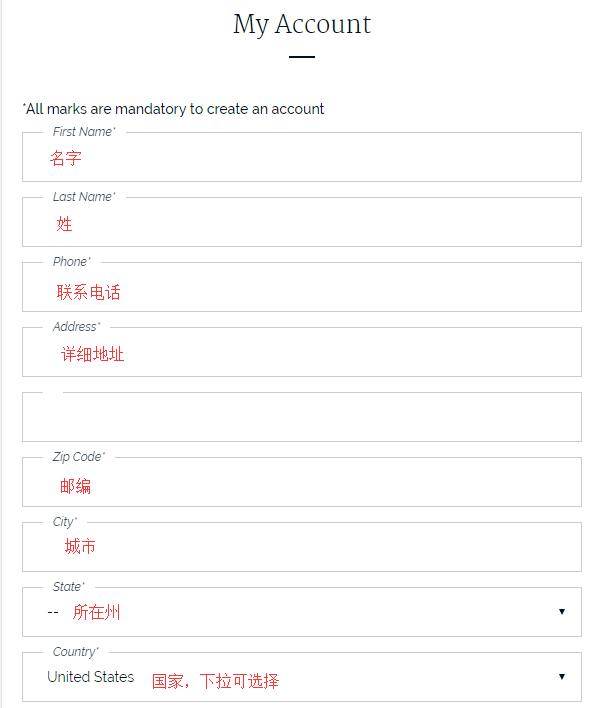
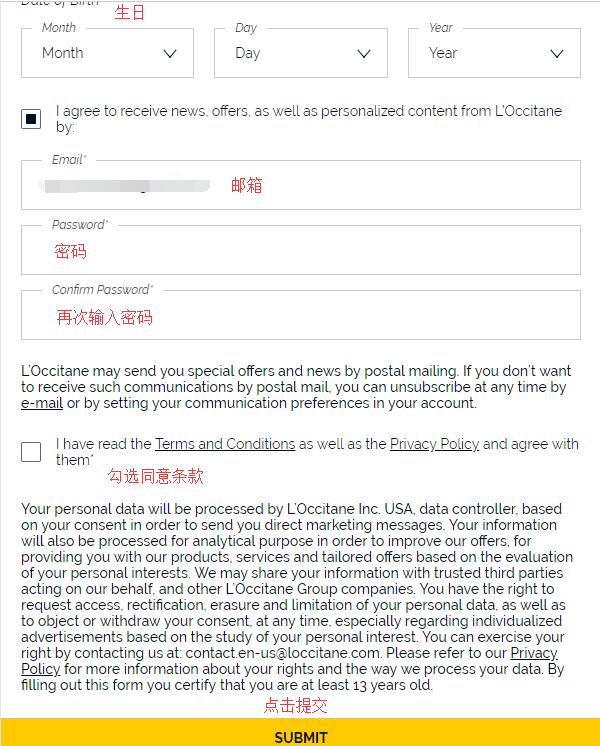
Enter your name, phone number, address, birthday, email, password, and other information. Click submit below to complete the registration. Since direct mail is not currently supported, you can use a forwarding address.
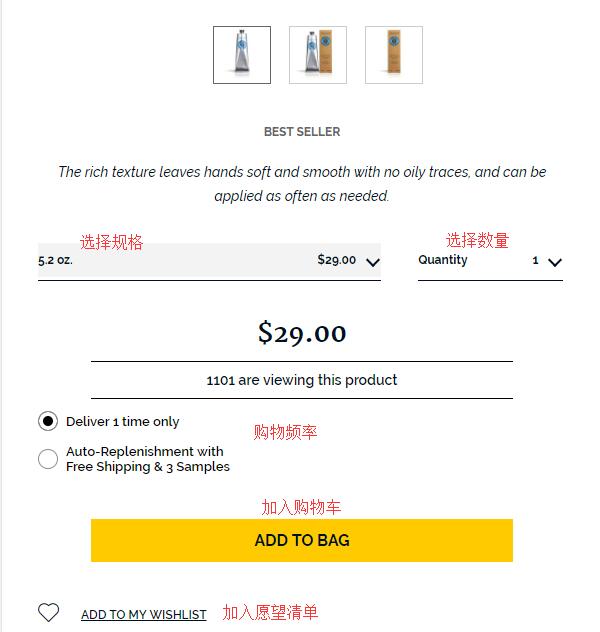
2. Once registered, you can start shopping! Their star products are the Immortelle series creams, masks, and serums; the Honey series creams and masks; the Olive series toners; the Shea Butter hand creams; and the Four Roses perfume. Below, we use the hand cream as an example to introduce the overseas shopping guide.
Select the product specifications, quantity, and purchase frequency to add to the cart:
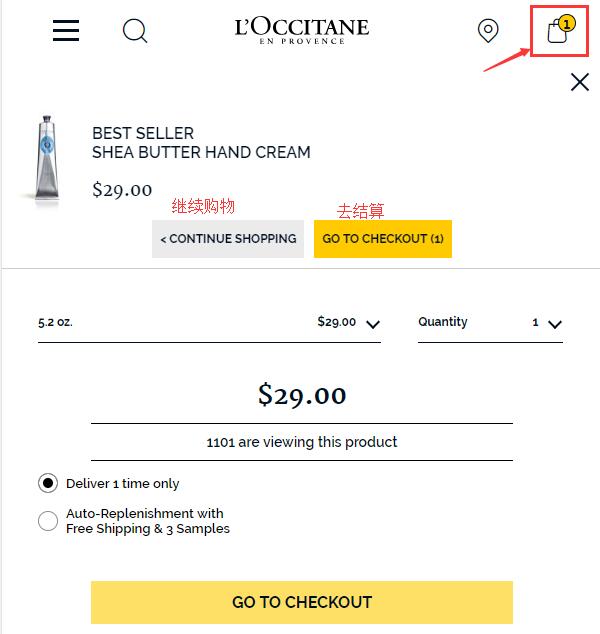
After adding to the cart, a pop-up window will appear. Select go to checkout to proceed:
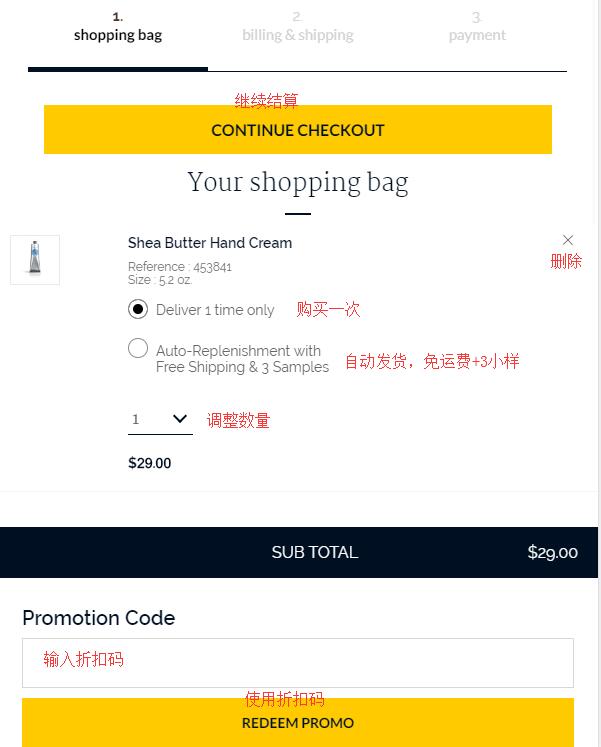
3. Enter the shopping cart. You can adjust the product information. If you have a discount code, enter it in the dialog box below the product information to get the corresponding discount:
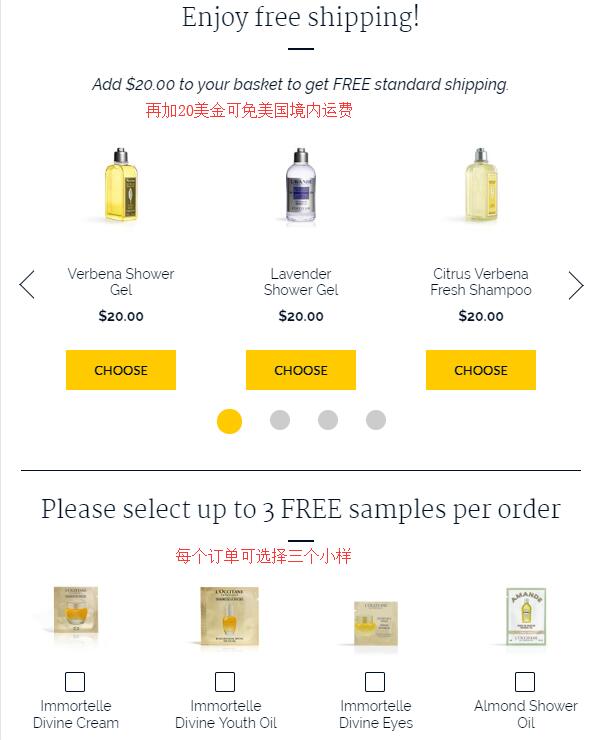
Free shipping is available for orders over $49. You can select items below to add to the cart to enjoy free shipping. Additionally, you can choose 3 free samples per order. Click View all below to expand all samples, select them, and then click continue to checkout:
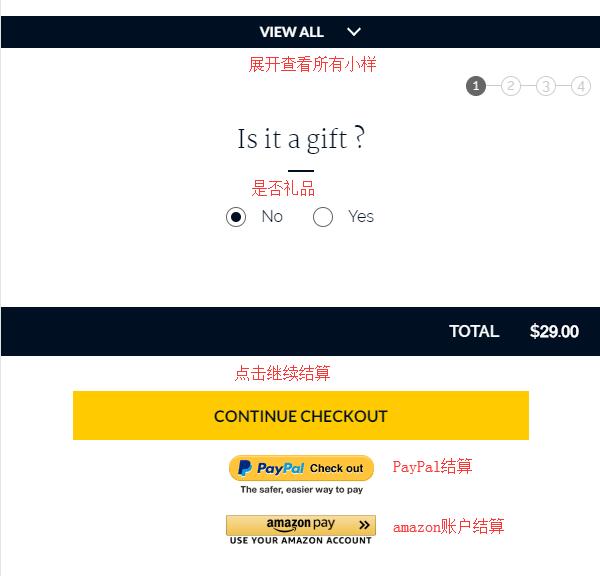
4. Checkout step one, enter the address information. First, select the shipping method. Generally, we default to standard shipping. As mentioned, orders over $49 qualify for free shipping. For the shipping address, you can use the forwarding address entered during registration or enter a new address:
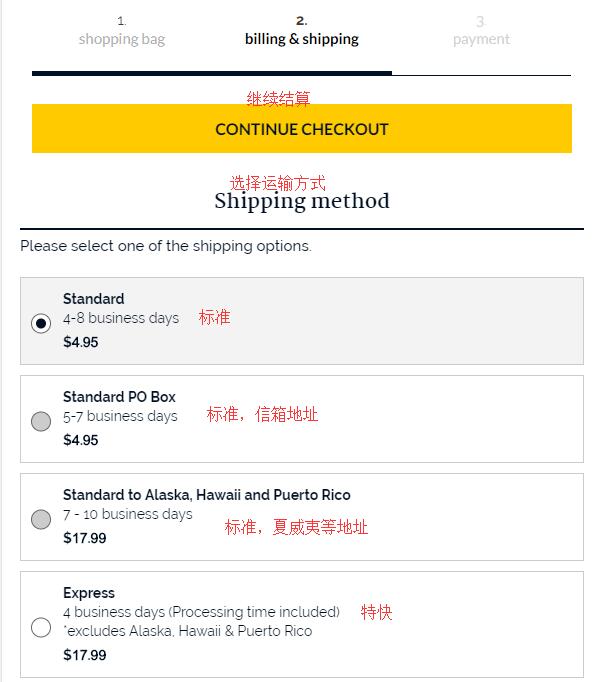
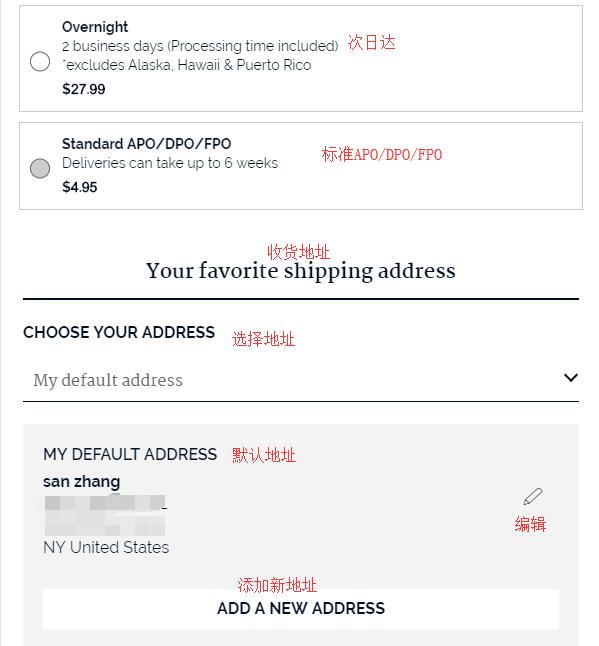
Regarding the billing address, you can use the forwarding address. However, based on user experience, it is recommended to use a real billing address. Click edit to enter a new address, then click continue to checkout;
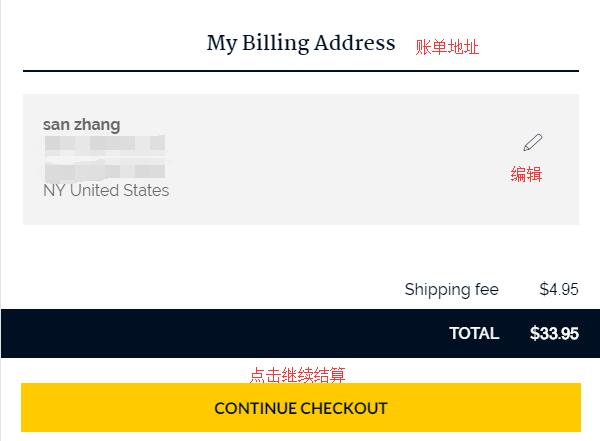
5. After entering the address, proceed to the payment section. Verify the entered address and product information are correct, select the credit card type, and click enter payment info to input payment details, entering the final stage:
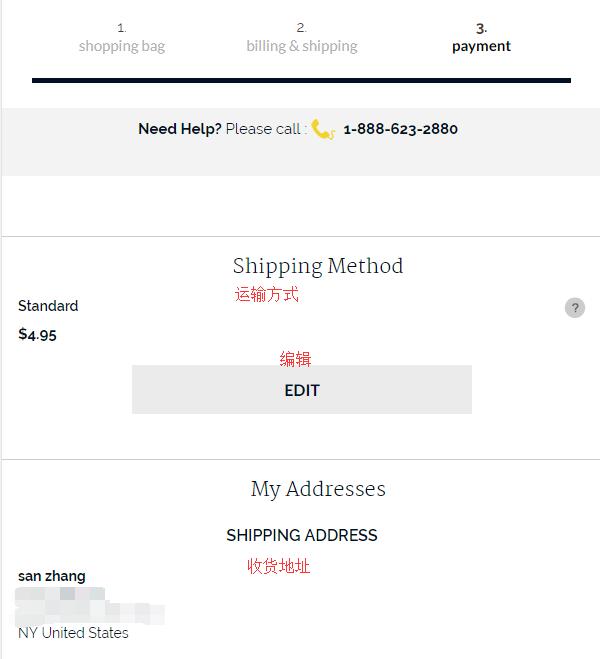
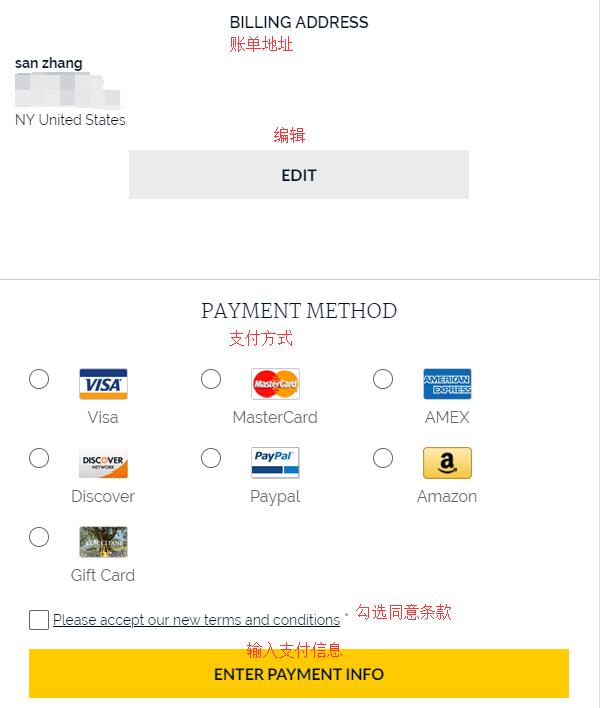
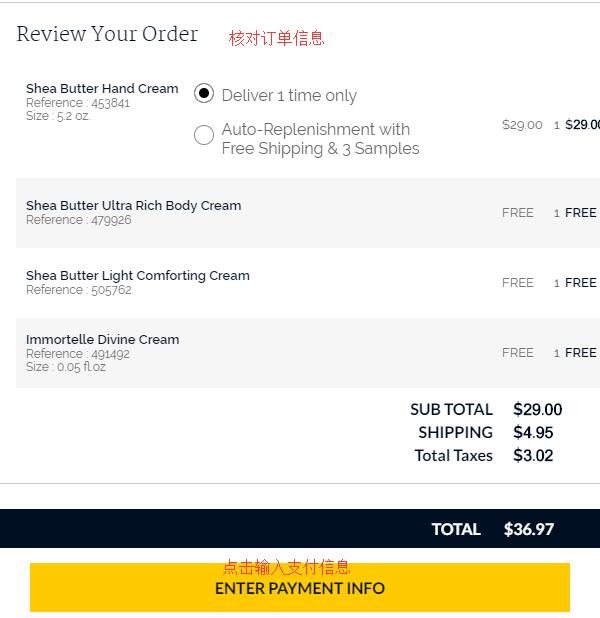
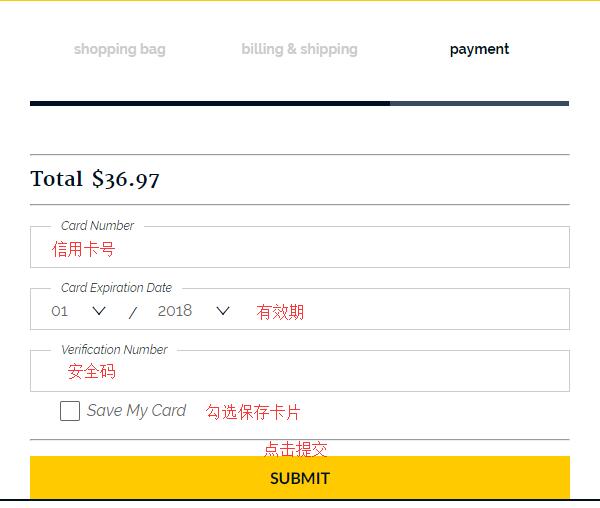
6. In the payment information section, enter the credit card number, expiration date, security code, and other details. Confirm the order amount is correct, and click Submit to complete the purchase. The entire shopping process is finished.
All that's left is to wait for the credit card charge notification, then make a declaration to the forwarding company. Finally, just wait to receive your package.