

This article mainly reveals how to use the Barter e-wallet to apply for a US Visa virtual credit card!
Flutterwave is a leading third-party electronic payment platform in Africa, founded in 2016 and headquartered in San Francisco, USA. The company has two main products: Rave for businesses and the Barter e-wallet for individuals. Both products offer virtual credit card functionality, but Rave has not yet opened up to Chinese users. I registered and uploaded my passport, but it didn't pass verification. Barter was tested successfully, and here's what is currently known:
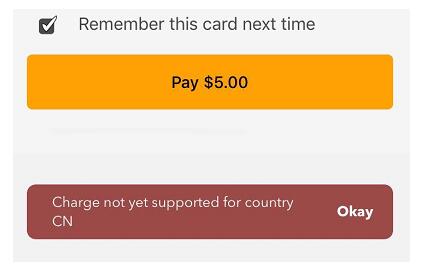
You can register with a Chinese mobile number and pass verification with a Chinese ID card, but this type of account cannot be topped up, even with a US card. It directly prompts: Charge not yet supported for country CN. Some users have reported that with a Chinese mobile number and Chinese ID, the web version can be topped up using a US credit card. I tested it, and it indeed works. It is said that the web version can also be topped up with a Chinese credit card, but I personally think it's risky. Some experts indicate that topping up with a non-US credit card will lock the account and prevent card issuance.
Registering with a US mobile number and verifying with a Chinese passport allows you to top up using a US card, such as 553232
The BIN is 405640, which is a DEBIT type PREPAID card. You can create two virtual credit cards simultaneously, recharge them repeatedly, and delete them only 24 hours after creation. There is no card issuance fee.
You can top up using a Debit Card or a US online bank account.
The billing address is the same: 333 Fremont Street, San Francisco, CA 94105. If the platform you are paying on has AVS, you must use this 94105. If there is no AVS, you can use any address.
You can start a Netflix trial, but it does not support Airbnb. Some have reported it doesn't support Amazon, neither seller nor buyer accounts. I don't deal with Amazon, so I can't test it.
Barter Registration
Barter supports web registration and registration via the APP, which is available for Apple and Android phones. Search for GetBarter when downloading; GetBarter is the name of the software. It is recommended to use an iPhone because the recharge and delete buttons for the sub-card were not displayed on my Huawei phone but worked normally on an iPhone. I initially planned to register directly using the mobile APP, but on the iPhone 6s, the default country code was +1 and couldn't be changed to China's +86, as shown in the image:
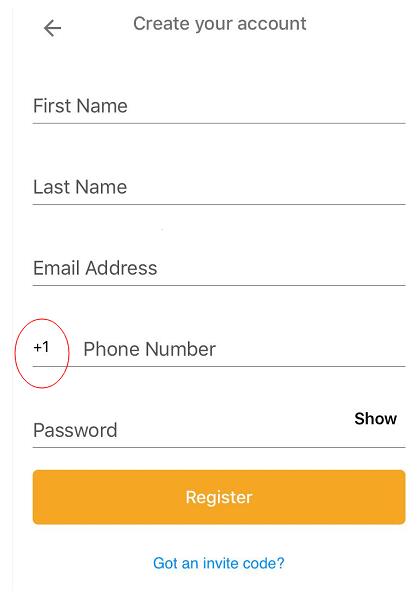
It seems this company's mobile APP was launched without thorough testing, as the Android version also has quite a few issues. Fortunately, there is a web version, soopen the website to register, as shown:
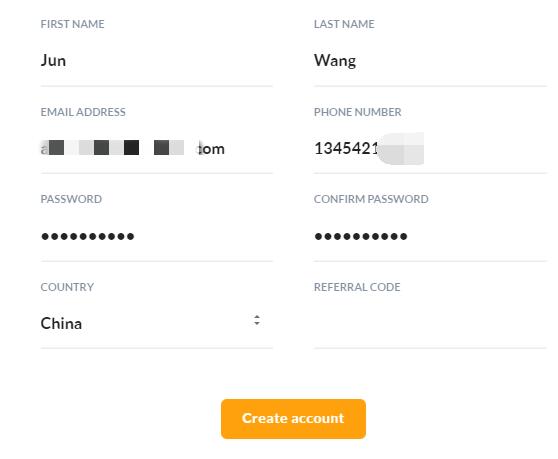
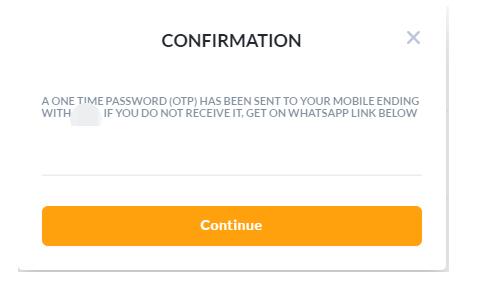
Clicking "Create account" from a Chinese IP address had no response. Switching to a US IP address solved the problem. However, a new issue arose: I didn't receive the verification code on my phone, nor did I see the WHATSAPP LINK mentioned in the prompt, as shown:
I ignored it and tried logging in directly via the web, only to see the following prompt, which seems to support phone verification:
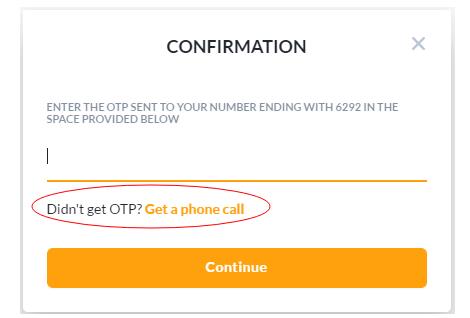
But unfortunately, no call came through either. It seemed I had to switch to the mobile APP, but the result was the same as the web version—no SMS verification code and no incoming call. Checking the registration process, I realized I hadn't added +86 when entering the phone number. This might be why I didn't receive the SMS or call. So, I re-registered. This time, I still didn't receive the SMS, but I did receive a call from Nigeria. After successful registration, I logged in directly via the mobile APP.
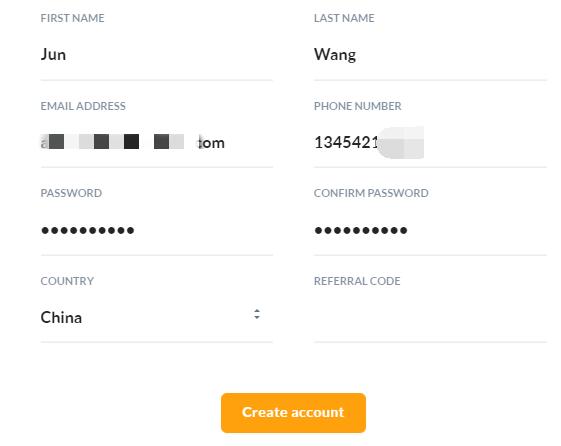
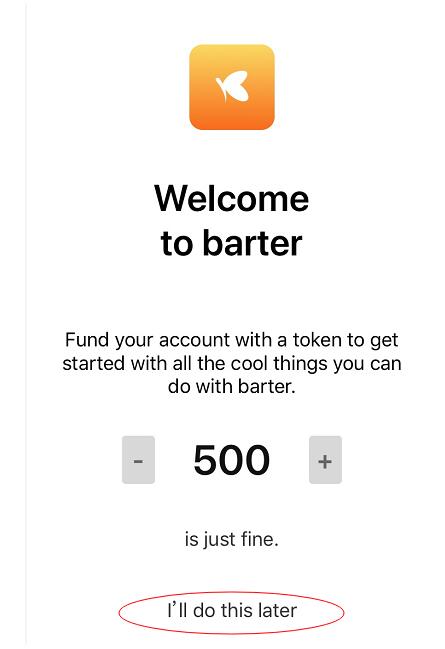
After logging in, it prompted me to top up. I selected "I'll do this later" to enter the wallet main interface. Topping up without verification is risky because you cannot create cards or transfer funds without verification.
First, verify your identity. Click "Profile" in the bottom right corner of the app, then select "Verify your Identity". Users in mainland China can use a Passport, Driver's License, Identity Card, or China Visa for verification. I used the mainland ID card that everyone has. You need to take photos of the front and back of the ID card and a selfie. Adjust the distance while taking photos; the app will automatically capture and upload them. The verification was approved in less than a minute after uploading the photos, indicating it's not manual review.
Barter Top-Up
Now you can safely top up. Click "Add Money" in the top left corner of the app, then enter the amount you want to add. I started with $5 to test; small amounts multiple times are safer. It shows that Chinese users can only use a Debit Card, and as many users have reported, Chinese users cannot top up: Charge not yet supported for country CN, as shown:
As an e-wallet, Barter supports transfers, so you can find someone with a balance in Barter to transfer funds to you. (Minimum $2 per transfer, as per Barter wallet limits).
Some users have reported that with a Chinese mobile number and Chinese ID, the web version can be topped up using a credit card. I tested it, and it indeed works. It is said that the web version can also be topped up with a Chinese credit card, but I personally think it's risky. Some experts indicate that topping up with a non-US credit card will lock the account and prevent card issuance.
If you want to top up yourself, you can try registering with a US phone number and verifying with a Chinese passport and US visa. Since my first account was set up this way, I can currently top up using 553232.
Creating a Virtual Credit Card
Click "Cards" at the bottom of the app to create a virtual credit card. You need to enter an amount when creating the card, minimum $1, with no card issuance fee. You can create two virtual credit cards simultaneously.
Click on the card face or "Card Details" to see the "Fund this card" button and the "Permanently delete card" button. These buttons are visible on the iPhone, but they were not visible on my Huawei phone. I'm not sure about other Android phones. Cards can only be deleted 24 hours after creation, so you can create a maximum of about 60 cards per month. After deleting a card, the balance returns to the e-wallet with no fee.