

bloomingdale's is a mid-to-high-end chain store under the famous Macy's department store in the United States, founded in 1861. Its official website sells designer fashion, shoes, bags, beauty products, and gifts. This article introduces a guide on how to shop on the Bloomingdale's US official website, explaining how to place orders and shop on the Bloomingdale's US official website. If you also want to place an order on the Bloomingdale's US official website but don't know how, feel free to bookmark this Bloomingdale's US official website shopping guide.
I. Bloomingdale's US Official Website Ordering Tutorial
1. Open the official website
Bloomingdale's US official website entrance: https://www.bloomingdales.com/
2. Log in or register
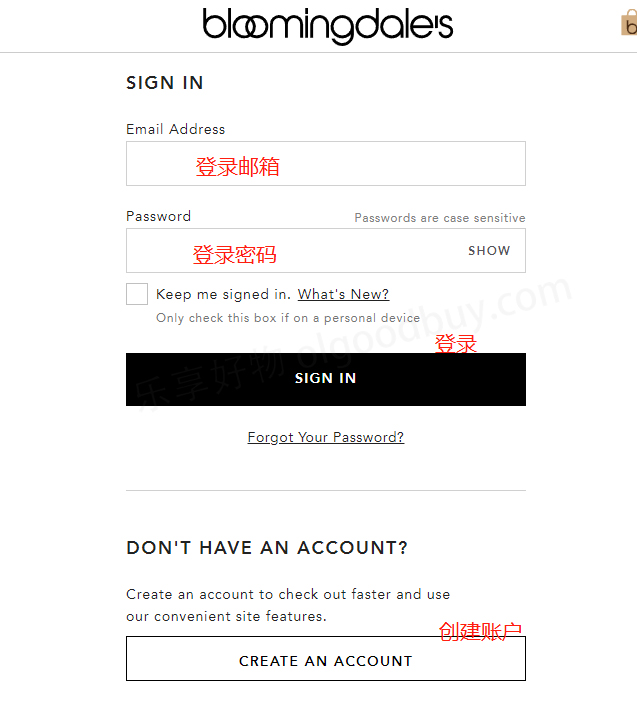
The login entrance on PC and mobile is not easy to find. You can directly click the registration entrance: https://www.bloomingdales.com/account/signin
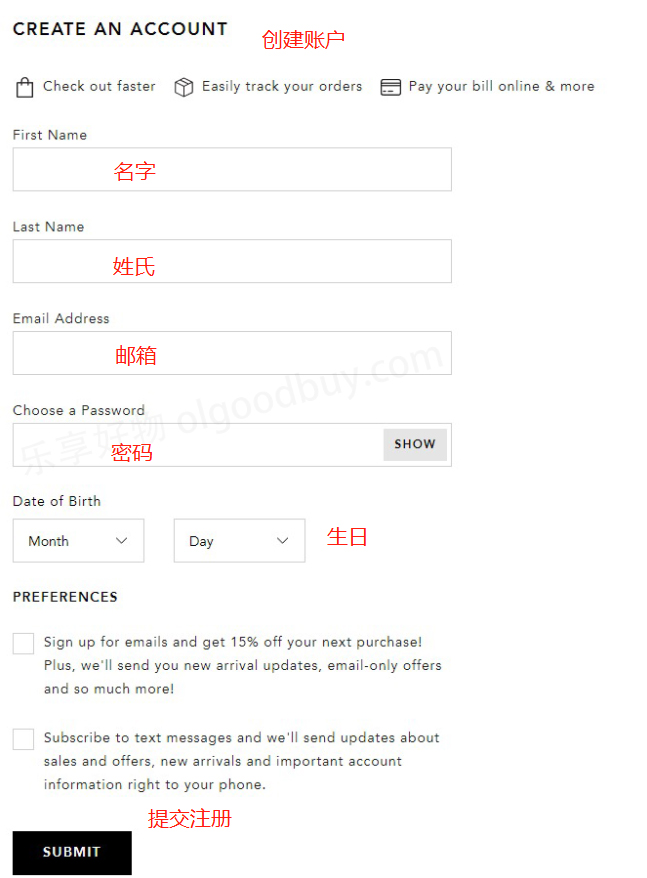
Registered users can log in using their email and password. Users who have not registered should click create.
Enter registration information to create an account
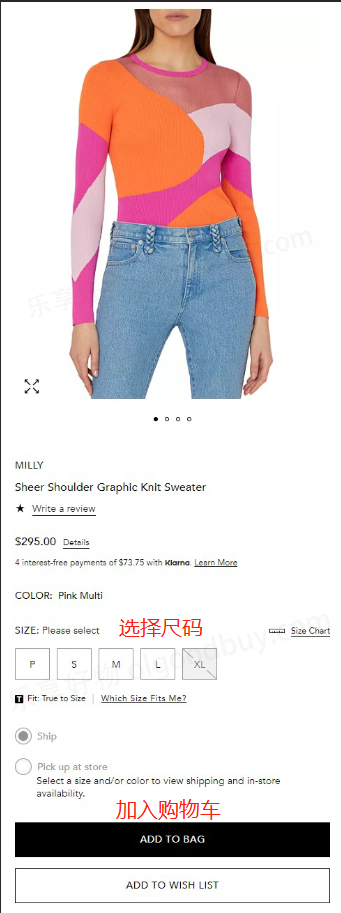
3. Select items and add to cart
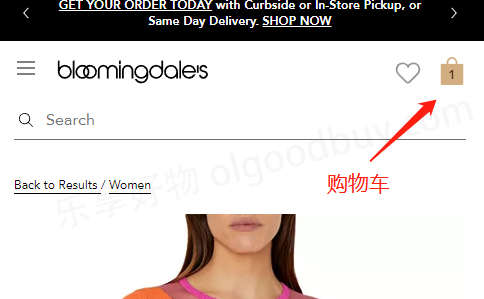
4. Open the shopping cart page and review the order
If you have a discount code, you can enter it here to get a discount
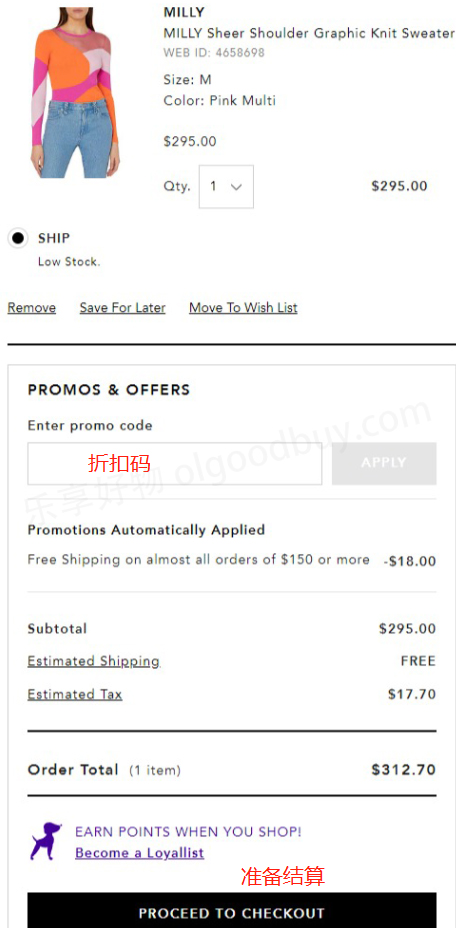
5. Fill in the shipping address
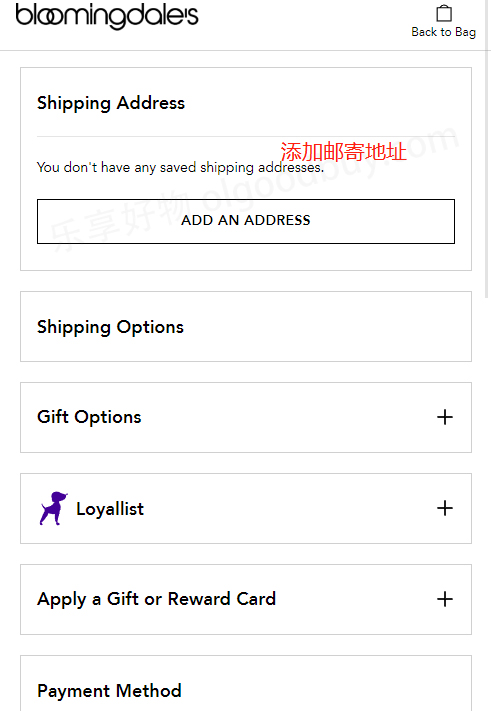
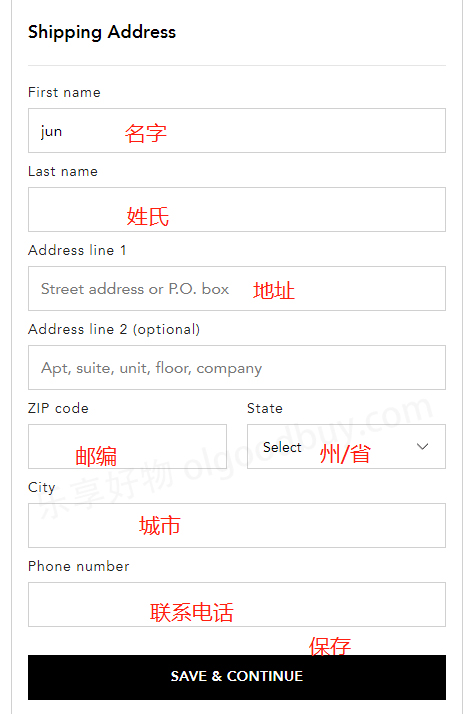
6. Choose a shipping method
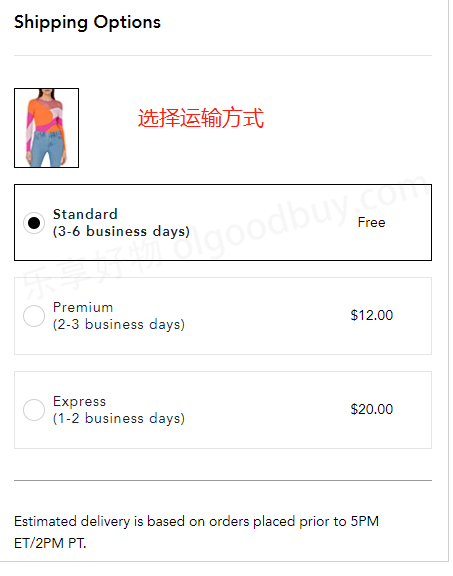
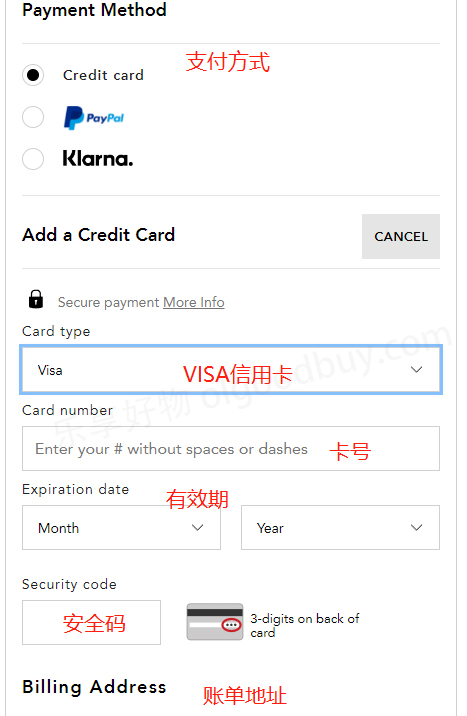
7. Choose a payment method and review the billing address
Using credit card payment as an example, fill in the credit card number, expiration date, security code, and other information completely, then review the billing address. Submit the order if everything is correct.
8. Wait to receive your order!
II. Notes for Placing Orders on Bloomingdale's US Official Website
1. The website currently supports direct shipping to China, but some brands do not participate in direct shipping. You can also use a forwarding service. It supports Visa, Mastercard, and American Express. Domestic credit cards have a very high order cancellation rate. CITIC AE, CGB Visa, CMB Mastercard, CITIC AE + *** + forwarding have been successful. It is recommended to find a proxy payment service.
2. [Power Point Points Detailed Explanation]: Bloomingdale's Power Point points system: every 5,000 points is equivalent to a $25 gift card. This is an exclusive benefit for Loyallist members. Enter your Loyallist ID at checkout. When checking out, if you are already logged into your Loyalist account, the points you will earn from this order will be displayed below your shopping cart. After checkout, the points will also be displayed in your Loyallist account. Points can be accumulated.
Within one to two months after placing an order and ensuring the entire order is shipped successfully, the points will be automatically converted into a reward card and sent to the email address you registered for Loyallist. You can also log into your Loyallist account and click "My Reward Card Balance" to view it. The Reward Card you receive will expire after 180 days. Within those 180 days, you can use the reward card to purchase any product from Bloomingdale's online store or physical stores.
3. It is recommended not to order more than 6 pieces of the same product in the same order, otherwise, it is easy to get the order cancelled.