

Bogner was founded in 1932 by Willi Bogner and Maria Bogner, with its headquarters in Munich, Germany. Originating from Olympic skiing, the brand primarily offers high-performance sportswear, with ski apparel as its flagship product, and is positioned as a luxury brand. The Bogner US official website sells its full product line online, mainly serving American users. This article provides a step-by-step guide on how to shop and order from the Bogner US official website for international shoppers. Interested readers can click to bookmark.
I. Bogner US Official Website Ordering Guide
1. Open the official website
Bogner US official website link: https://www.bogner.com/en-us/
2. Visit the Bogner US official website, click the menu in the top left corner of the homepage, and register for a Bogner US official website account
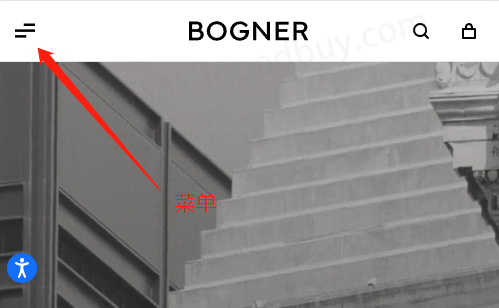
You can see the "My Account" entry
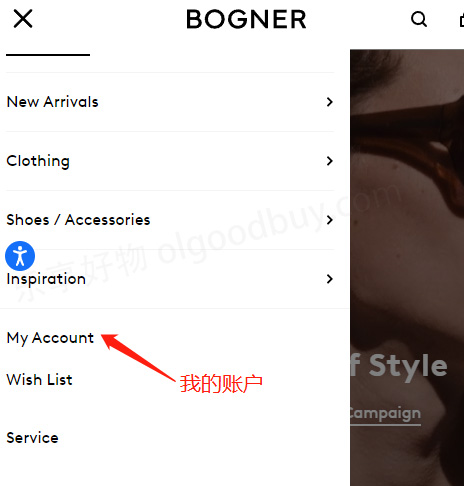
Click "My Account" to enter the Bogner US official website account login page and registration entry
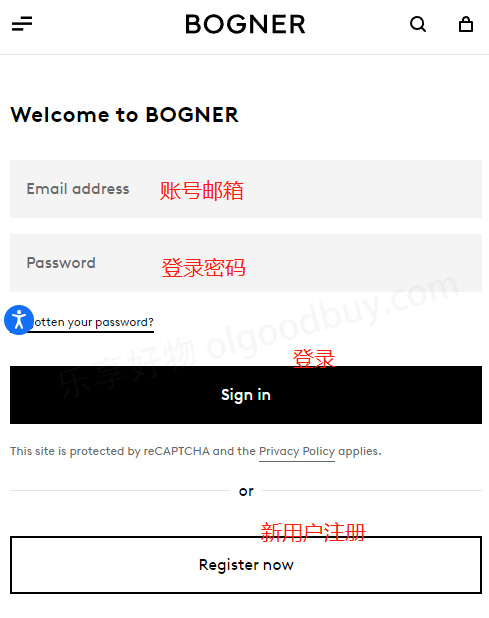
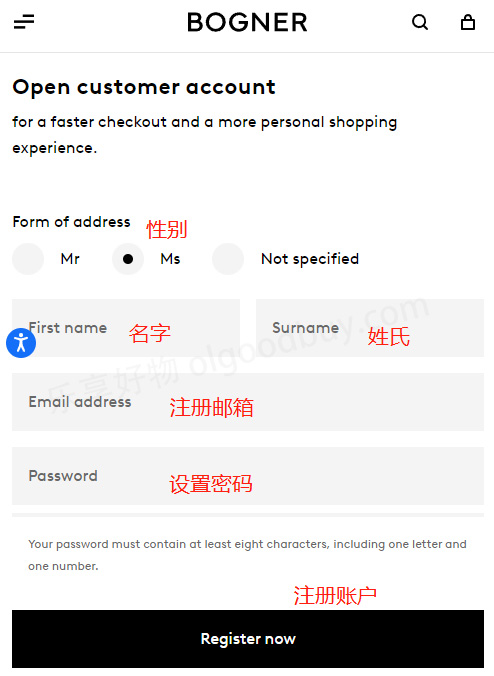
Registered users can log in directly. Unregistered users need to register by filling in gender, name, email address, setting a password, and submitting the registration
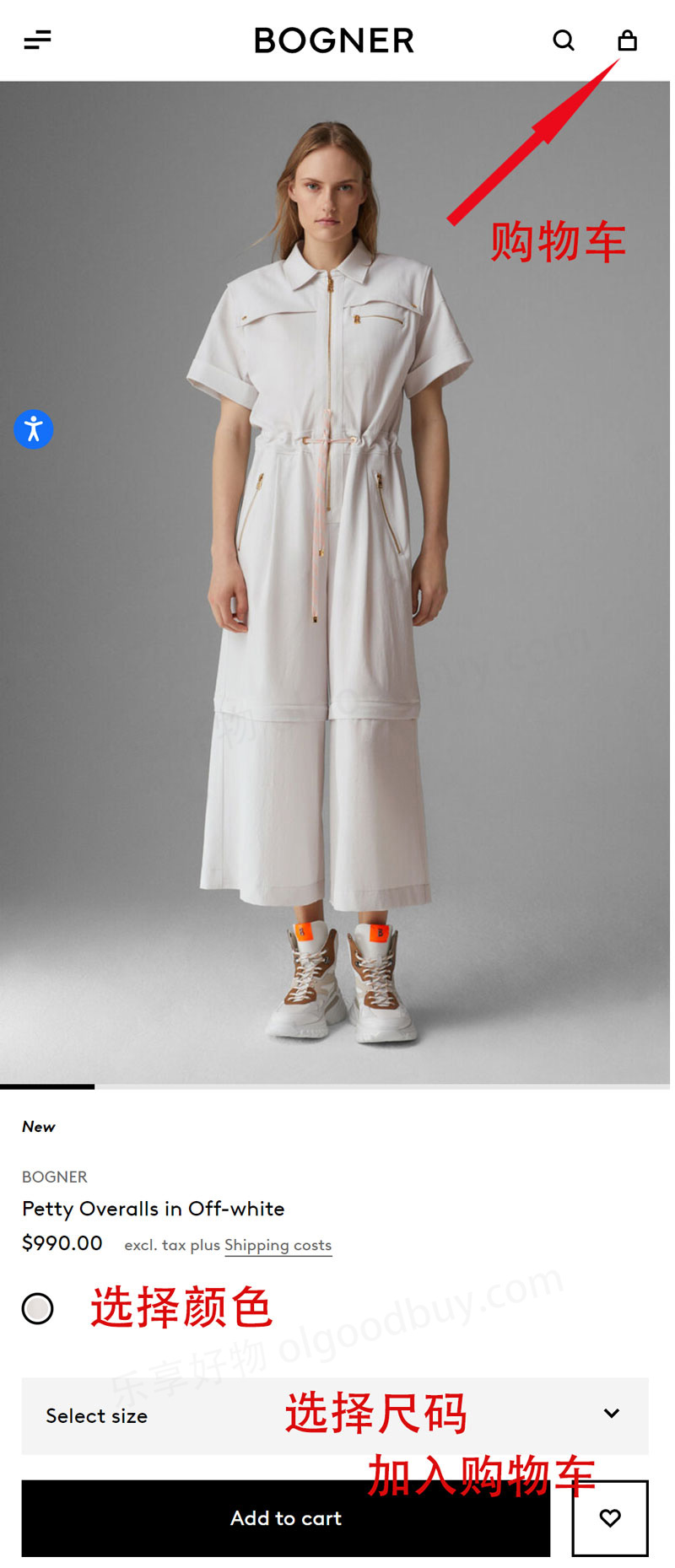
3. After registration, browse and select your preferred products on the Bogner US official website, choose the correct size, and add them to the shopping cart
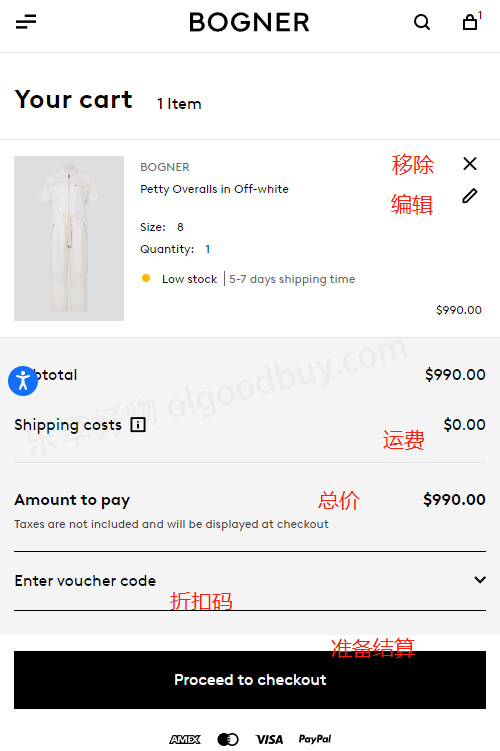
4. Go to the shopping cart to check if the added items are correct. If there are errors, you can modify or delete them. At the bottom of the cart page, there is a discount coupon code input box. Once confirmed, proceed to checkout
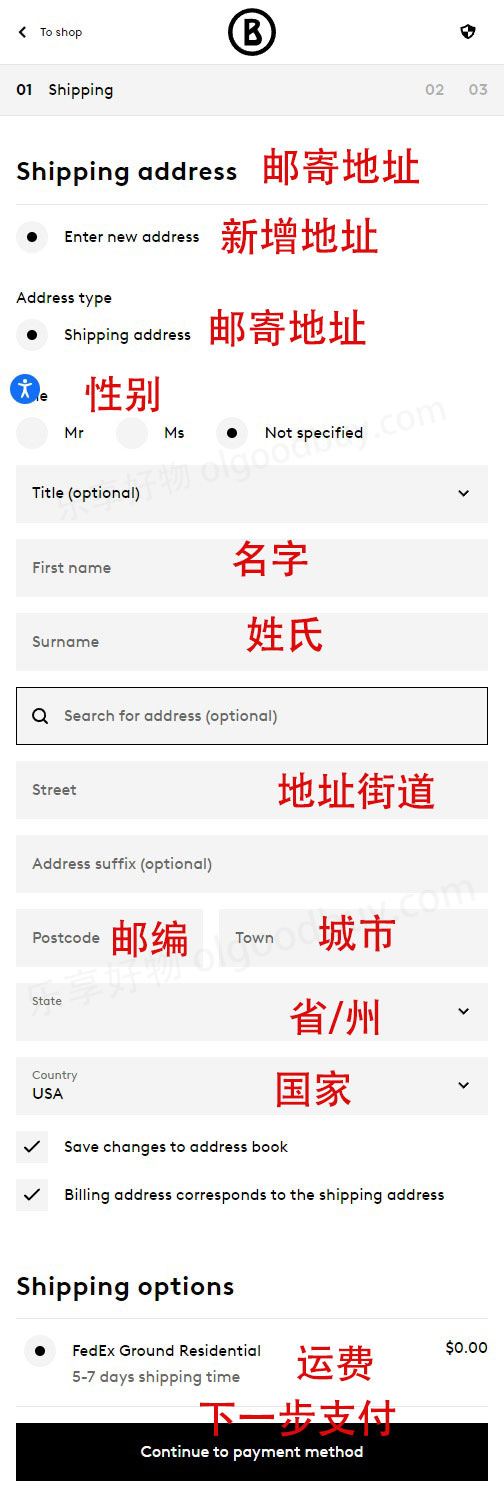
5. Fill in the shipping address for the Bogner US official website order. Since forwarding is required, enter the shipping address provided by your freight forwarding company
6. Choose a payment method, either credit card or PayPal:
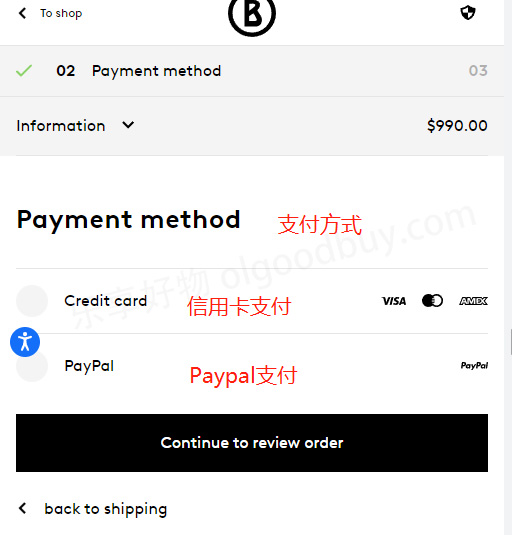
When selecting PayPal, you will be redirected to the PayPal login page to complete the payment after confirming the order.
When selecting credit card payment, you need to fill in the card number, expiration date, security code, and cardholder name
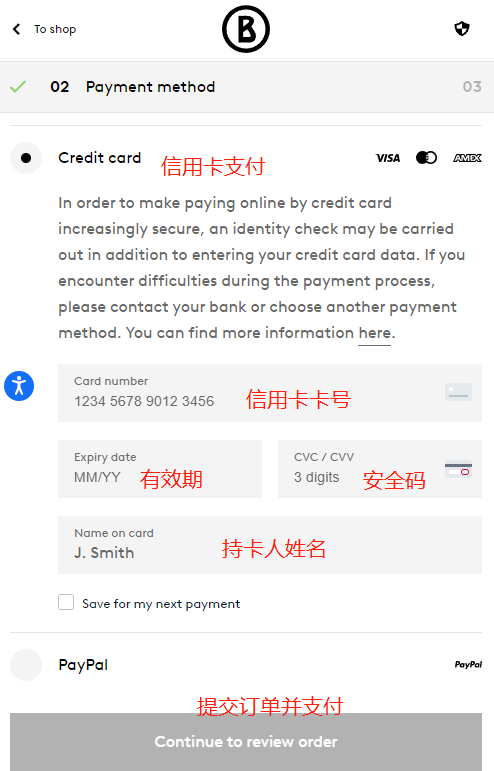
After filling in the details and confirming the order is correct, submit it.
7. Monitor the order status on the Bogner US official website. If the order ships successfully, obtain the tracking number and pre-advise the package arrival at your freight forwarding company's website.
8. Once the package arrives at the warehouse, choose a forwarding service, pay the shipping fee, submit the package for dispatch, and wait for delivery.
II. Other Important Notes for International Shopping on the Bogner US Official Website:
1. The Bogner US official website is not very international-shopper-friendly. If possible, use a US credit card and US billing address to increase the order success rate;
2. Bogner is a luxury brand with relatively high prices. Before ordering, check with or consult your freight forwarding company to see if they accept Bogner items;
3. Orders over $450 on the Bogner US official website qualify for free shipping within the US. Orders under $450 require a $10 shipping fee;
4. The Bogner US official website supports free returns within 30 days of delivery;
5. You can contact Bogner US official website customer service by phone at 800-801-0372.
6. Currently, orders from the Bogner US official website do not support direct shipping to China, so you need to register with a US-based freight forwarding company to handle the shipment.
7. The Bogner US official website accepts MasterCard, VISA, and American Express credit cards, as well as PayPal. Prepare your payment method before ordering.