Cabelas was founded in 1961 and is a giant in the American hunting and outdoor industry, as well as a world-class supplier of hunting, fishing, and outdoor equipment. It is a website designed for hunting, fishing, and outdoor sports enthusiasts, providing various equipment and apparel for your outdoor life. Cabela's own brand clothing is well-made with outstanding value for money, offering well-known, affordable, high-quality outdoor gear to over 125 countries and regions worldwide.
Below, we will guide you through the overseas shopping guide for the Cabelas US official website on mobile.
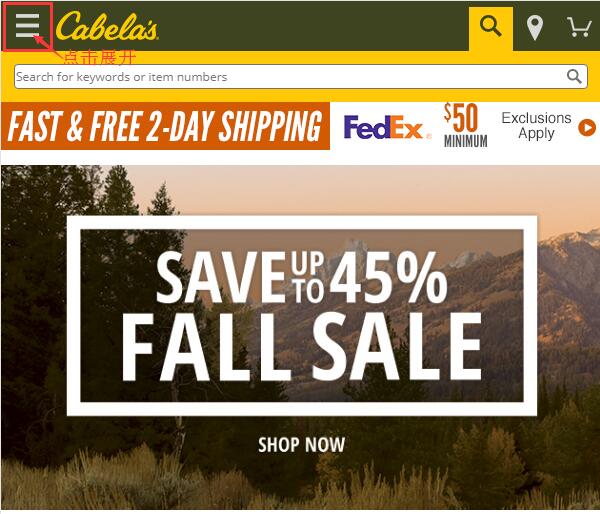
1. First, you need to register an account. Open the homepage and click to expand the menu in the upper left corner:
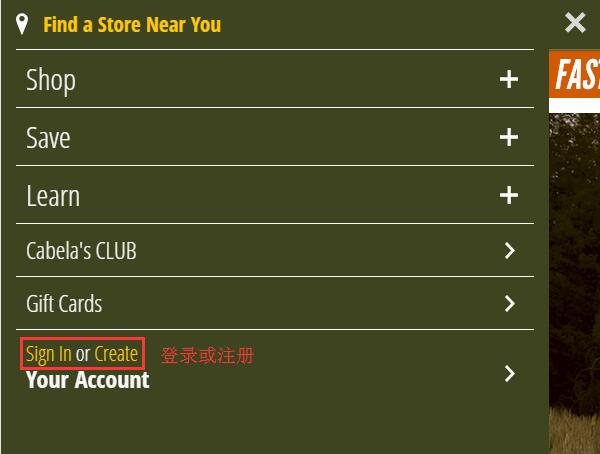
In the expanded menu, click 'Sign in Or Create' in the lower left corner to log in or register:
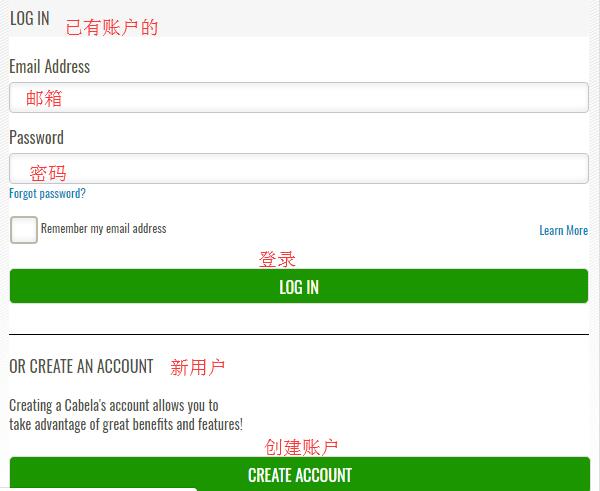
For users who already have an account, simply enter your email and password to log in. New users should click 'Create Account' below to create an account:
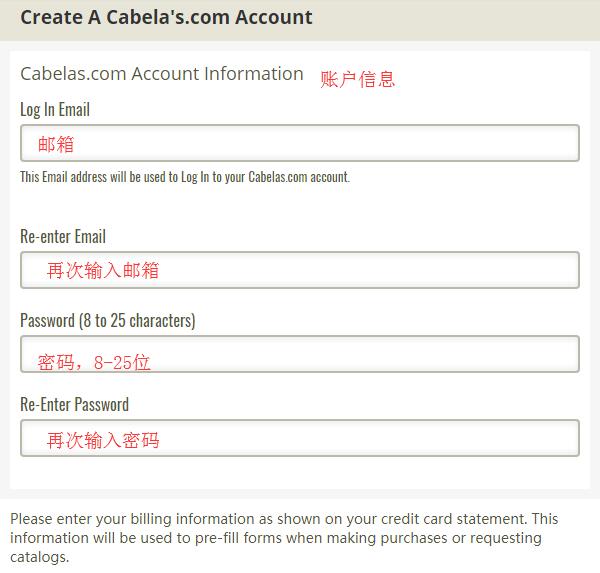
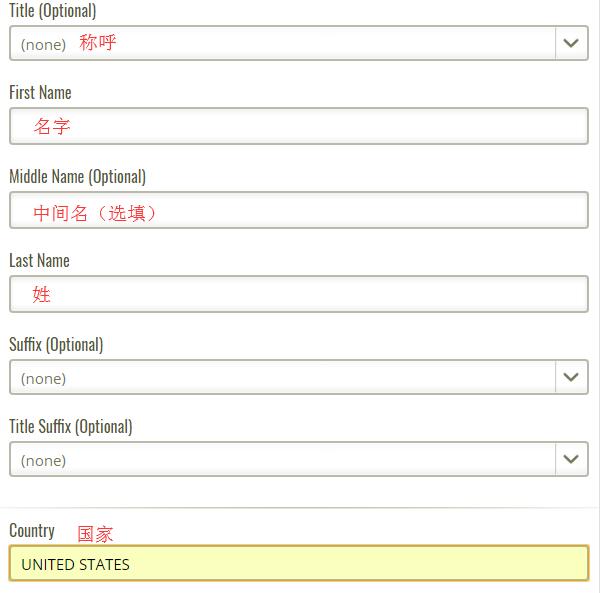
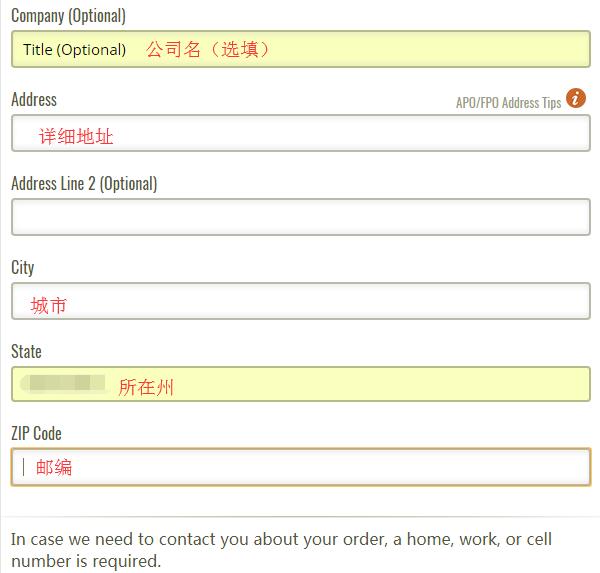
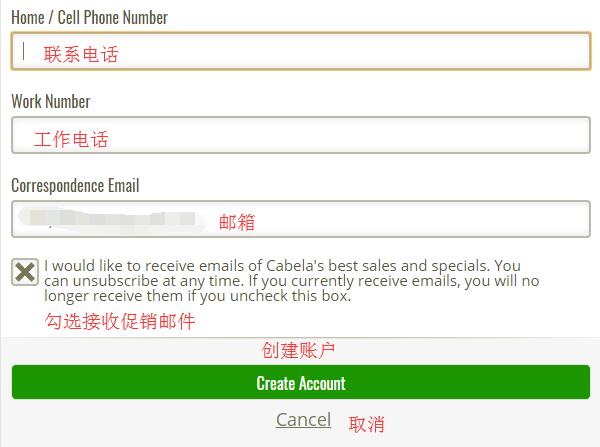
Enter your email, password, name, address, and other information, then click 'Create Account' below to complete the registration.
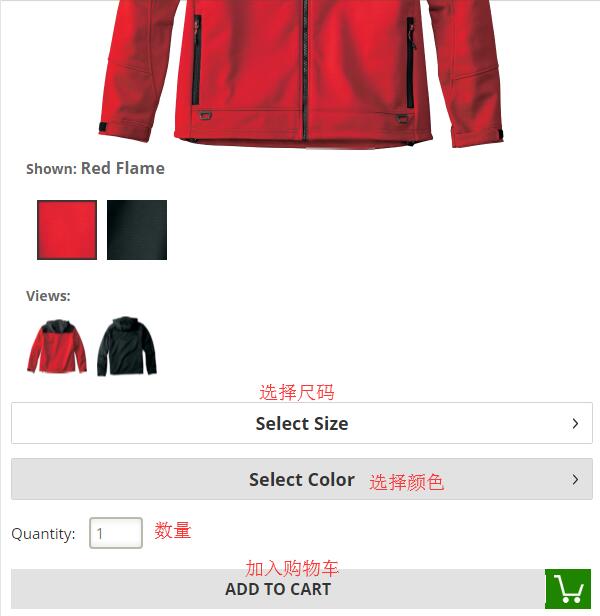
2. Registration complete, start shopping. Browse by category, use the homepage navigation, or search to select your desired products. Enter the product detail page, choose color, size, quantity, and click 'Add to Cart':
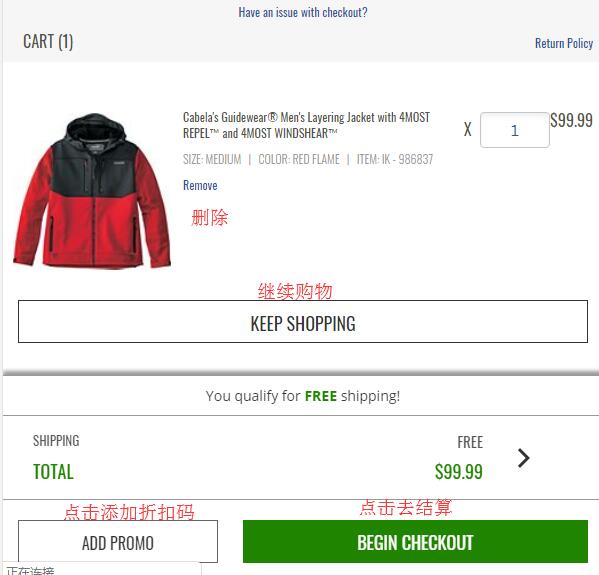
3. Enter the shopping cart, verify the product information, and once confirmed, click 'Begin Checkout' to proceed. If you have a discount code, you can click 'Add Promo' to add it and receive the corresponding discount.
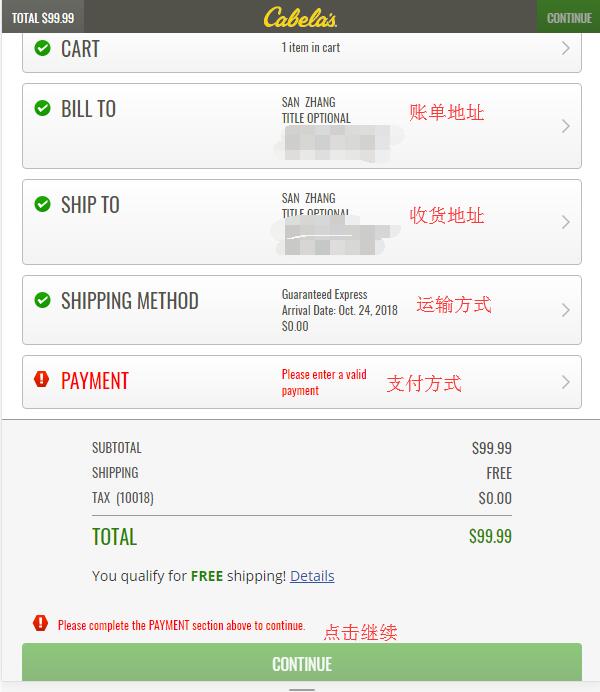
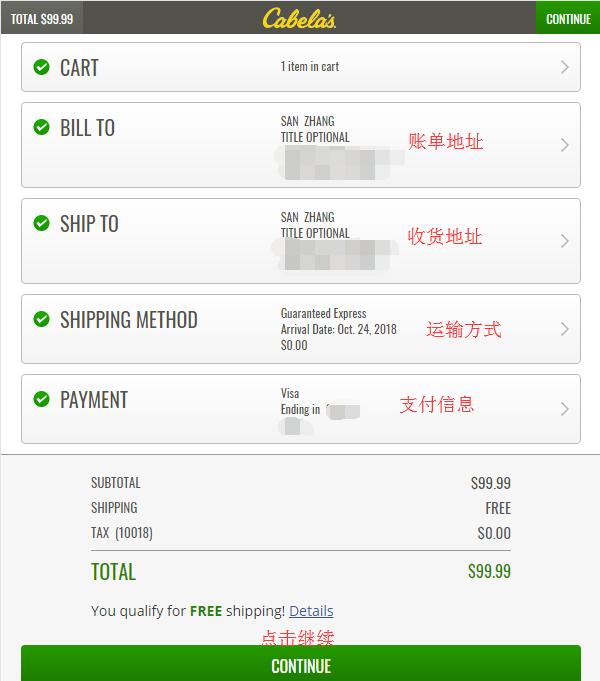
4. Click checkout to see the steps for the shopping cart, billing address, shipping address, shipping method, and payment method. The shopping cart information has been verified. Next are the billing and shipping addresses. For the shipping address, use the forwarding address. As order cancellations are quite common, it is recommended to use your real domestic billing address. You can select the default shipping method. Click the arrow on the right side of each section to edit.
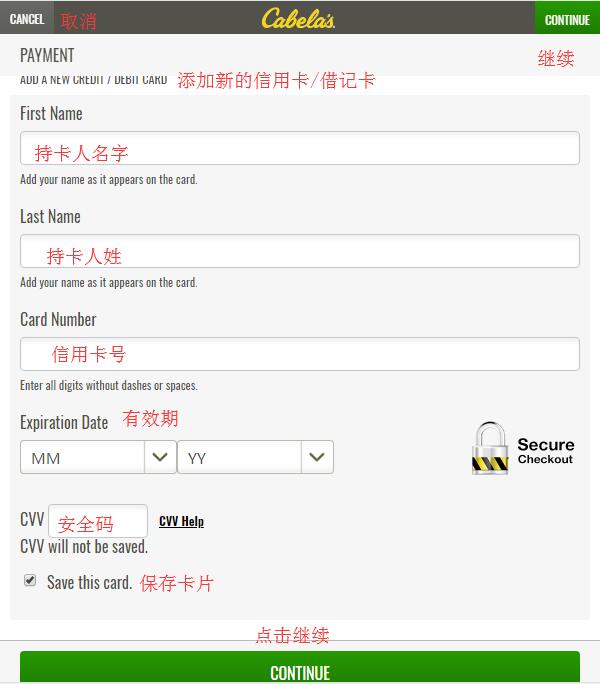
5. For payment information, choose to use a credit card. Enter the cardholder's name, card number, expiration date, security code, and other information, then click 'Continue':
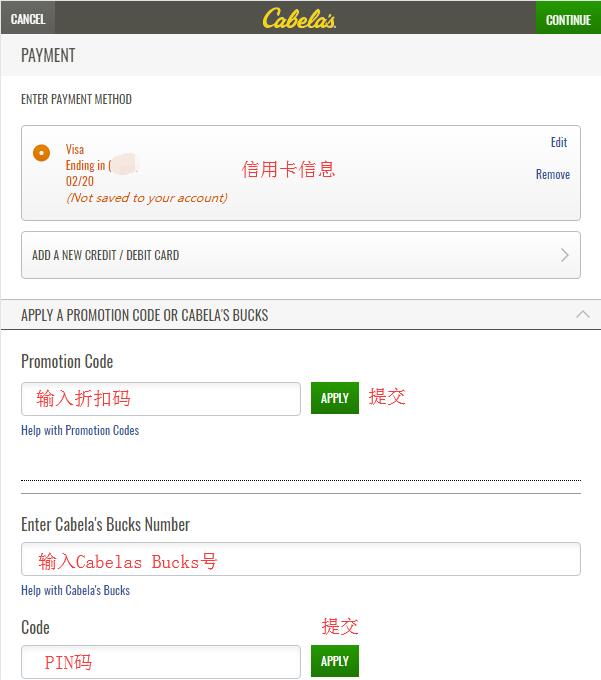
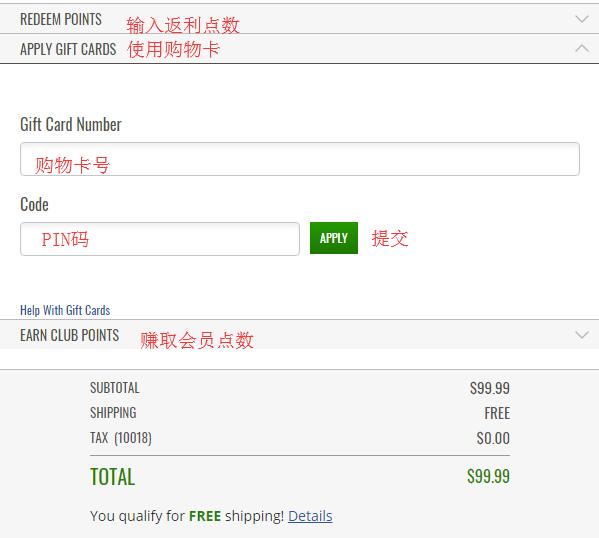
After adding the credit card, you can see options for discount codes, Gift cards, Cabelas Bucks, etc., below. If you have these, you can expand the dialog box and enter the information as shown in the image. After entering, click 'Continue':
6. After all information is entered, carefully verify it. If everything is correct, click 'Continue' to review the order:
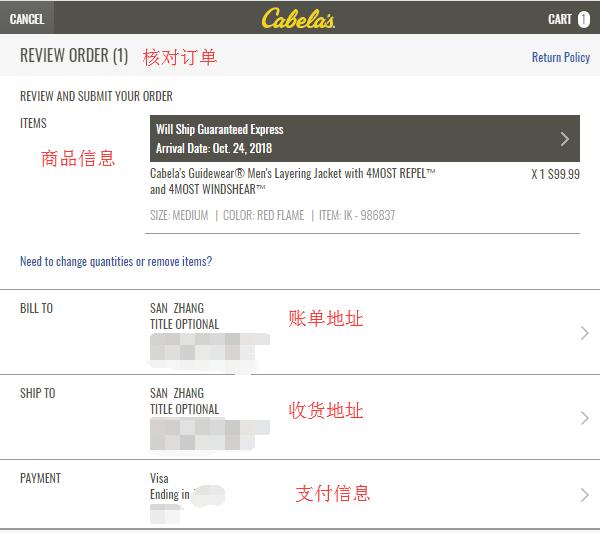
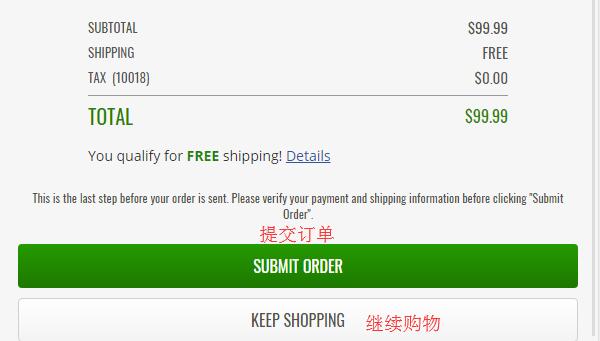
7. In the order review section, carefully check the product information, address details, payment information for any errors, and ensure no discount codes are missing. Once all information is confirmed correct, click 'Submit Order' below to complete the purchase.