

The Coach brand is also very well-known in China, with many popular bag styles, and it has long been a hot brand for overseas shopping.
This article introduces the Coach US official website overseas shopping tutorial, telling you how to shop and place orders on the Coach US official website. If you also want to place an order on the Coach US official website but don't know how to proceed, feel free to click and check out this Coach US official website overseas shopping tutorial.
1. Open the website;
Coach US official website overseas shopping URL: https://www.coach.com/, needs to be accessed in an overseas environment;
2. Register an account;
Click on My Account in the top right corner;

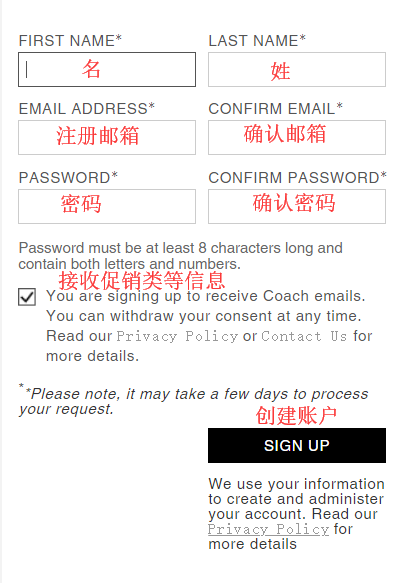
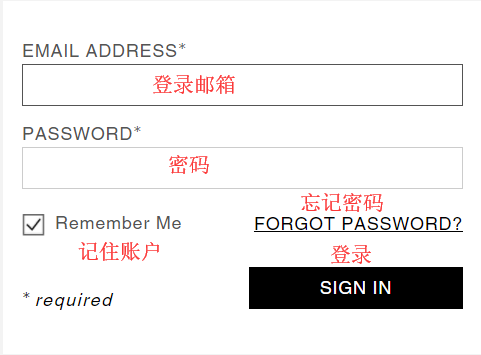
Users who have already registered can select Sign In to log in. Unregistered users should select REGISTER to create an account;

① Unregistered users select REGISTER to create an account and enter the registration page;
② Users who have already registered select Sign In to log in and enter the login page;
3. Select products;
Add the products you want to purchase to the shopping cart, then click on My Bag in the top right corner to view the shopping cart and go to the cart page;
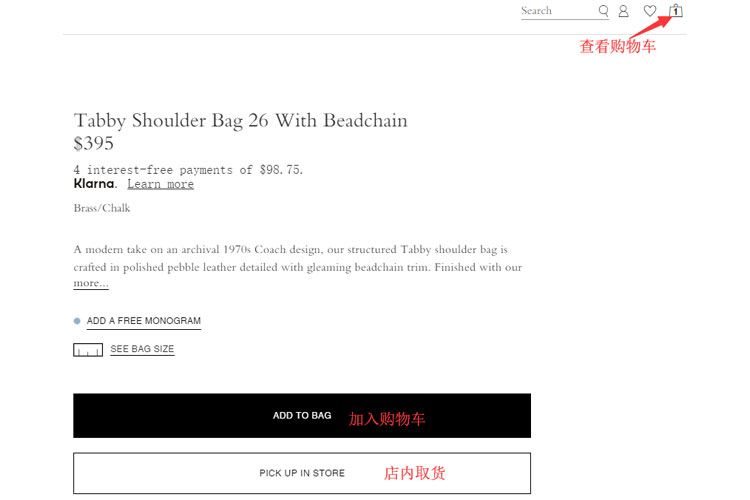
4. Click on Bag in the top right corner to view the shopping cart and enter the cart page;
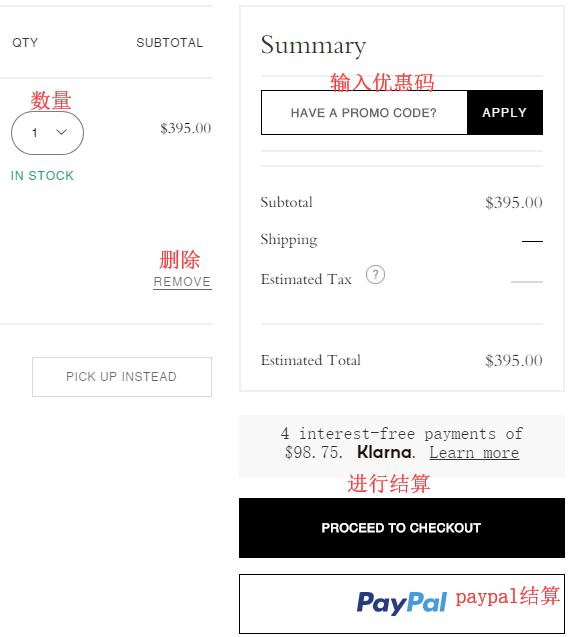
5. Click PROCEED TO CHECKOUT to enter the page for filling in the shipping address and selecting the shipping method;
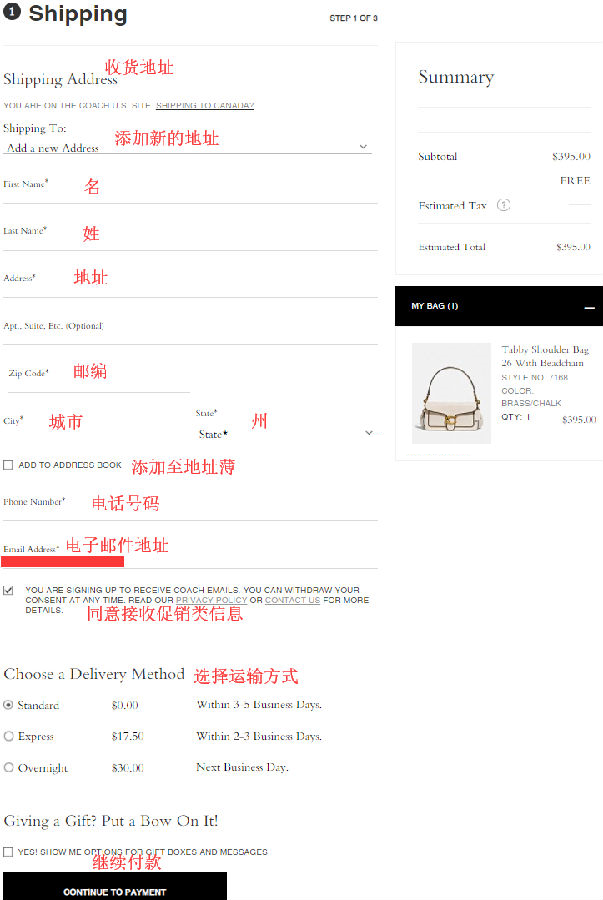
6. Next, enter the payment information and billing address page;
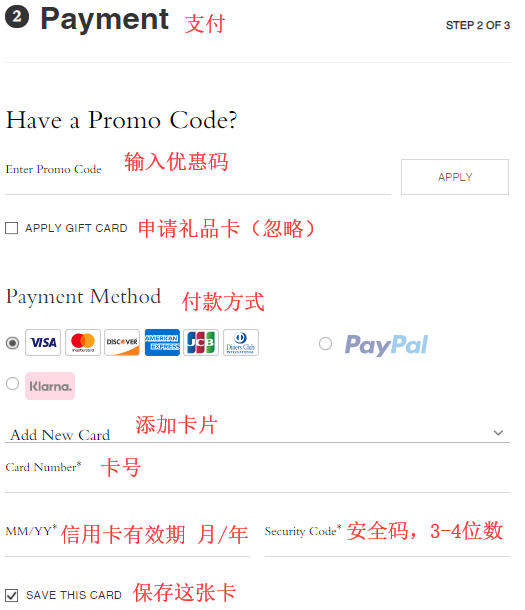
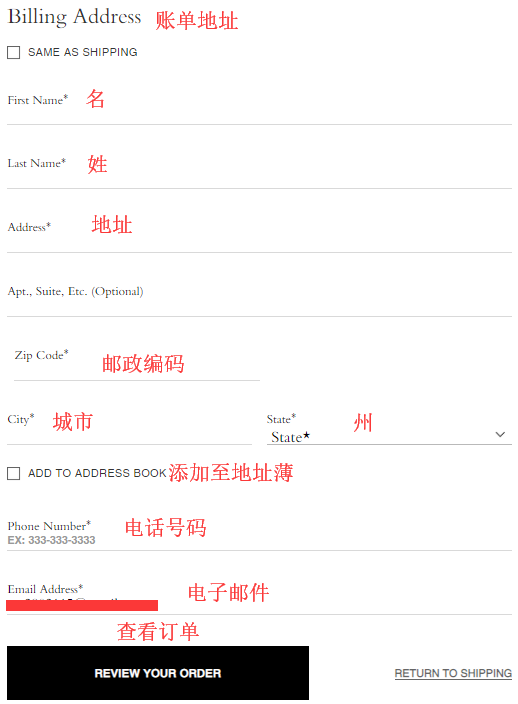
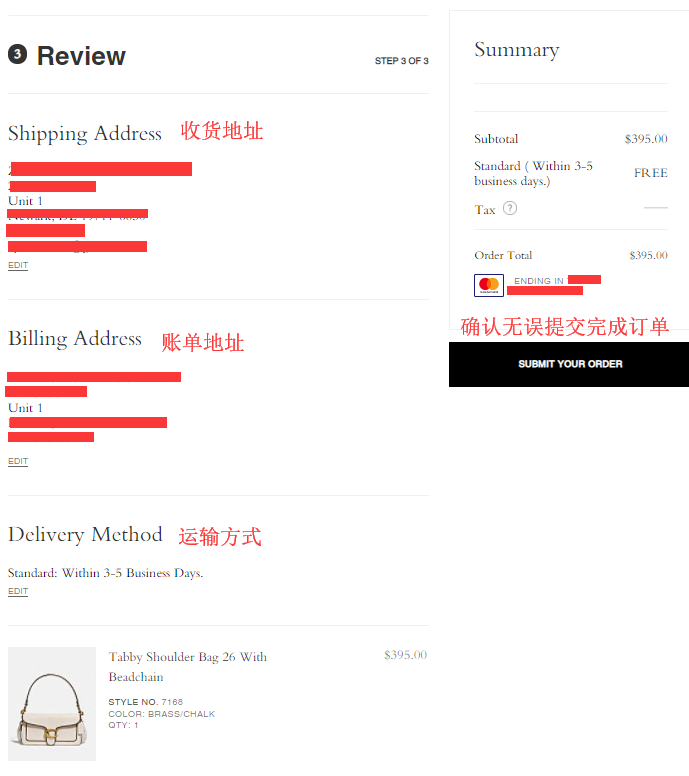
7. Continue to submit and enter the order review page. Review the order. If everything is correct, click SUBMIT YOUR ORDER to place the order. The shopping process is now complete.
8. All that's left is to wait for the forwarding company to receive the goods, prepare the forwarding details, and sit tight waiting for delivery!