

Windelnde (W家) is a major German online retailer for baby and infant products. The company is based in Munich, Germany, and its online store offers over 250 brands and more than 15,000 products. Product categories include baby food such as formula and solid food, daily necessities like diapers and pacifiers, as well as specialized products like child car seats. The Windeln German website accepts Alipay payments, offers Chinese-language online customer service, and allows toggling between Chinese and German pages. It officially launched direct shipping to China at the end of September 2015.
This article mainly introduces the Windeln guide and tutorial, explaining how to place an order and purchase on Windeln. Friends who want to order from Windeln but don't know where to start can bookmark this for reference. Below is a brief introduction to the Windeln overseas shopping guide tutorial.
1. Open the website
Windelnde overseas shopping URL: https://www.windeln.com.cn/, click the link to visit directly;
2. Register an account
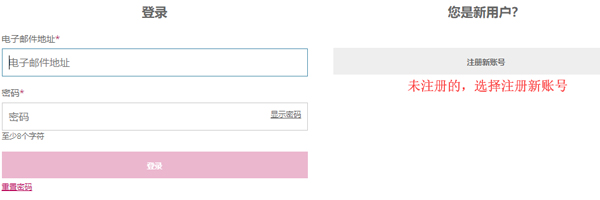
Click "Login/Register" in the upper right corner to register an account;

If you haven't registered before, choose to register a new account;
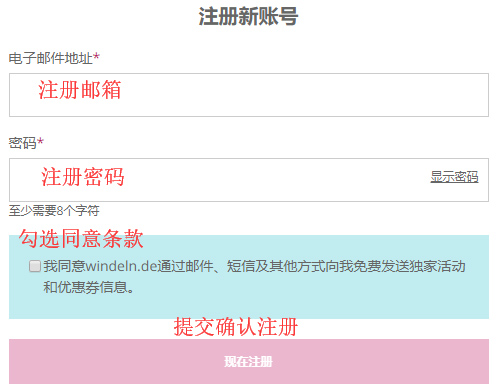
Enter your personal information and click Register Now to submit and complete the registration;
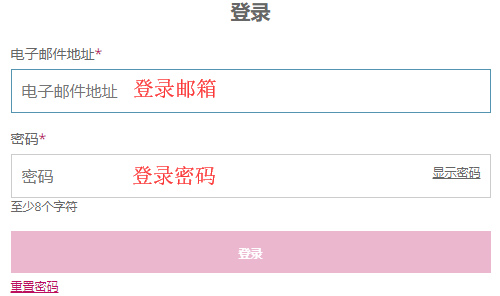
For friends who have already registered, choose to log in by entering your email and password;
3. Select products
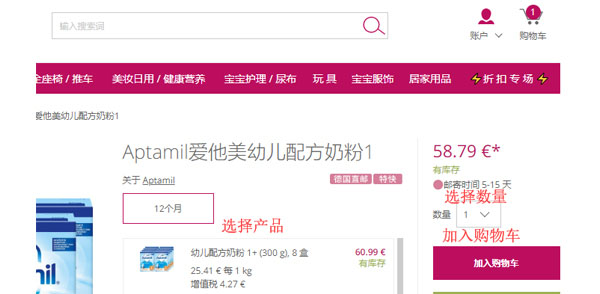
After successfully registering your account, you can return to the official website homepage to start selecting products. You can find specific products using the search bar, or browse through the categories on the homepage.

Add the products you want to purchase to the shopping cart, then click the shopping cart in the upper right corner to view the cart and go to the shopping cart page;
4. After entering the shopping cart page, click "Proceed to Checkout";
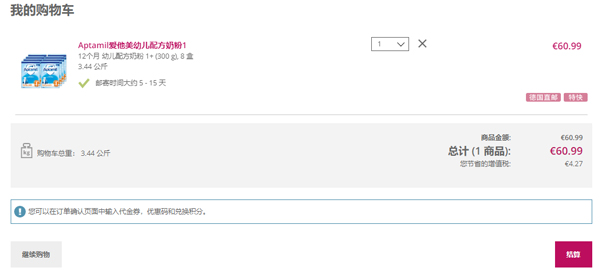
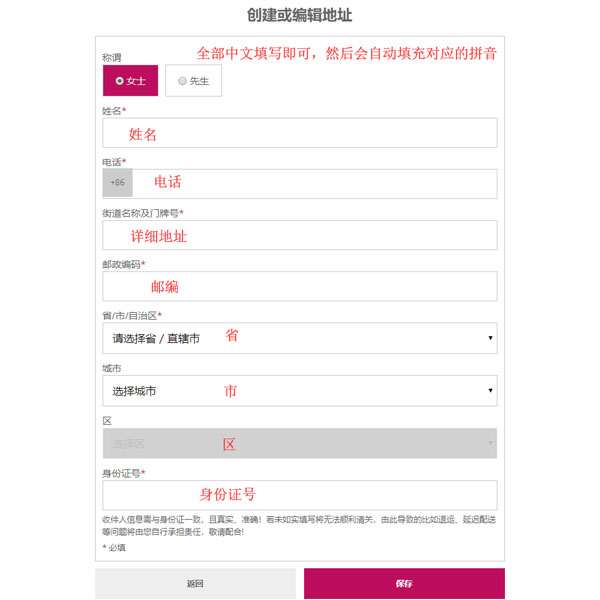
5. Then enter the shipping address interface; Chinese is acceptable;
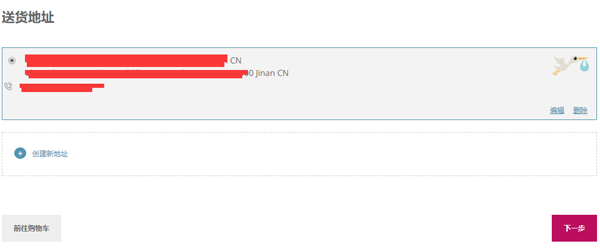
6. After saving, continue to the next step;
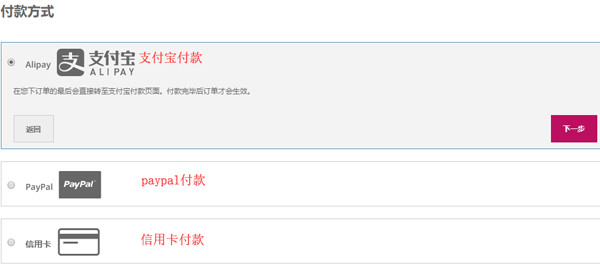
7. Then enter the payment page and select a payment method;
8. Continue to submit and enter the order confirmation page. After confirming everything is correct, click "Confirm" to complete the order.
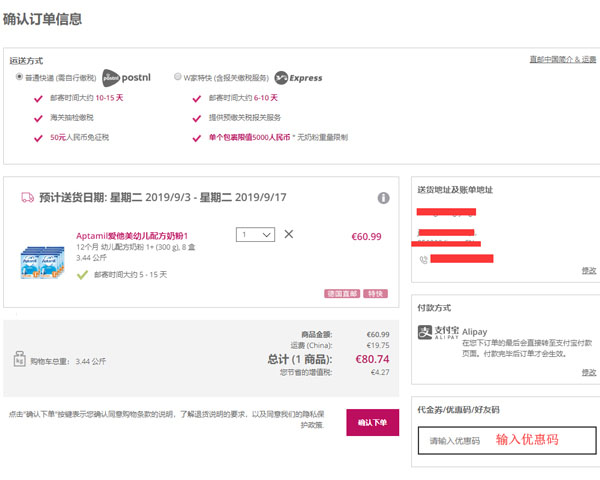
9. All that's left is to wait for delivery. You can track the shipping information later in the order history.