
Coggles is a world-renowned designer fashion retail website based in the UK, established in 1974. It offers mid-to-high-end luxury goods and features over 200 well-known designer brands in fashion, home, beauty, and skincare. Brands include Canada Goose, Tod's, Kenzo, Ganni, Veja, Y-3, and A.P.C. At Coggles, you can not only purchase the latest trendy clothing but also world-famous shoes, bags, and more. To shop at Coggles, you need a detailed and comprehensive understanding of the shopping process. Here is a detailed introduction to the Coggles shopping process:
Coggles Official Website Entry: www.coggles.com
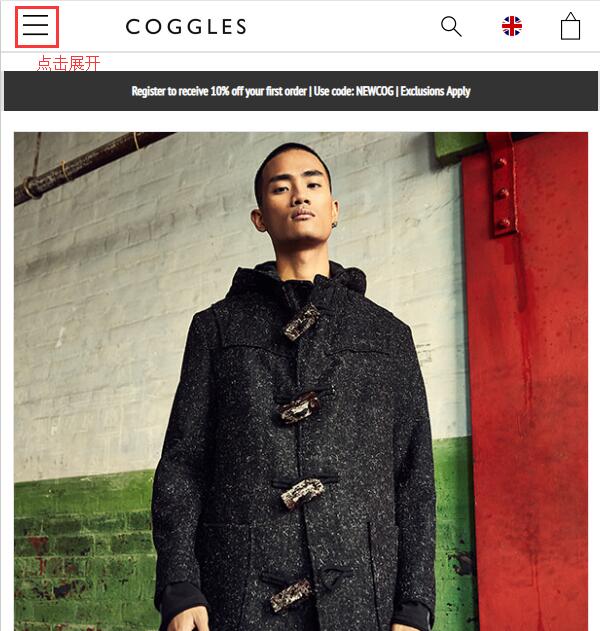
1. First, you need to register an account. Click to expand the menu at the top left of the homepage:
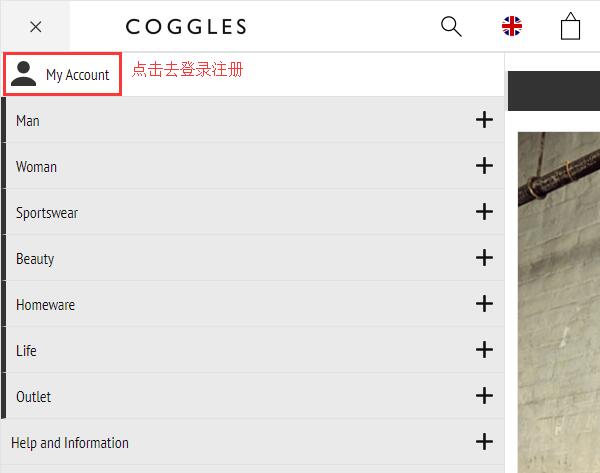
In the expanded menu, click "My Account" at the top left to log in or register:
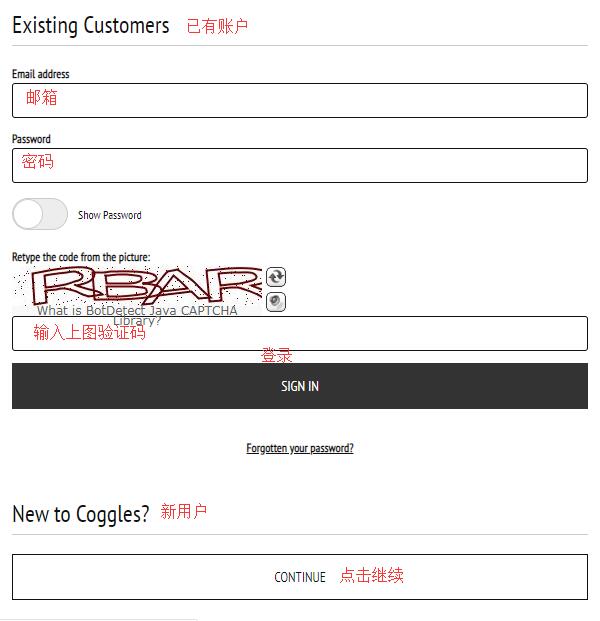
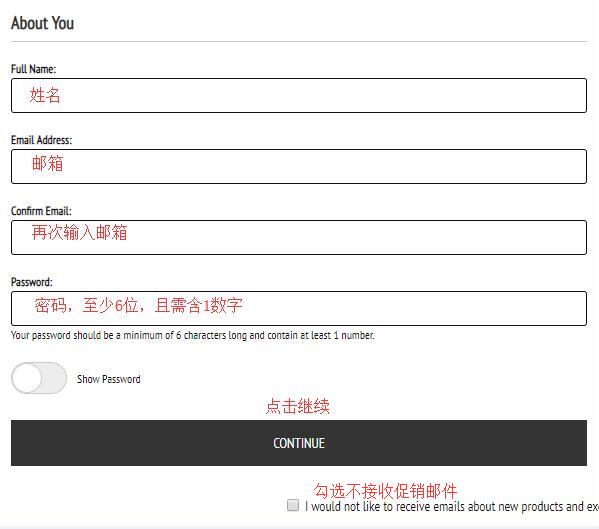
Registered users can log in by simply entering their email and password. New users should click "CONTINUE" to create an account.
As shown, fill in your name, email, and password (at least 6 characters, including 1 number), then click Continue to submit the information and complete registration.
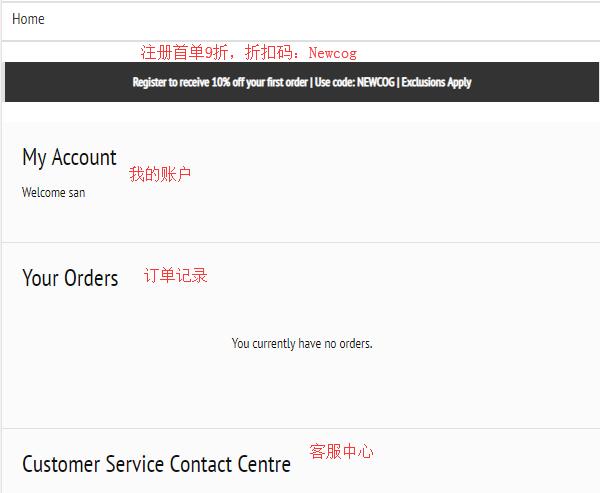
Once registered, you can see your personal account. The homepage indicates you can enjoy a 10% discount on your first order:
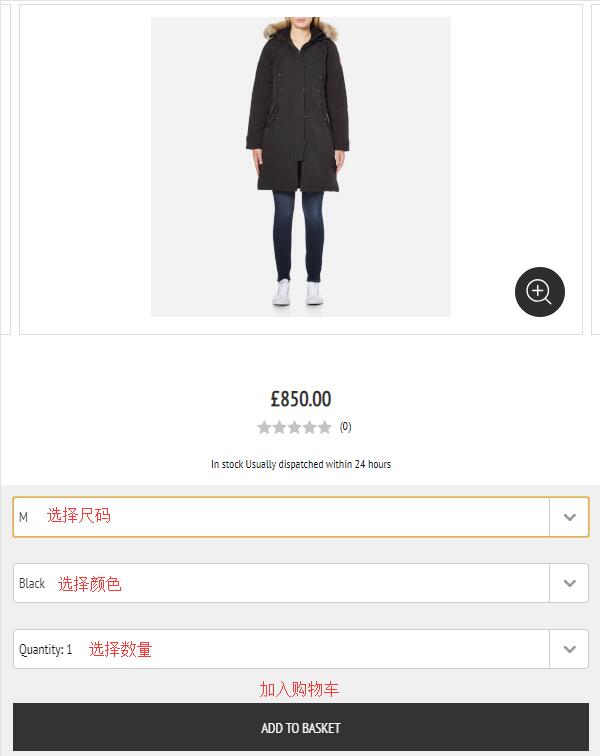
2. After successful registration, you can start shopping! You can browse products by category, using the homepage navigation, or the search bar. With the weather getting colder recently, you might consider buying a down jacket. Canada Goose is a great choice. After selecting the quantity, size, and color, click "Add to Basket" to add it to your cart.
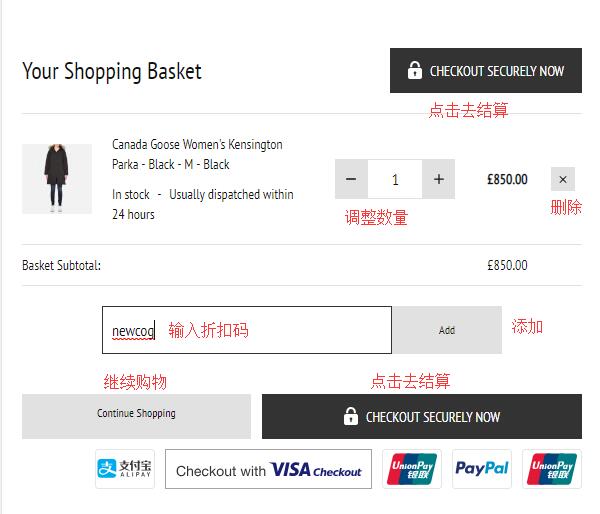
3. Go to your shopping cart and verify the product quantity, price, and other details. Enter a discount code, click ADD to apply the offer, then click Checkout securely now to proceed to checkout:
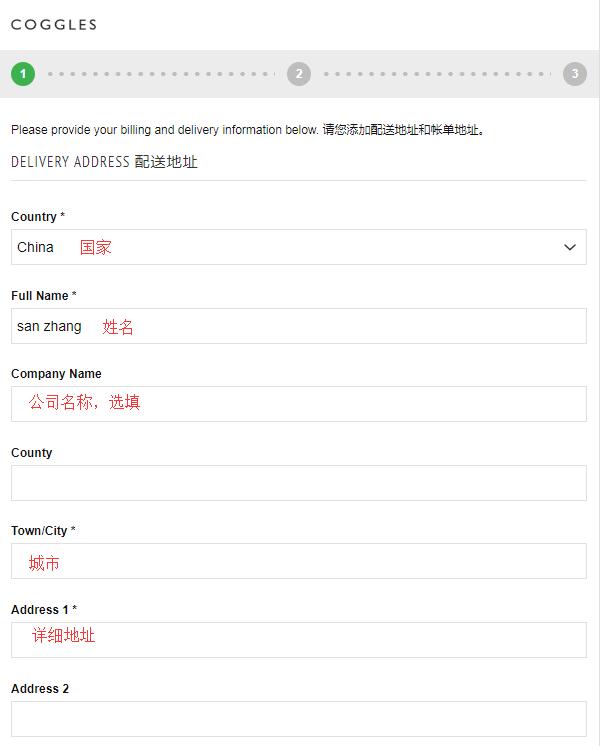
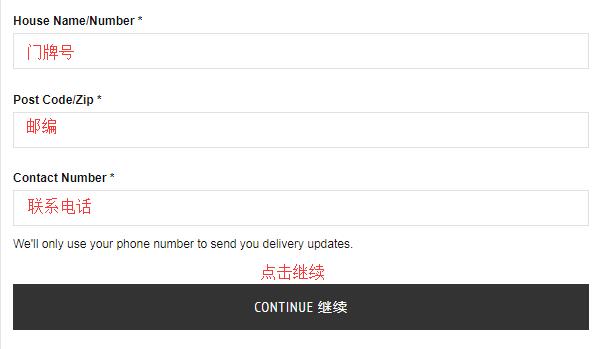
4. As shown, fill in your shipping address. We chose direct shipping to China, entering the name, postal code, street, and other information. Click Continue to proceed:
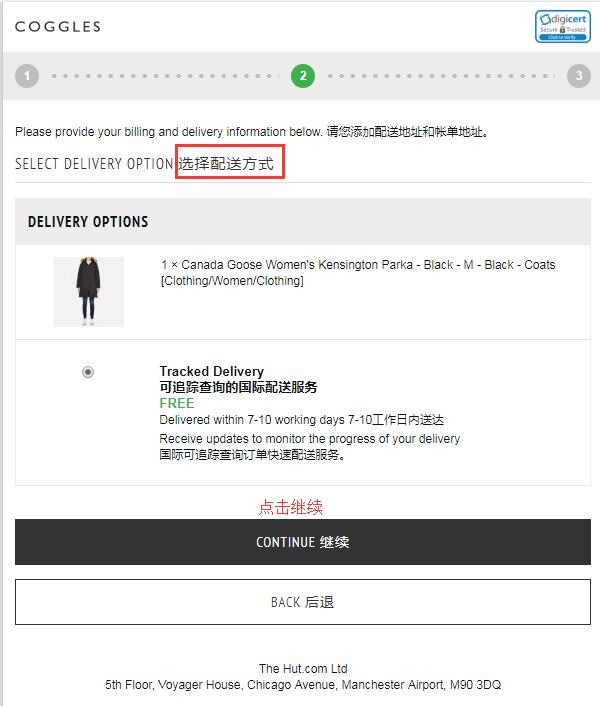
5. The default shipping method is selected. Click Continue to move to the payment stage.
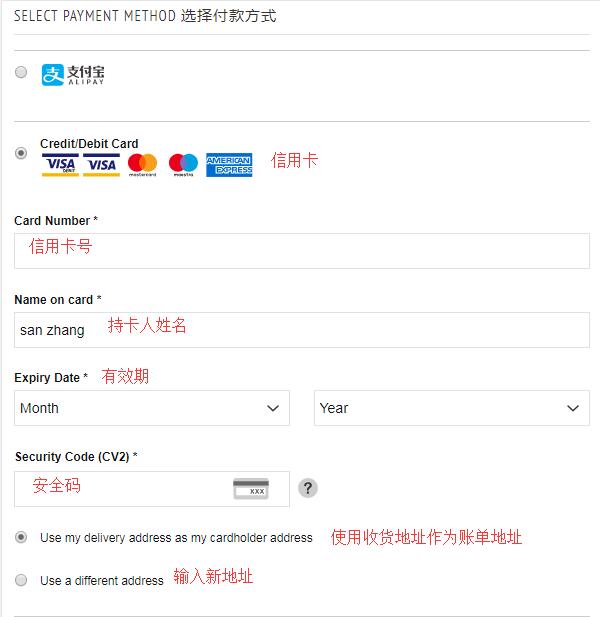
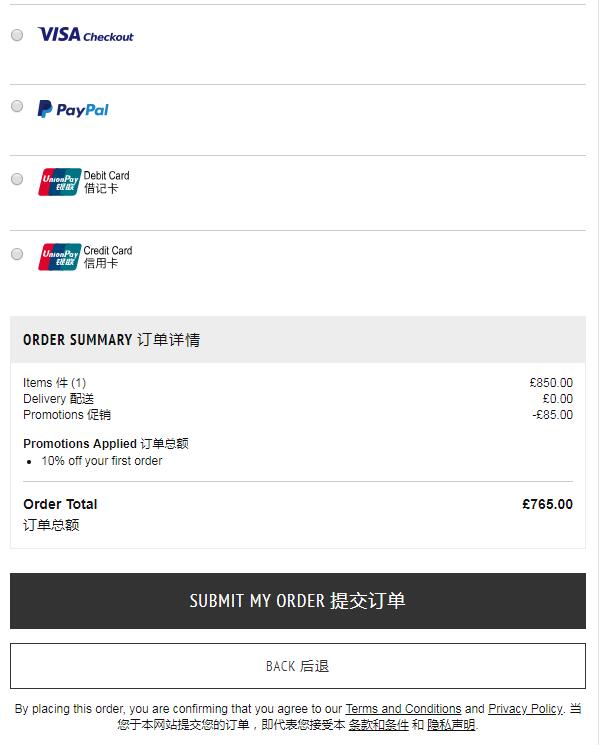
6. The UK Coggles clothing, shoes, and hats official website supports VISA/Mastercard credit cards, PayPal online payment, Alipay, and UnionPay. Select Alipay, click Submit Order at the bottom of the page, then you will be redirected to the Alipay page to scan the QR code and complete payment.
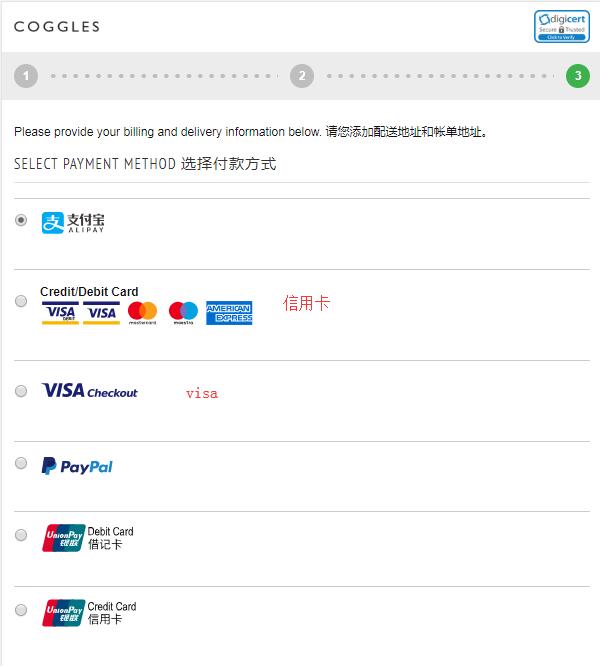
7. If you choose to use a credit card, fill in the credit card number, cardholder name, expiration date, and security code. Verify the billing address is correct, then click Submit Order at the bottom to complete the purchase.
Finally, after successfully placing the order and making the payment, Coggles will send an Order Confirmation email to your registered email address. Subsequent Dispatch notifications for your items will also be sent to your email, along with an estimated delivery date. Alternatively, you can log in to your Coggles account to check the shipping status. This completes all the steps for placing an order at Coggles! Now just sit back and wait for your delivery!