

Forward is a sister site of REVOLVE, primarily selling mid-to-high-end designer brands, including well-known names like McQueen, Alexander Wang, Givenchy, Valentino, and Lanvin. Forward has launched a Chinese shopping page, making it more convenient to place orders. This article introduces a tutorial for shopping on the Forward official website, explaining how to place an order. If you also want to order on the Forward official website but don't know how, feel free to click and bookmark this Forward shopping guide.
1. Forward Official Website Ordering Tutorial:
1. Open the official website
Forward official website entrance: https://www.fwrd.com/, click the link to enter
2. Click the top right corner of the page to switch the region to China
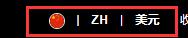
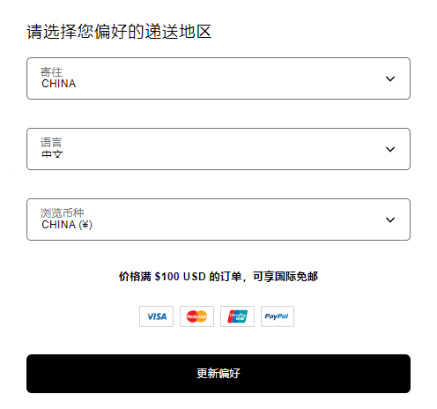
3. Log in or register an account
Click the top right corner of the page and select log in
Registered users can log in using their email and password
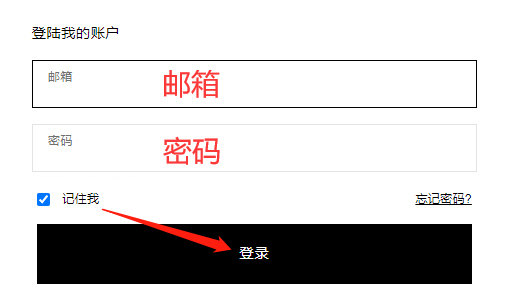
Users who haven't registered should enter registration information and click create
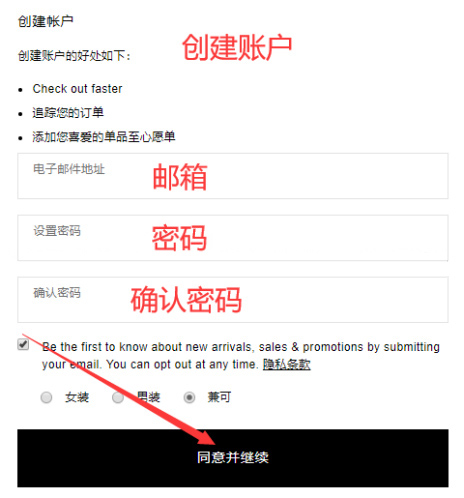
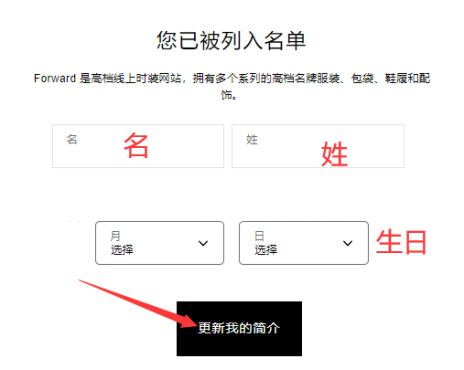
4. Select products and specifications
Browse by category or search to choose your preferred products, and add them to the cart
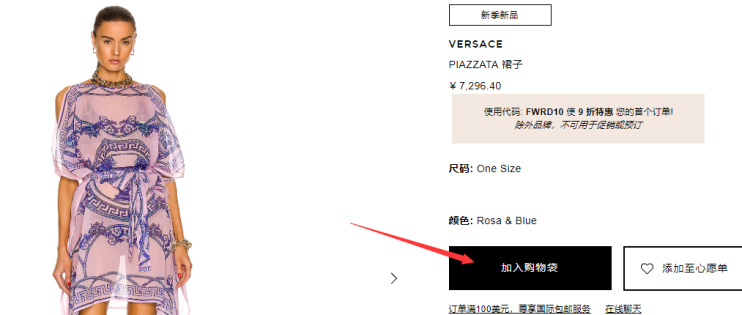
Review the order information and prepare to checkout
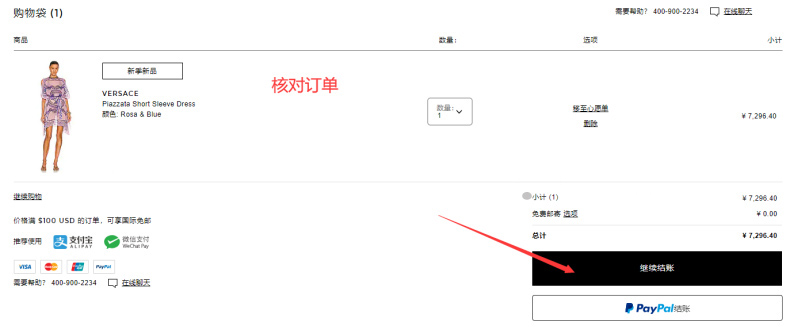
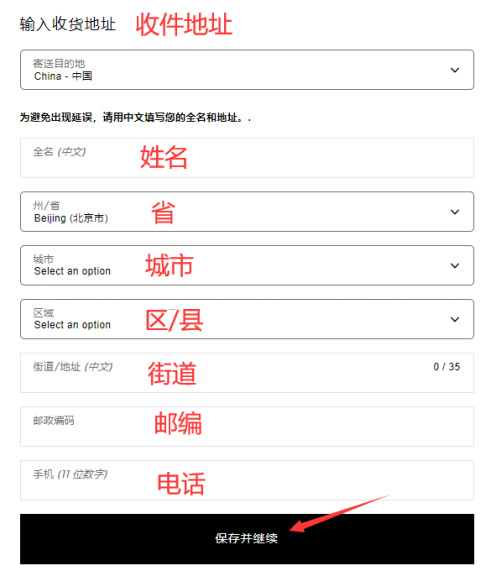
5. Fill in the shipping address
You can fill it in using Chinese
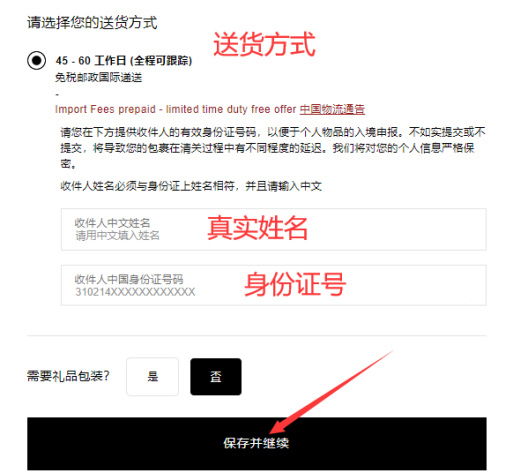
6. Select shipping method
Provide real identity information for customs clearance declaration
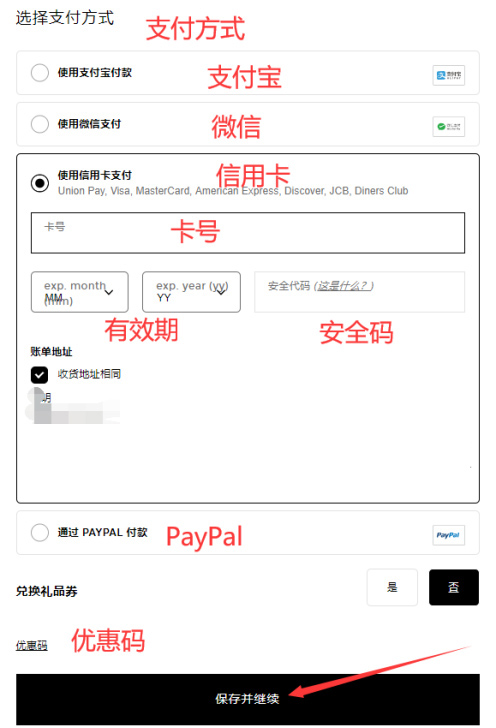
5. Select payment method
If you have a promo code, enter it below to get the discount; once confirmed, pay and submit the order
6. Just wait to receive your package!
2. Notes for Ordering on the Forward Official Website
1. The official website supports direct shipping to China, with free international shipping on orders over $100.
2. The official website accepts Alipay, WeChat Pay, Visa, MasterCard, American Express, Discover, JCB, Diners Club credit cards, and PayPal.
3. The shipping address can be filled in Chinese, and you need to provide your real name and ID number when placing an order.