

iHerb is a website hailed as a paradise for fitness enthusiasts, offering high-cost-performance natural health products—including supplements, personal care items, and dietary aids—to countries around the world, which has attracted many shoppers.
This article introduces a guide on iHerb overseas shopping, showing you how to place an order and shop on iHerb. If you want to order from iHerb but don't know how, feel free to click and check out this iHerb shopping tutorial.
1. Open the website;
iHerb overseas shopping URL: https://cn.iherb.com/, click the link to access directly;
2. Register an account;
Set the page to Simplified Chinese mode.
Click "Log In" in the top right corner;

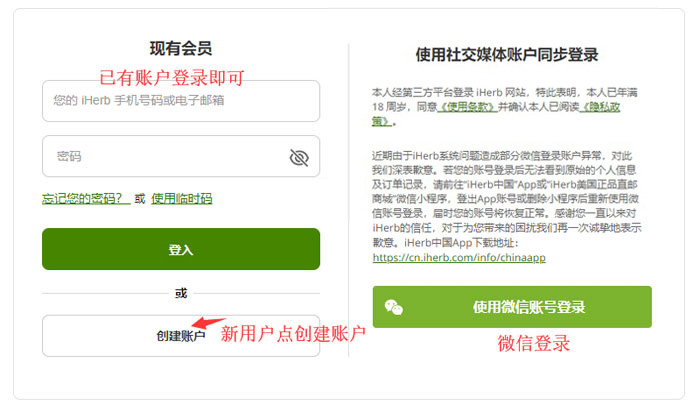
Already registered users, selectExisting Member to log in; unregistered users, selectCreate Account; or log in directly using your WeChat account.
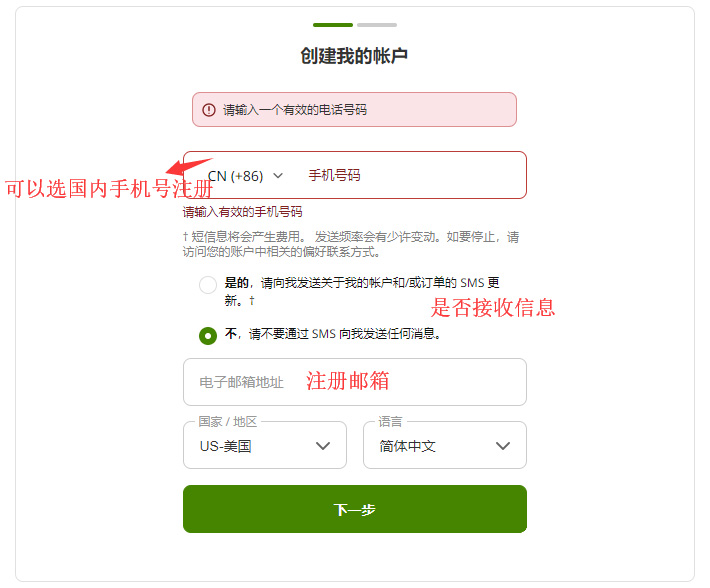
Enter the registration page. For domestic mobile number registration, select CN (+86) at the front;
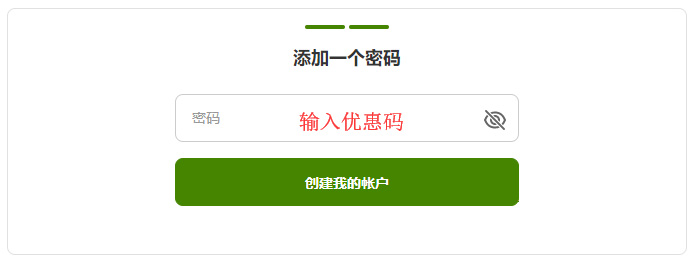
Continue to enter the registration password;
3. Select products;
Add the products you want to purchase to the shopping cart, then click "View Cart" in the top right corner to go to the shopping cart page;
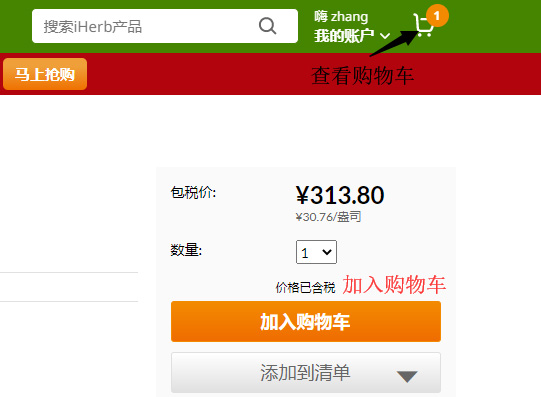
4. Click "View Cart" in the top right corner to enter the shopping cart page;
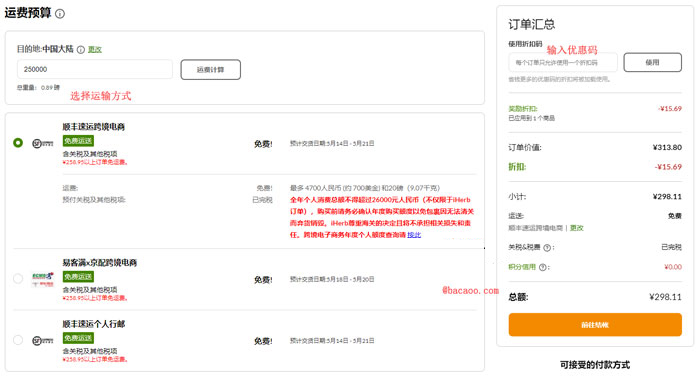
5. Proceed to checkout;
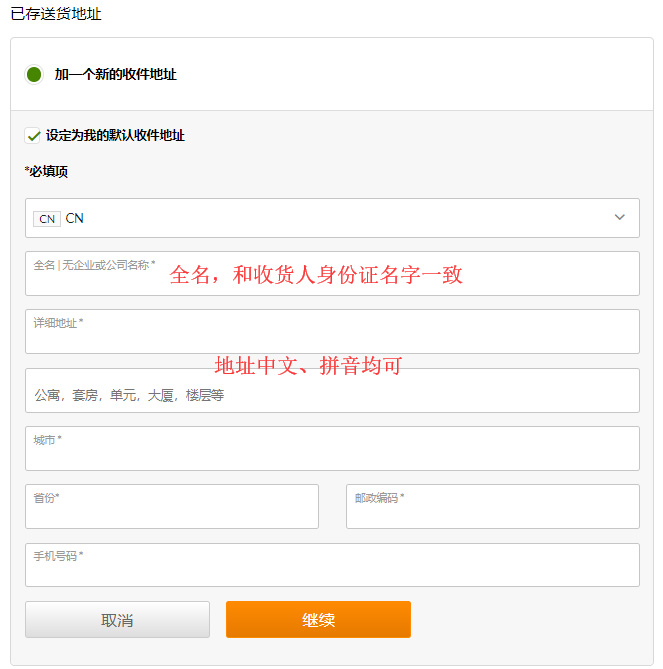
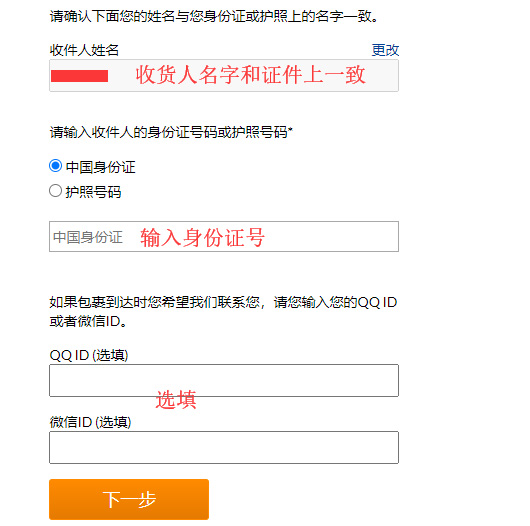
6. Continue to verify identity information;
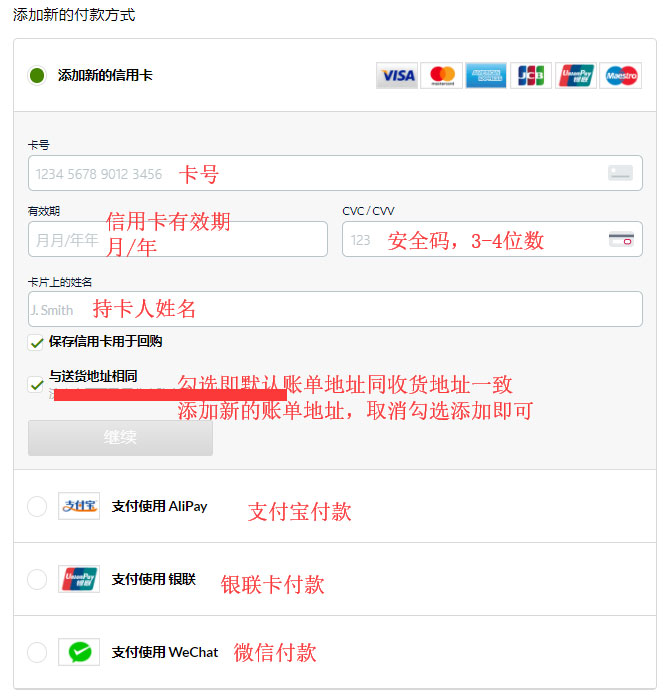
7. Continue to the payment method page;
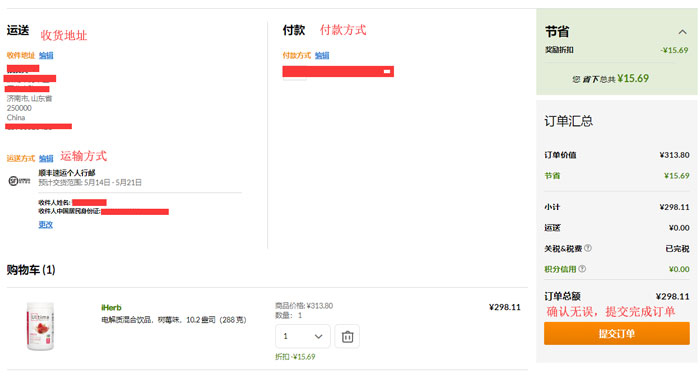
8. Review the order, confirm everything is correct, and click "Submit Order." The shopping process is now complete.
9. All that's left is to wait for delivery!