

ITeSHOP.com is the official online store of Hong Kong's I.T Group, offering products including bags, apparel, footwear, accessories, and jewelry. Known for its avant-garde styles, diversity, and trendsetting edge, it curates popular international brands and features over 3,000 trendy items with daily updates, making it a great destination for cross-border shoppers!
This article mainly explains the step-by-step guide for placing orders on the ITeSHOP official website, showing you how to shop internationally on ITeSHOP. If you also want to place an order on ITeSHOP but don't know how to proceed, feel free to bookmark this ITeSHOP shopping guide.
1. ITeSHOP Official Website International Shopping Guide
1. Open the official website
ITeSHOP official website URL: https://cn.iteshop.com
2. Log in to your account
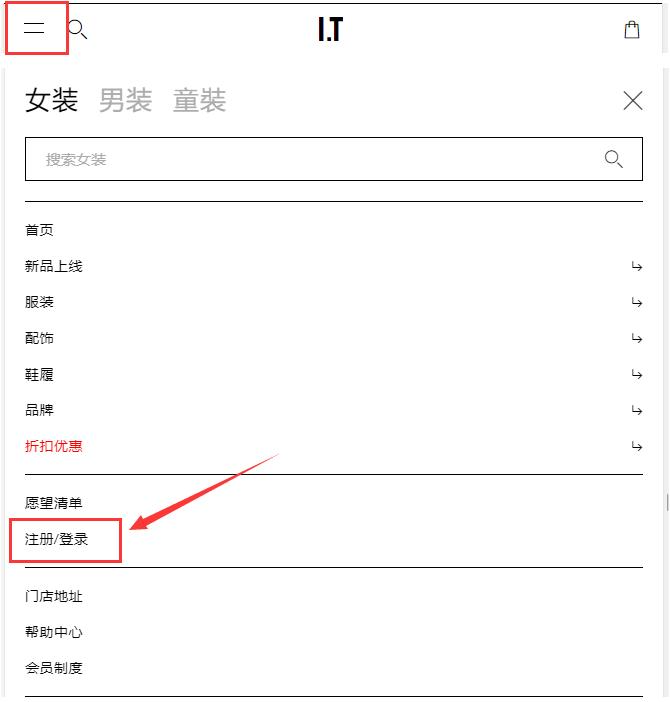
Click the menu in the upper left corner of the page and select Register or Log In
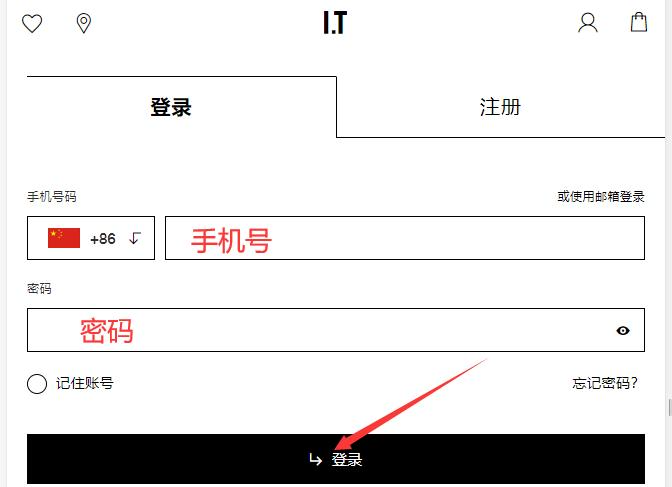
Registered users can log in using their phone number and password
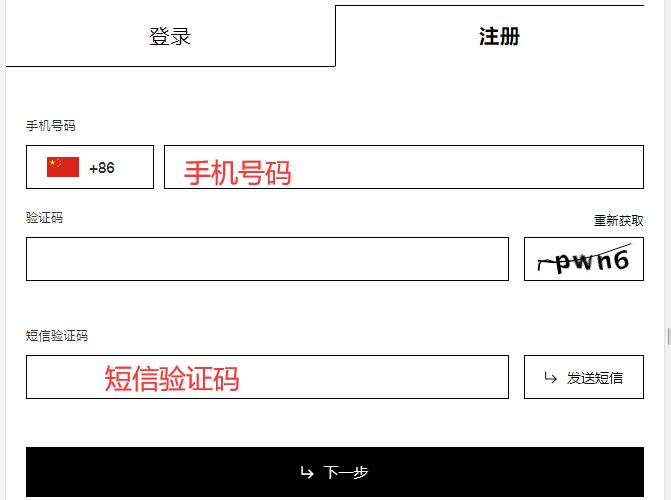
Unregistered users enter their phone number to verify and log in
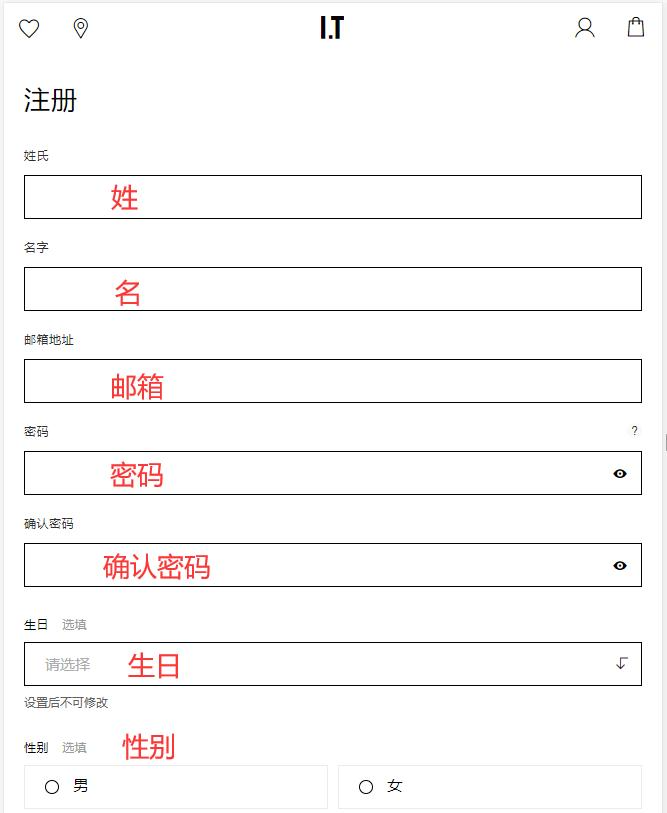
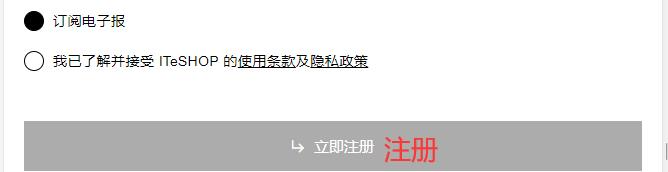
Then fill in your personal registration information and click Register
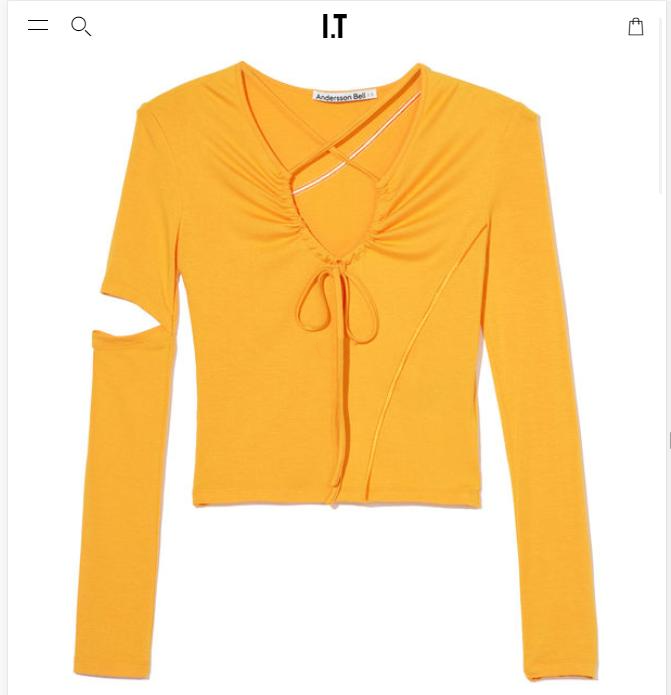
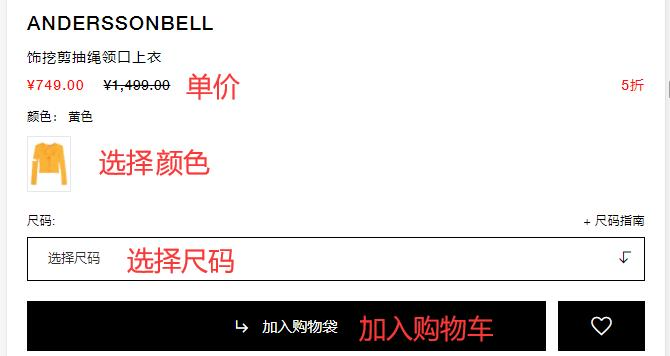
3. After completion, select items and add them to the shopping cart
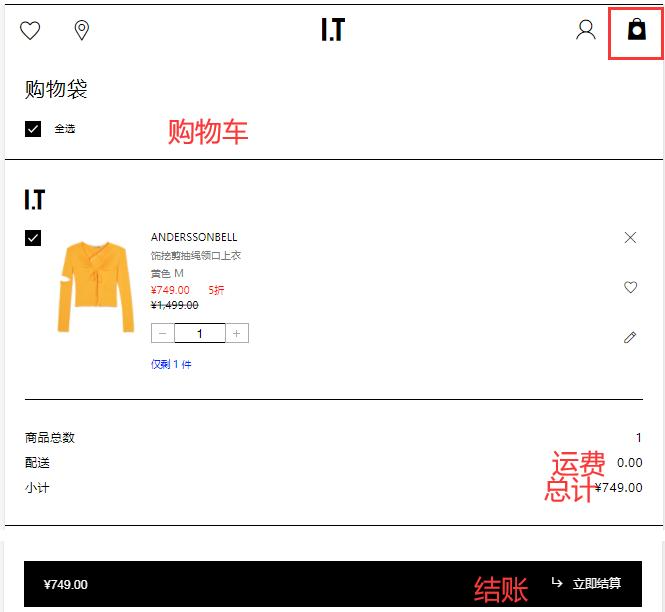
4. Open the shopping cart and proceed to checkout
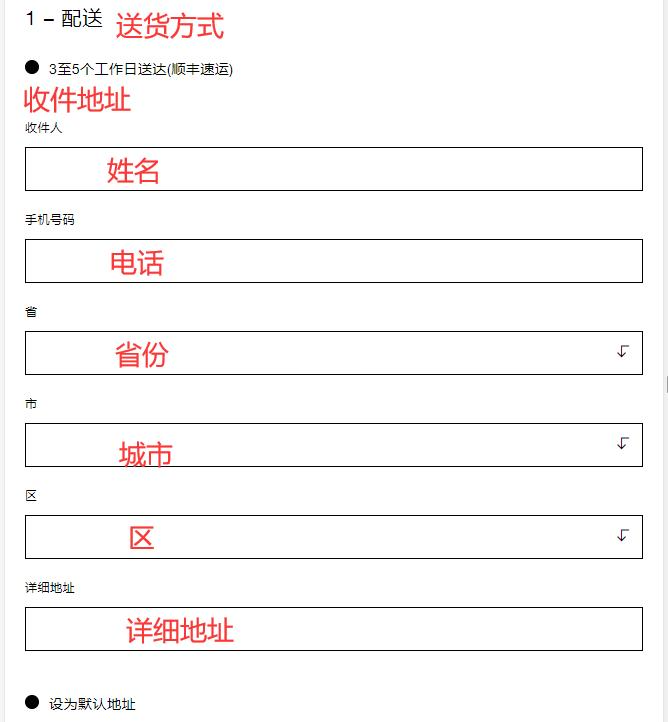
5. Fill in the shipping address
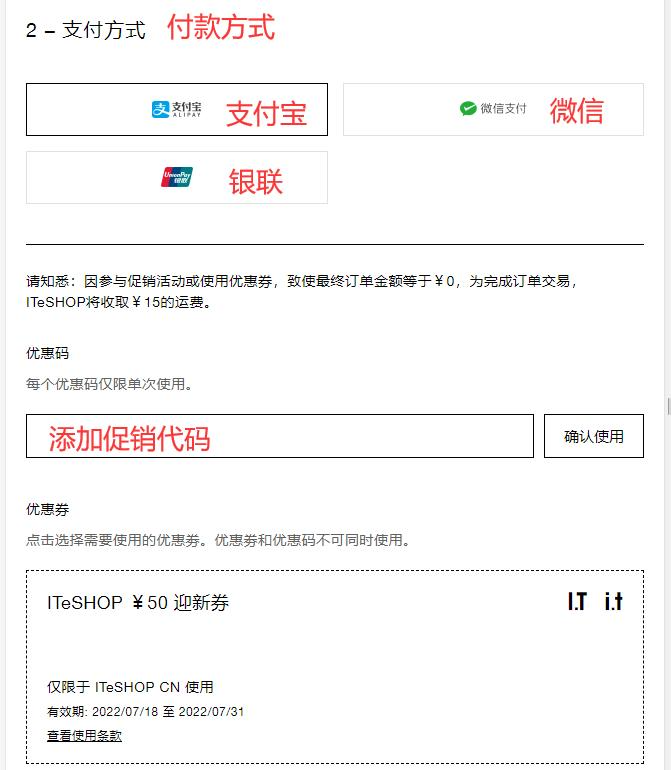
6. Choose a payment method
If you have a discount code, you can enter it here to receive the discount
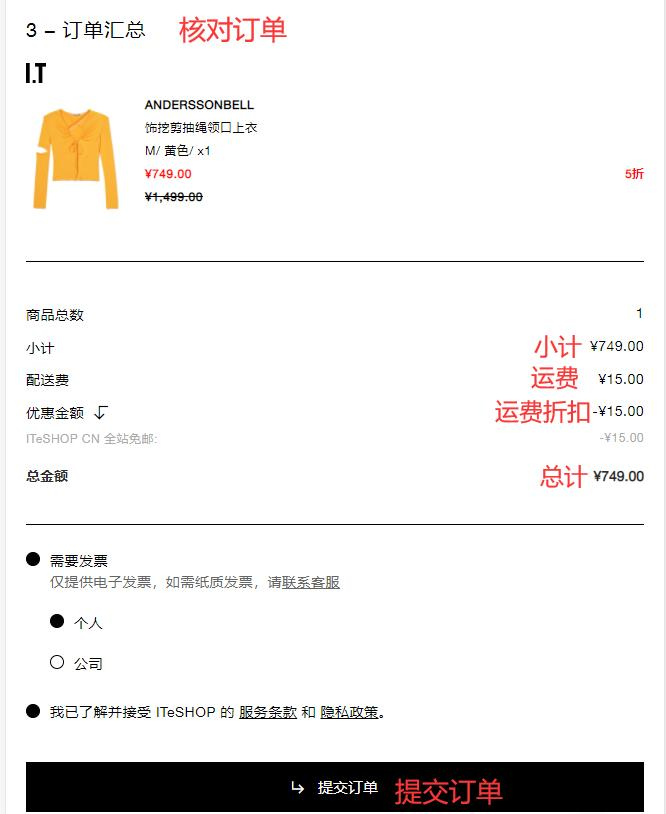
7. Review the order information and submit
8. Wait for delivery!
2. Other Ordering Notes for ITeSHOP Official Website
1. Supports payment via Alipay, WeChat Pay, and UnionPay;
2. Free SF Express shipping on orders over 300 RMB; orders under 300 RMB will incur a fixed shipping fee of 15 RMB;