
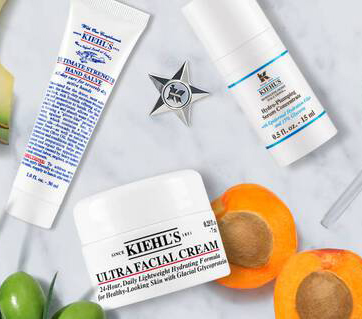
Kiehl's is an American cosmetics brand with a 150-year history, a New York skincare brand that has inherited century-old pharmaceutical formulas. Most Kiehl's products are made with natural ingredients, sourced from natural elements and crafted by hand. The products are almost entirely free of preservatives or contain very low levels. To ensure the freshest products for consumers, they mostly adopt a production model that begins only after an order is placed.
Below, we'll guide you on your overseas shopping journey on the Kiehl's official website.
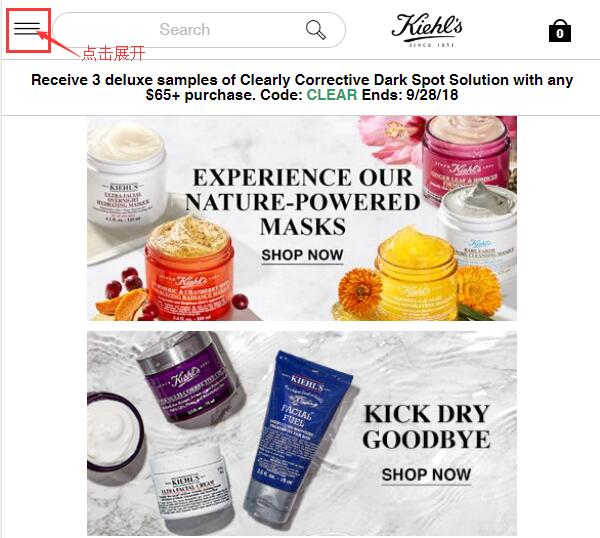
1. Register an account. Click to expand the menu at the top left of the homepage:
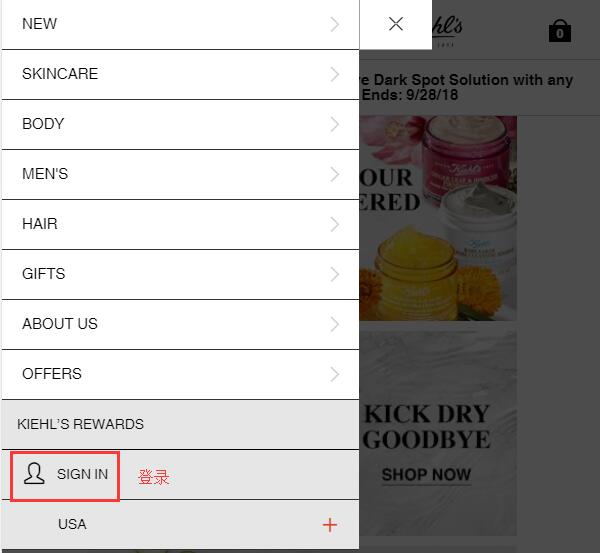
In the expanded menu, click Sign in at the bottom left to log into your account:
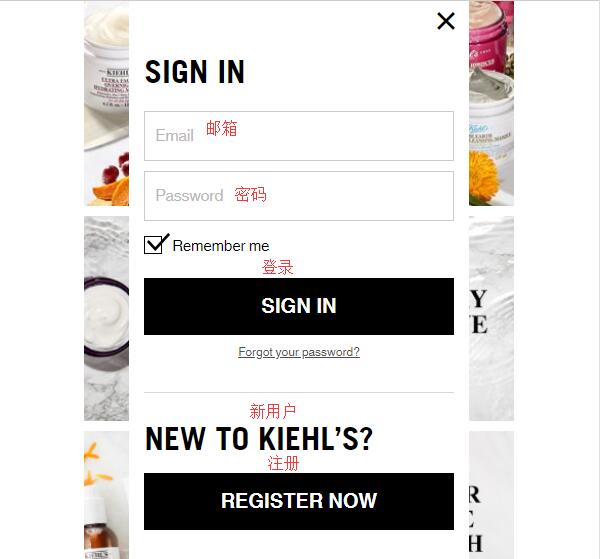
For those who already have an account, log in directly using your email and password. New users, click Register Now below to sign up:
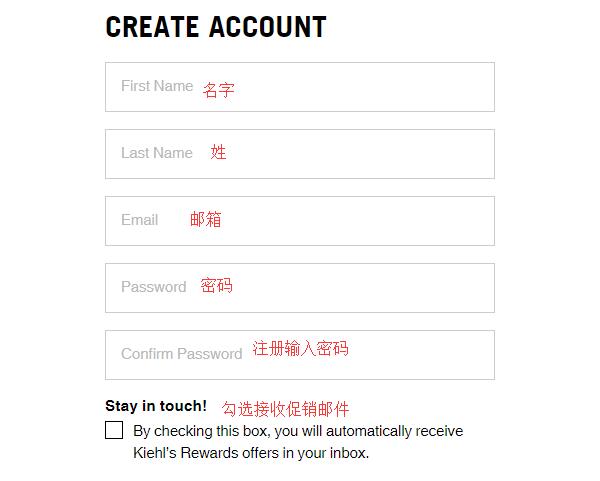
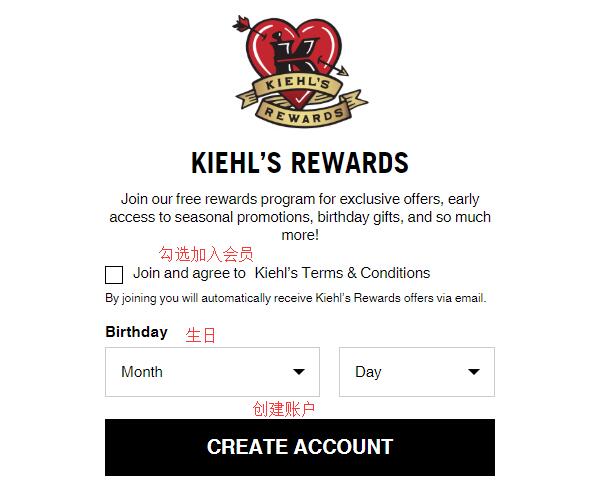
Enter your first name, last name, email, and password. Check the boxes to receive promotional emails and to join the loyalty program if desired. Then click Create Account to create your account.
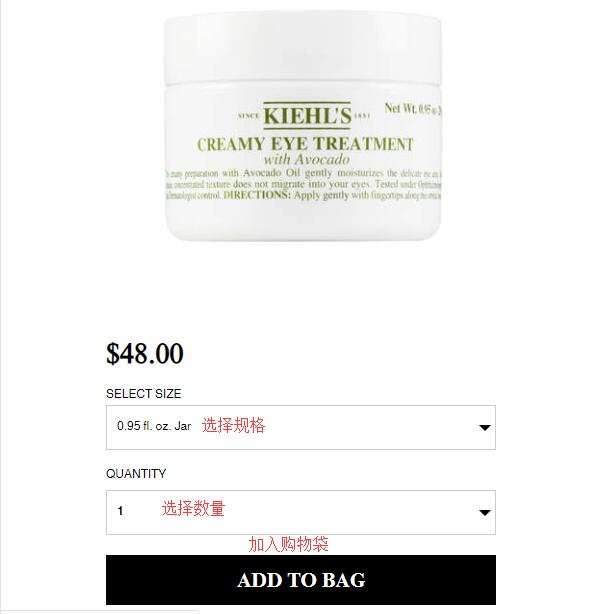
2. Once your account is created, you can start shopping! Let's use this Avocado Eye Cream as an example. Select the size, quantity, and add it to your shopping bag.
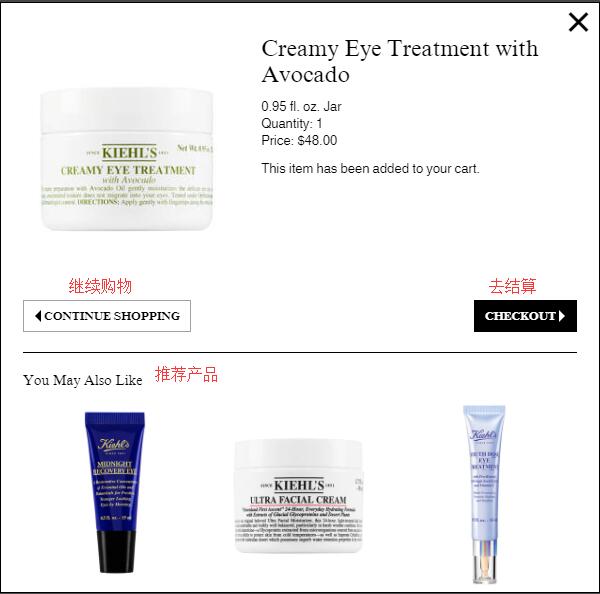
After adding it, a pop-up will appear. Choose to continue shopping or proceed to checkout. Some product recommendations may also be shown. We select Checkout to proceed:
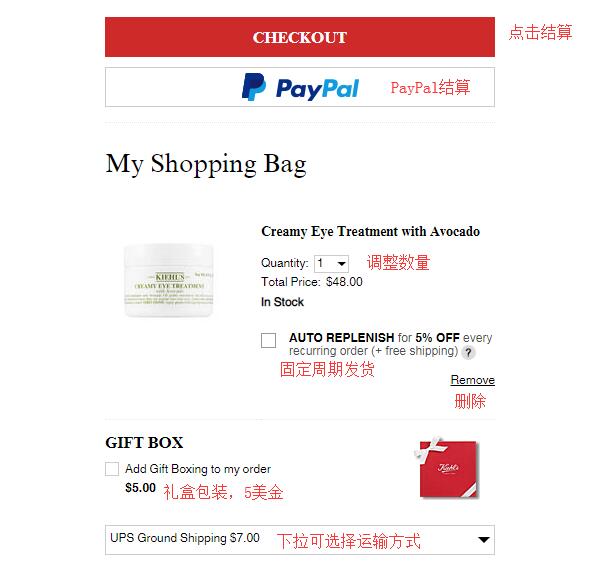
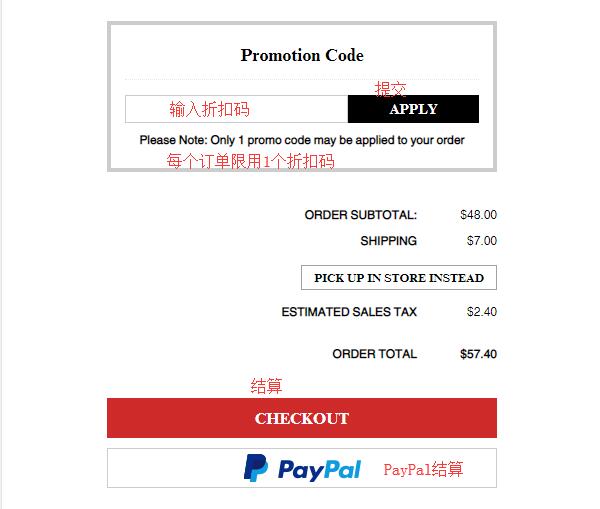
3. Enter your shopping bag. You can edit the items. There is an Auto Replenish option. Although it offers a discount and free shipping, this option automatically charges and ships on a fixed schedule, which is not recommended for overseas shoppers. Gift wrapping is available for a fee of $5 each if needed. If you have a discount code, enter it below to get the corresponding offer. Then click Checkout to proceed:
4. Step one of checkout: choose samples. Kiehl's allows you to select 3 samples per order. Click to expand the sample categories and choose:
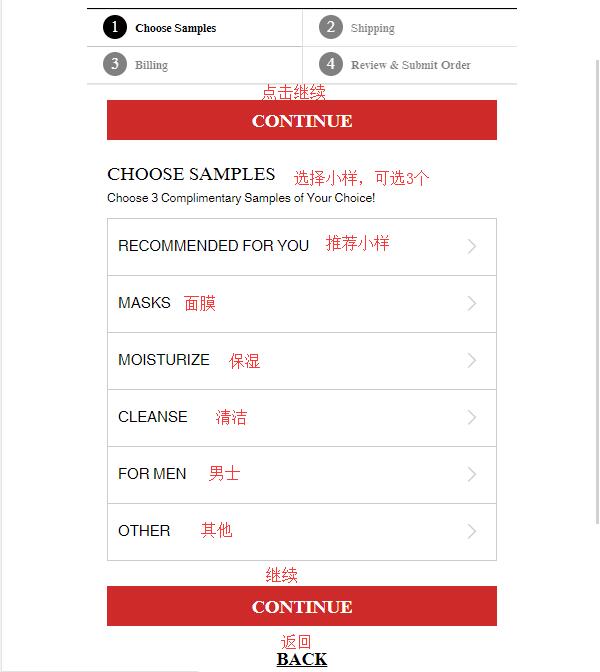
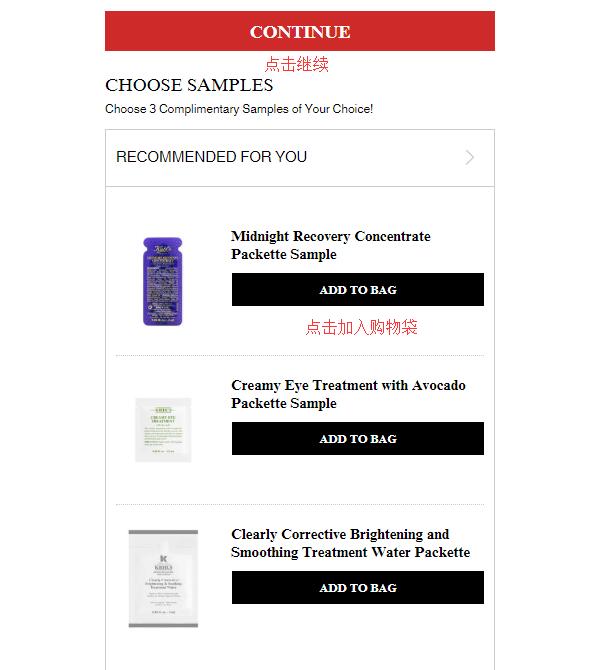
Open a category, select a product, click Add to bag, then click Continue to proceed:
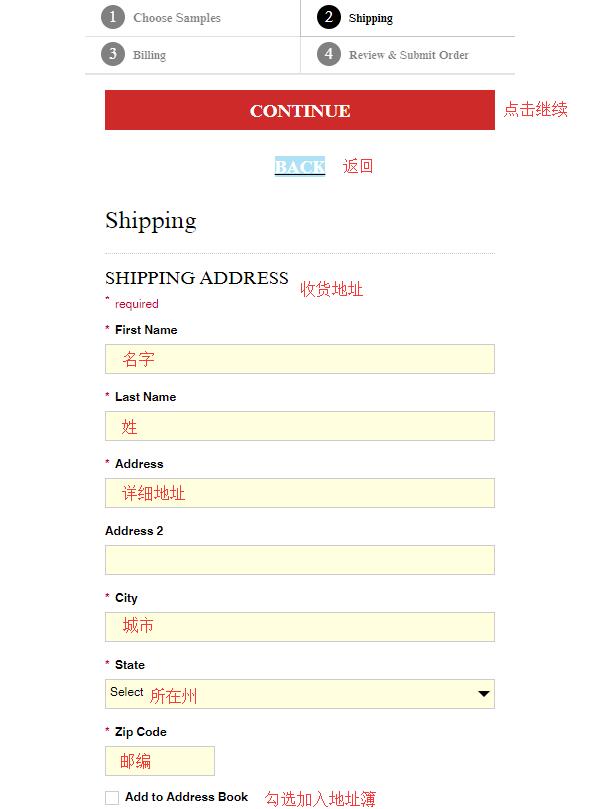
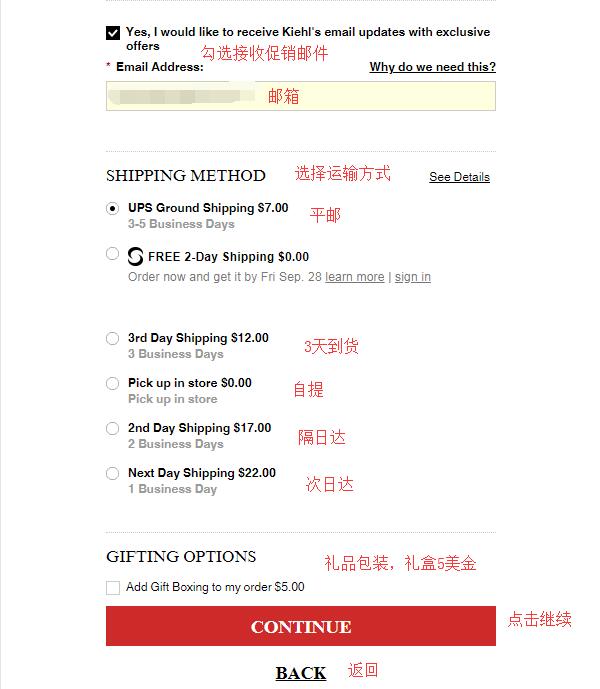
5. Next, enter your shipping information. The Kiehl's official website does not support direct shipping, so the shipping address should be your forwarding address. Fill in the address details according to your forwarding company's requirements, select a shipping method, then click Continue to proceed:
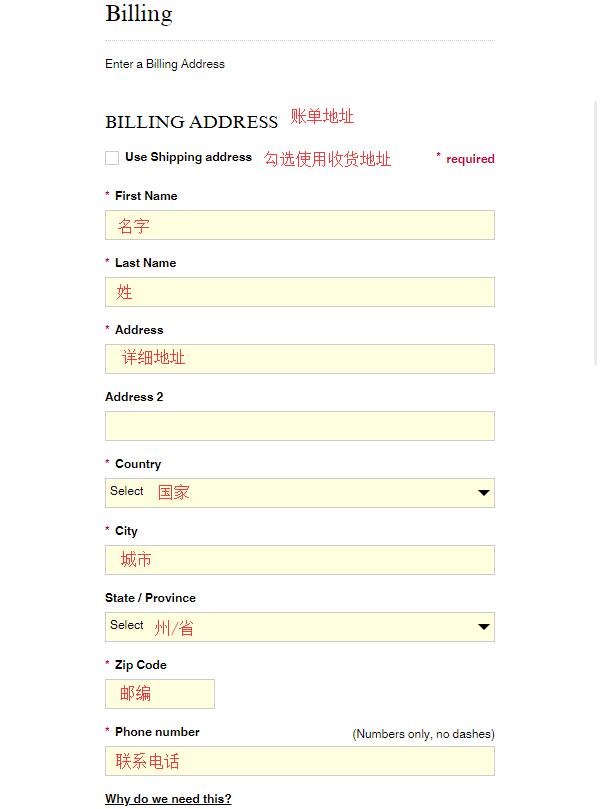
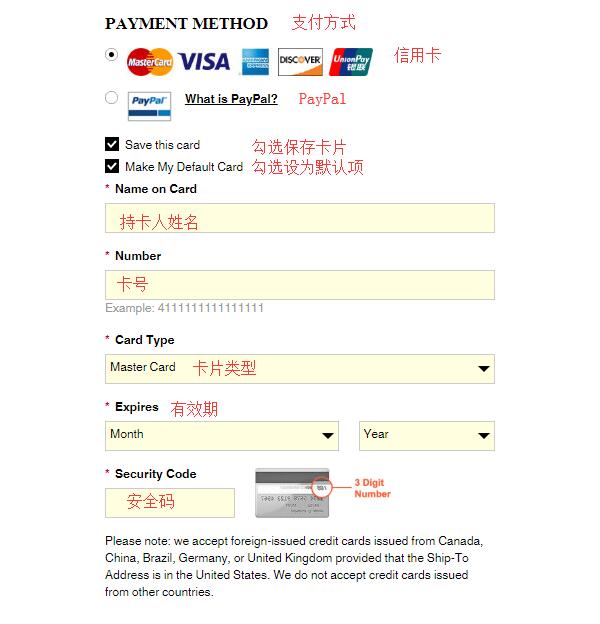
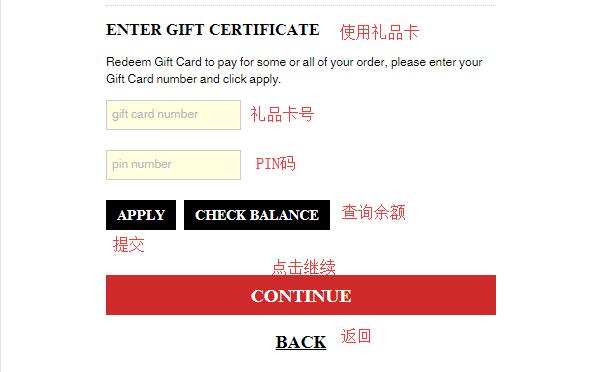
6. Next is the billing information. You can check the box to use the shipping address as the billing address. Then enter your credit card information. If you have a gift card, you can use it for payment. Then click Continue to proceed:
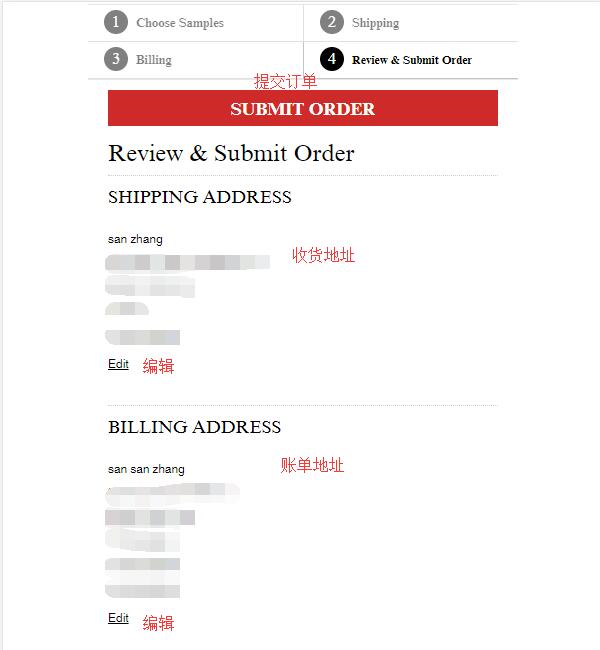
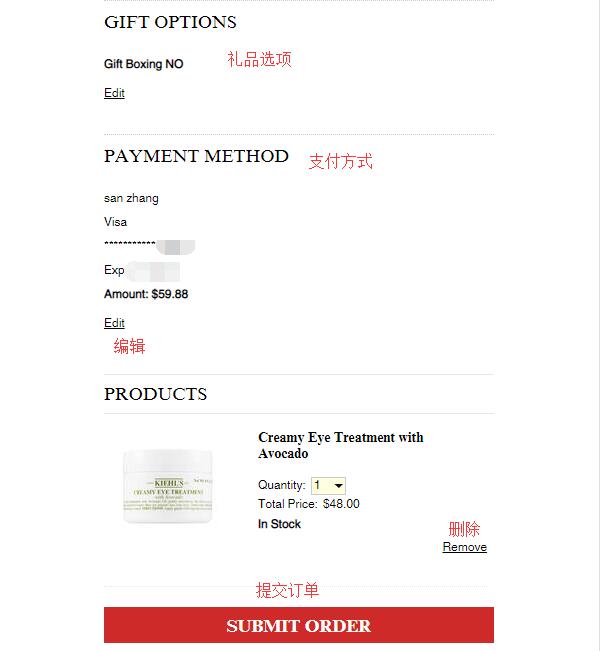
7. The final step: review and submit your order. Carefully check the entered address, payment information, and product details for any errors. Once all information is confirmed correct, click Submit Order to complete the purchase.
Some users have reported that the Kiehl's official website does not support international credit cards but does support forwarding addresses. Experienced shoppers can try or attempt to use a credit card issued in the United States to complete the purchase.