

Macy's, a famous American department store chain, with its flagship store located at Herald Square in New York City, is known as the "world's largest store." Macy's primarily sells clothing, shoes, hats, and home decorations, earning a reputation for quality service and high visibility in the United States and worldwide.
Although Macy's US official website now offers direct shipping to China for some products, many deals are still unavailable. So here, we'll introduce the overseas shopping guide for the US official website.
Click to visit Macy's US official website: https://www.macys.com/ (Some users need to access it from an overseas network environment, otherwise it will redirect to the China official website.)
On a PC, you can use the following two methods to access the external network:
Use the Edge browser to search for the extension plugin igg
Use the Firefox browser to search for the extension plugin setup
Methods to access the external network on mobile:
You need to download VPN software. You can add our editor's WeChat to share it.
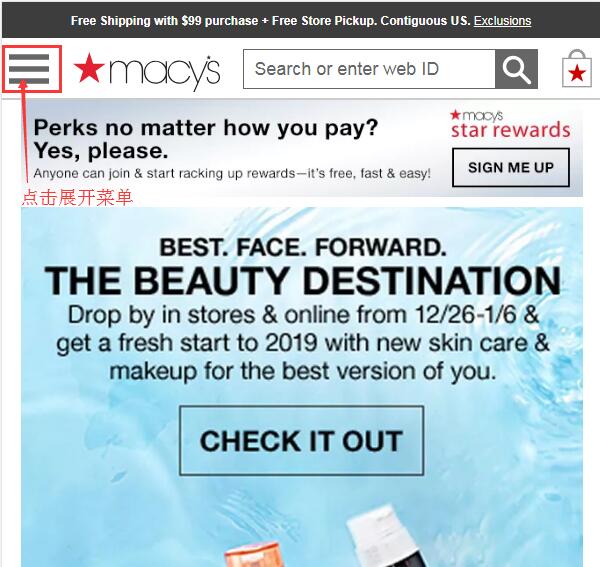
1. First, register an account. Open the homepage and click to expand the menu in the top left corner:
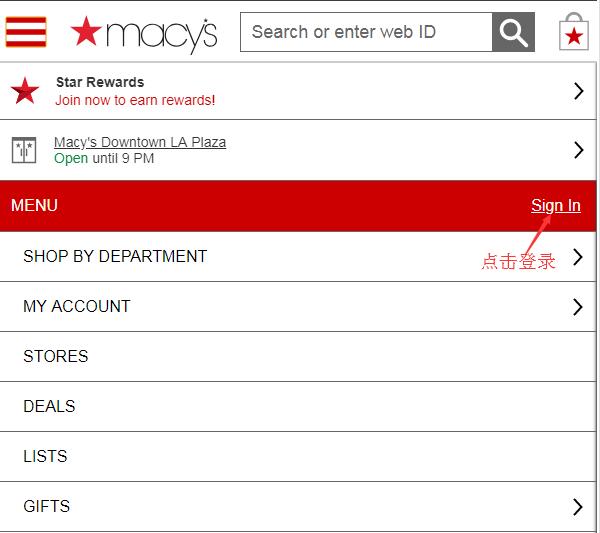
Click Sign in to log in or register an account:
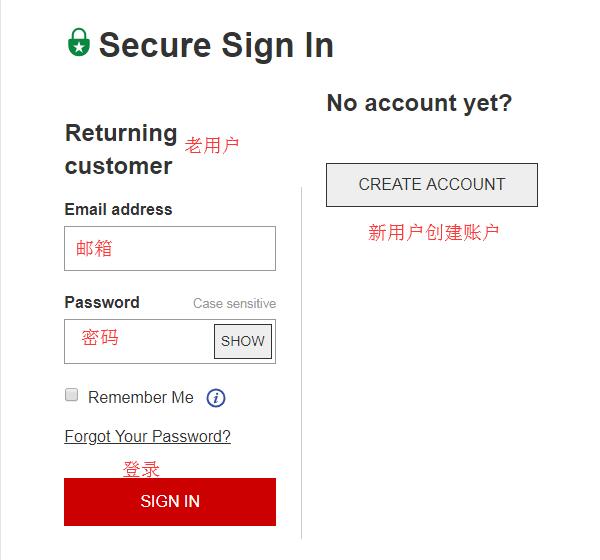
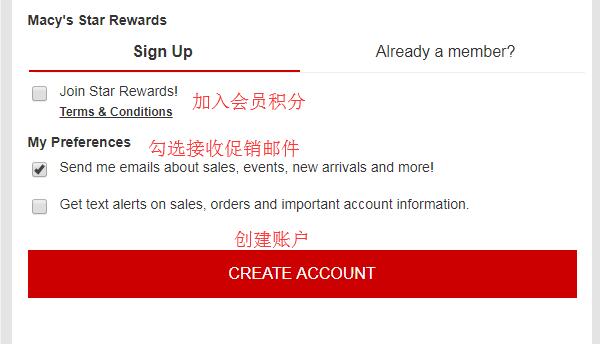
Returning users enter their email and password to log in. New users click Create Account to create an account:
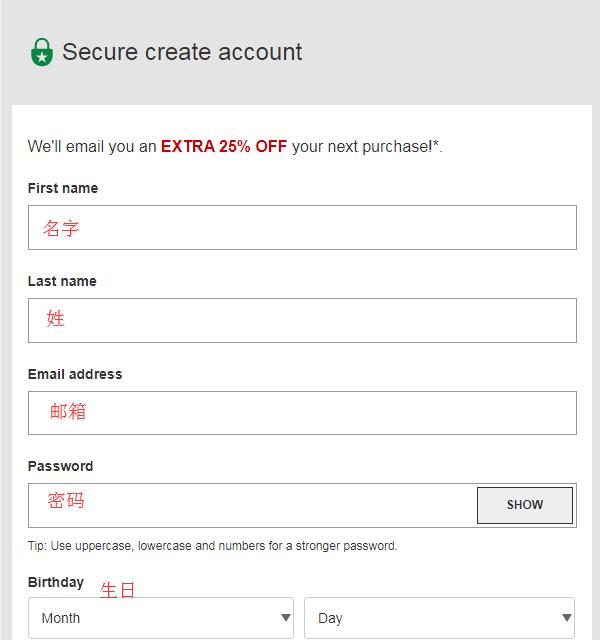
Enter your name, email, password, and birthday, then click Create to create an account. You can click Join Star Rewards to join the membership rewards program for free.
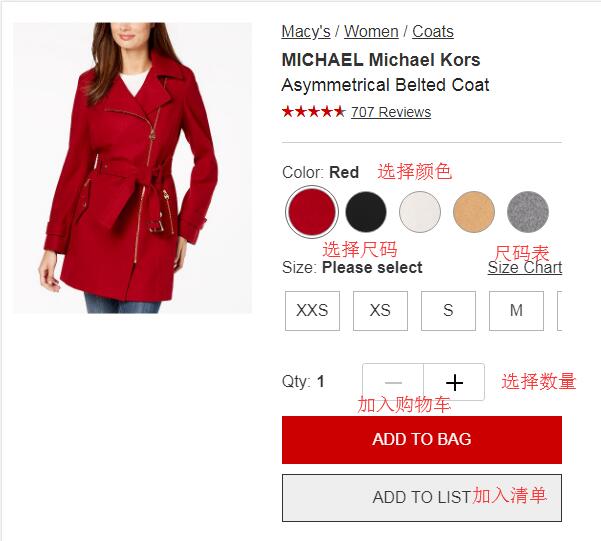
2. After registration, start shopping. At Macy's, you can find bargain products. A friend once grabbed a dress for $0.09! Select your product, choose color, size, and other specifications, set the quantity, and add to cart:
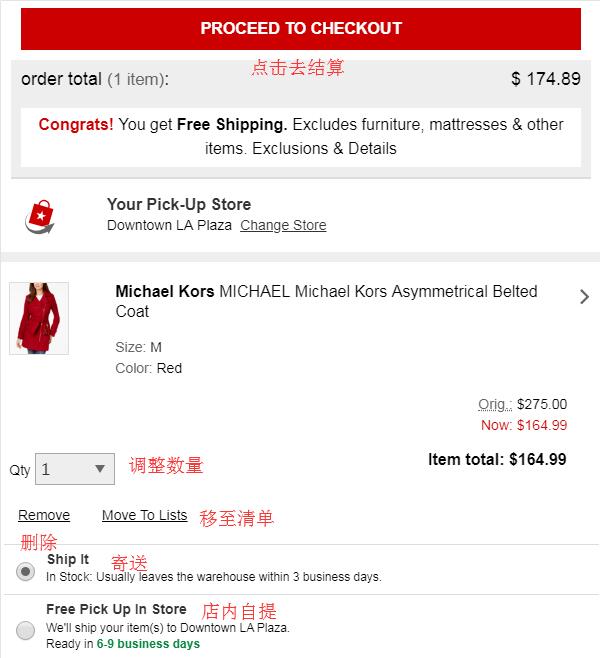
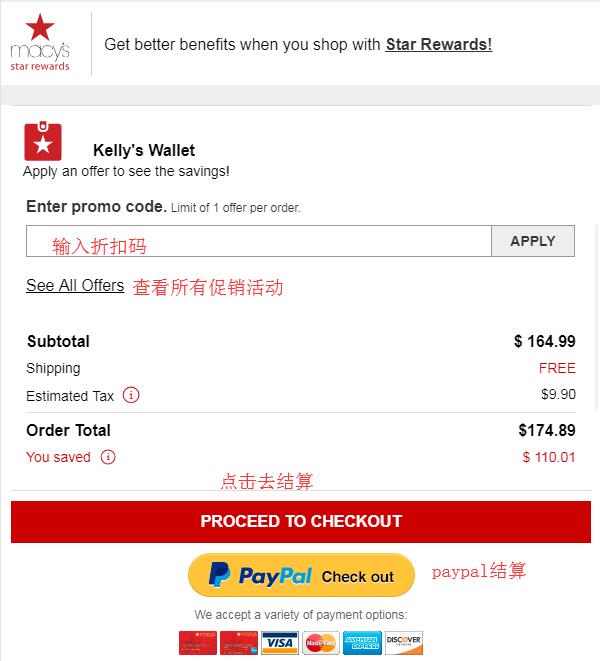
3. Go to the shopping cart, verify the product information is correct, select Ship it for delivery, and click Proceed to Checkout. Don't forget to enter any discount codes to get savings.
4. Start checkout. First, enter the shipping address. Here, you need to enter your US forwarding address, then click Save to continue:
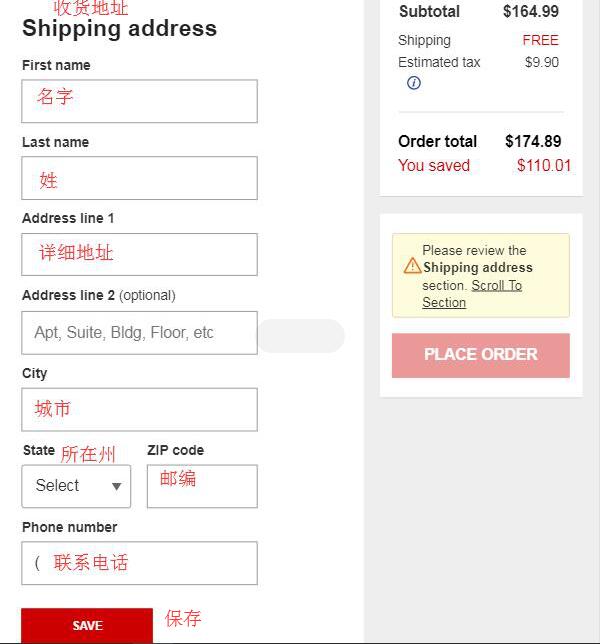
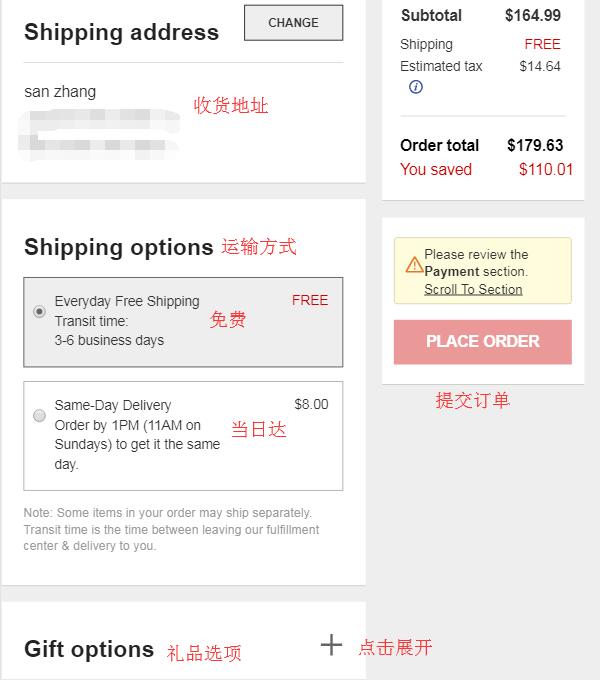
5. After entering the address, choose a shipping method. Generally, select free shipping.
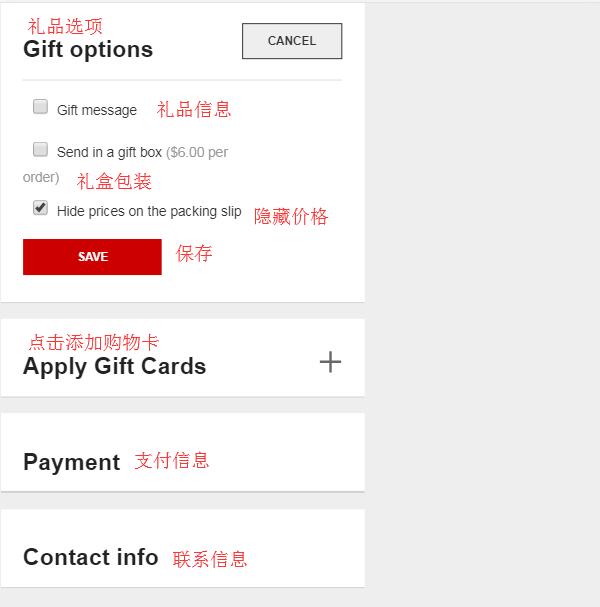
6. Below are gift options. You can choose whether to use gift box packaging. Gift cards are free, so choose based on your preference, then click Save.
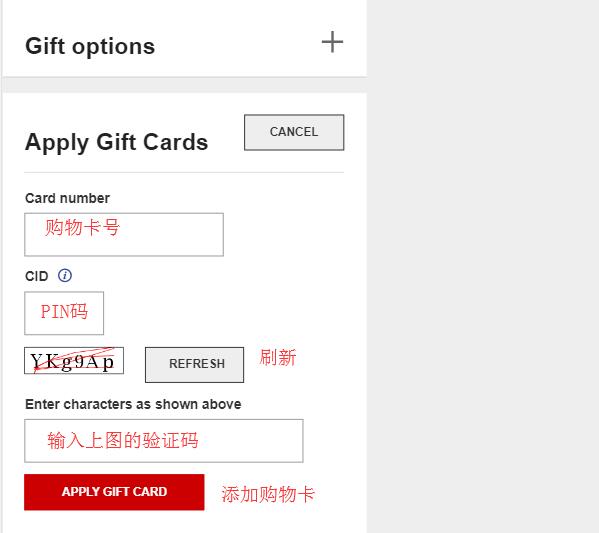
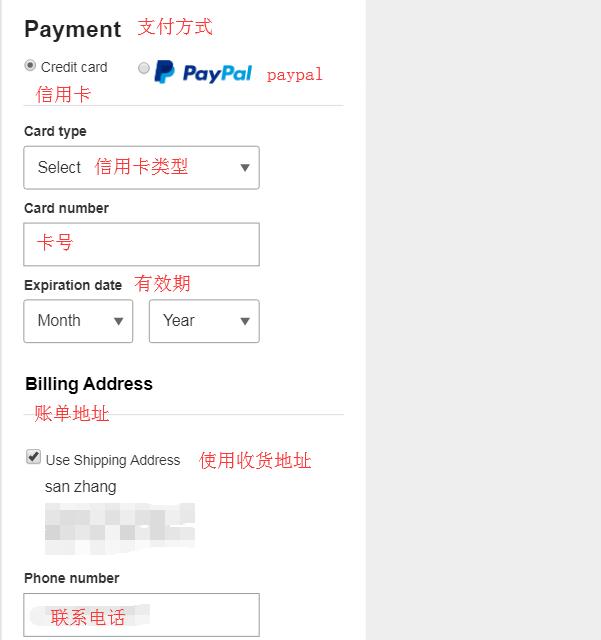
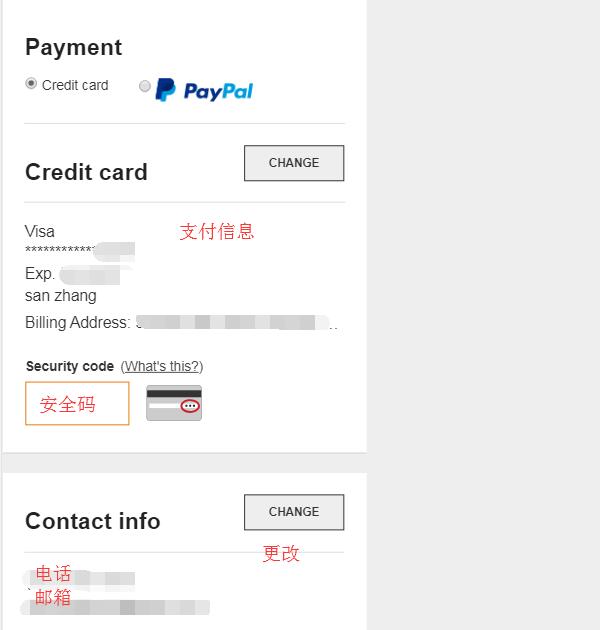
7. If you have a Gift Card, enter the card number, PIN, verification code, etc., and click Apply to submit. You can also pay with a credit card or PayPal. We choose to use a credit card. Enter the card number, expiration date, contact information, verify the billing address is correct, and click Save.

8. After entering everything, carefully review the information. Once all details are confirmed correct, click Place Order in the top right corner to submit the order and complete the purchase.
Tips:
Macy's only supports US credit cards (including some Canadian credit cards), so most domestic credit cards rarely succeed, though a few might work. You can give it a try. Using a forwarding address for multiple purchases, especially of bargain items, may easily lead to order cancellations (this issue is not limited to forwarding addresses; personal addresses may also face this problem).