

Shu Uemura, a cosmetics brand under L'Oréal, advocates a nature-based skincare philosophy. Its product formulations are based on pure deep-sea water and natural plant ingredients, fully enhancing the skin's own metabolic capabilities. Even the most sensitive skin can be revitalized, creating a fashionable, natural, and refined makeup look. Today, we'll introduce a guide to shopping on the Shu Uemura US official website.
Shu Uemura US Official Website: https://www.shuuemura-usa.com/
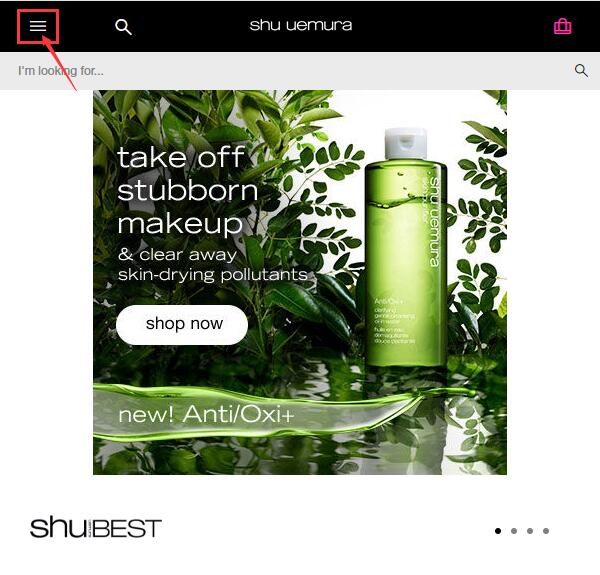
1. First, you need to register an account. Click to expand the menu in the top left corner of the homepage:
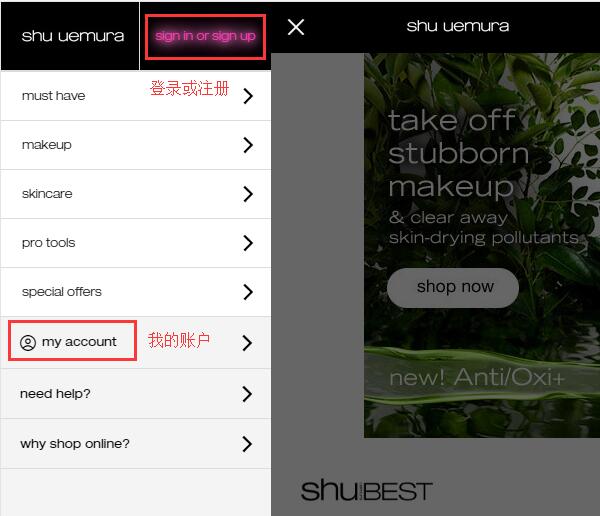
In the expanded menu, you will see "Sign In or sign up". Click to enter the login/registration page:
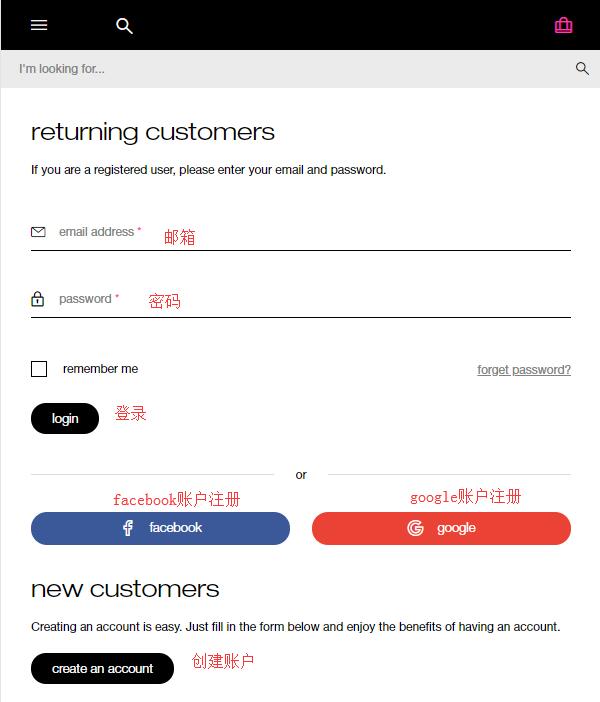
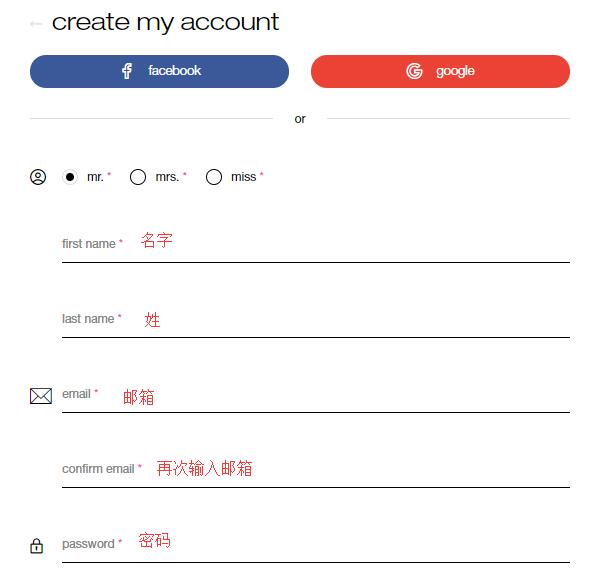
Existing customers can log in using their email and password. New users should click "Create an account" below. You can also register using your Facebook or Google account:
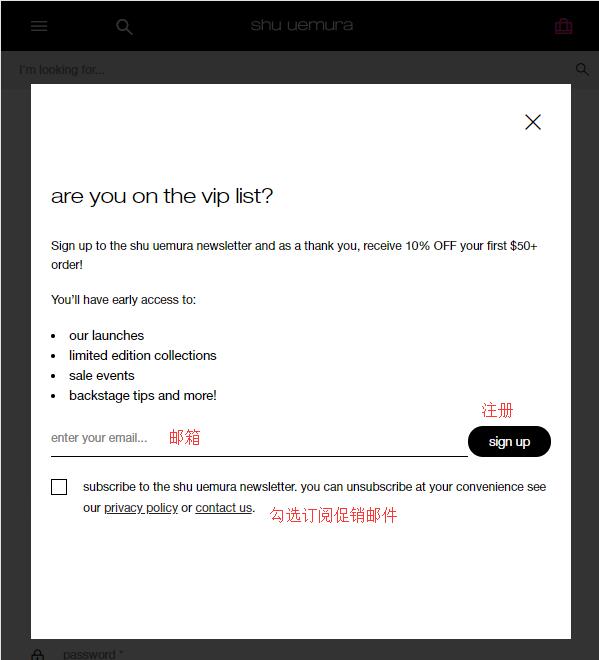
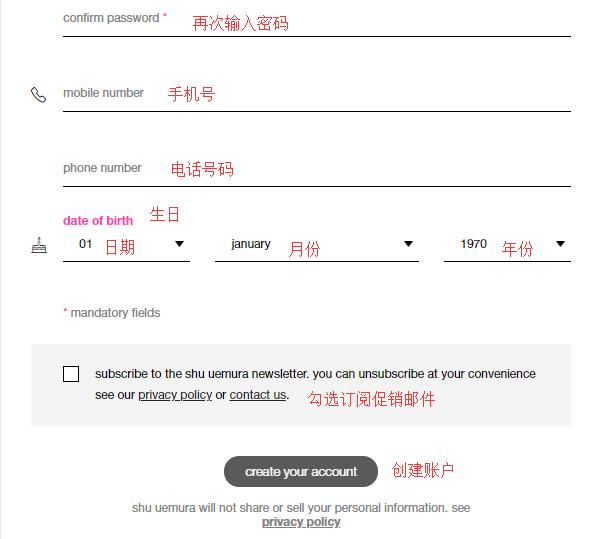
Clicking "Create Account" will trigger a pop-up prompt. Subscribing to promotional emails offers a 10% discount. Decide whether to subscribe based on your personal preference:
To create an account, enter your first name, last name, email, password (at least 8 characters), phone number, birthday, and other required information. Click "Create Account" below to complete the registration.
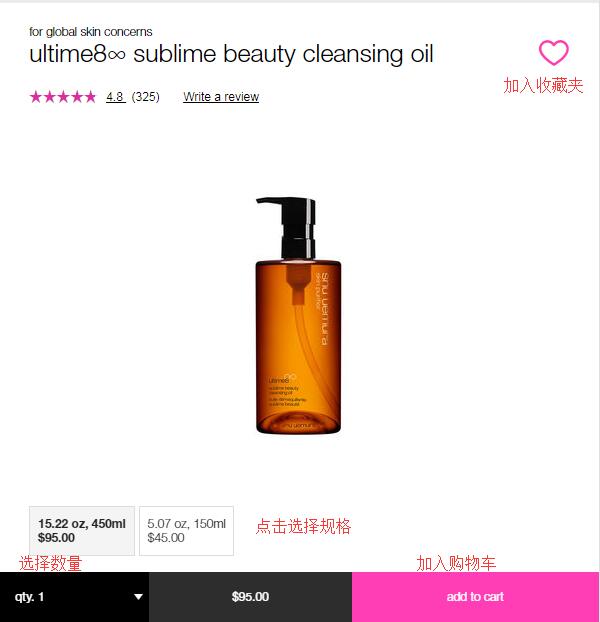
2. After registration, start browsing your favorite products. Select the size/options, quantity, and add them to your cart:
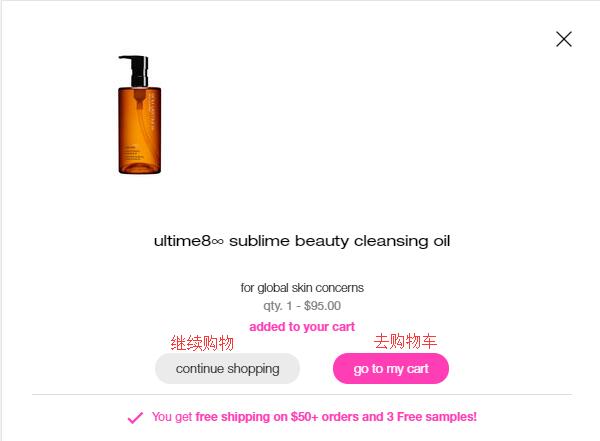
After adding to the cart, a pop-up will appear. Choose "Go to my cart" to proceed:
3. Enter the shopping cart to view your items. If you have a discount code, you can enter it below to receive the applicable discount. Then click "Secure Checkout" to proceed. You can also use PayPal. Here, we will use credit card checkout as an example:
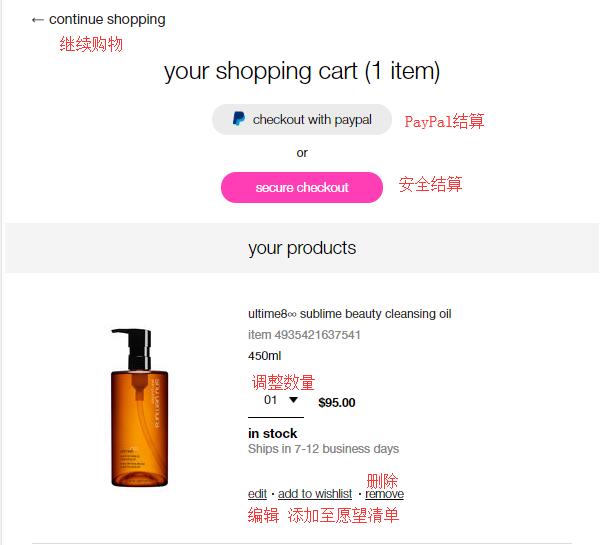
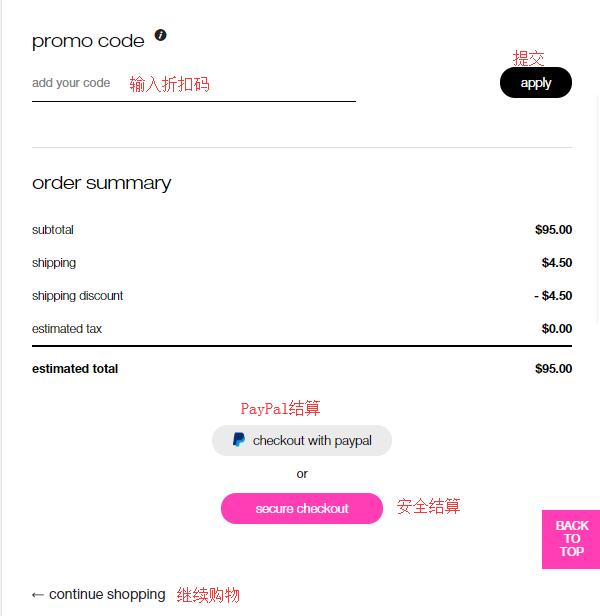
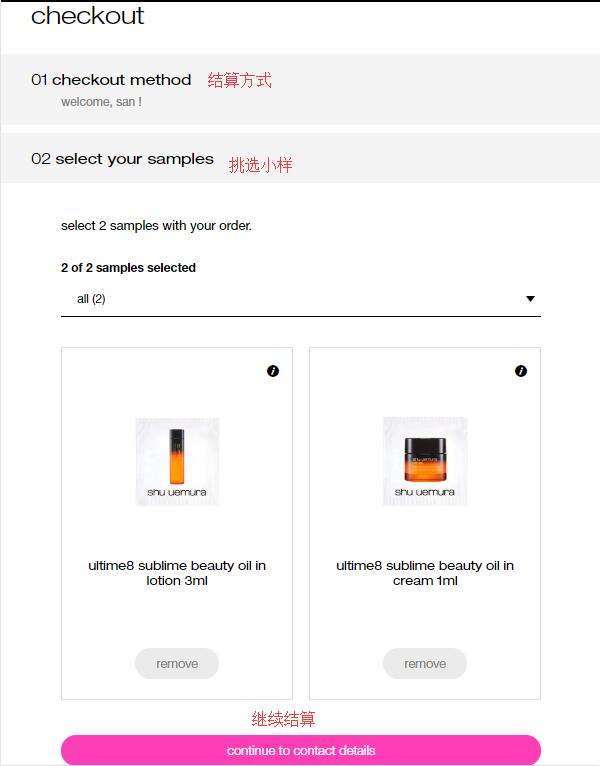
4. Checkout Step 1: Select the checkout method, which is the "Secure Checkout" we chose. Step 2: Select samples. Each order comes with two free samples. Click "Select" to choose. Then, click "Continue" to proceed with checkout:
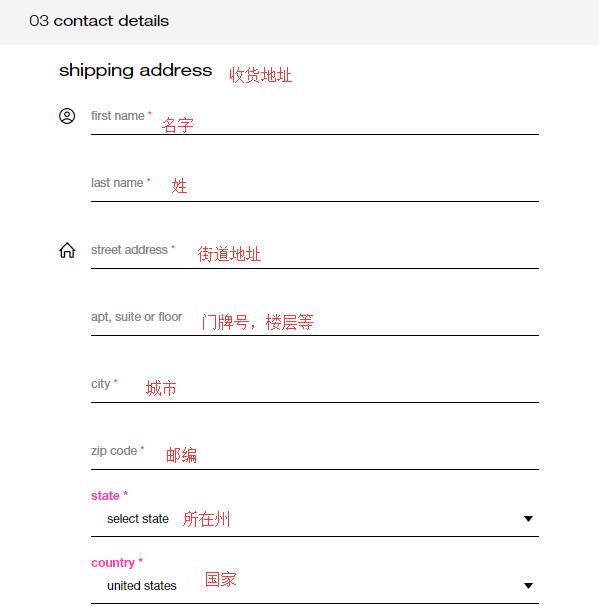
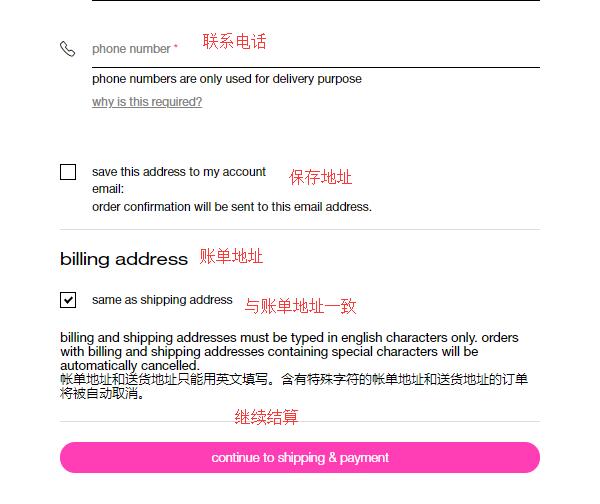
5. Checkout Step 3: Enter the shipping address, i.e., the forwarding address. Please fill in the address strictly according to the requirements of your forwarding service. Below, for the billing address, you can check the box to make it the same as the shipping address, or leave it unchecked and enter your real domestic billing address. Then click "Continue":
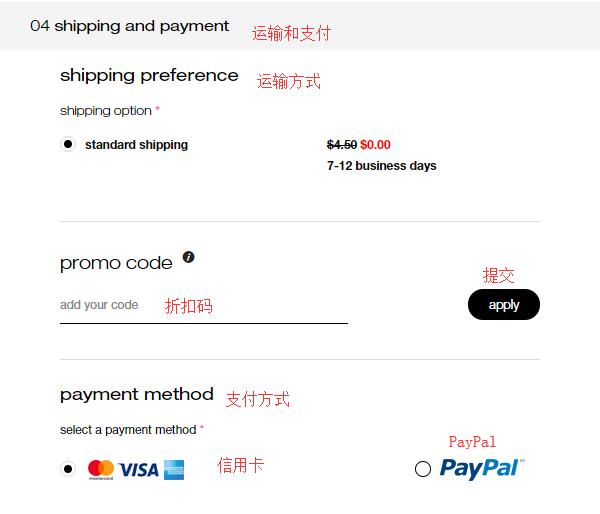
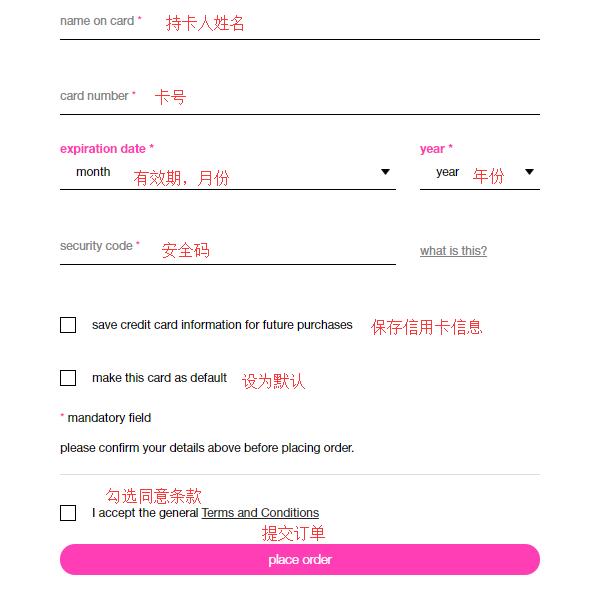
6. Next, select the shipping method. The default is standard shipping. If you missed entering a discount code earlier, you can enter it again here. Below, enter your credit card number, expiration date, security code, and other information. Once all information is confirmed correct, click "Place Order" below to submit the order and complete the purchase.
All that's left is to wait for the website's shipping notification, register the package with your forwarding company, and wait to receive it!