

Nautica is a famous American casual apparel brand known for "adventure, vitality, and classic style." Nautica represents the American marine-themed casual style, with ocean and water activities as its theme. It's easy to imagine its style is full of sunshine, with clean and powerful lines, and naturally brighter colors. Lake blue and turquoise garments are everywhere. The product range includes men's and women's clothing, accessories, footwear, watches, and more. Nautica has become a renowned brand embodying "American classic, modern interpretation."
Below is a guide to shopping on the Nautica US official website via mobile:
Nautica US Official Website: www.nautica.com
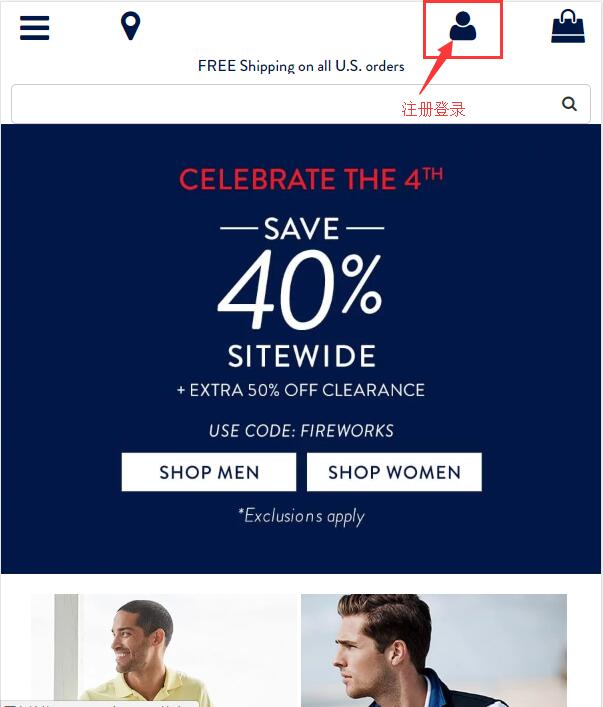
1. First, click the profile icon in the top right corner of the homepage to log in or register:
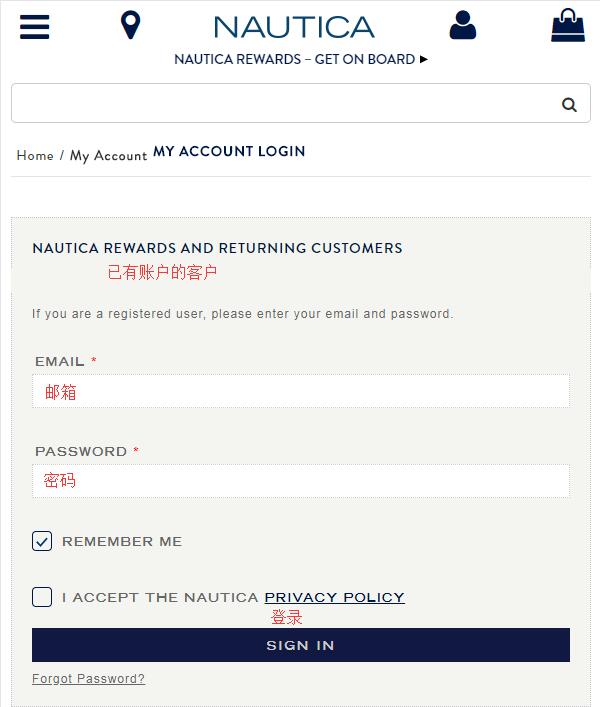
Existing users can log in directly using their email and password:
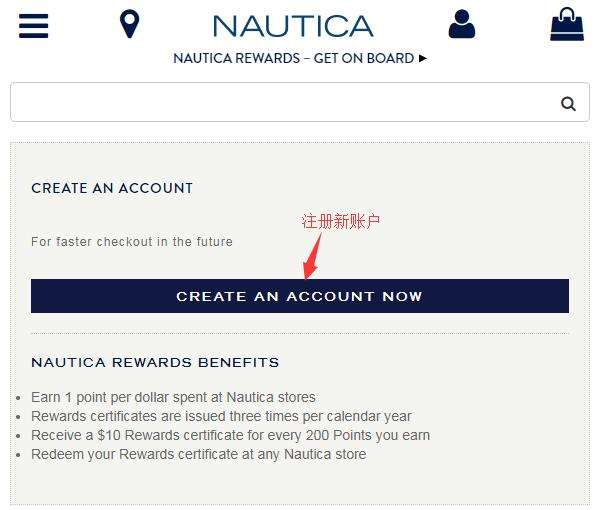
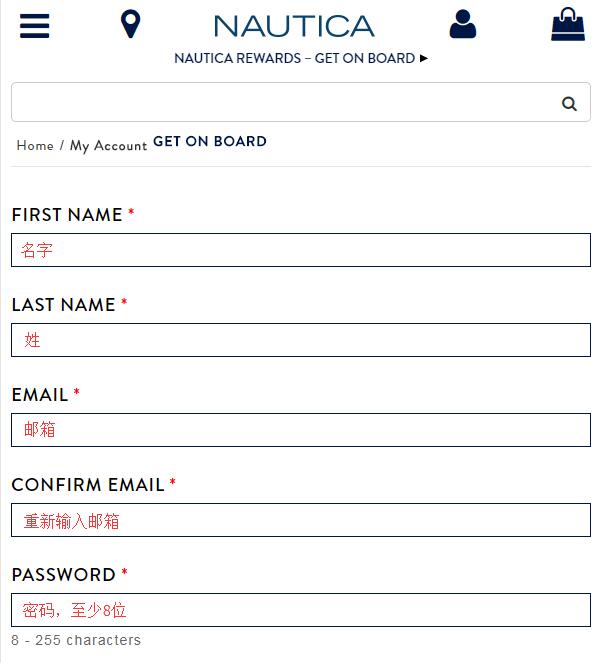
If you don't have an account, choose to register a new one. Simply enter the required information as prompted on the website to register easily:
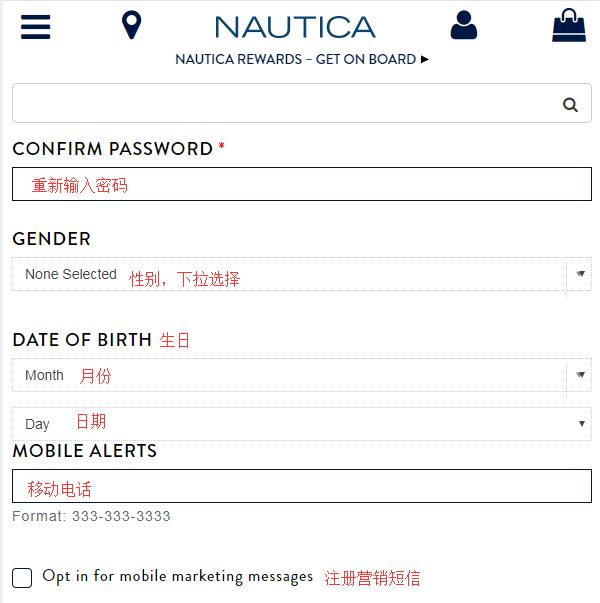
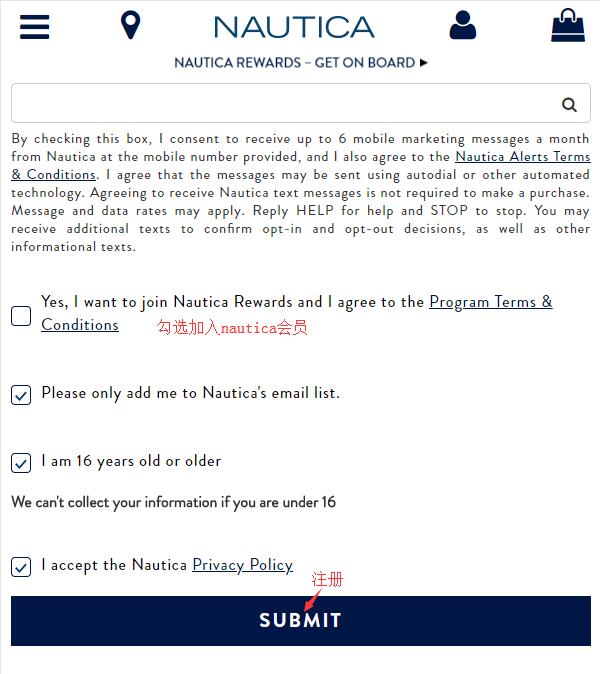
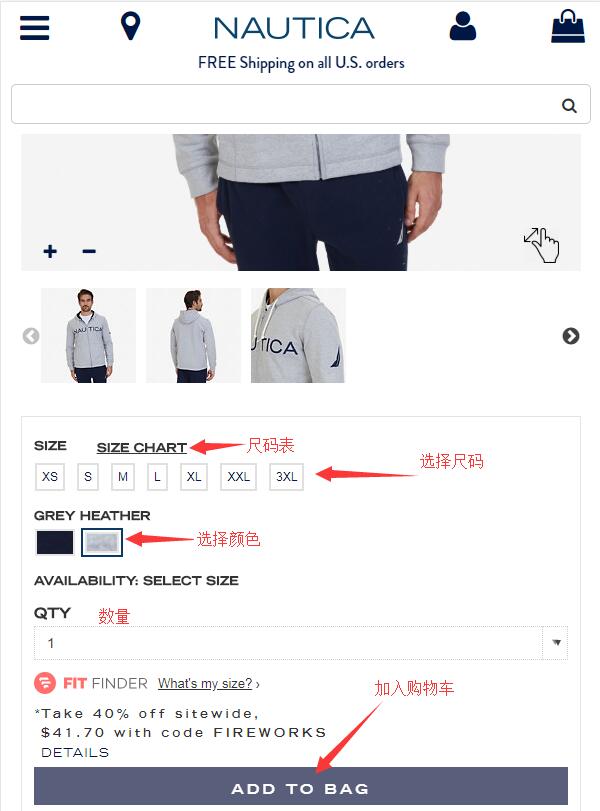
2. After successful registration, browse and select your desired products, choose the size and color, and add them to the shopping cart:
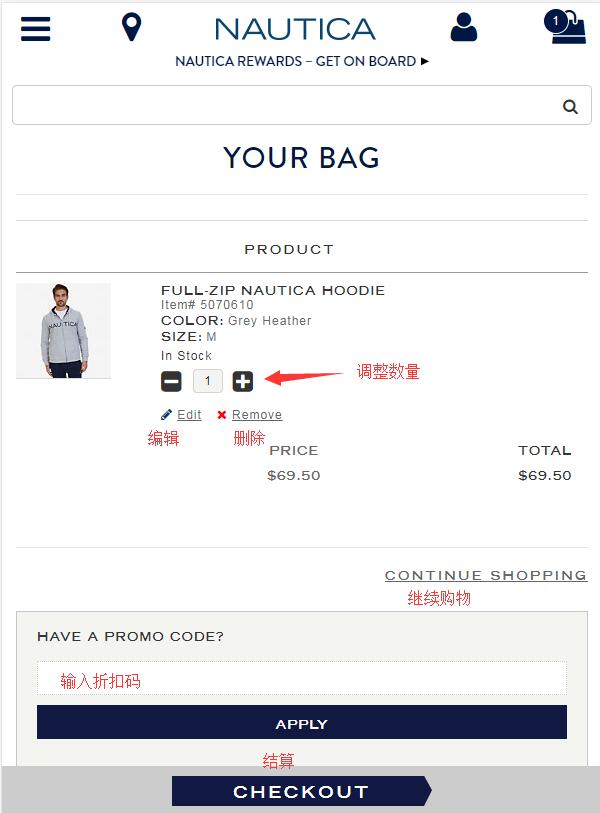
3. In the shopping cart, you can modify or adjust product information as needed. If you have a discount code, enter it in the dialog box below to get the corresponding discount. Then click to proceed to checkout:
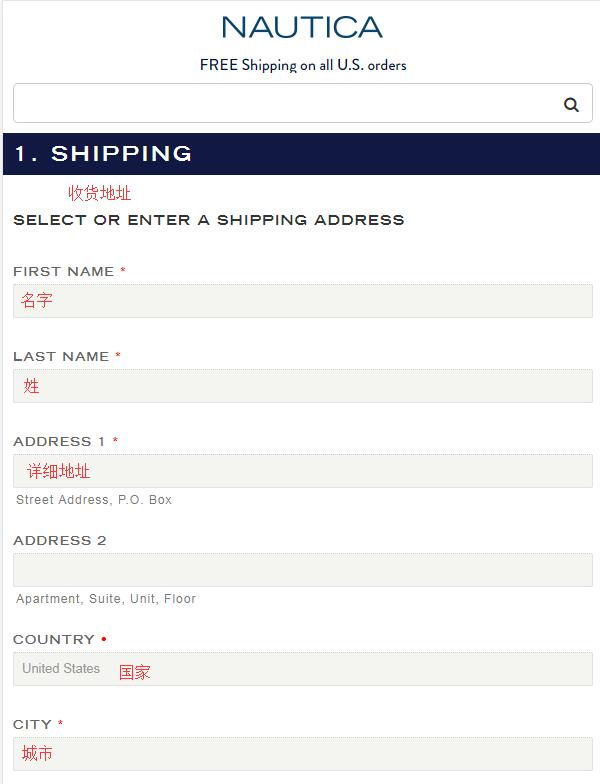
4. Step one of checkout: Enter the corresponding shipping address. Since Nautica currently does not support direct shipping, it is best to enter a forwarding address here:
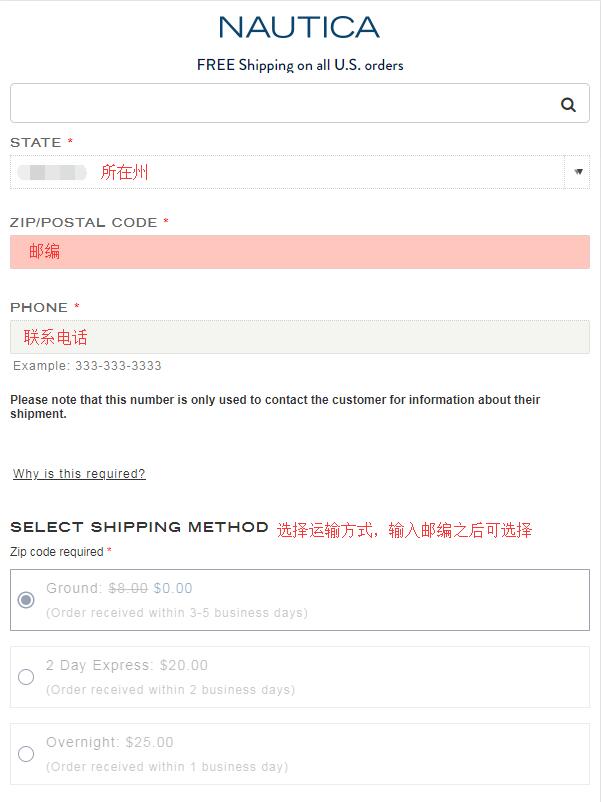
After entering the zip code, you can choose the shipping method based on your needs. Standard shipping is generally selected. Currently, the official website offers free shipping on all orders within the US:
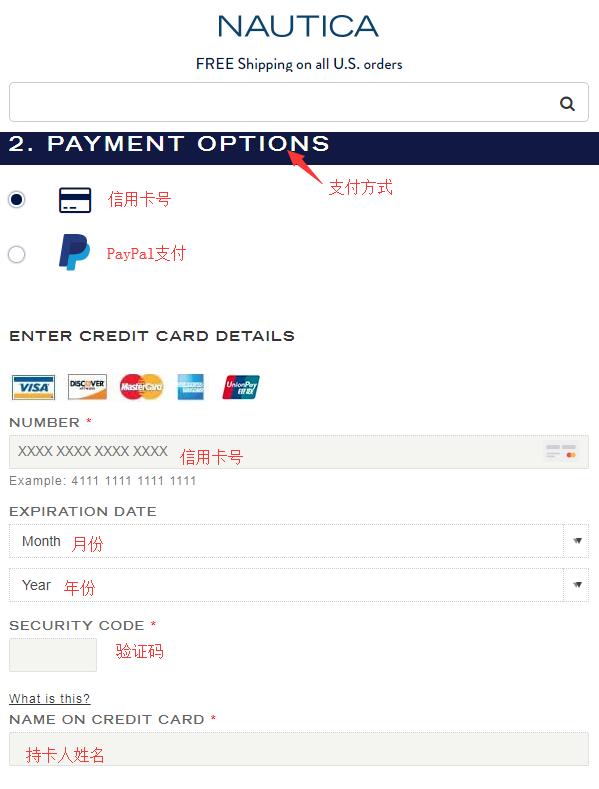
5. Step two: Payment. Select the payment method and enter the corresponding payment information as required:
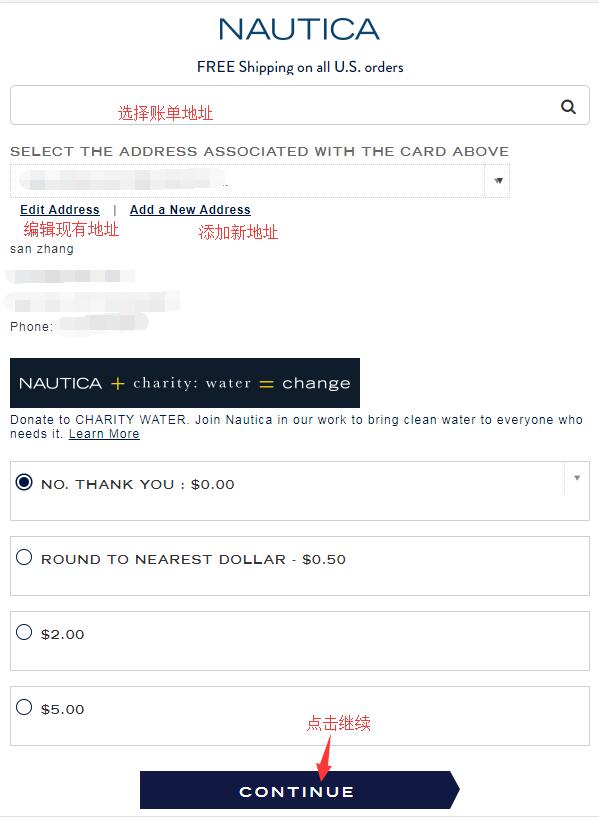
Note: For the billing address, you can choose to use the forwarding address or your actual domestic billing address. Simply click "Add New Address":
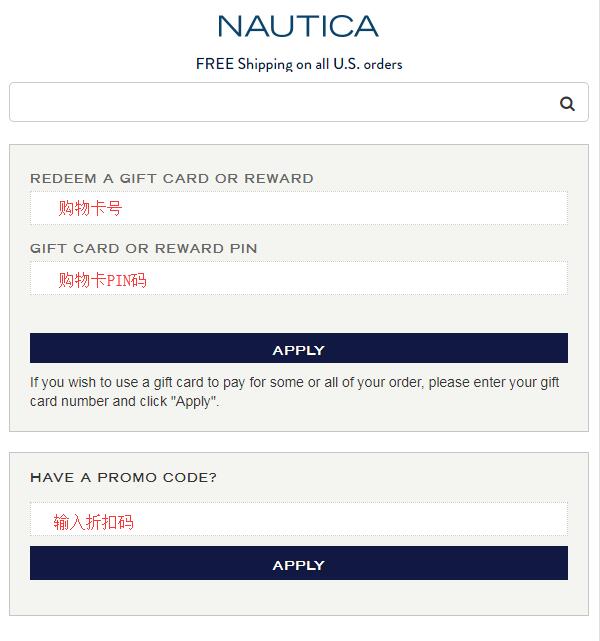
Additionally, the Nautica official website also supports payment via gift cards, as shown below: Enter the corresponding information:
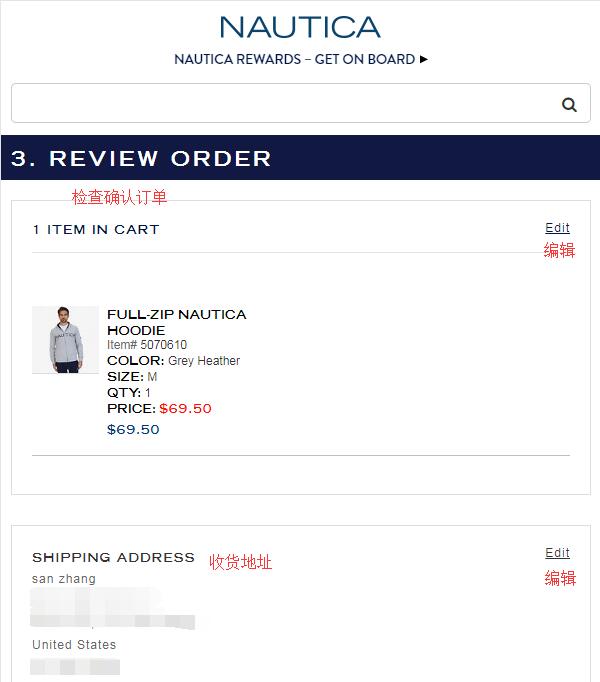
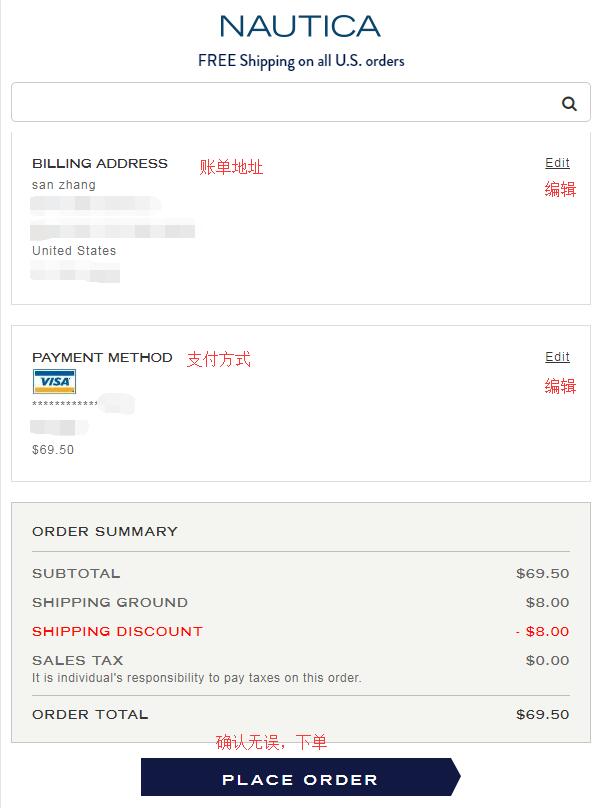
6. After entering the above information, proceed to the final step: order confirmation. Double-check all entered information for accuracy. Once confirmed, you can place the order.
Tips:
According to user feedback, Nautica clothing generally runs at least one size larger. US sizing differs significantly from domestic sizing, so it is not recommended to refer to domestic sizes.