
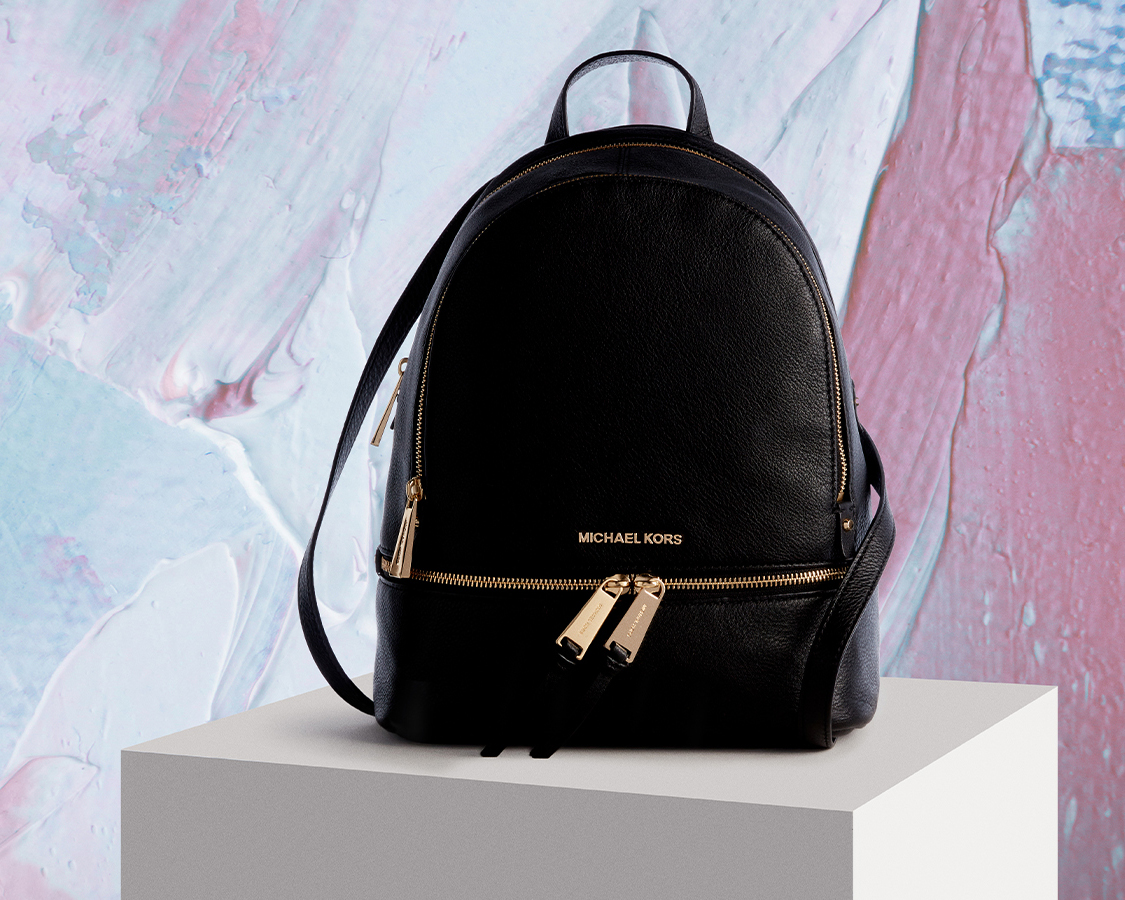
Mybag is an online retailer under The Hut in the UK, specializing in luggage, handbags, and accessories. Its product range covers men's and women's bags, sunglasses, scarves, belts, and more. Popular items include highly sought-after brands such as Cambridge Satchel, Grafea, Anna Lou of London, Ted Baker, Mi-Pac, and Michael Kors. It also offers a 14-day guarantee, allowing you to return items if defects are found within 14 days of receipt. The site supports payment with domestic credit cards, including China UnionPay cards, and also offers Alipay as a payment option, with free direct shipping to China.
Below, we'll walk you through the official overseas shopping guide.
1. First, you need to register as a MyBag member.
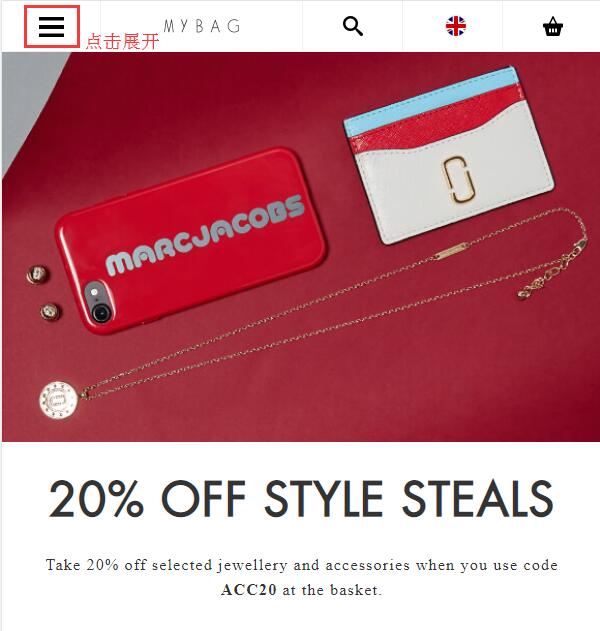
Open the website homepage and click to expand the menu in the top left corner:
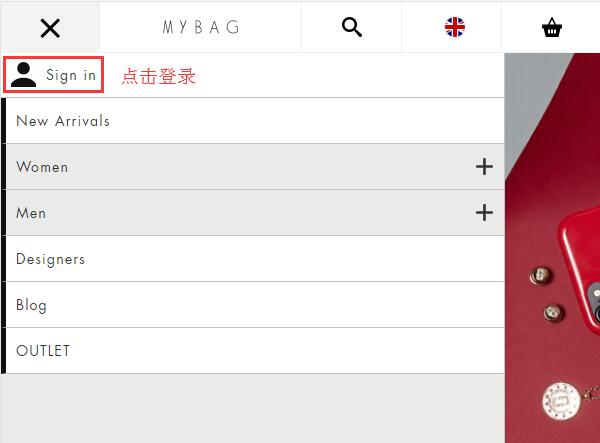
In the expanded menu, click Sign in at the top left to log in:
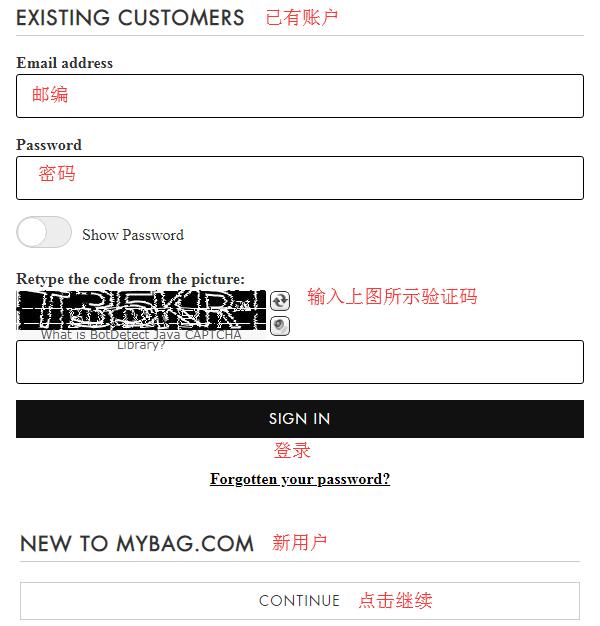
If you are already registered, click SIGN IN directly to log in. New users should select New To MY Bag and click the CONTINUE button to register an account:
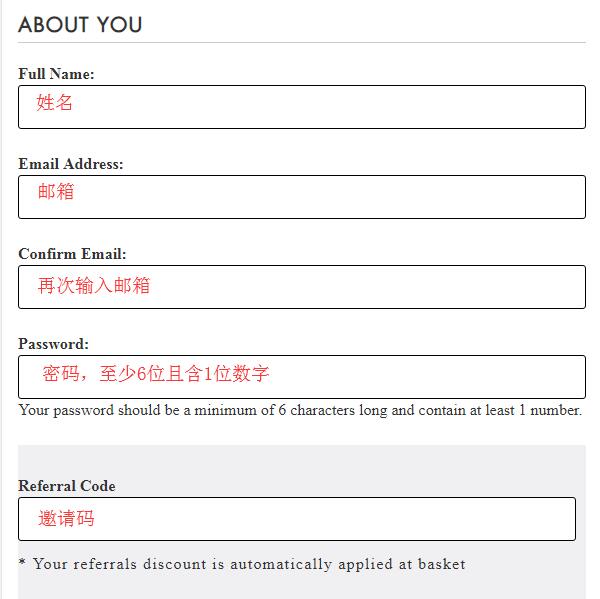
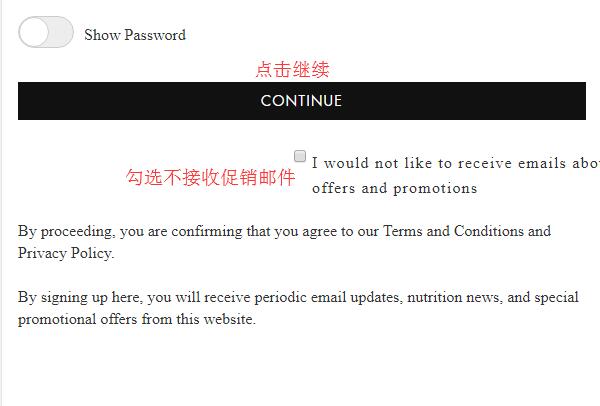
In the dialog box that appears, fill in your name, email, confirm email, password, and invitation code, then click Continue. If all goes well, you will be redirected to the registration success page.
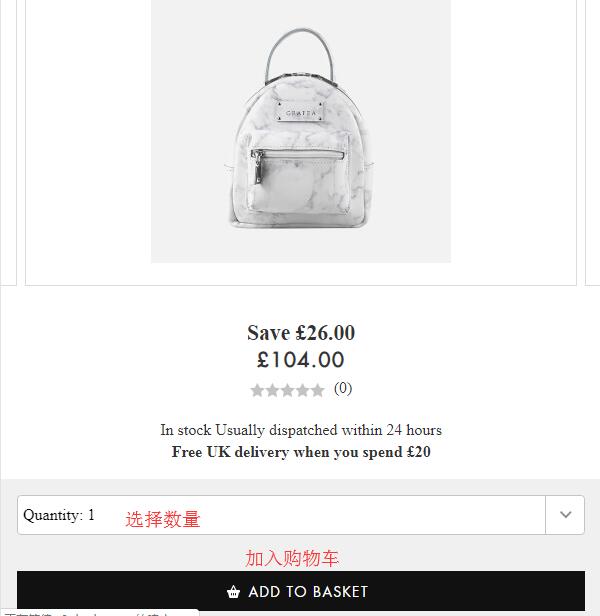
2. After registration, you can start shopping. You can browse products by category from the homepage menu, select by brand, or search directly using keywords. On the product detail page, choose the quantity and click Add To Basket:
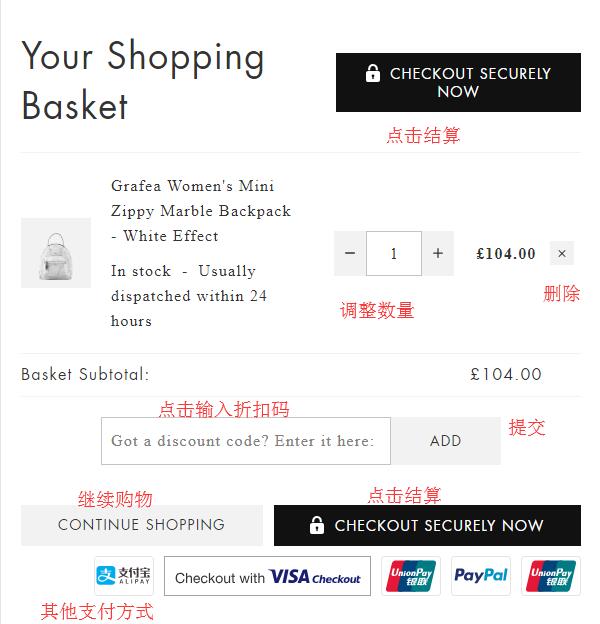
3. If you want to continue shopping, click CONTINUE SHOPPING. If you are ready to check out, click VIEW BASKET to go to your shopping cart. On the cart page, you can see your order details. If you have a promo code, don't forget to enter it below. Once everything is confirmed, click CHECKOUT SECURELY NOW to proceed.
4. Fill in the shipping address. Enter your Chinese address using pinyin. Just spell out the Chinese address completely in pinyin. There's no need to translate it into English, as this address is for the Chinese courier. It is recommended to include your phone number next to your name or address to avoid missing the contact number when the shipping label is printed.
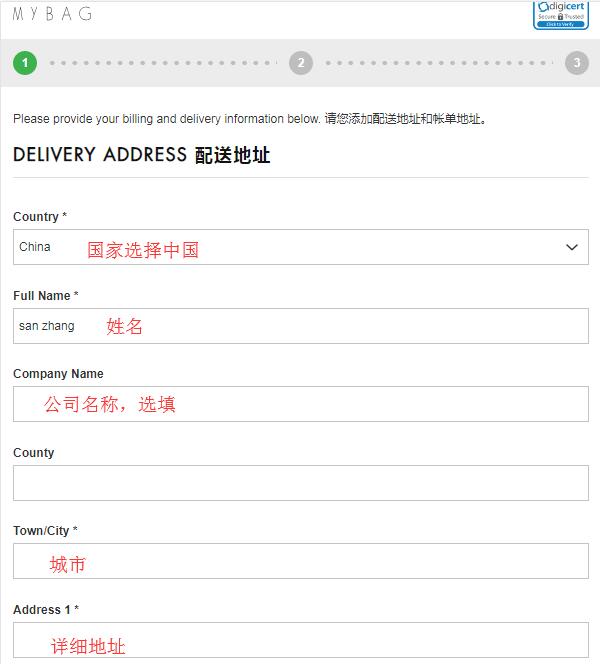
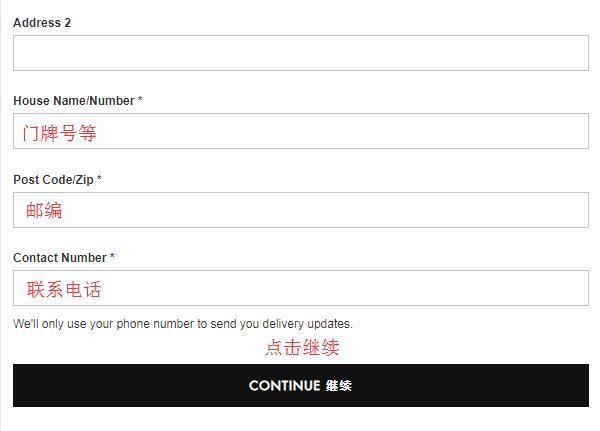
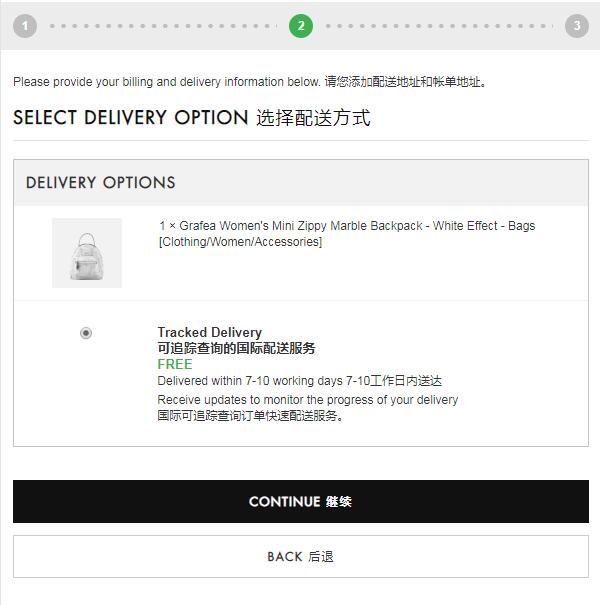
5. Select the shipping method and click Continue:
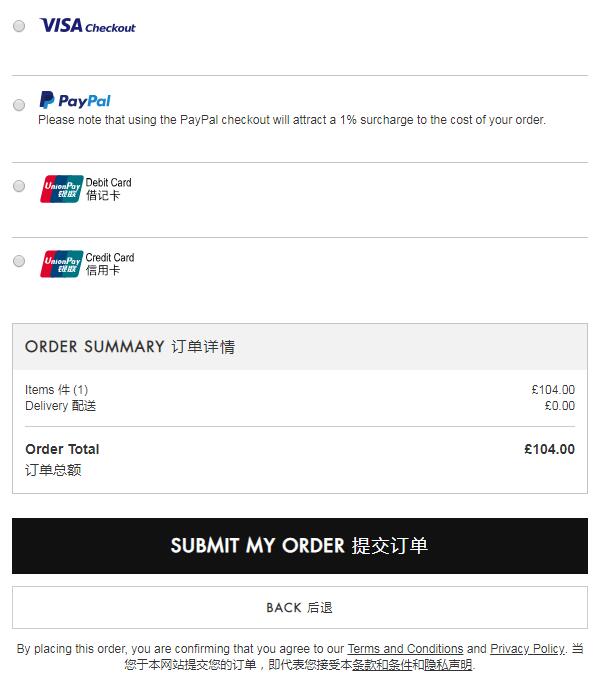
6. Choose a payment method. The site currently accepts various payment methods including credit cards, Alipay, UnionPay debit cards, and UnionPay credit cards. Select Alipay, click Submit My Order below, and proceed to pay on the Alipay page. After completing the payment, wait for the page to automatically redirect back. Do not close it manually, as this may cause delays in order tracking.
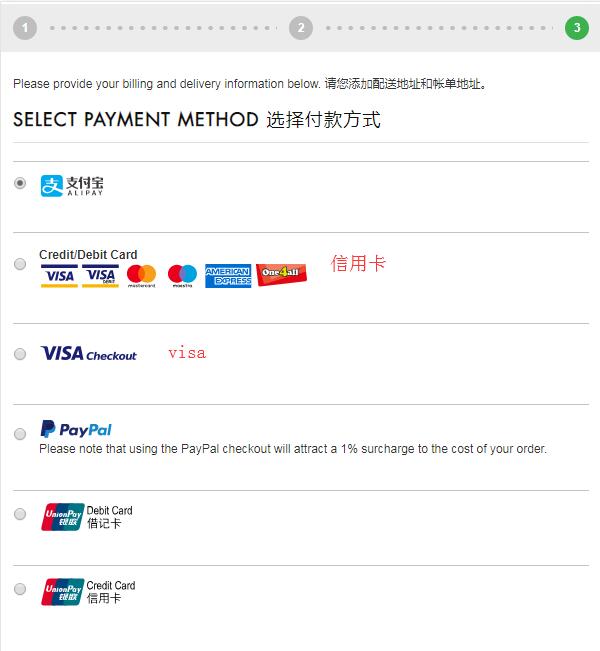
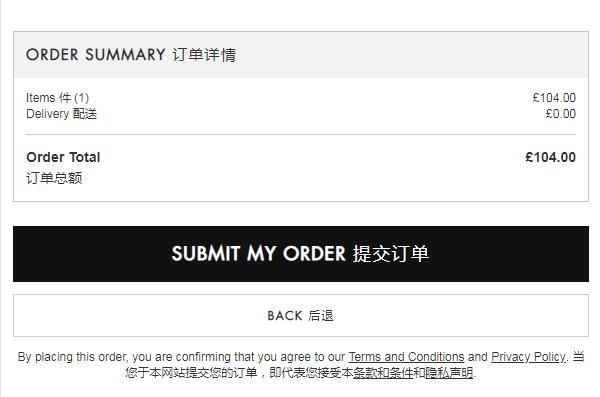
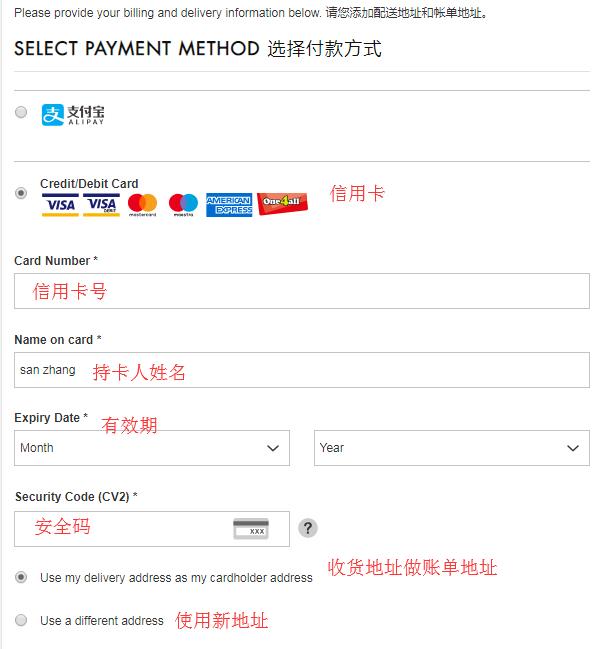
7. If you choose to use a credit card, you will need to enter your card number, cardholder name, expiration date, and security code. Click Submit My Order to complete the purchase.
Tips:
Before placing an order, be absolutely sure to double-check the shipping costs, product types and quantities, whether a promo code has been applied, etc. Don't be fooled by the seemingly laid-back British; they are quite meticulous about this. Once the address is generated, shipping information cannot be modified. Also, if the item you purchased is in stock and the order status shows "In Warehouse," the order cannot be canceled. If you accidentally made a mistake and the item in the order happens to be out of stock, you can try to request an order cancellation. The steps are as follows: Request -- Log in to your website account, go to MY ACCOUNT - ORDERS - ORDER HISTORY, find the order, click the CANCEL button, and submit the cancellation request. If the cancellation is successful, a refund will generally be processed within five to ten working days back to the payment method you used.