

Friends who enjoy sports and fitness may have heard of the brand Myprotein. In fact, Myprotein is a nutrition brand from the UK. Their panda powder is very popular, and many people refer to Myprotein's protein powder as panda powder.
This article introduces a guide for overseas shopping on the Myprotein UK official website, telling you how to place an order and shop on the Myprotein UK official website. If you also want to place an order on the Myprotein UK official website but don't know how, feel free to click and check out this Myprotein UK official website overseas shopping guide.
1. Open the website;
Myprotein UK official website overseas shopping URL: https://www.myprotein.com/, click the link to visit directly;
2. Register an account;
Click the Account option at the top right; users who have already registered can choose Login to log in, while unregistered users should select Create An Account to register;
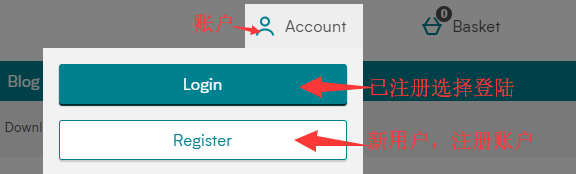
Enter the login page;
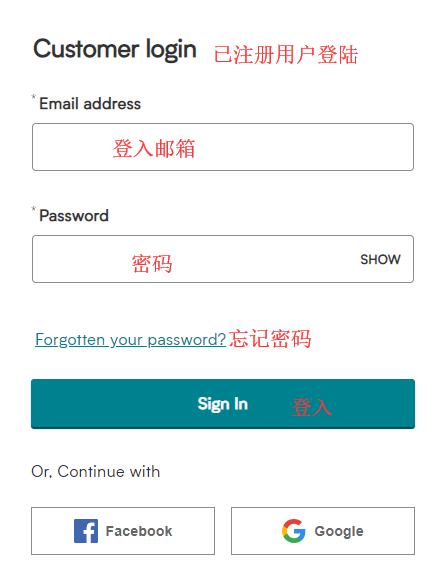
Unregistered users select Register to create an account and enter the login page;
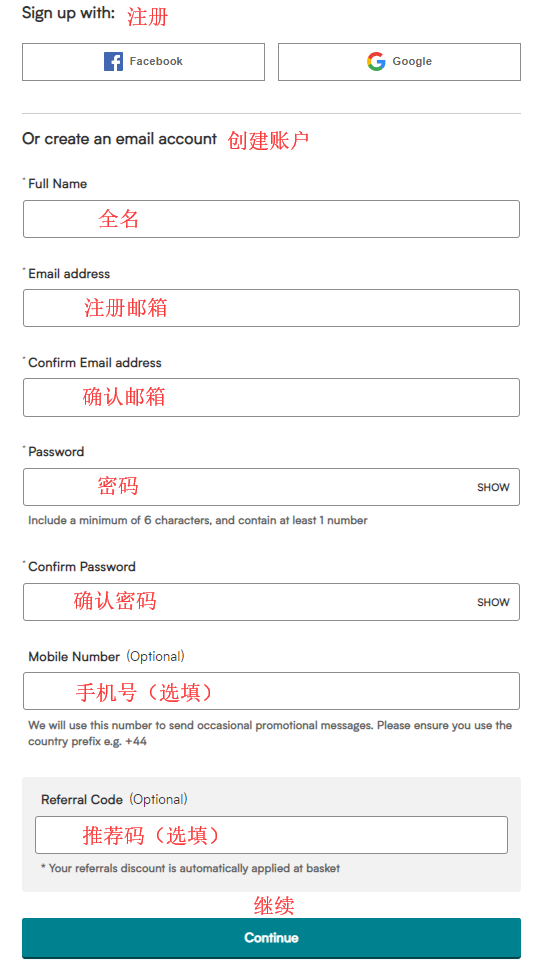
3. Select products;
Add the products you want to purchase to the shopping cart, then click Basket at the top right to view the cart and go to the shopping cart page;
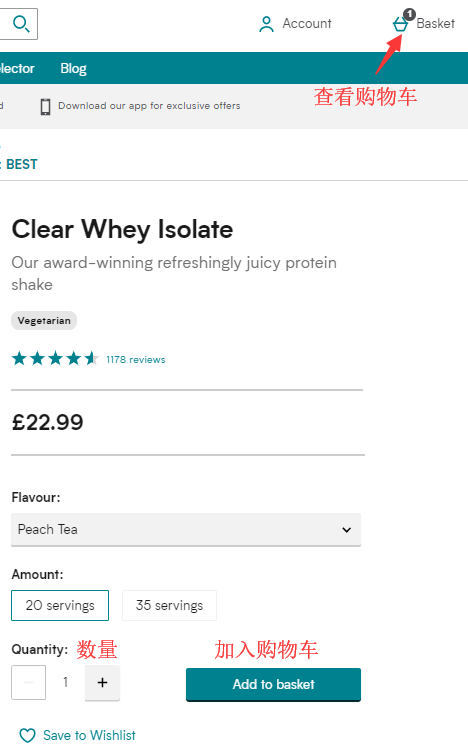
4. Click Basket at the top right to view the shopping cart and enter the shopping cart page;
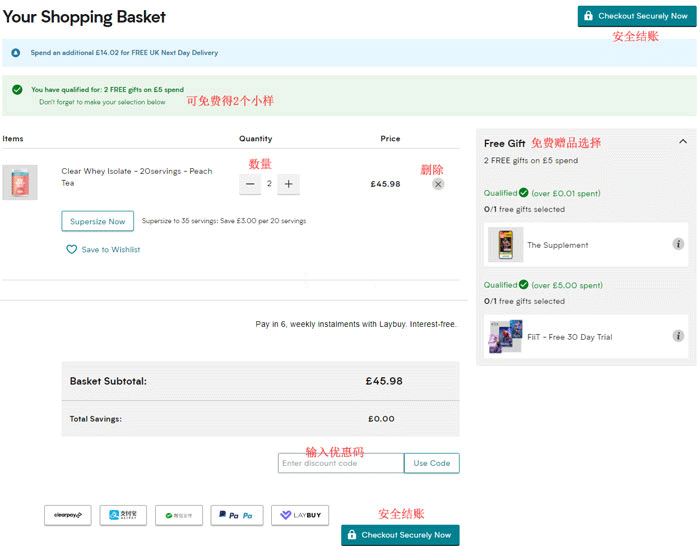
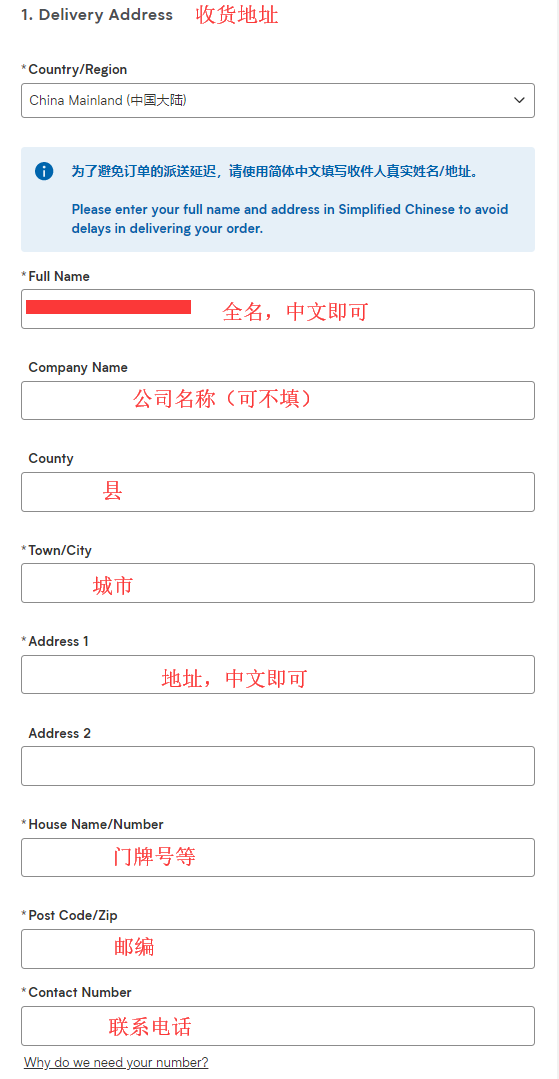
5. Click Checkout Securely Now to enter the shipping address page, which can be filled in Chinese. Here, direct shipping is used as an example;
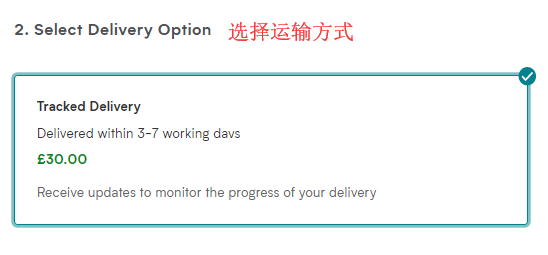
6. Continue to the shipping method selection page;
7. Continue to the payment method selection page, confirm everything is correct, and click Submit My Order to complete the order;
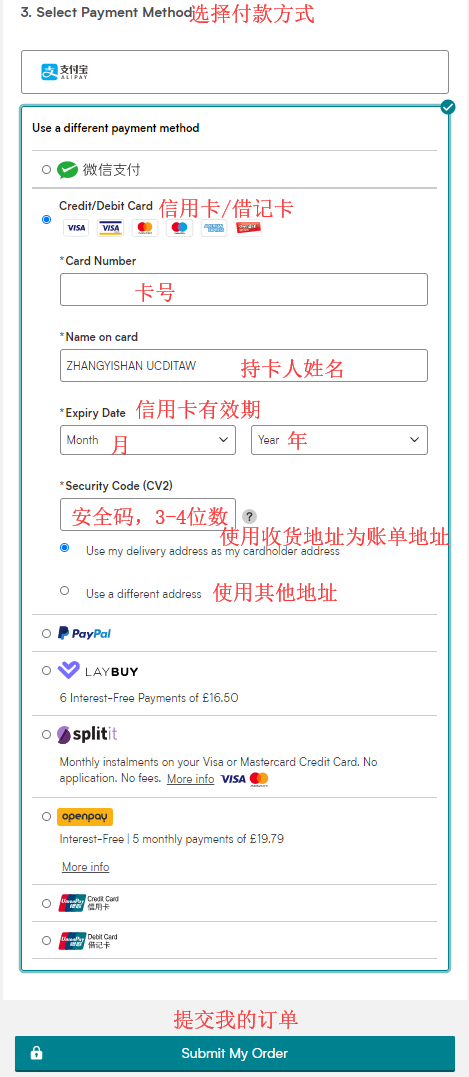
8. Direct shipping does not include prepaid customs duties, so pay attention to the logistics information updates.