

NORDSTROM is a high-end department store from the United States, founded in 1901. Its official website sells clothing, accessories, bags, jewelry, cosmetics, perfume, home goods, and more. NORDSTROM must be accessed in an overseas network environment. It supports domestic dual-currency credit cards and shipping forwarding addresses, with free shipping within the US. Additionally, US sales tax is generally charged at checkout; choosing a shipping address in a tax-free state can avoid US sales tax. However, users report a high rate of order cancellations for domestic credit cards, so proceed with caution when placing orders.
Today, the editor will introduce the overseas shopping guide for the Nordstrom official website:
Currently, Nordstrom has blocked Chinese IP addresses, so you need a reliable VPN software to switch your IP to the US, log in to the website, and then officially begin your overseas shopping journey.
The Nordstrom US official website address link is: https://shop.nordstrom.com/ (Must be opened in an overseas network environment)
1. First step: Register an account. Click to expand the menu in the upper left corner of the homepage:
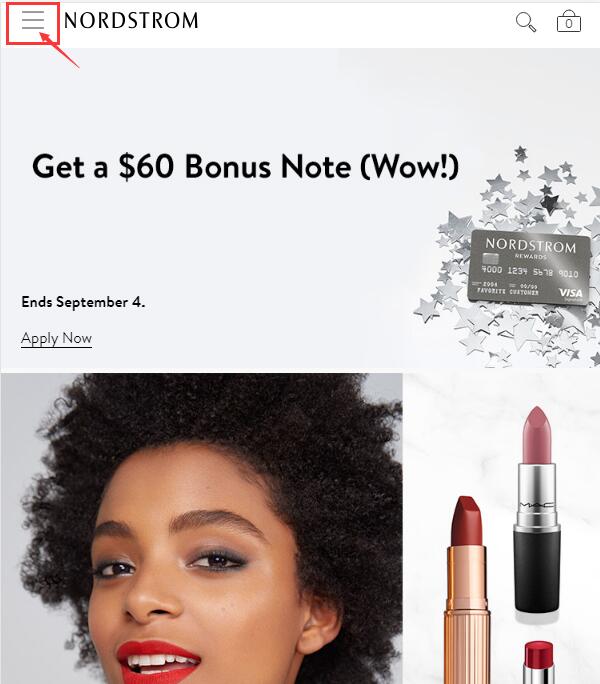
Click Sign in in the lower left corner to log in:
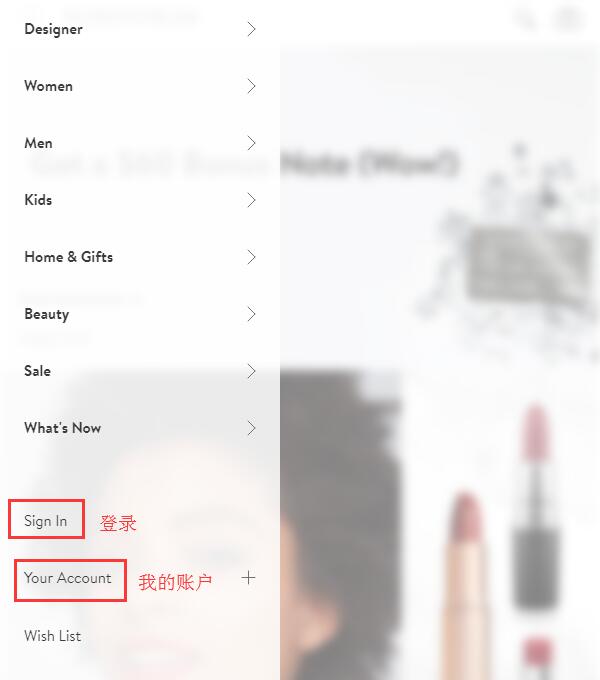
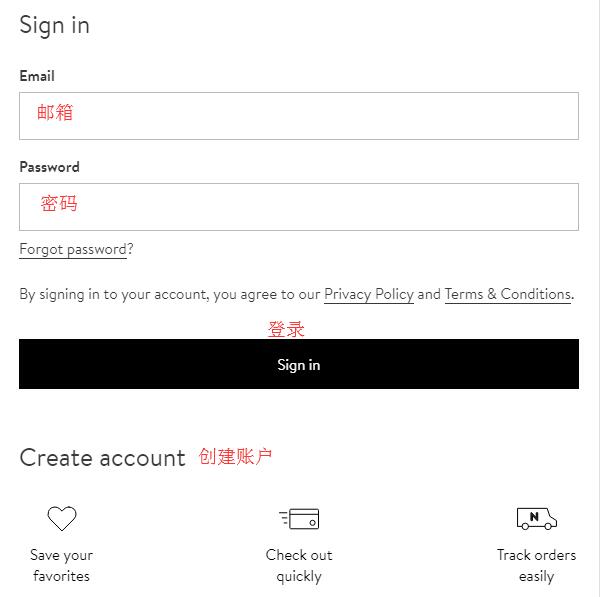
Users with an account can log in using their email and password. Users without an account, select Create Account below:
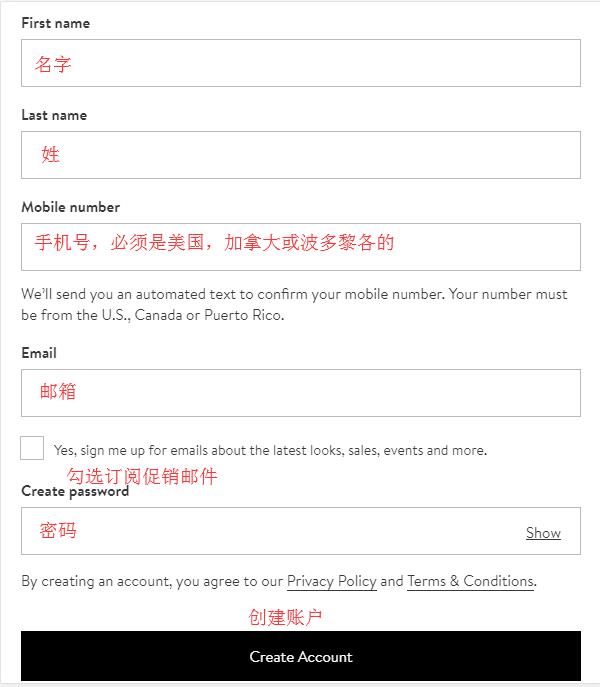
Enter your personal name, phone number, email, password, etc., and click Create Account. Note that the phone number must be from the US, Canada, or Puerto Rico:
2. Registration complete. Browse and select your desired products, enter the product detail page, choose color, size, quantity, and add to cart:
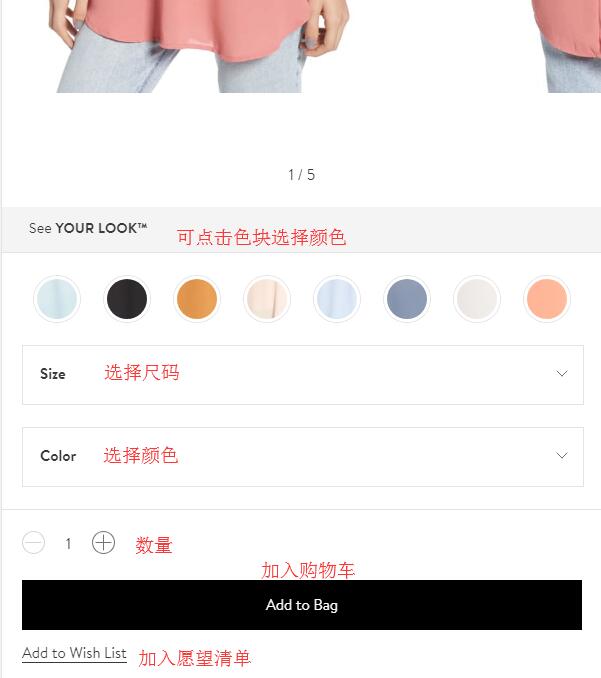
3. A pop-up will prompt you to continue shopping or proceed to checkout. Click Checkout to proceed. Enter the shopping cart, where you can adjust product information, then click Checkout to proceed:
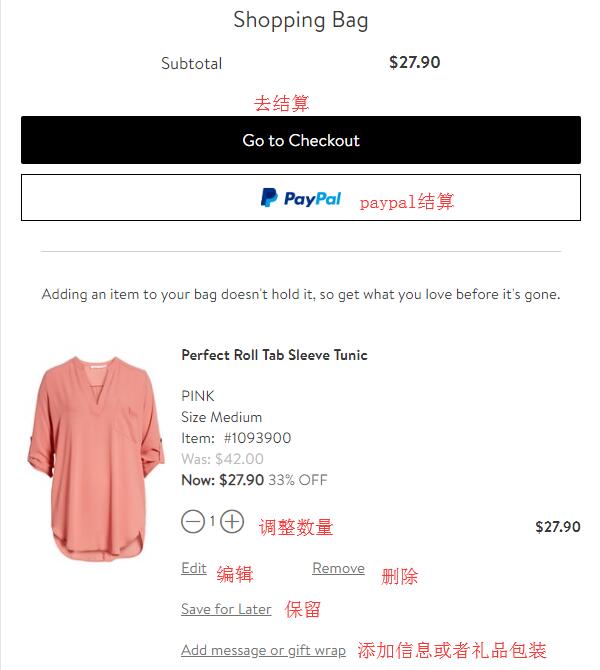
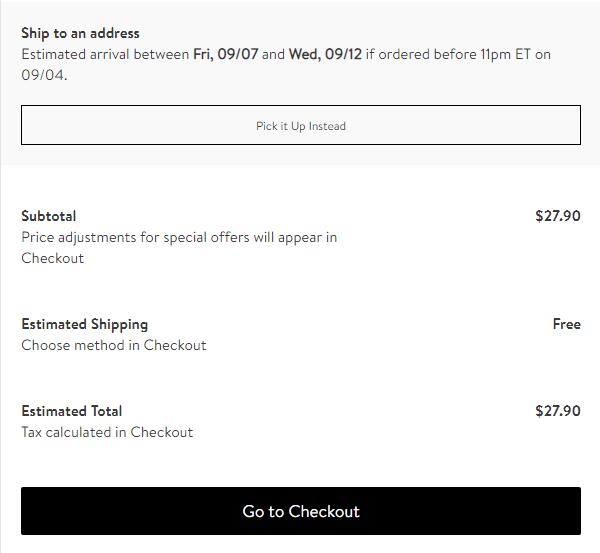
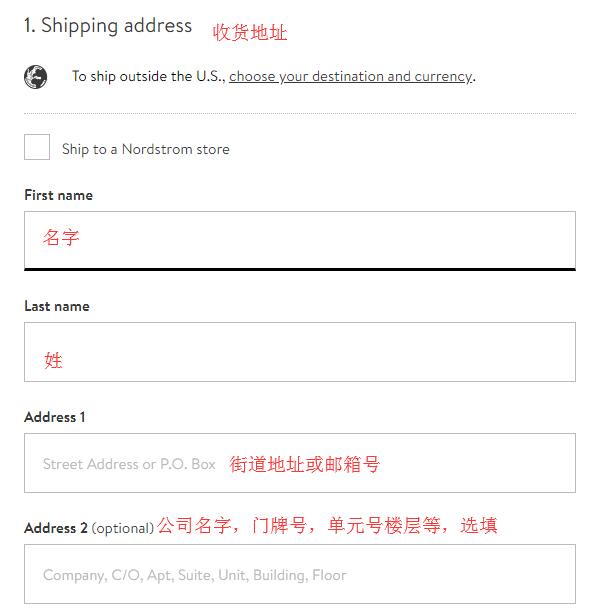
4. Enter the shipping address. Please use the address provided by your shipping forwarder, filling it in strictly according to their requirements. The checkbox below is checked by default. Here, the editor recommends using your real domestic billing address, re-entering it in pinyin as required, then proceed to the payment section:
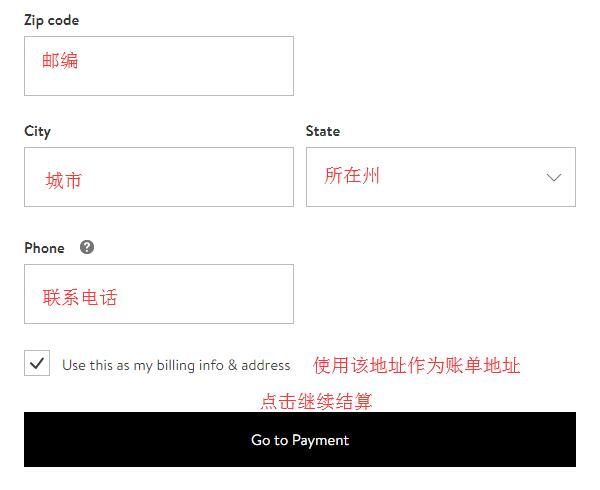
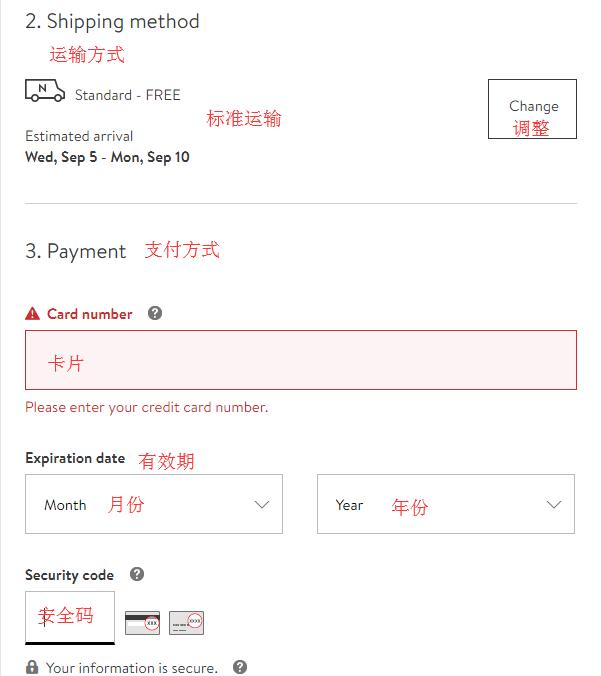
5. After entering the shipping address, select the shipping method. The default is standard shipping. If you need to change it, click Change next to it. For payment, we still choose to use a credit card. Enter the card number, expiration date, security code, etc. Confirm the contact phone number and email are correct, then click to review the order:
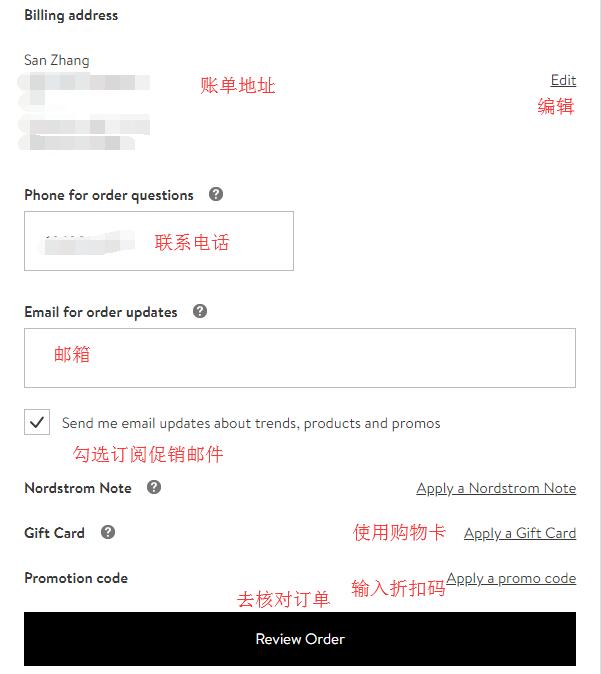
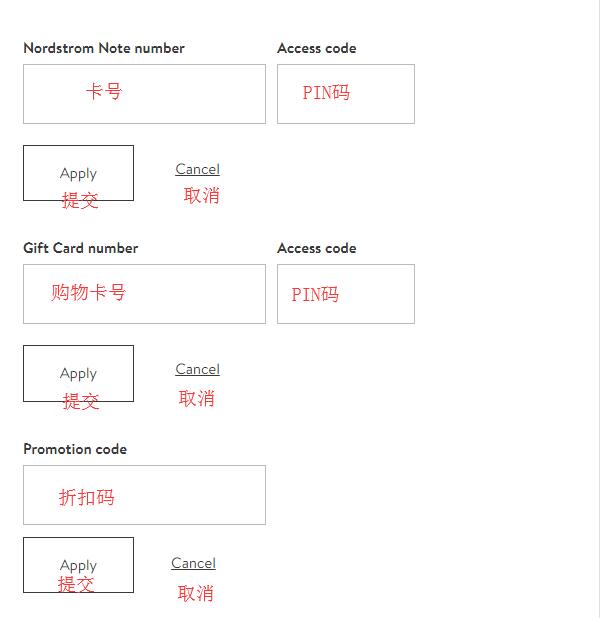
Note: If you have a store note number, promotion code, or gift card, you can expand the dialog box below and enter them to receive the corresponding discounts:
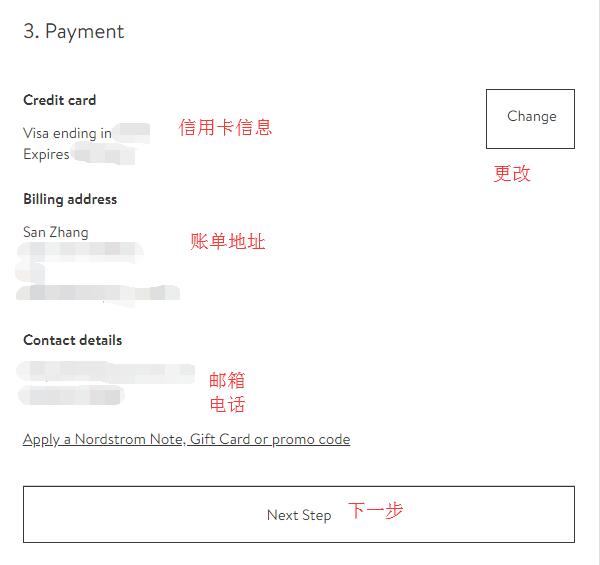
6. After entering the credit card information, you will see the following page. Re-check the credit card information, billing address, and contact details. If correct, click Next to proceed:
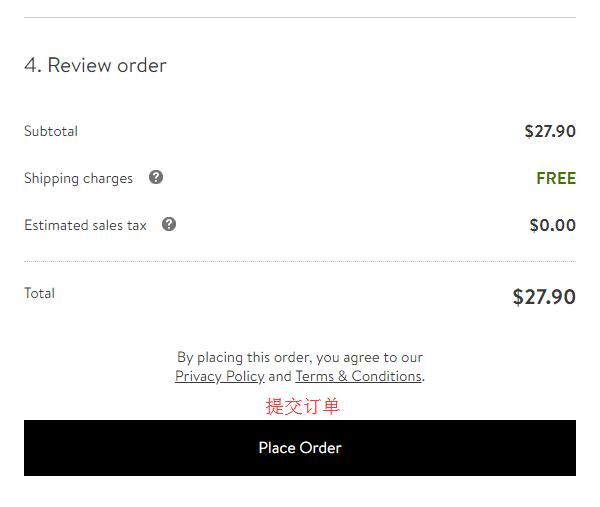
7. Final step: Review the order. Confirm all information is entered correctly and the order amount is correct, then click Place order below to submit the order.
Next, just wait patiently. If you're lucky and the order isn't cancelled, you can wait to receive your goods!
Shopping Tips:
1. Orders for 724 and fresh products are easily cancelled.
2. Use your real billing address whenever possible.