

Office Shoes is a website specializing in fashionable footwear. As a long-established UK shopping platform, Office Shoes collaborates with many top brands and offers incredible promotions in its sale section, always bringing unexpected surprises. It is known as the go-to shoe website for British shoppers.
This article provides a guide on how to shop on the Office Shoes UK official website, explaining the steps to place an order and make a purchase. If you want to order from Office Shoes but don't know how, feel free to bookmark this Office Shoes shopping guide.
1. Office Shoes Official Website Ordering Tutorial
1. Open the official website
Office Shoes official website link: https://www.office.co.uk/, requires a VPN to access
2. Log in to your account
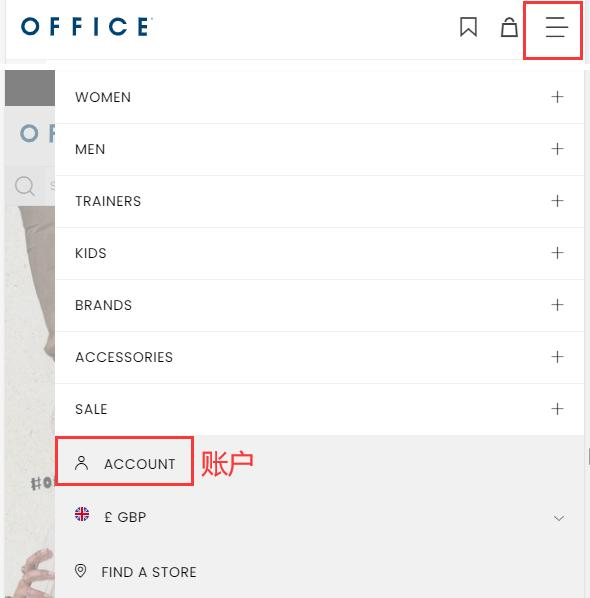
Click the dropdown menu in the top right corner of the page and select Account
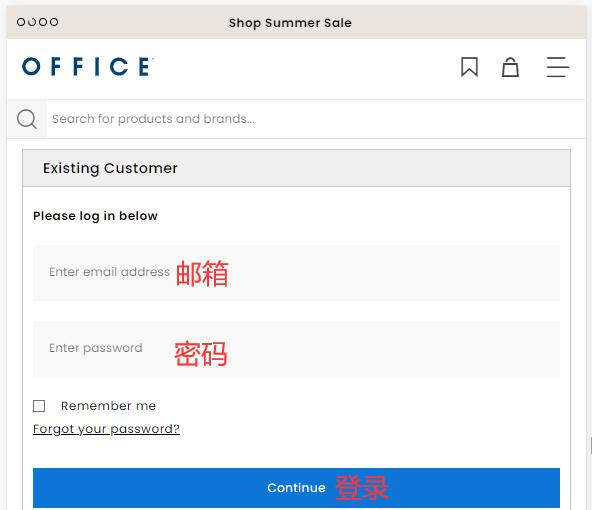
If you already have an account, simply log in using your email and password
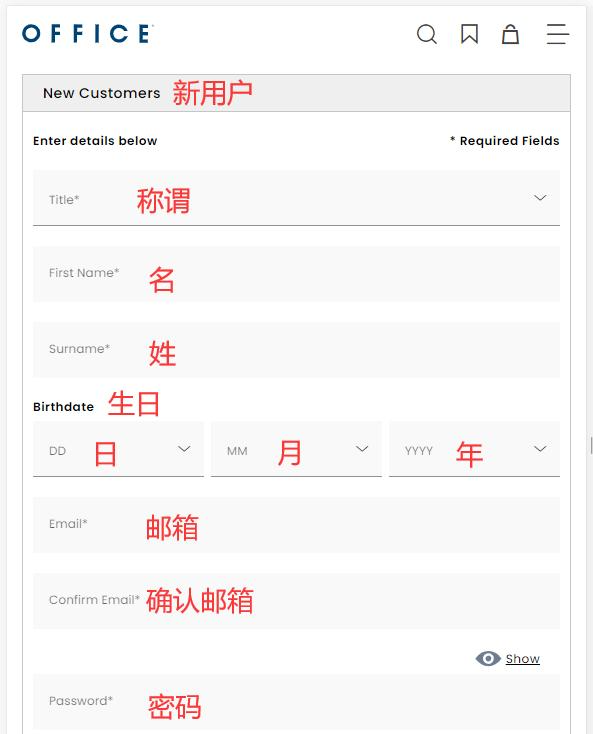
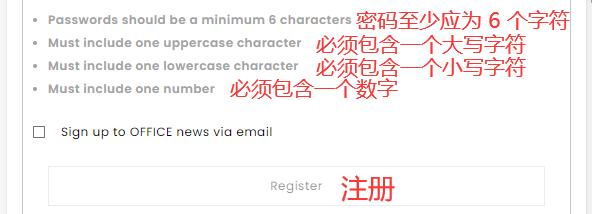
New users fill in the information and click to register
3. Select a product, choose your size, and add to cart
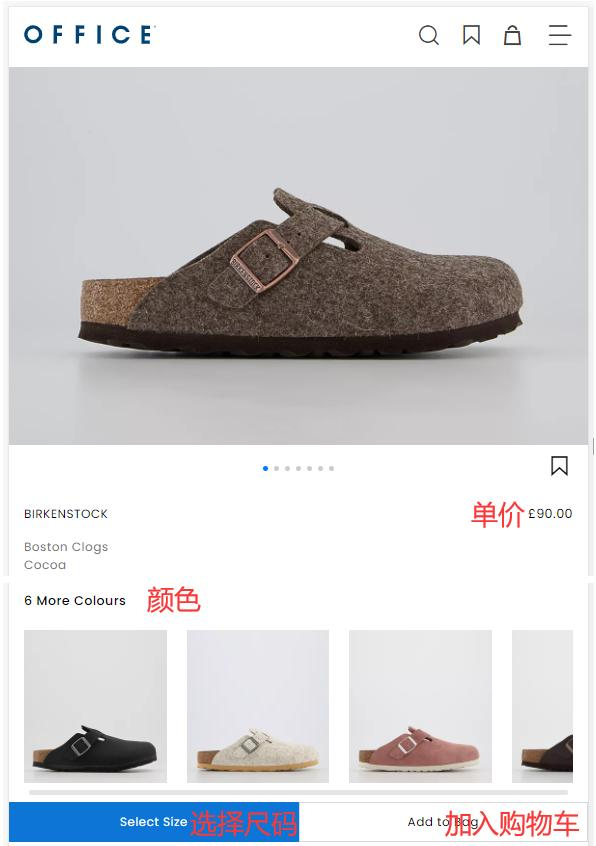
4. Open the shopping cart page to review
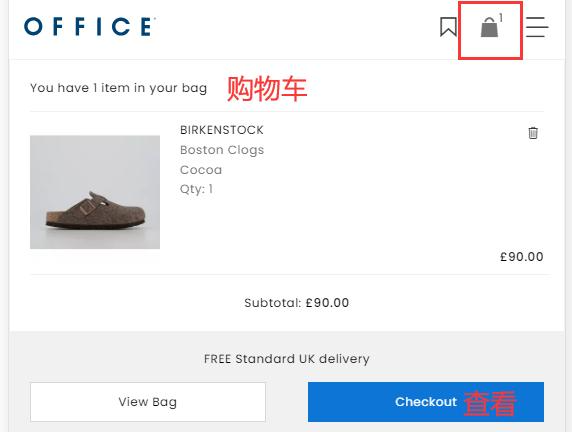
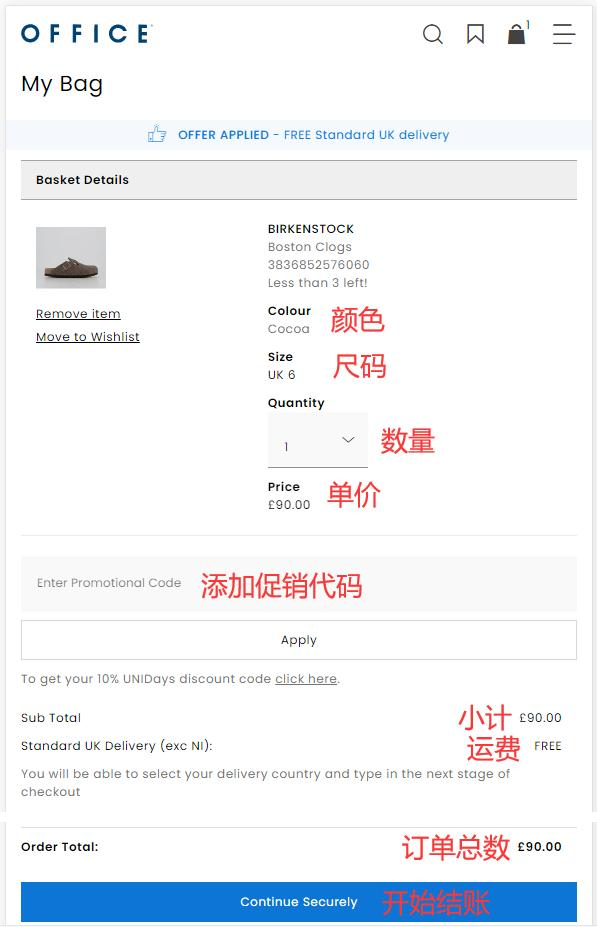
5. Review the order and click to checkout
Enter a promo code if available to get a discount
6. Choose a shipping method
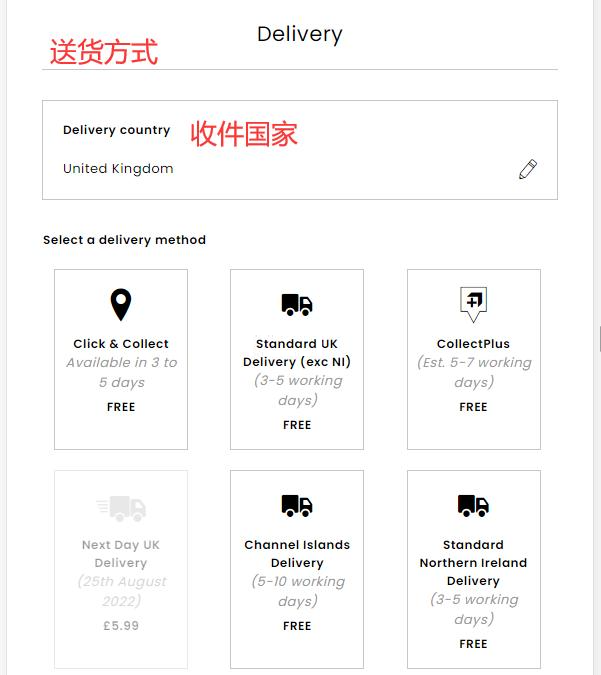
7. Fill in the shipping address
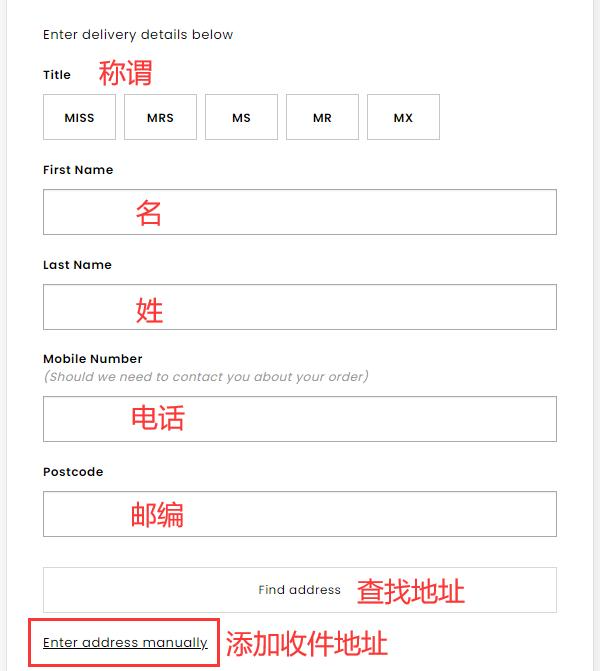
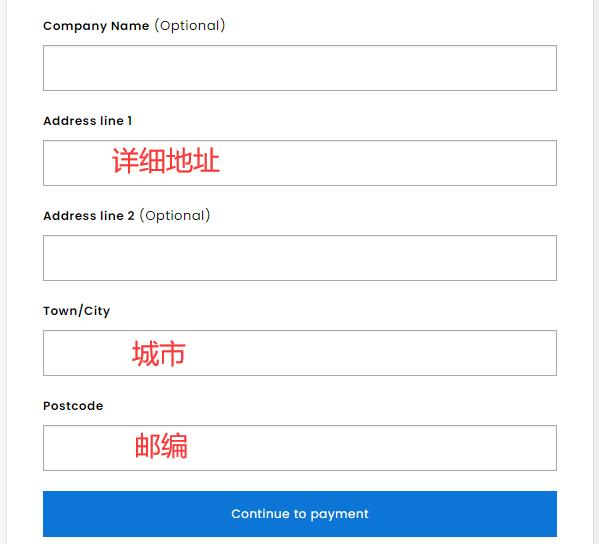
8. Verify the billing address and select a payment method
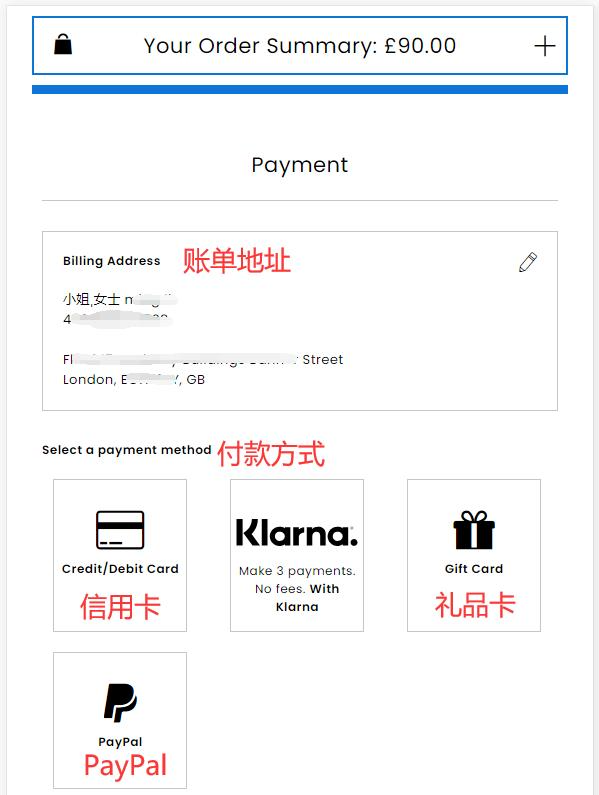
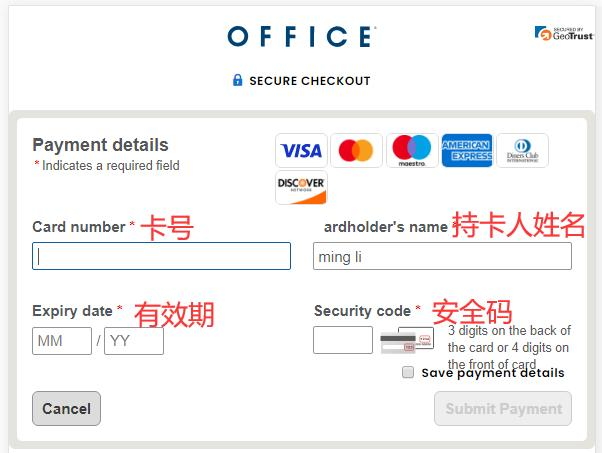
Using a credit card as an example, fill in the cardholder's name, card number, expiration date, security code, and other details completely. Proceed to payment once everything is correct.
9. All that's left is to wait for the forwarding company to receive the package, prepare the shipping details, and wait for delivery!
2. Other Notes for Ordering on the Office Shoes Official Website
1. The website accepts credit card payments via Visa, MasterCard, American Express, and Discover, as well as PayPal online payments
2. Does not support direct shipping to China; requires using a forwarding service to place orders
3. Free shipping within the UK for orders over £40. Orders under £40 are subject to a standard shipping fee of £3.99