

OLUXURY is an Italian luxury boutique that originally focused on avant-garde designer brands like Dries van Noten, Comme Des Gar?ons, Miyake, and Yamamoto. Today, it has grown into a high-end luxury boutique with 10 stores. This article provides a guide on how to place orders on the Italian OLuxury website for international shopping, explaining the steps to purchase on the OLuxury site. If you want to order from OLuxury but don't know how, feel free to bookmark this OLuxury shopping guide.
1. OLuxury Website Ordering Guide
1. Open the website
OLuxury website link: https://www.oluxury.com/
2. Log in to your account
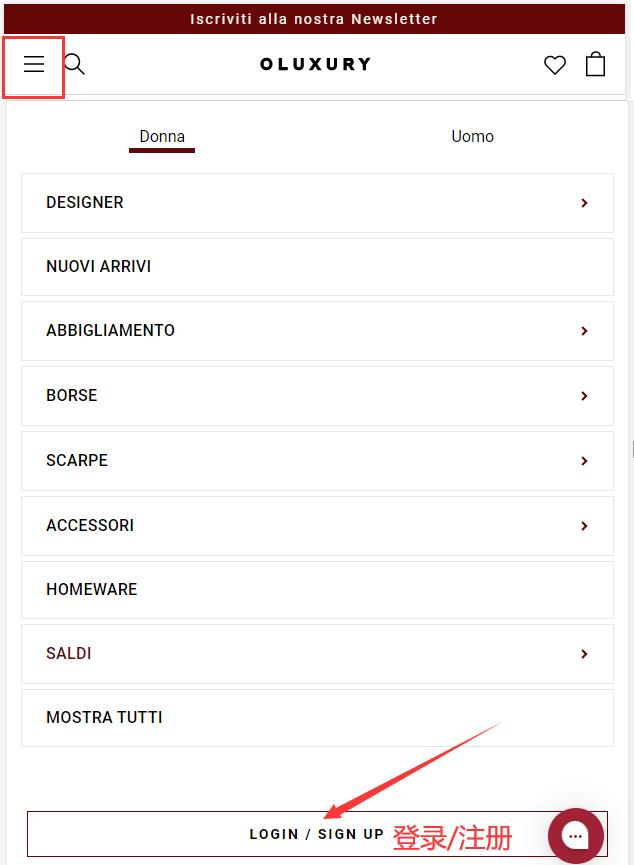
Click the dropdown menu in the top left corner of the page and select Login/Register
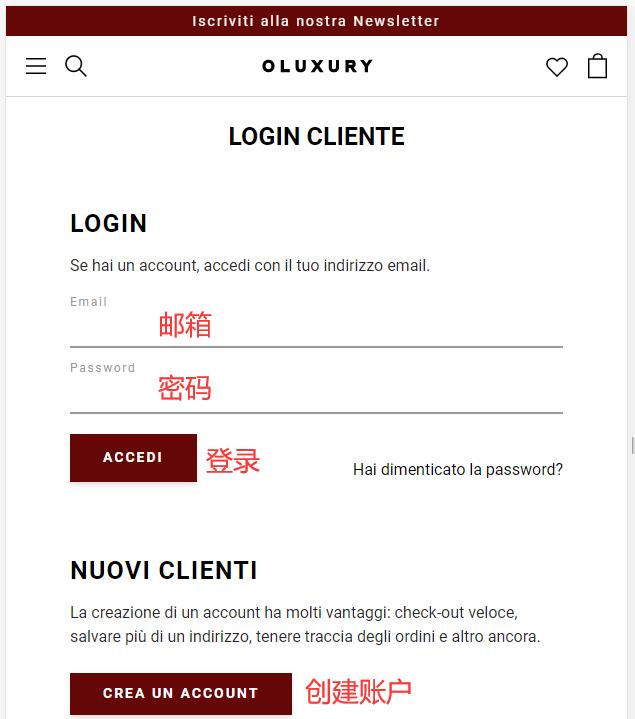
Existing users can log in with their email and password. Users without an account should click Create
Fill in the registration information and click Create
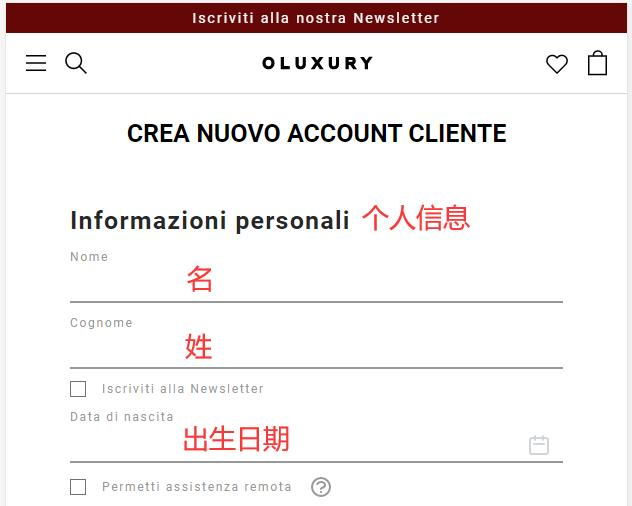
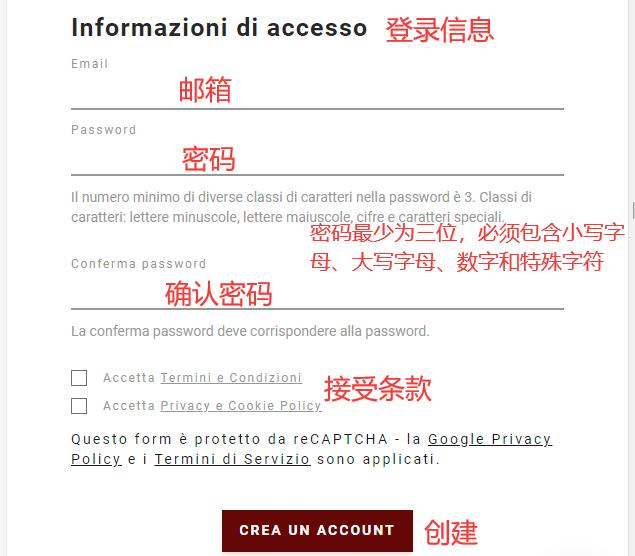
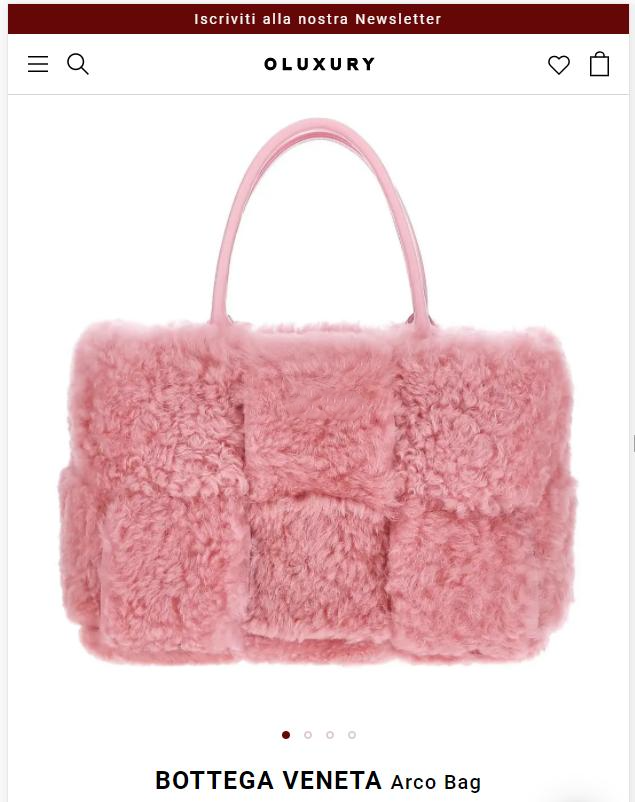
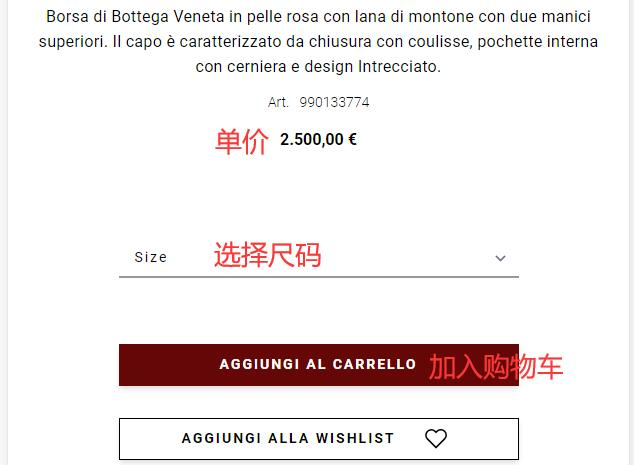
3. Select items and add to cart
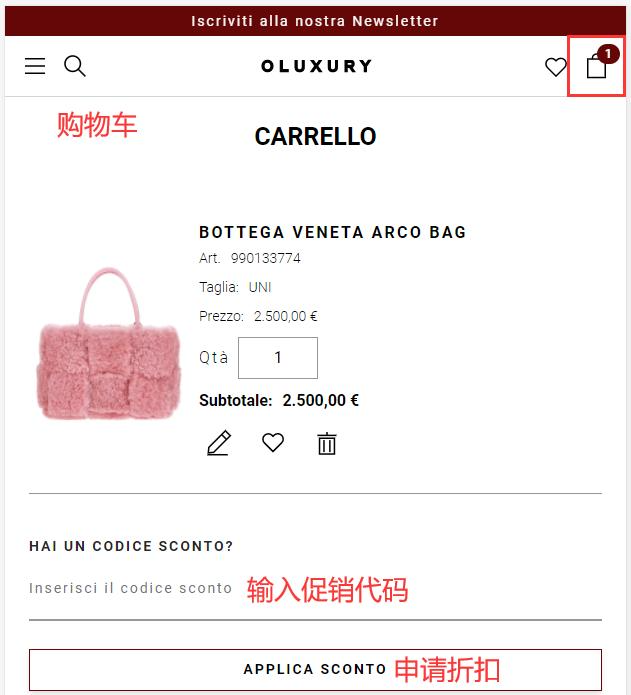
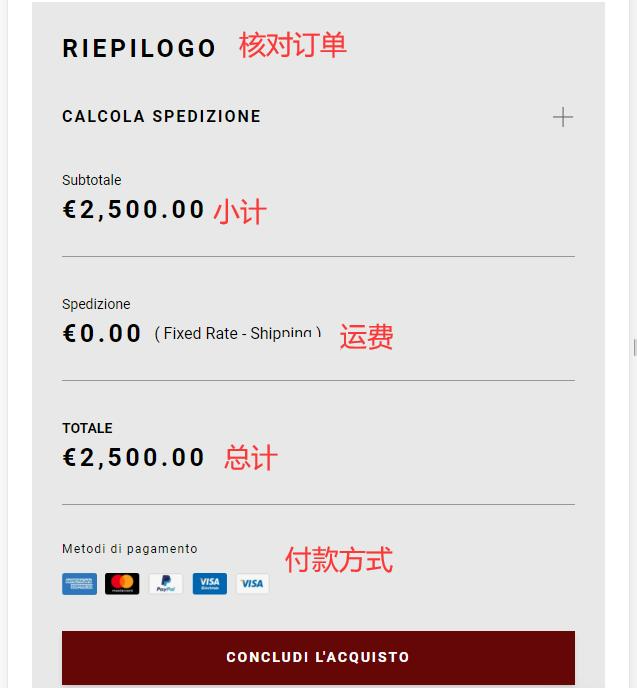
4. Open the cart page to review the order
Enter a promo code if available to get a discount
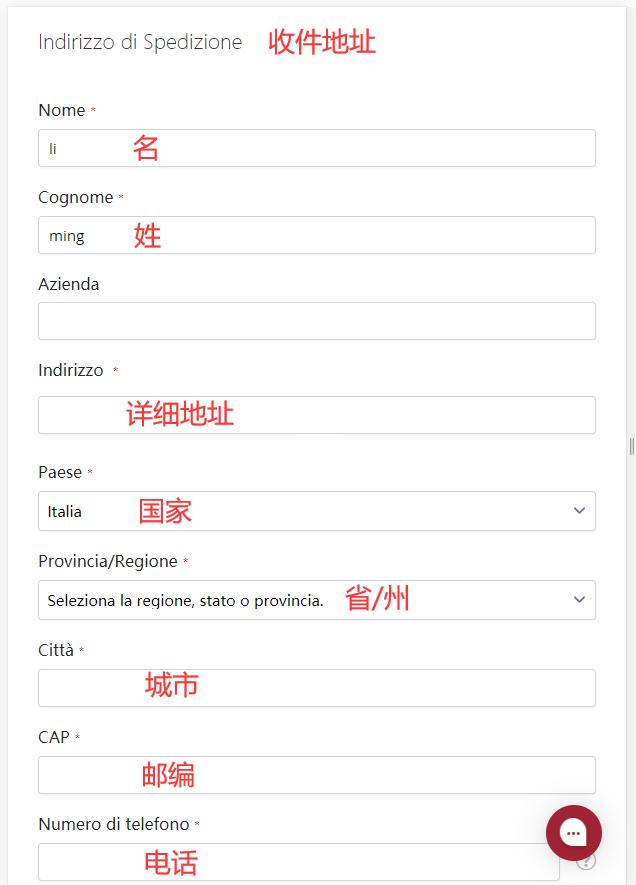
5. Fill in the shipping address
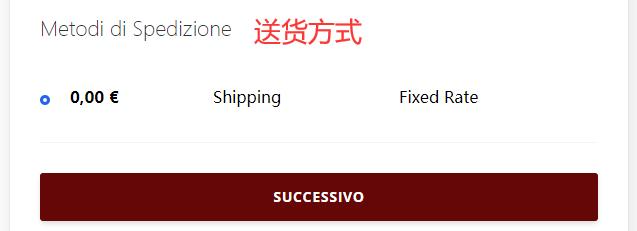
6. Select shipping method
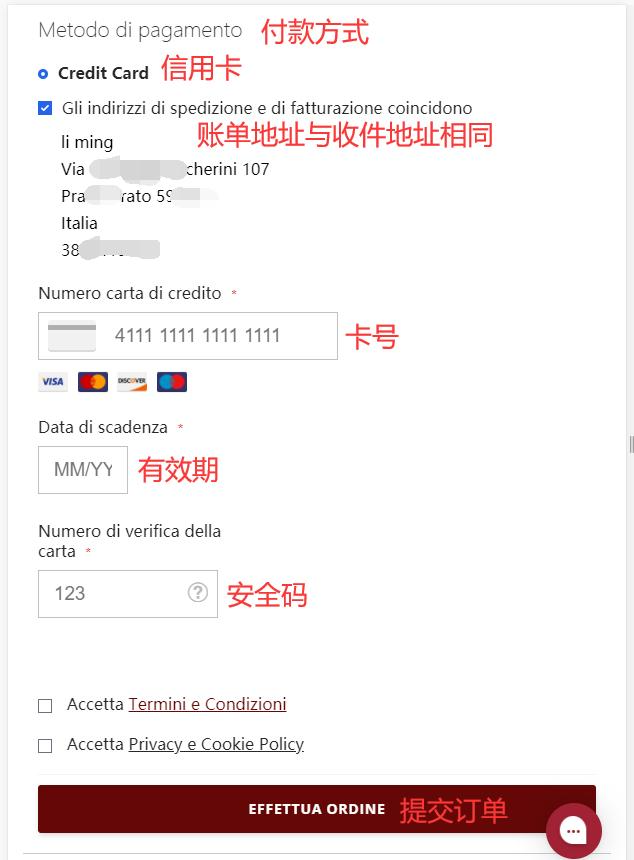
7. Choose payment method and review billing address
Using a credit card as an example, fill in the card number, expiration date, security code, and other details correctly, then submit the order
8. The rest is just waiting for the shipping forwarder to receive the package and preparing the forwarding details for delivery!
2. Other Notes for Ordering on the OLuxury Website
1. Supports direct shipping to China. Free shipping on orders over 500 euros; orders under 500 euros incur a 50 euro shipping fee. Considering customs duties, it is recommended to use a shipping forwarder. For orders within Italy, free shipping on orders over 150 euros; orders under 150 euros incur an 8 euro shipping fee
2. Accepts VISA, Mastercard, and Discover credit cards, as well as PayPal online payment