

Sandro Paris is a French clothing brand founded in 1984, primarily targeting young consumers aged 18-30. The brand is known for its elegant and chic French-style fashion designs, sweeping across Europe with a mid-to-high price positioning.
This article introduces a guide on how to shop on the Sandro French official website, telling you how to place orders and shop on the Sandro French official website. If you also want to order on the Sandro French official website but don't know how, feel free to click and check out this Sandro French official website shopping guide.
1. Open the website;
Sandro Paris French official website shopping URL: https://fr.sandro-paris.com/, click the link to visit directly;
2. Register an account;
Click Mon compte in the top right corner to log in to your account;

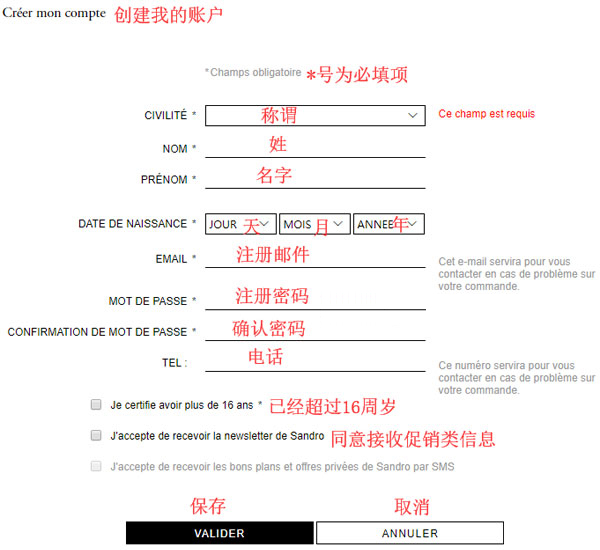
Unregistered users select Créer mon compte to register an account;
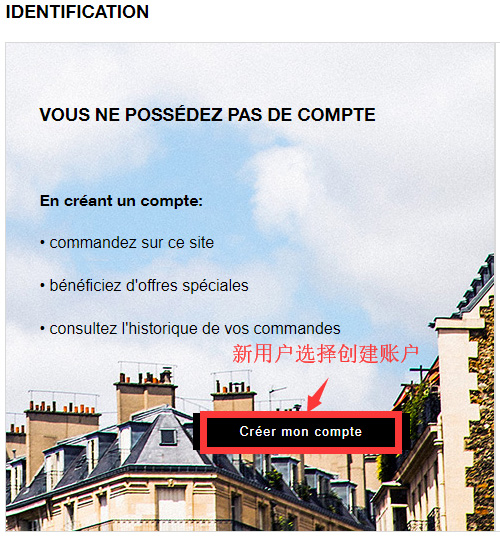
Enter the registration page;
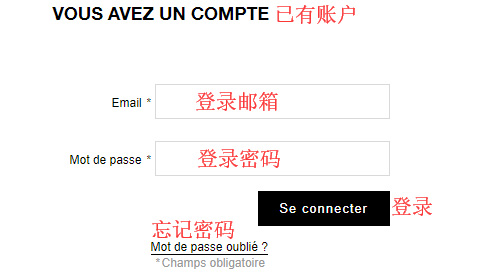
Friends who have already registered can simply select Se connecter to log in;
3. Select products;
Add the products you want to purchase to the shopping cart, then click Panier in the top right corner to view the cart and go to the shopping cart page;
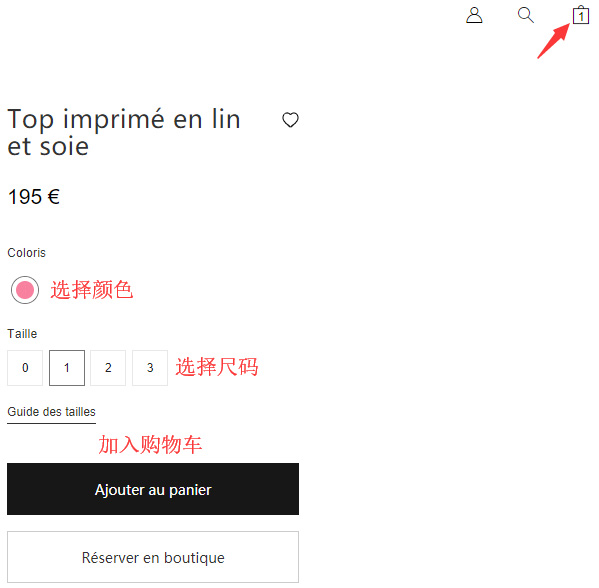
4. Click Panier in the top right corner to view the shopping cart and enter the shopping cart page;
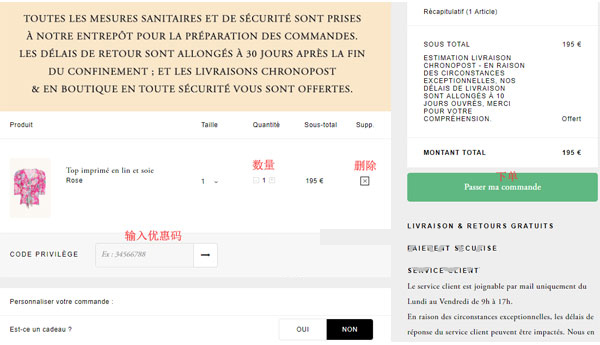
5. Proceed to select the shipping method and fill in the delivery address page;
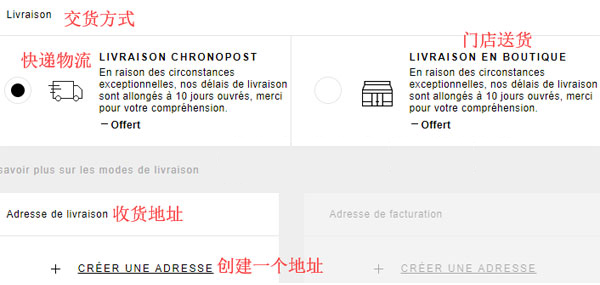
6. Enter the add delivery address page;
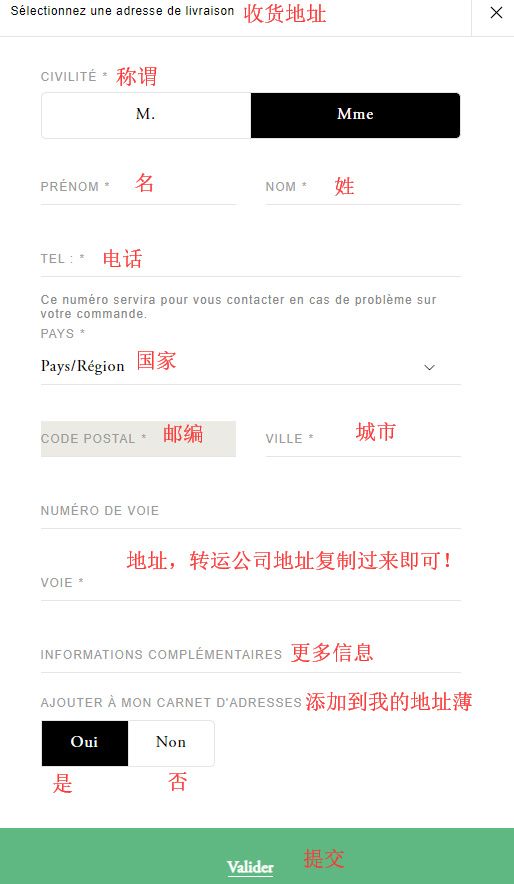
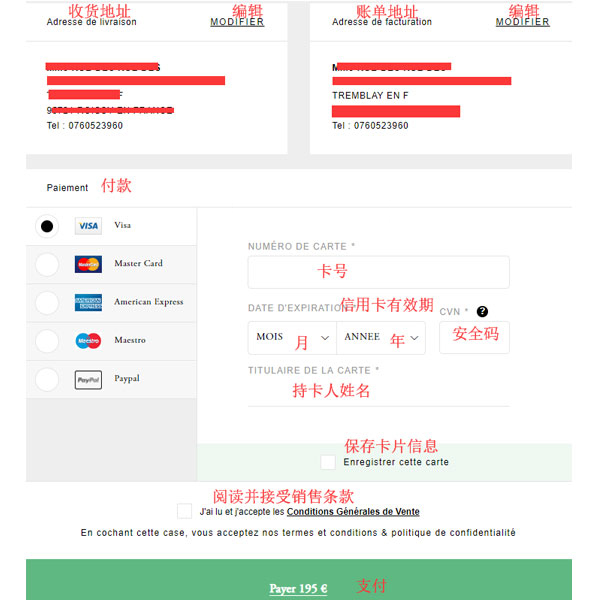
7. Next, enter the page for filling in the billing address and payment information. Confirm the information is correct and proceed to pay. The shopping process ends here;
8. All that's left is to wait for the forwarding company to receive the goods, prepare the forwarding details, and sit tight waiting for the delivery!