Champs Sports is an online store under Foot Locker Inc. and one of the largest specialty retailers of athletic shoes and apparel in North America. Its product categories include athletic footwear, clothing and accessories, as well as a variety of equipment. Champs Sports also has many physical stores, with 552 locations across the United States, Canada, Puerto Rico, and the U.S. Virgin Islands. The average Champs Sports store is about 3,500 square feet. Champs Sports is known for being the first stop for many new brand releases, making it a frequently visited site for footwear enthusiasts. Additionally, overseas shopping on Champs Sports is relatively easy, supporting international credit cards and freight forwarding, though orders may be canceled, and direct shipping is not supported.
Champs Sports official website entrance: https://www.champssports.com
Below, we will walk you through the ordering process on the Champs Sports official website mobile version:
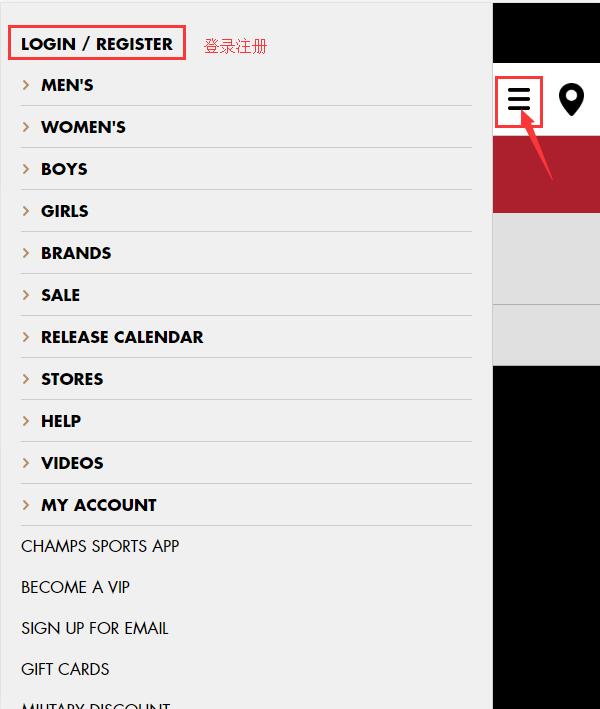
1. First, click the menu in the top left corner of the homepage, then click Register:
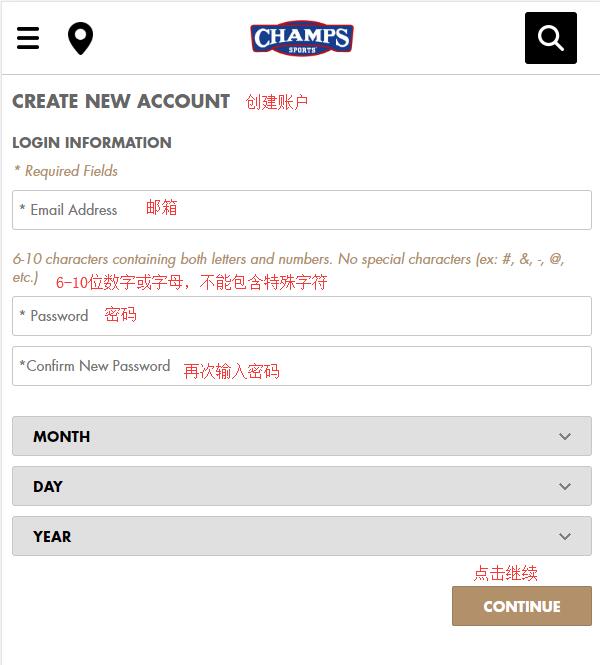
2. New customers creating an account need to fill in an email address, password, and birthday information, then click Continue. Note that the password must be 6-10 digits or letters and cannot contain special characters.
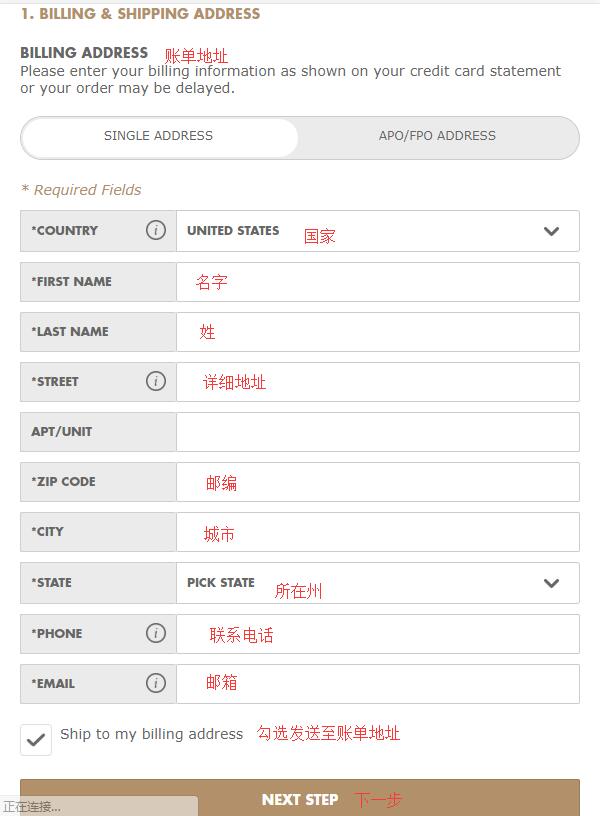
Click Continue, and you need to fill in the billing address. Currently, the official website does not support direct shipping to China. You can use your freight forwarding address as the billing address, or you can enter your real domestic billing address, as the site is quite friendly to international credit cards:
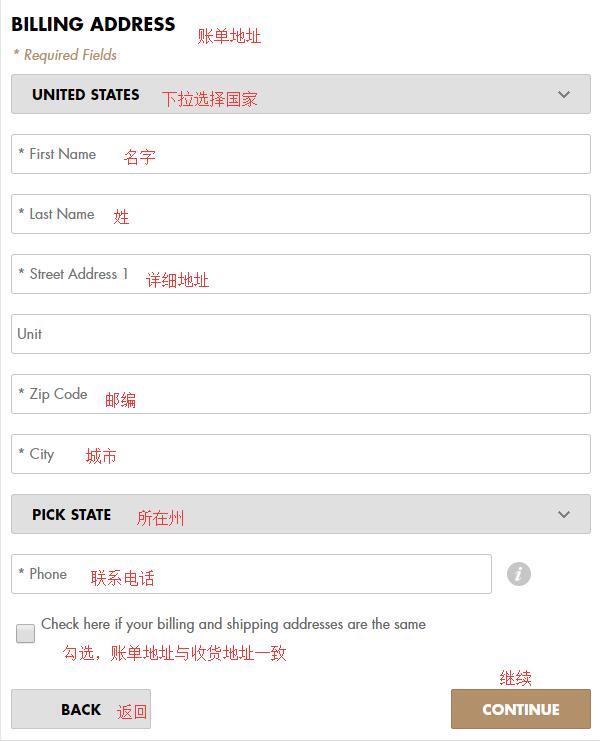
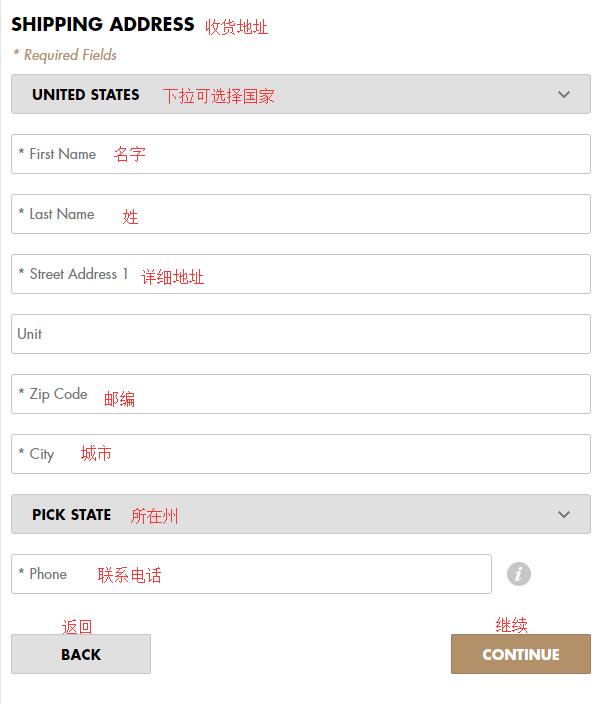
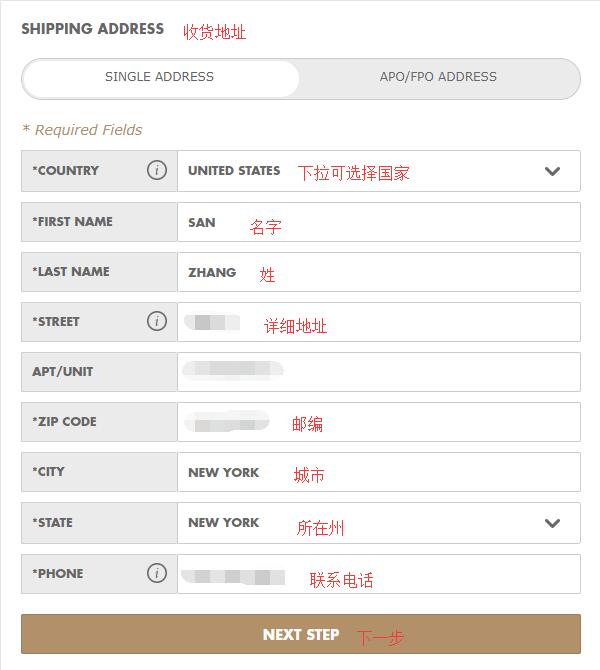
Next is the shipping address. If you used the freight forwarding address as the billing address, simply check the box at the bottom of the previous page to confirm they are the same. If not, fill in the freight forwarding address below as required:
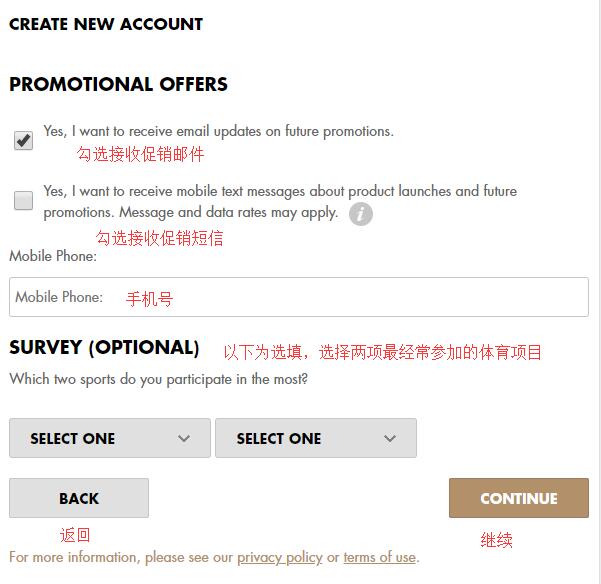
Next, choose whether to receive promotional emails from the site. Select based on your personal preference. The optional fields below can also be filled in according to your situation. Click Continue to complete registration.
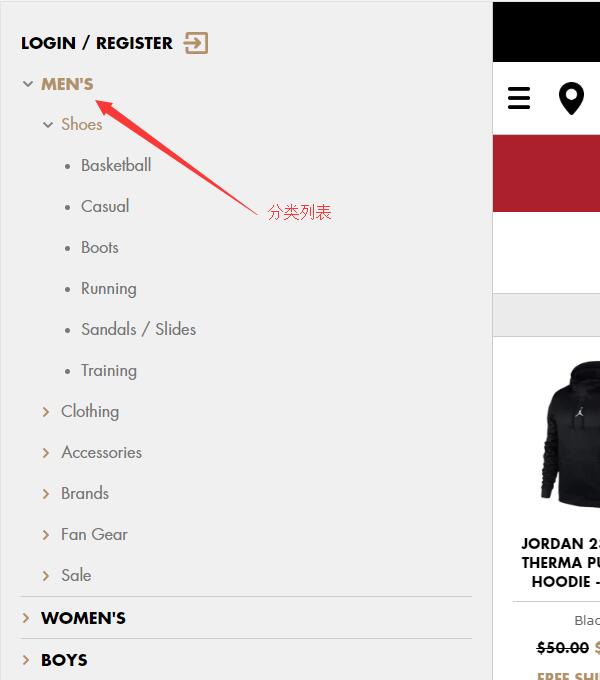
3. After registration, you can start shopping! Open the menu to select products by category, or directly search for items using keywords.
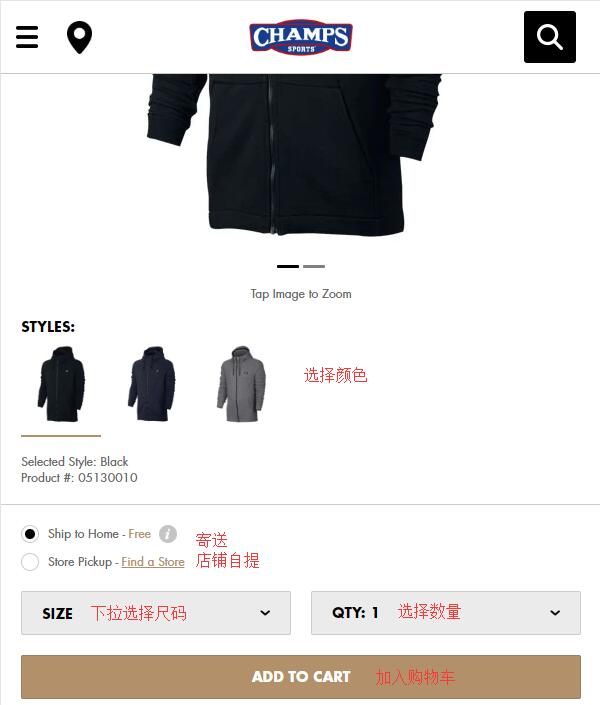
4. After selecting a product, go to the product detail page, choose the color, size, and quantity, then add it to the cart.
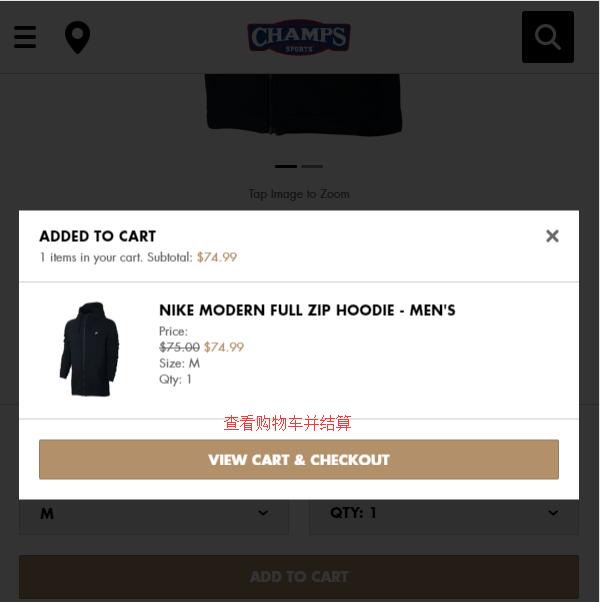
After adding to the cart, a prompt will appear. You can go to the cart and proceed to checkout. You can also click the cart icon in the top right corner to view it:
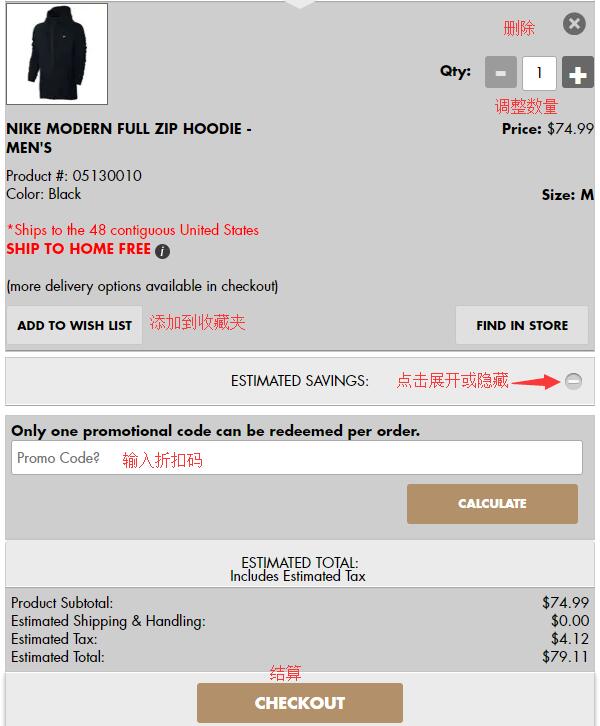
5. In the cart, you can edit the items. If you have a discount code, click the plus sign next to Estimated Savings at the bottom, enter the code in the dialog box, and click Calculate to apply the discount. Once confirmed, click Checkout:
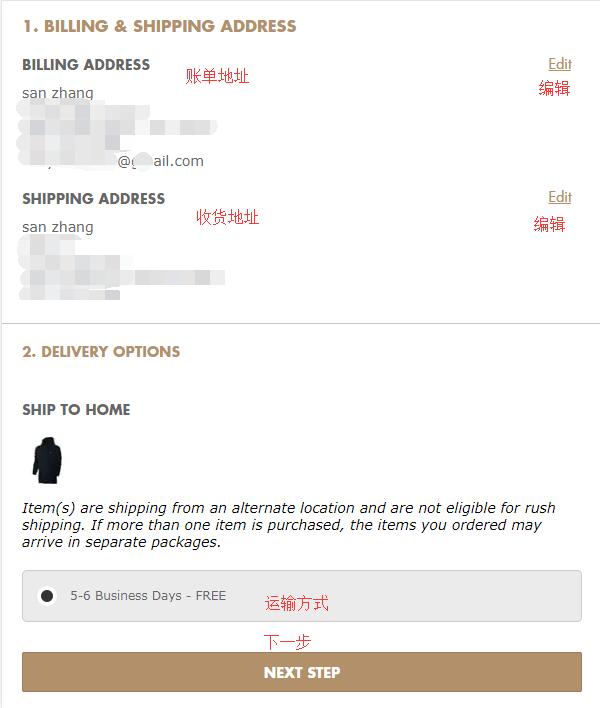
6. The first step in checkout is still address information: billing address and shipping address. If both addresses are the same, check the box at the bottom of the page;
If the two addresses are different, click Next and re-enter the shipping address. The official website currently does not support direct shipping, so the shipping address should be your freight forwarding address:
After entering the address, select a shipping method. The default standard shipping on the site is fine:
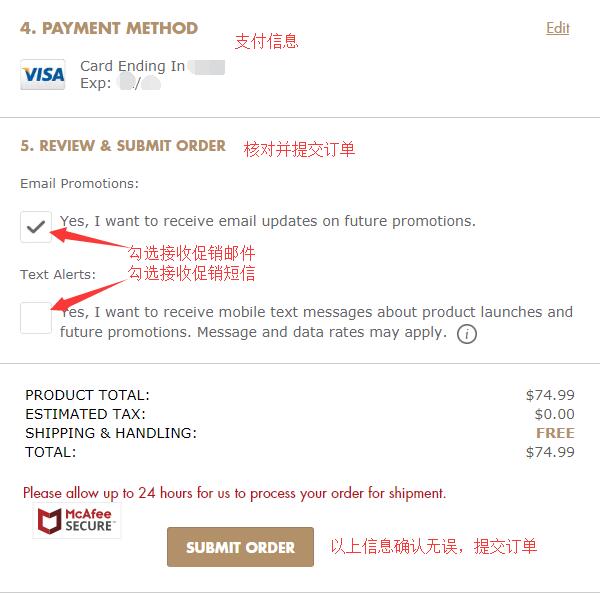
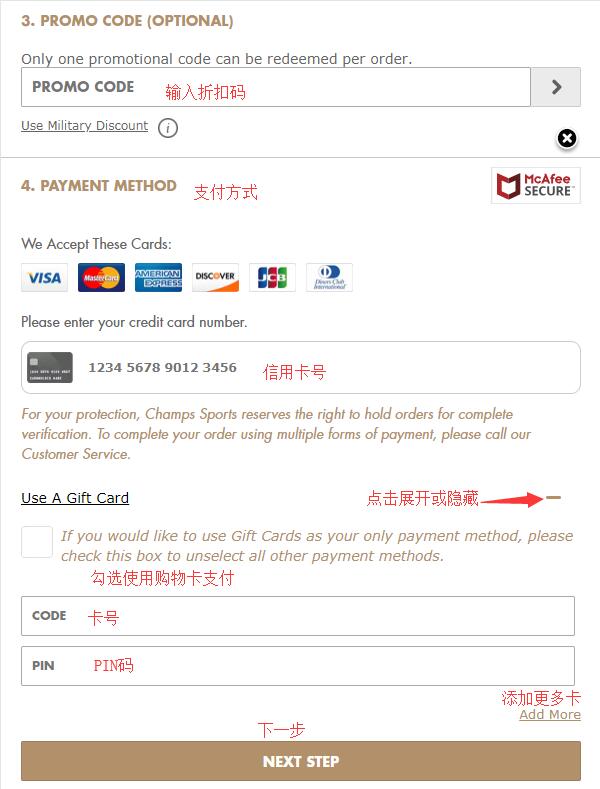
7. Next are discounts and payment information. In the third step, you can enter a discount code to get a discount. In the fourth step, under Payment Method, fill in your credit card number. After entering the card number, follow the prompts to enter the expiration date and security code. If paying with a gift card, check the gift card option, enter the card number and PIN in the dialog box that appears, and click Next:
8. After submitting the payment information, you will reach the order review section. Carefully double-check the address and payment information for any errors, and verify the product details are correct to avoid unnecessary return or exchange fees due to carelessness. Once all information is confirmed, submit the order. This completes the entire shopping process.