

Sephora is a brand under the French LVMH group, currently operating 800 stores in 21 countries worldwide. At Sephora, known as the "beauty candy store," users can shop for renowned cosmetic brands including Dior, Lanc?me, Estée Lauder, Clinique, Biotherm, and more. These prestigious and star-studded products have crowned Sephora as the "temple of cosmetics and the most beautiful cosmetics store in the world." Today, we'll introduce you to a guide for overseas shopping at Sephora.
Click to visit the Sephora US official website directly: https://www.sephora.com/ (Requires an overseas network environment to open; otherwise, it will redirect to the China official website).
Sephora US official website overseas ordering process:
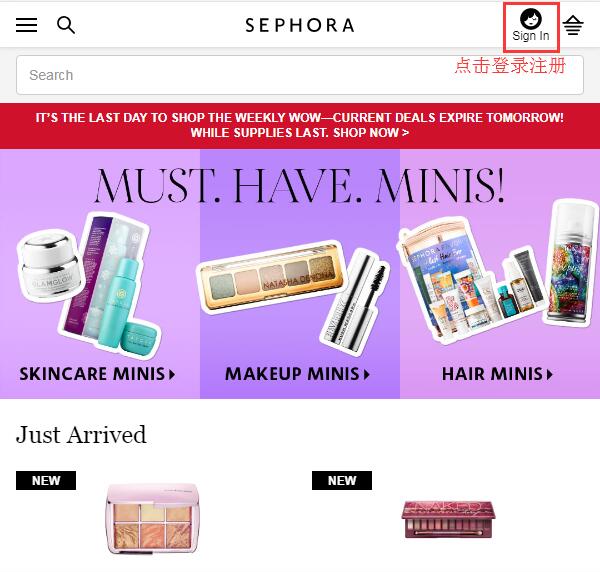
1. Register an account. Open the website homepage, click the profile icon "sign in" in the upper right corner to log in or register:
Note: When registering, it is recommended not to use a QQ email address. You can use Gmail, NetEase, 163, Outlook, etc.
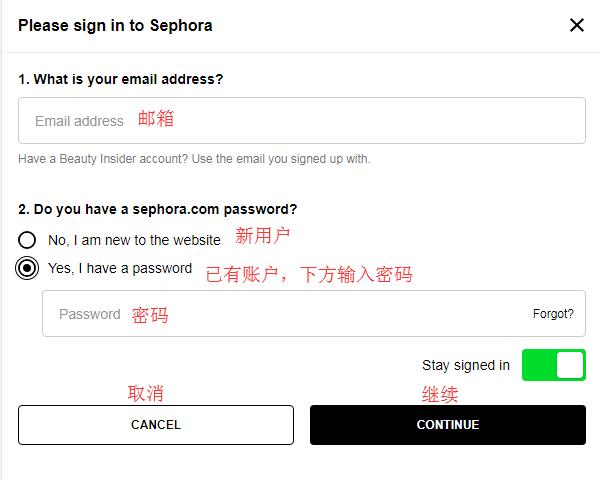
If you already have an account, enter your email and click "Yes," enter your password in the dialog box below, and click "Continue" to log in. New users should select "No" and click "Continue" to register an account:
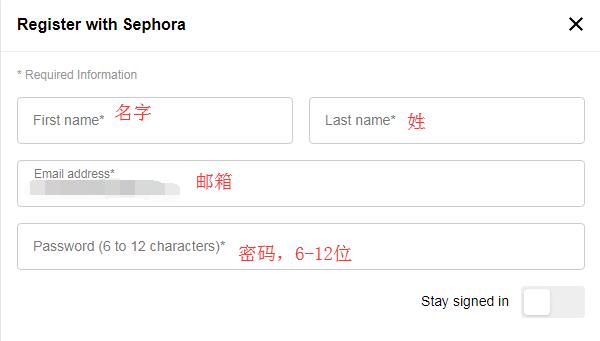
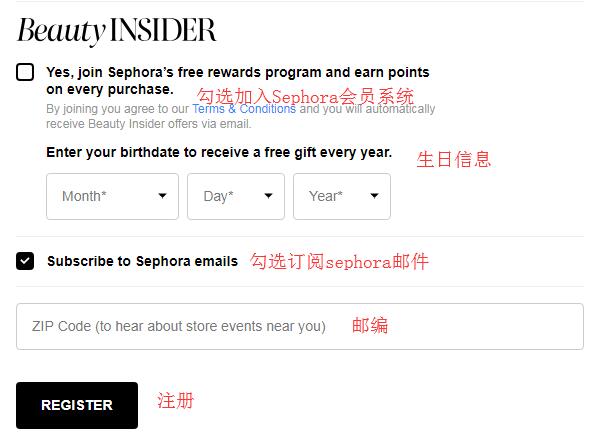
Enter your name, email, and password to join the membership system for free. Click "Register" below. If successful, you will be redirected to your personal account page, indicating successful registration.
Note: Sephora has a detailed membership system. Once you register and make a purchase at Sephora, you become a Beauty Insider and start accumulating points based on your purchase amount. Spend $350 within a year to become a VIB (Very Important Beauty Insider). Spend $1000 within a year to become VIB Rouge, enjoying free shipping on any order and the ability to choose more free samples with each purchase.
2. Registration successful! Now you can start your Sephora shopping journey! You can browse by categories such as Skincare, Makeup, Bath & Body, Sale, etc., or through promotional carousels, or search for your desired products. Click on a product image to enter the product detail page for more information. Add your chosen products to the cart by clicking "Add to Basket":
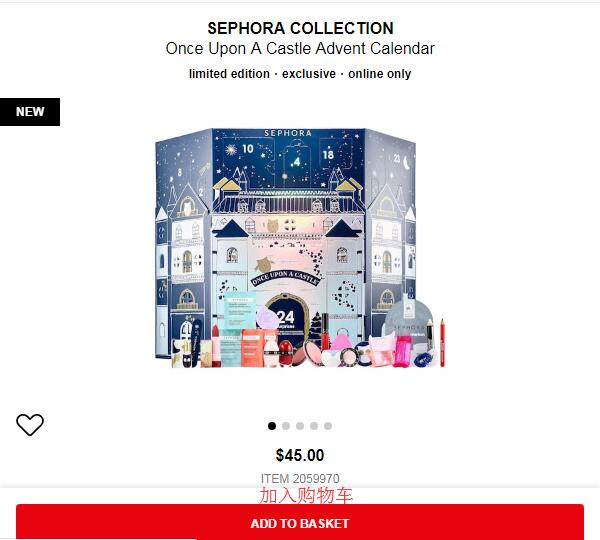
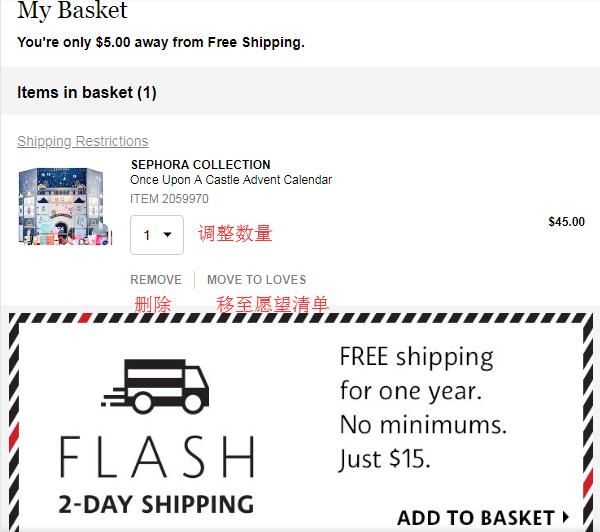
3. Enter the shopping cart, verify the product information is correct, and consider proceeding to checkout.
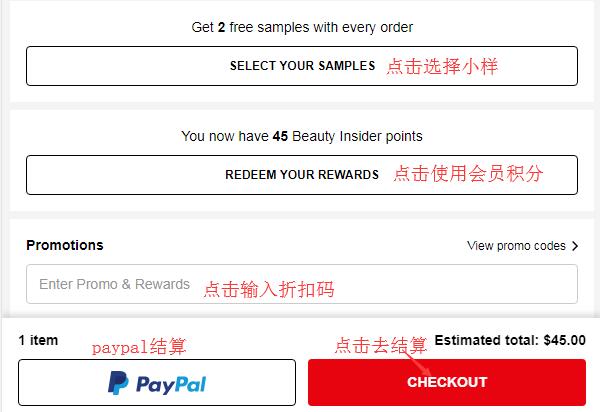
At the bottom of the page, you can see that you can also select 2 samples per order. Click "Select" to choose your samples. The membership points given upon registration can be considered for redemption. Additionally, the official website updates discount codes frequently. You can keep an eye on the latest discount code summaries to find the best deals. Enter the discount code below and click "Checkout" to proceed:
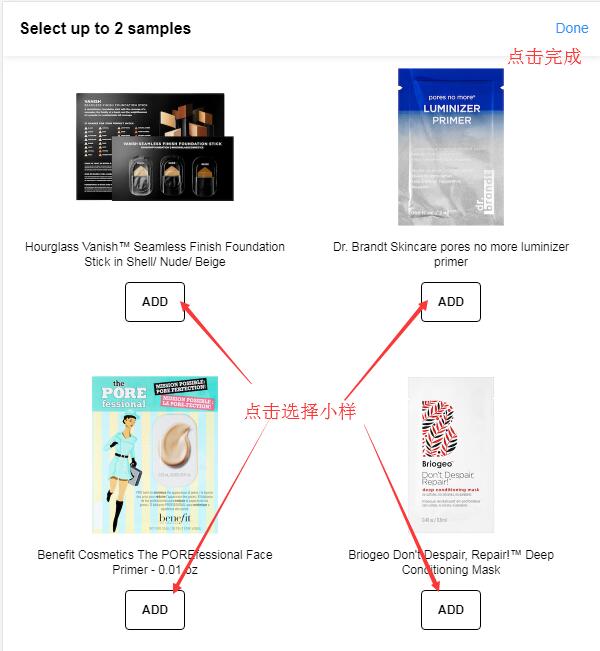
The image below shows the sample selection page. Each sample has an "Add" button below it. Click "Add" to select, and click "Done" when finished to return to the checkout page:
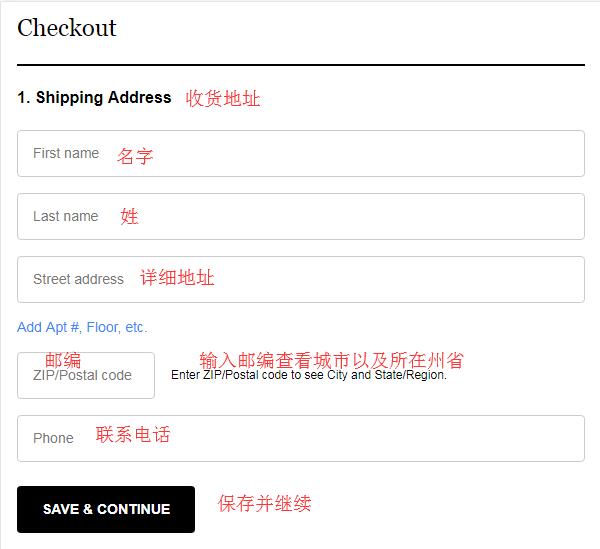
4. Start checkout. First, enter the shipping address, which is the forwarding address. After entering the zip code, the city and state will appear automatically. Confirm the information is correct and click "Save & Continue":
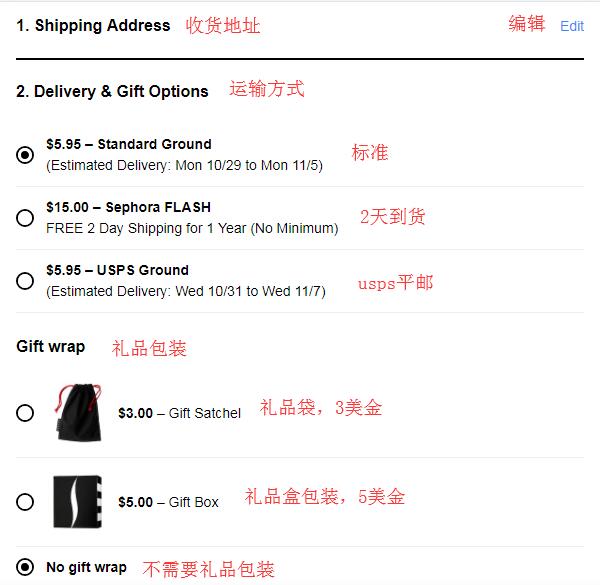
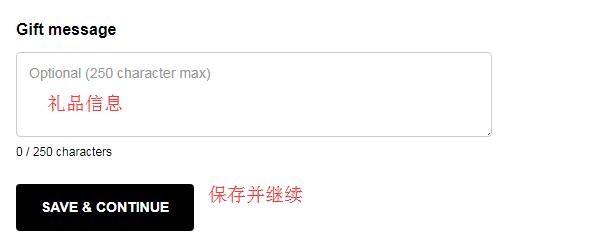
5. After entering the shipping address, select the shipping method. Generally, we choose the default standard shipping. Sephora offers a free one-year 2-day shipping option for a $15 fee. If you are buying a lot, you might consider it. Below, there is a gift option where you can see the costs for gift bags and gift boxes. You can enter free gift information and choose based on your personal situation. Then click "Continue":
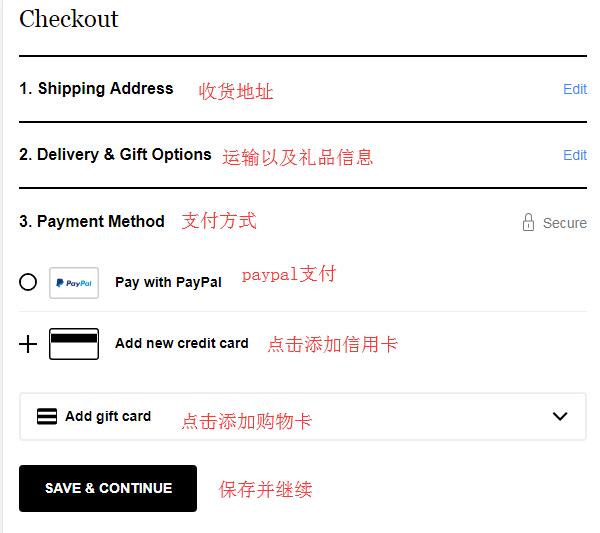
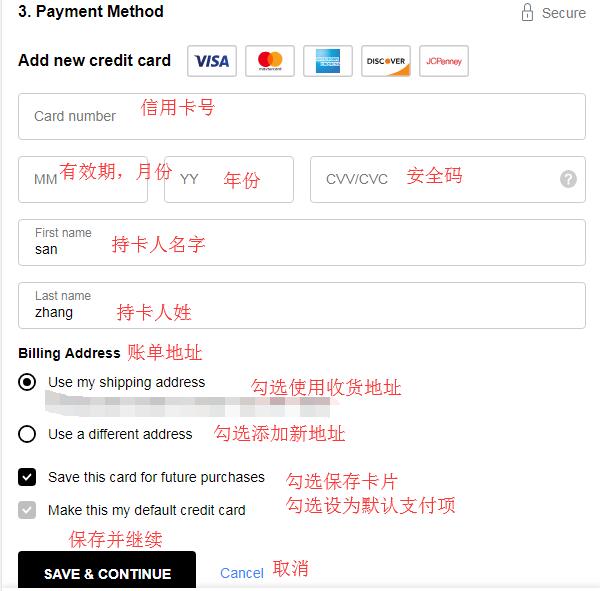
6. Next, choose the payment method. The website supports PayPal, credit cards, and Gift Cards. We choose to use a credit card. If you have a Gift Card, you can click "Add" and enter the card number and PIN. Click "Add New Credit Card" to enter credit card information:
Enter the credit card number, expiration date, security code, and cardholder name. Verify the billing address. The billing address can be the same as the shipping address. Confirm everything is correct and click "Save & Continue":
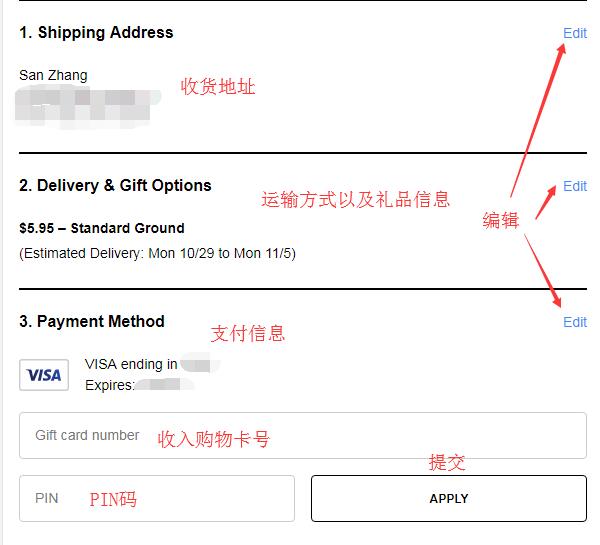
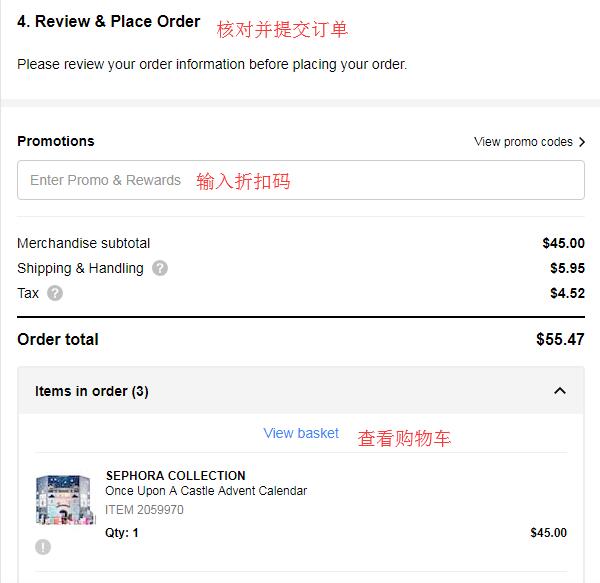
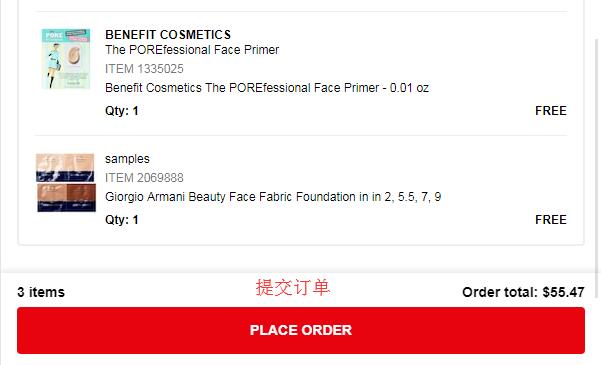
7. The final step is to review and submit the order. Carefully check the address information, credit card information, products in the cart, and sample information for accuracy. Also, check if any discount codes are missing. Once all information is confirmed correct, click "Place Order" to submit the order.
Finally, just wait for the website to ship the goods, prepare your forwarding details, and wait for delivery!
Tips:
According to reports, the website is not very friendly towards domestic credit cards, with a high order cancellation rate. It is recommended to try if you have US credit card resources. The review of forwarding addresses is strict. It is advisable to try if you have a US private shipping address.