

Seven Store, formerly known as 7liverpool, is a UK-based retailer specializing in apparel, footwear, and accessories. It focuses on trendy streetwear, avant-garde fashion, and luxury street brands, with a wide selection of sneakers and shoes. Brands such as Adidas, NIKE, and JORDAN are available, making it a popular site for international online shopping.
This article provides a guide on how to shop on the Seven Store UK official website, explaining the steps to place an order. If you want to order from Seven Store but don't know how, feel free to bookmark this Seven Store UK official website shopping guide.
1. Seven Store Official Website Ordering Tutorial
1. Open the official website
Seven Store official website link: https://www.sevenstore.com/
2. Log in to your account
Click the dropdown menu in the top left corner of the page and select "Account"
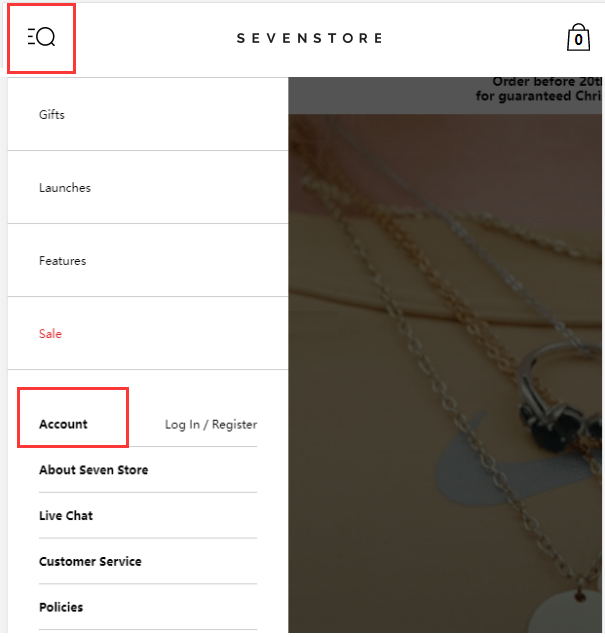
Existing users can log in with their email and password. New users should fill in the registration information and click create.
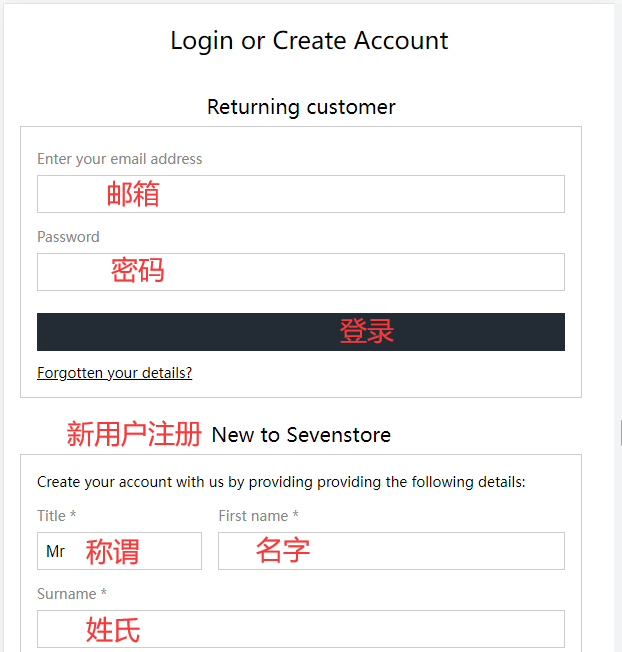
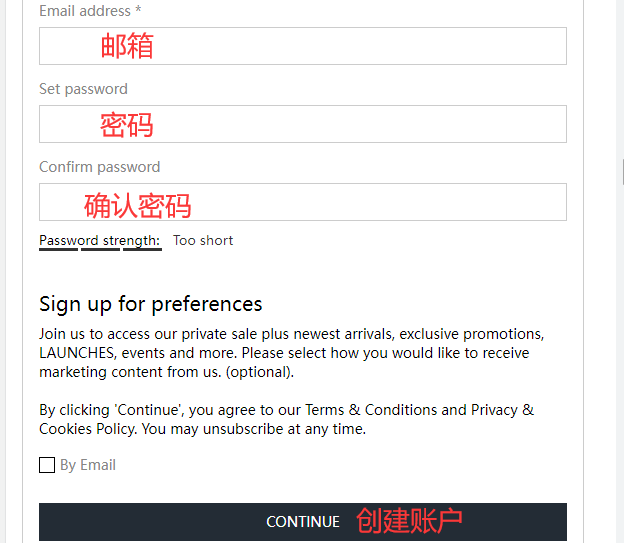
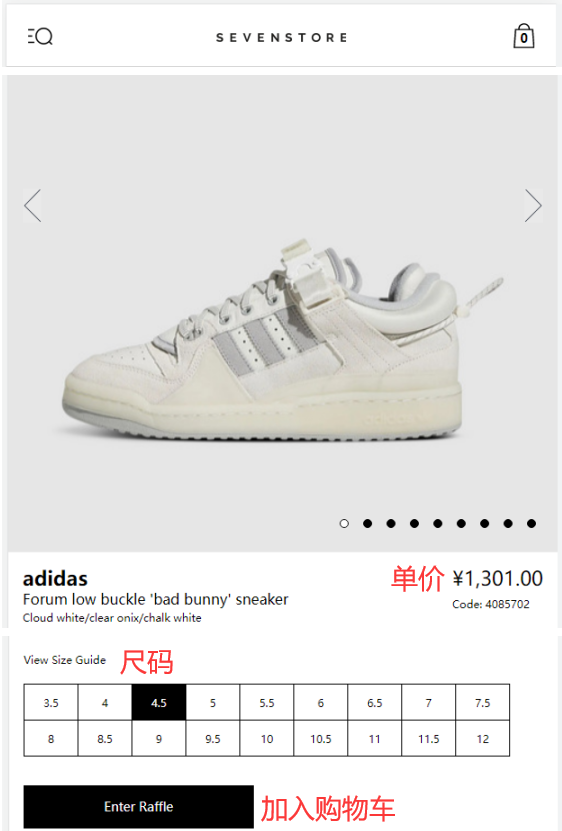
3. Select items and add them to the cart
4. Open the shopping cart to proceed to checkout
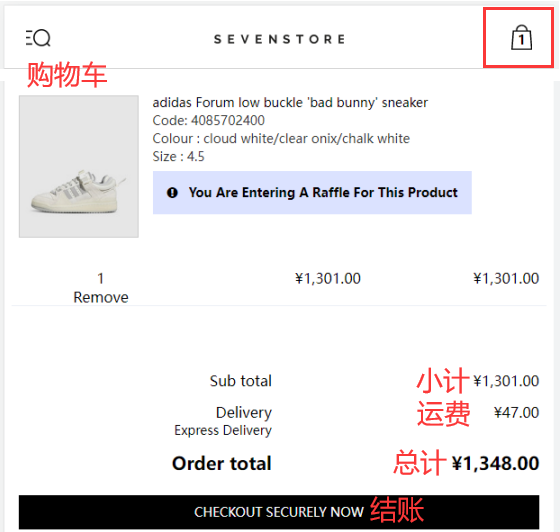
5. Fill in the billing address and select the shipping address
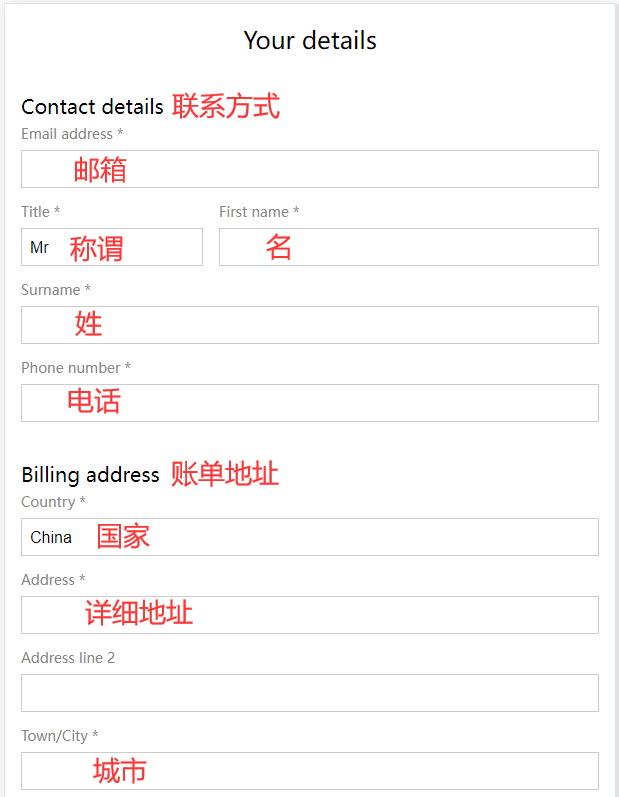
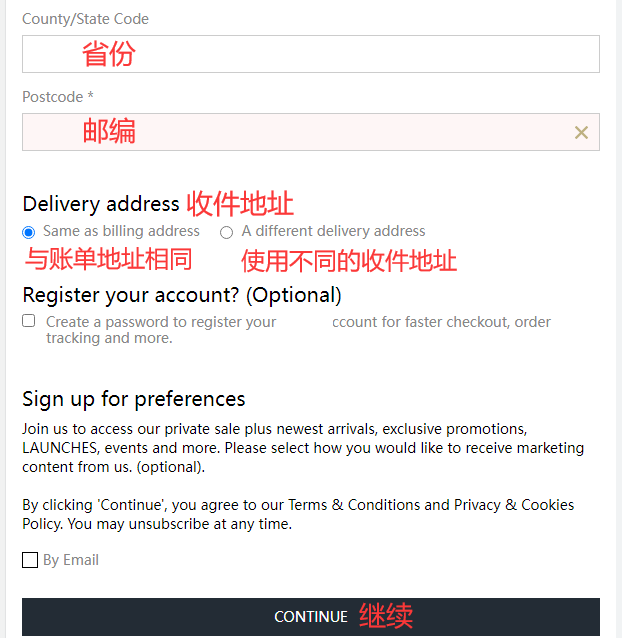
6. Choose a shipping method
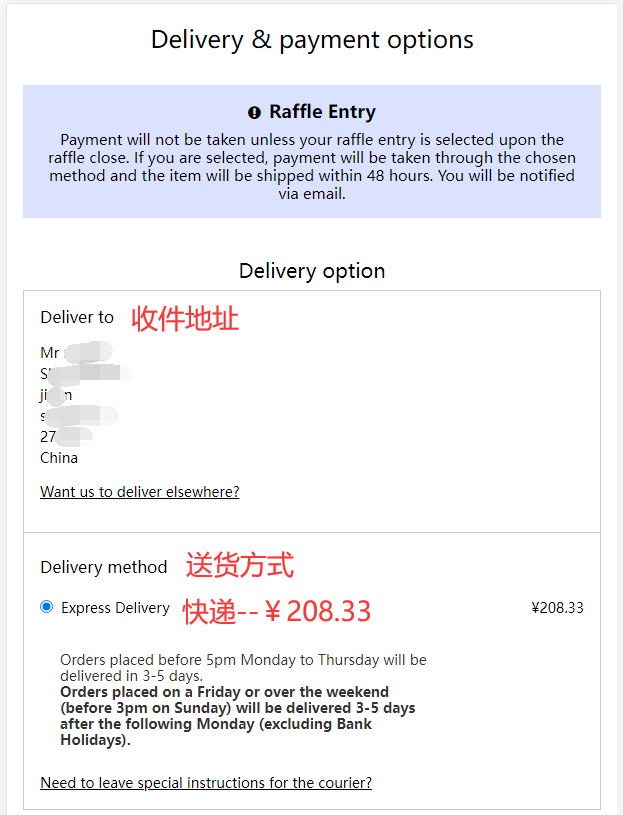
7. Review the order and billing address, then select a payment method
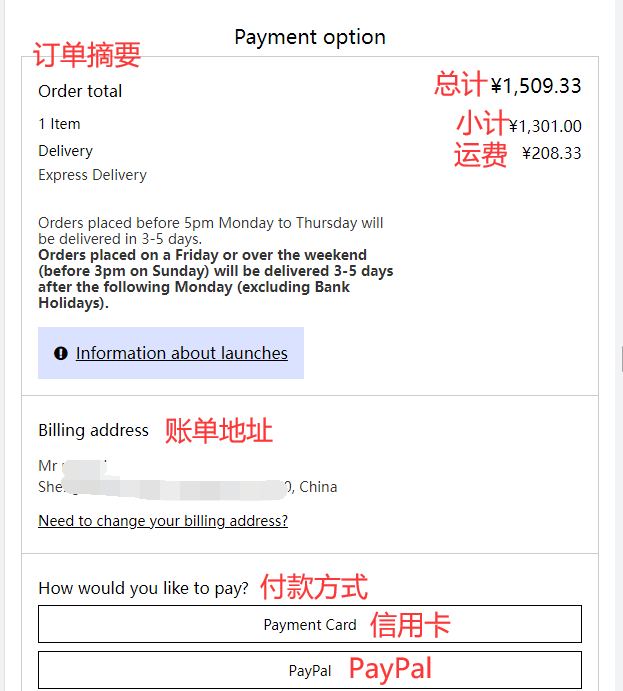
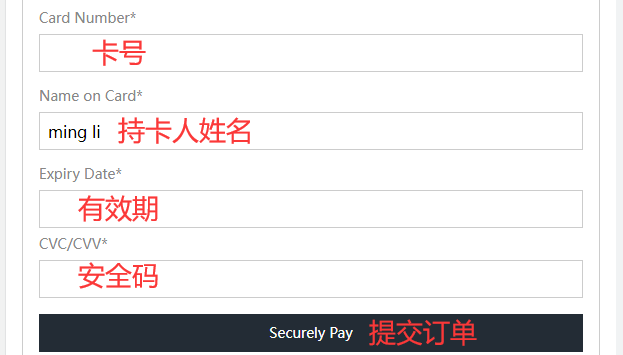
For example, with credit card payment, fill in the cardholder's name, card number, expiration date, security code, and other details completely. Once confirmed, submit the order.
8. Wait to receive your package!
2. Other Notes for Ordering on the Seven Store Official Website
1. Supports direct shipping; shipping costs are displayed at checkout. You can also use a forwarding service. Free shipping on UK orders over £150.
2. Accepts Visa and Mastercard credit cards, as well as PayPal online payments.