

Target is a leading American discount retail department store and a popular destination for international online shoppers, offering a wide range of products including women's clothing, men's clothing, shoes and boots, bags and handbags, jewelry, home décor, furniture, bedding, beauty and skincare, sports gear, pet products, electronics, and more.
This article provides a guide for shopping on the Target US official website. If you're unsure how to place an order on Target's US site, feel free to click through for this tutorial on registering and ordering from Target.
Target US official website shopping portal: https://www.target.com, click the link to visit directly
Target US official website registration and ordering tutorial
1. Login and Registration
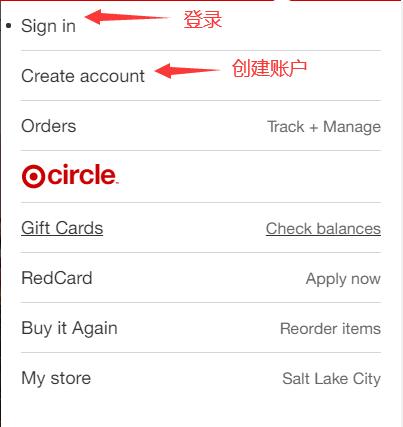
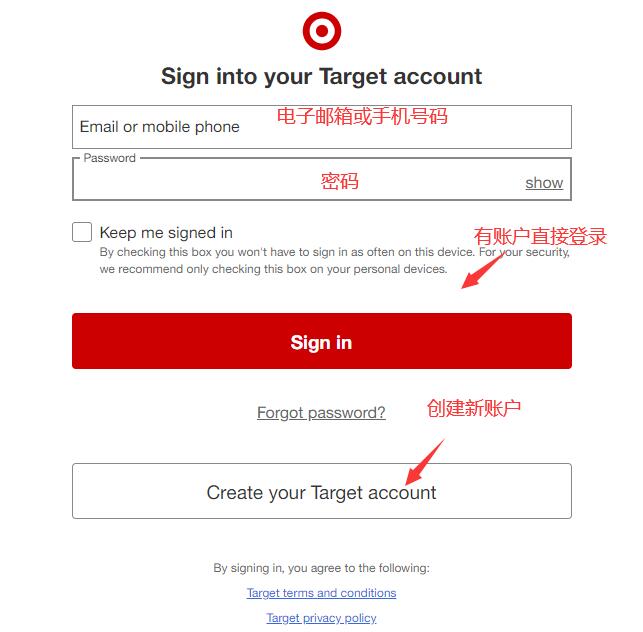
1) Log in if you have an account, or create a new account if you don't.
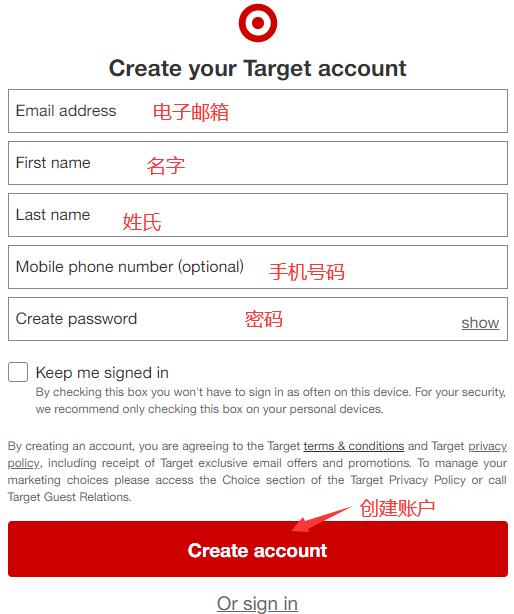
2) Create a new account and fill in the registration information.
2. Registration Complete, Start Shopping
Select your desired products and add them to the cart.

3. Proceed to Checkout in Cart
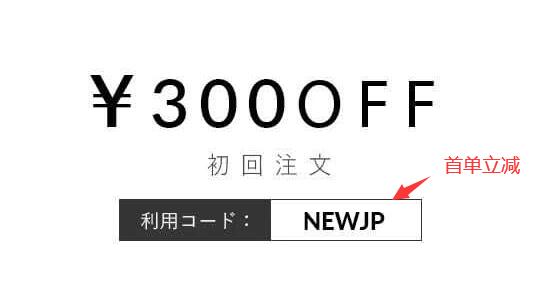
1) First order discount
2) Add shipping address
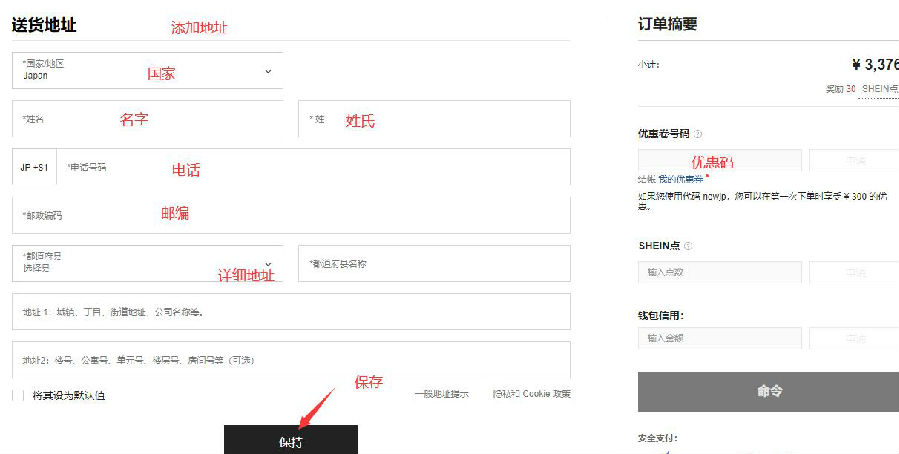
3) Add promo code and select payment method
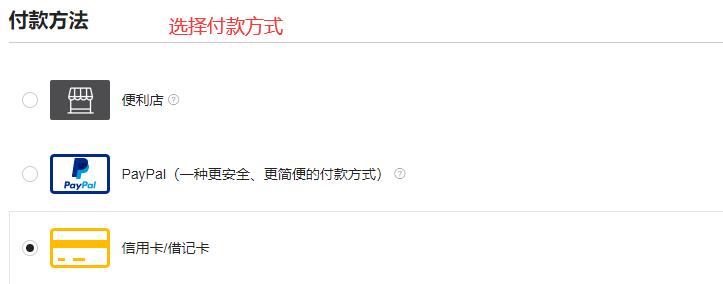
4. Payment Complete.
5. Ship to Forwarder
The official website will send the items to a shipping forwarder. After the forwarder receives the goods, submit your domestic shipping address and pay the shipping fee.
6. Wait for Delivery
That's all for this guide on shopping at the Target US official website. For more deals and discounts from Target US, follow the updates on the Bacaoo website for smarter overseas shopping.