

Vince is a well-known American designer brand whose product line covers men's and women's clothing, shoes, bags, and more. The style is casual yet elegant, simple and generous, without losing a sense of fashion and luxury. From minimalist and refined shirts to loose and comfortable women's tops, the calm and understated earth tones, along with exquisite craftsmanship, give a new style to casual and relaxed designs, creating distinctive everyday basics!
This article introduces a guide and tutorial on how to shop on the Vince US official website, telling you how to place orders and shop on the Vince website. If you also want to order from Vince but don't know how to proceed, feel free to click and check out this Vince US official website shopping guide.
1. Vince US Official Website Ordering Tutorial
1. Open the official website
Vince US official website link: https://www.vince.com/
2. Account Login
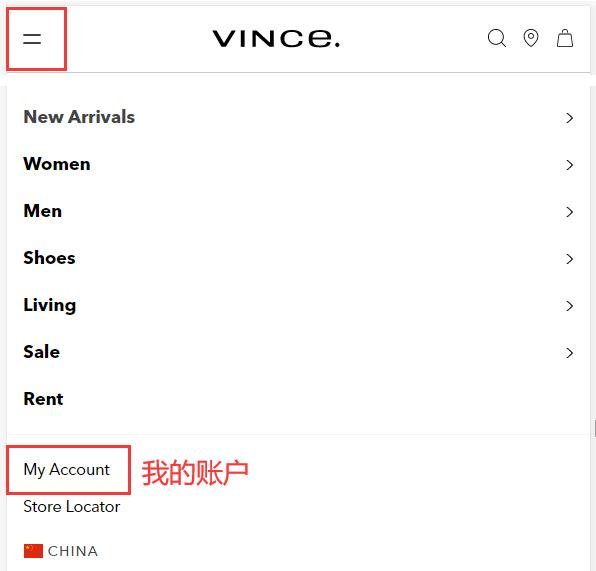
Click the dropdown menu in the upper left corner of the page and select "My Account"
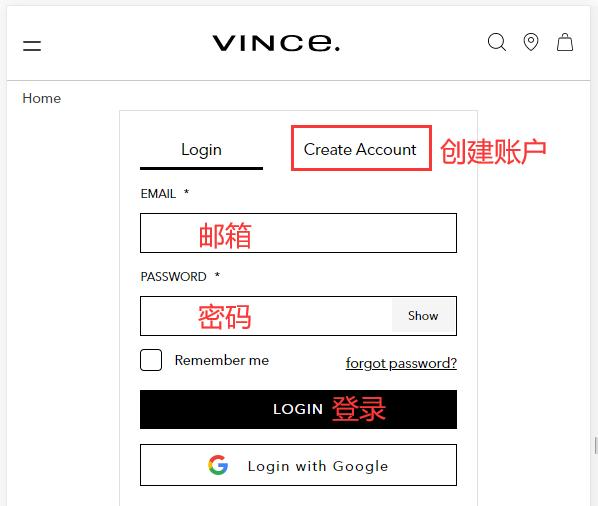
Existing users can log in with their email and password; new users click to create an account
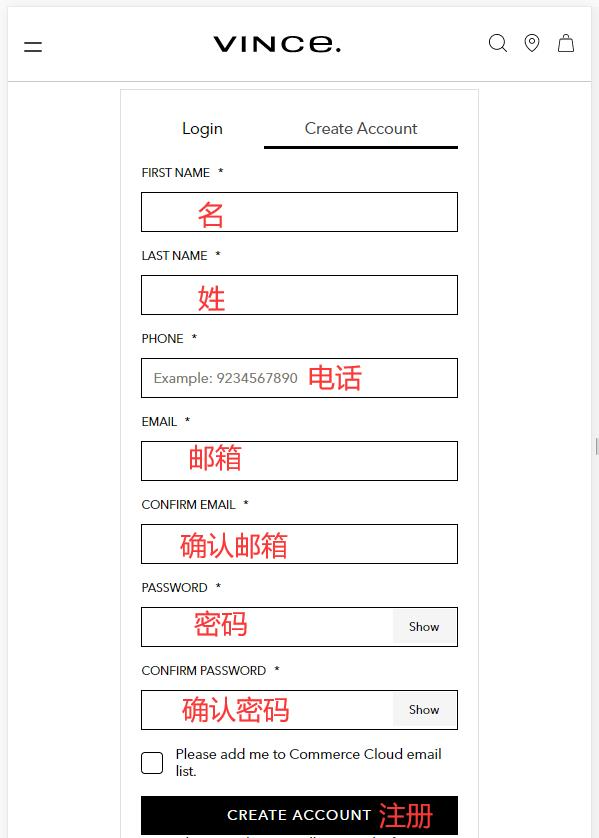
Fill in the information and click to register
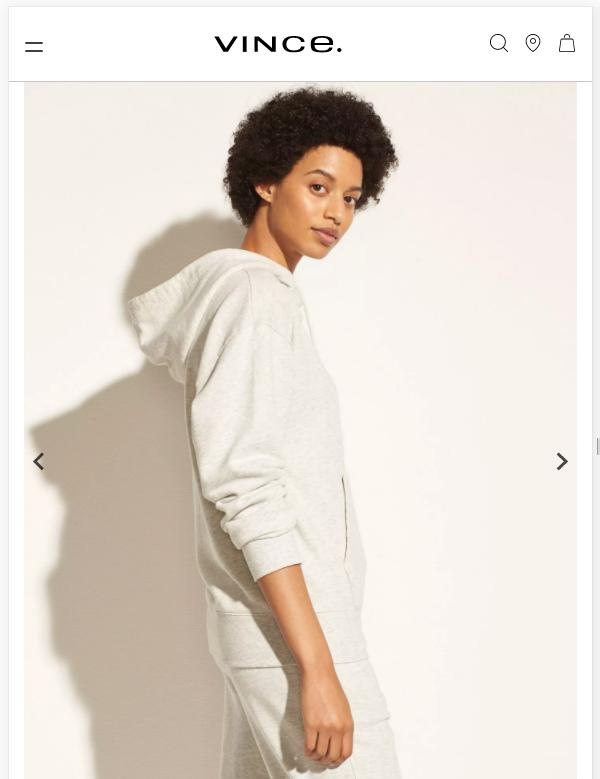
3. Select items and add to cart
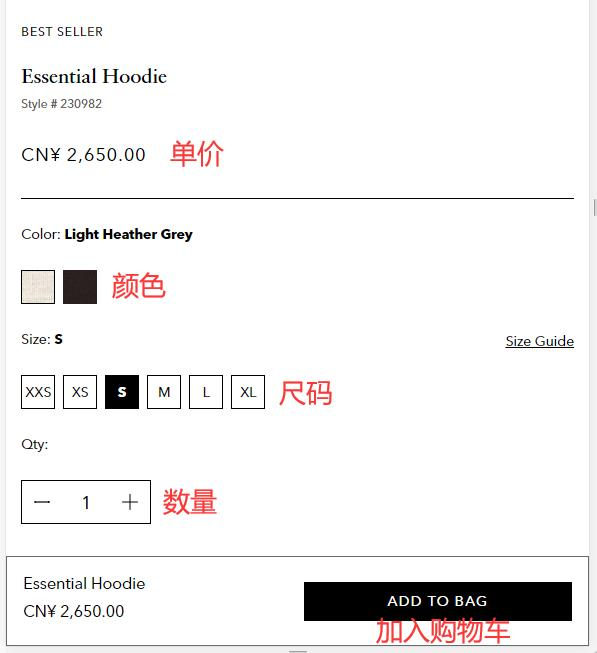
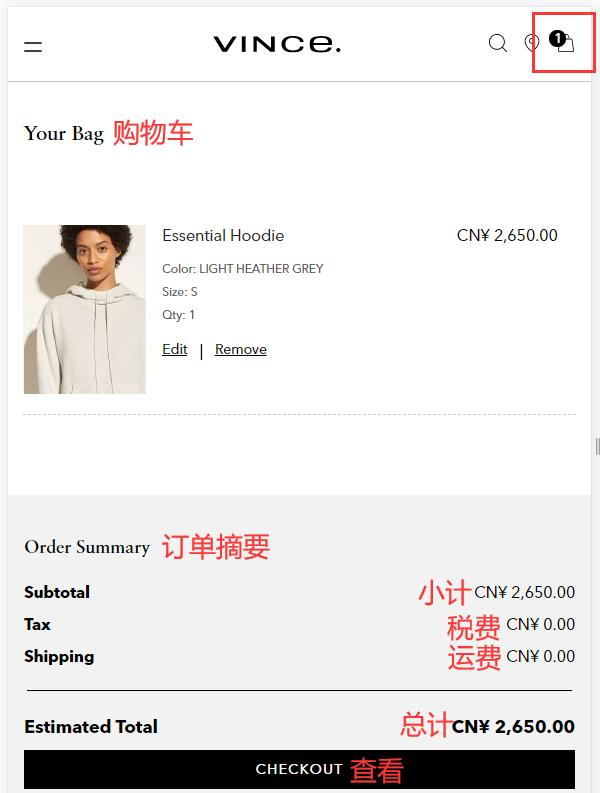
4. Open the shopping cart page, review the order, and click to view
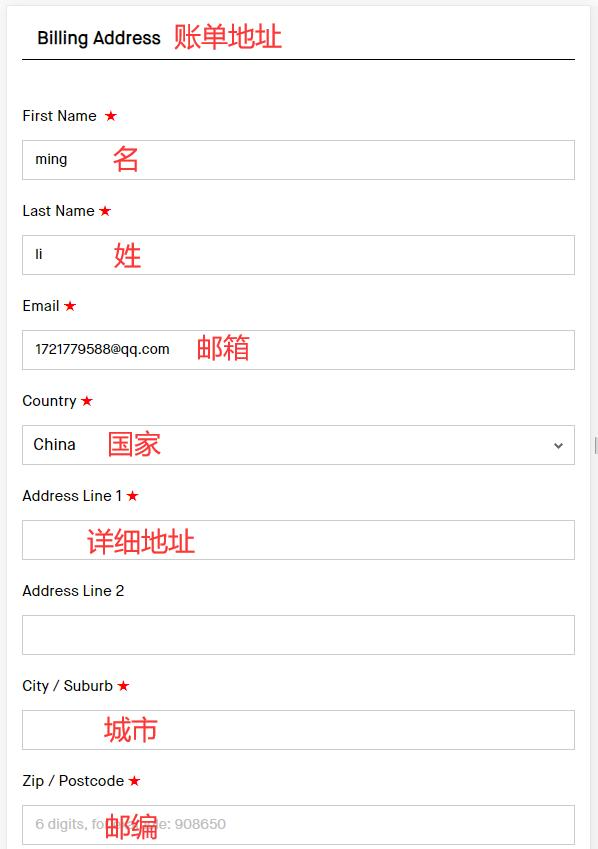
5. Fill in the billing address
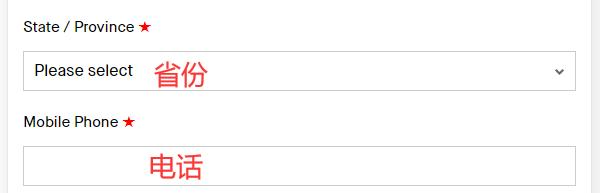
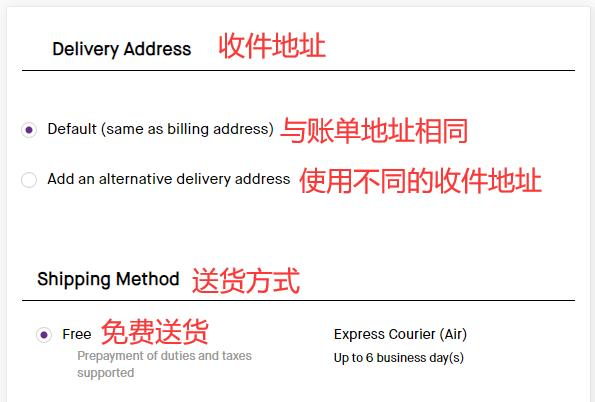
6. Choose the shipping address and delivery method
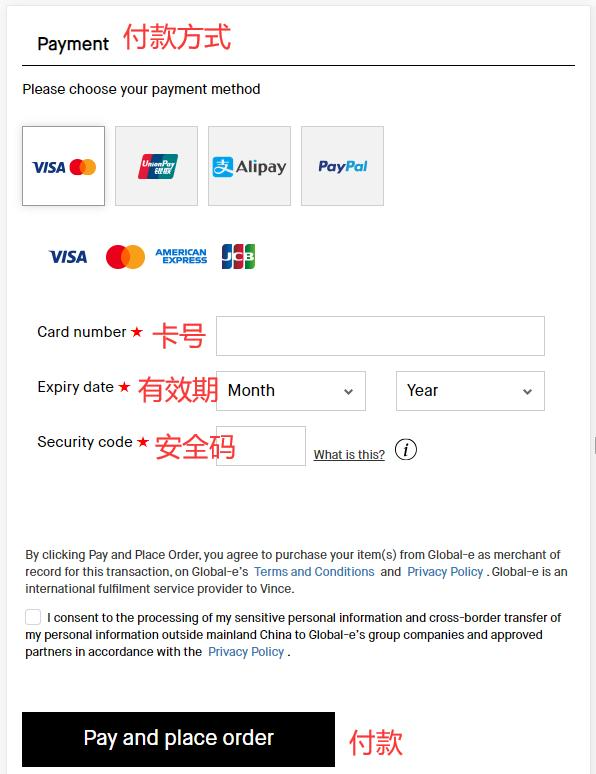
7. Choose payment method
Taking credit card as an example, fill in the card number, expiration date, security code, and other relevant information from the credit card in the image completely. After confirming it is correct, click to pay
8. Just wait to receive your package!
2. Notes for Ordering on the Vince US Official Website
1. Supports direct shipping to China, free shipping within the US with no minimum purchase
2. Supports Alipay, UnionPay, and Visa, MasterCard, American Express, JCB credit card payments, as well as PayPal online payment