
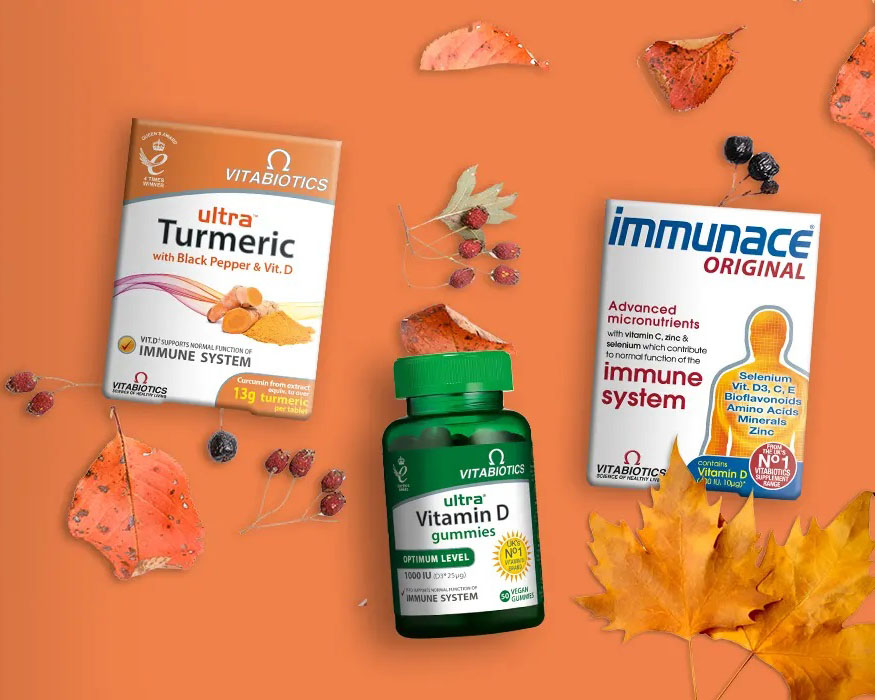
Vitabiotics, founded in 1971, is a health supplement company with a history of over 40 years. It is currently the second-largest nutrition supplier in the UK and the first nutritional health brand in the UK to receive the Queen's Award. It is the top choice for those who focus on health and wellness.
This article introduces a guide on how to shop on the Vitabiotics UK official website, showing you how to place an order and shop on the Vitabiotics UK official website. If you also want to order on the Vitabiotics UK official website but don't know how, feel free to click and check out this Vitabiotics UK official website shopping guide.
1. Open the website;
Vitabiotics UK official website shopping URL: https://www.vitabiotics.com/, click the link to access directly;
2. Register an account;
Click on "My Account" in the top right corner;

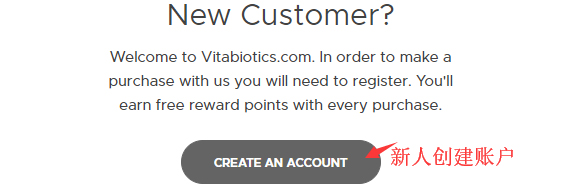
Unregistered users select "Create An Account" and click to register an account;
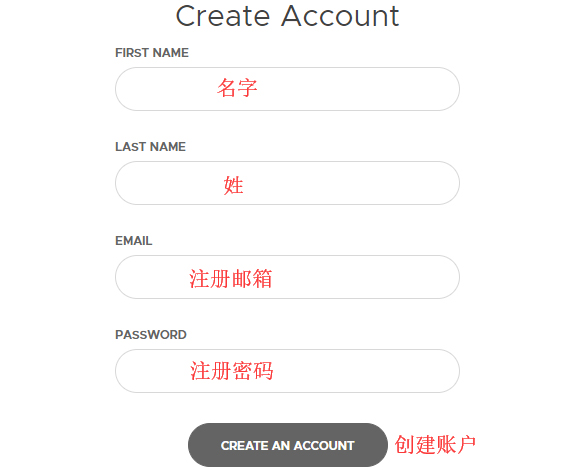
Enter the registration page;
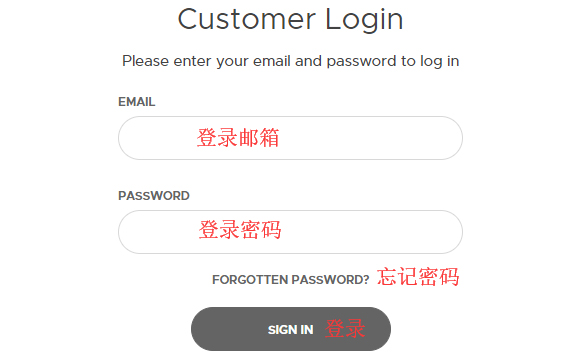
Friends who have already registered can select "Sign In" to log in;
3. Select products;
Add the products you want to purchase to the shopping cart, then click "View Cart" in the top right corner to go to the shopping cart page;
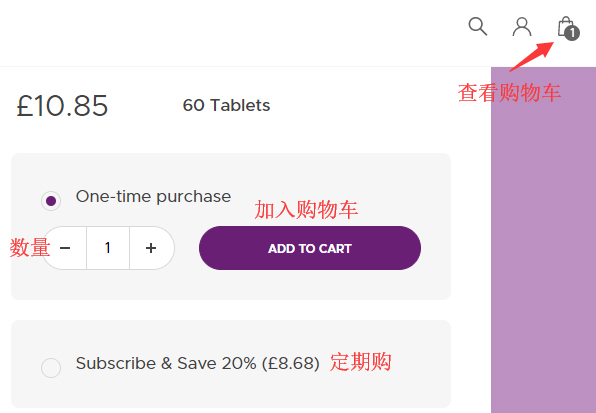
4. Click "View Cart" in the top right corner to enter the shopping cart page;
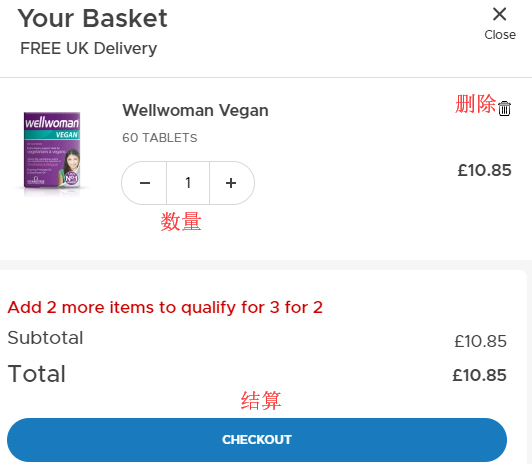
5. Click "CHECKOUT" to enter the shipping address page, using direct mail as an example;
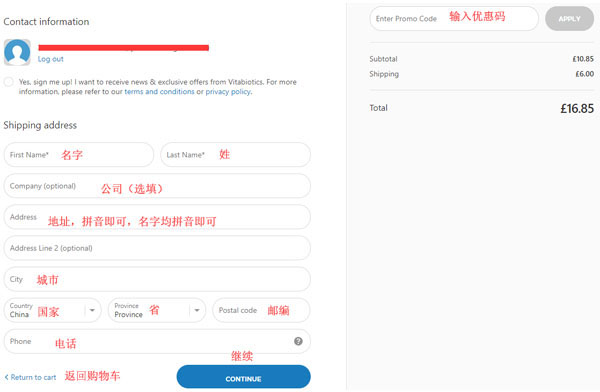
6. Continue to enter the shipping method selection page;
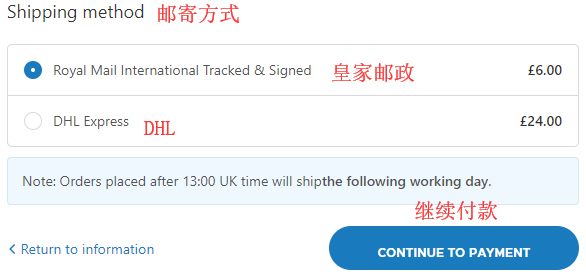
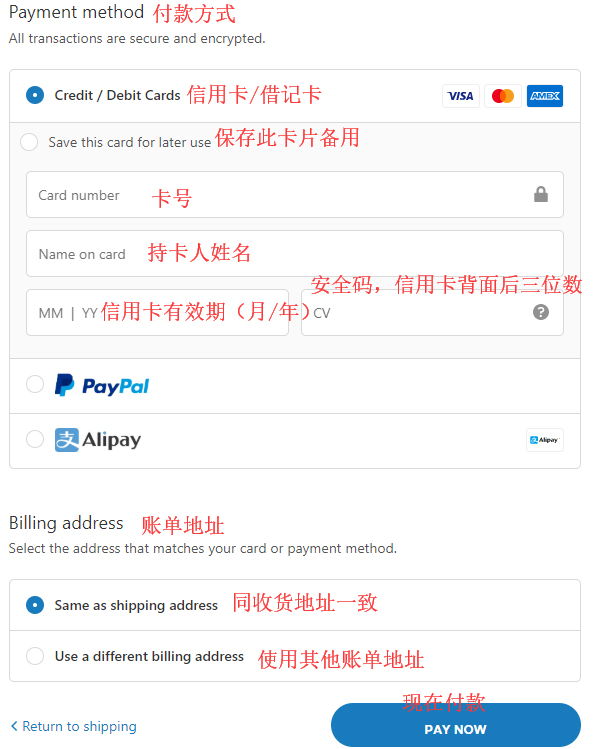
7. Next, select the payment method and billing address page. After confirming everything is correct, click "PAY NOW" to submit the order;
8. All that's left is to wait for the delivery! Note: Direct mail does not include tax, and you will be notified by SMS!