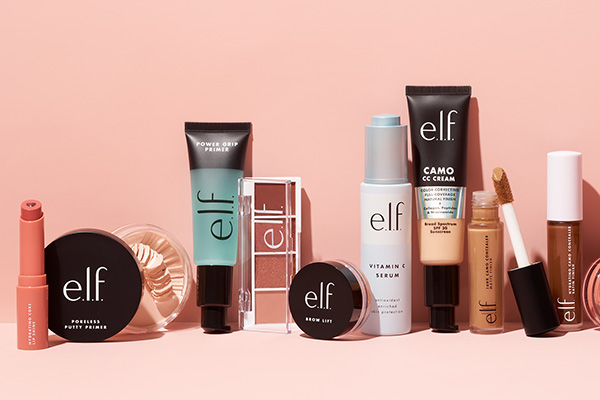
ELF Cosmetics is a powerhouse in affordable beauty! It's a cosmetics brand recommended by many beauty bloggers in their YouTube videos. With just a few hundred bucks, you can buy a whole table full of makeup products! Eyeshadows and lipsticks priced at 2-3 USD are yours to choose from, and the eye primer is also a star product. E.l.f. Cosmetics is a well-known makeup brand that has become one of the fastest-growing and most competitive cosmetics companies in just a few short years. It has gained popularity among a large number of young women due to its low prices, natural formulas, and low allergenicity. Simple, luxurious, and affordable makeup tools, E.L.F. Cosmetics offers you a complete cosmetics production line with a wide variety of shades and styles to choose from. All natural mineral makeup is paraben-free, preservative-free, and chemical dye-free.
Now, let's take a look at the charm of this affordable powerhouse!
ELF Cosmetics Official Website: https://www.elfcosmetics.com/
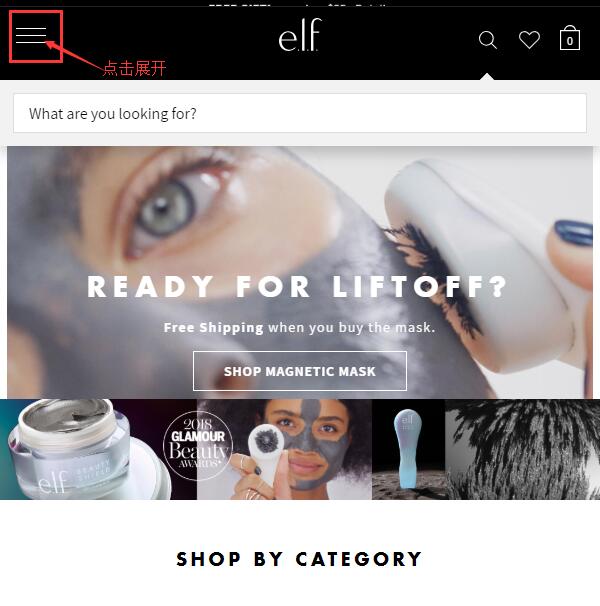
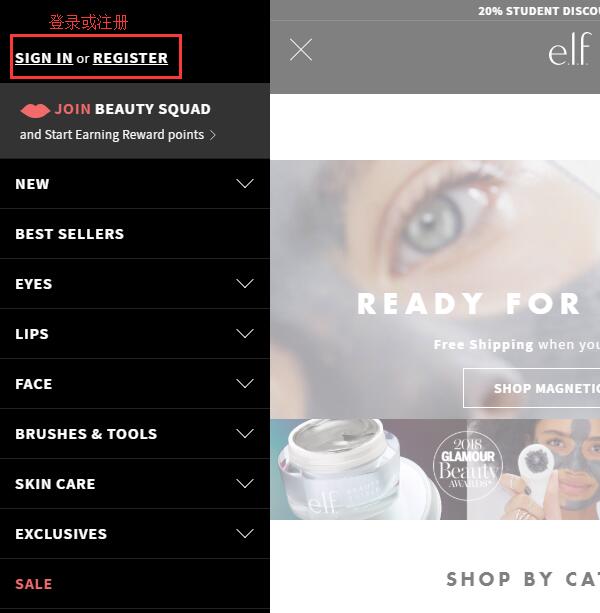
1. Register an Account. First, open the ELF official website homepage and click to expand the menu in the upper left corner:
At the top of the expanded menu, click "Sign in or register", then click "Register" to create an account:
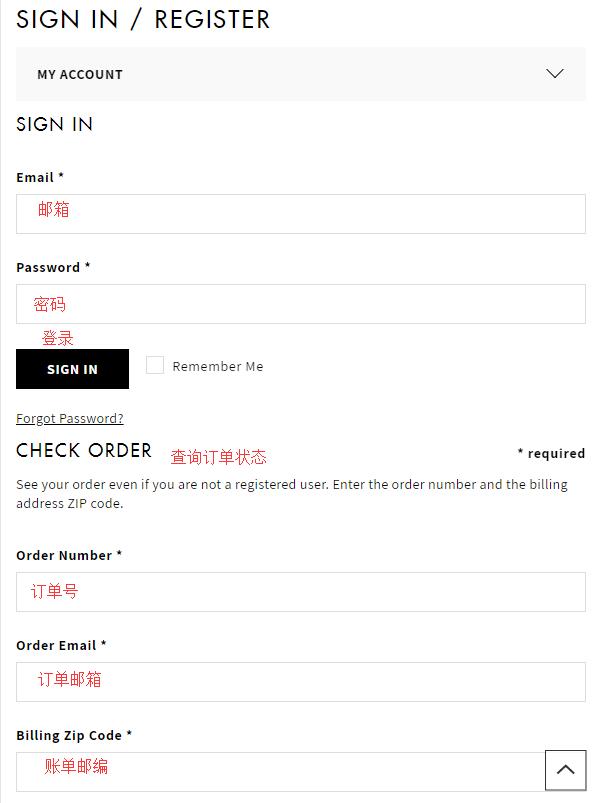
Existing users can enter their email and password and click "Sign in" to log in. New users can click "Create Account" below to create an account. On the login page, you can also check the status of existing orders using the order number and other information.
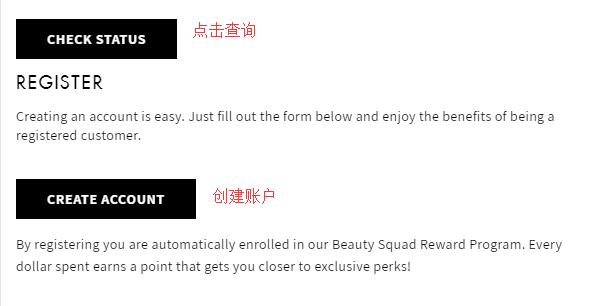
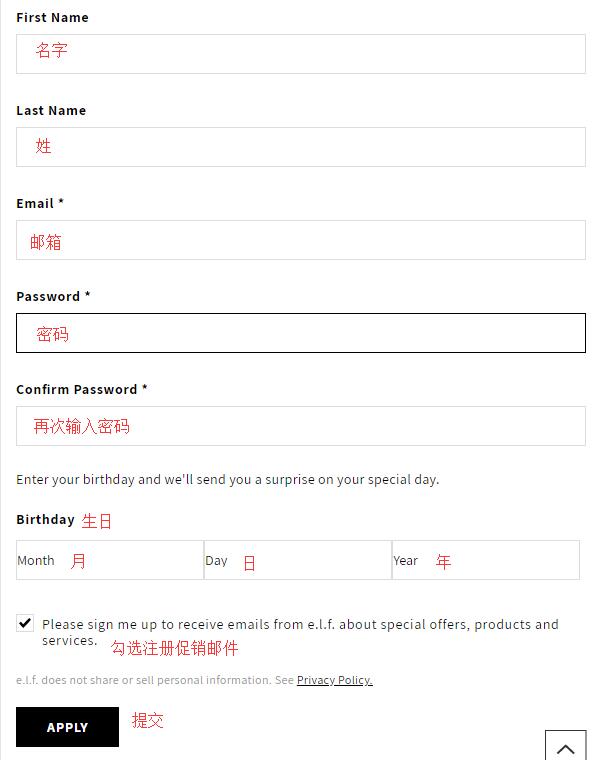
Click "Create Account". On the new page, enter your name, email, password, birthday, and other information, then click "Apply" below to create the account.
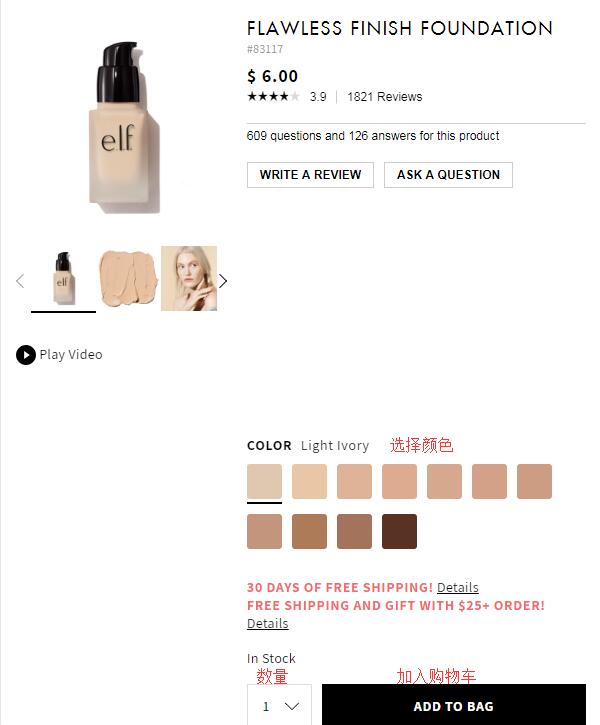
2. Account registration is complete, time to start shopping! Browse and select your favorite products by category, keyword search, etc. Choose the specifications and quantity, then add them to the cart.
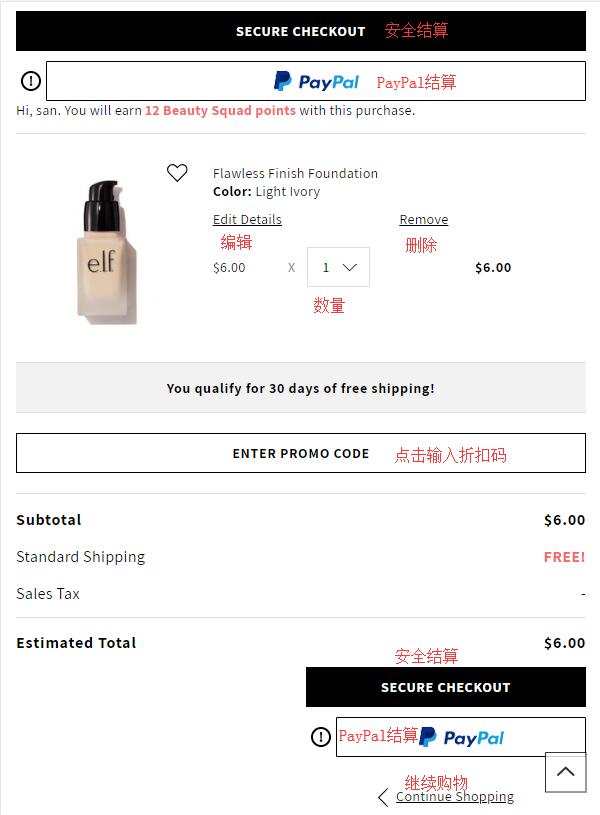
3. Go to the shopping cart. Enter a discount code at the bottom to get the corresponding discount. Confirm the product information is correct, then click "Secure Checkout" to proceed. The website also accepts PayPal payment:
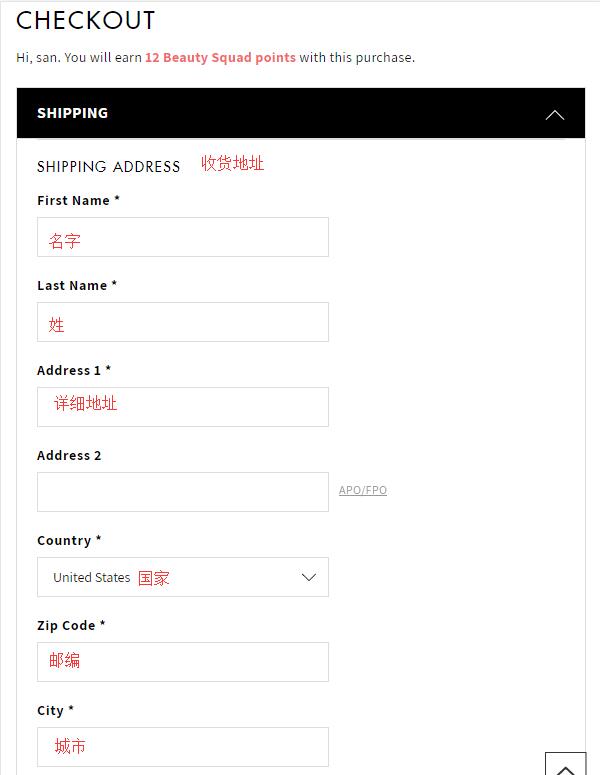
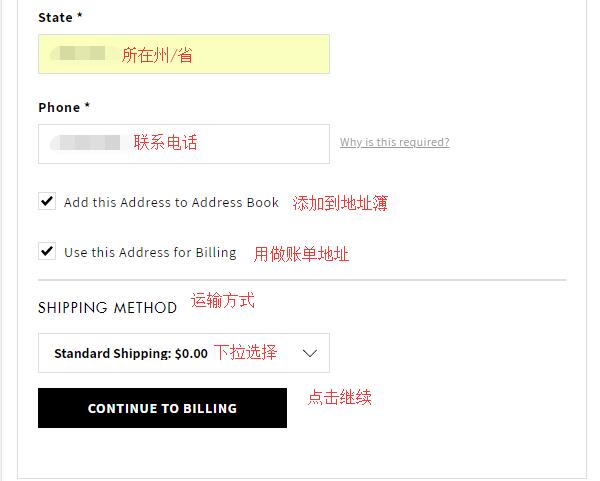
4. Step one of checkout: Enter the shipping address. Direct shipping is not currently supported, so use a forwarding address here. Enter the address information according to the forwarding company's requirements. For the billing address below, you can use the forwarding address, or uncheck the box and re-enter your real domestic billing address in pinyin following the shipping address format. Then select the shipping method and click "Continue":
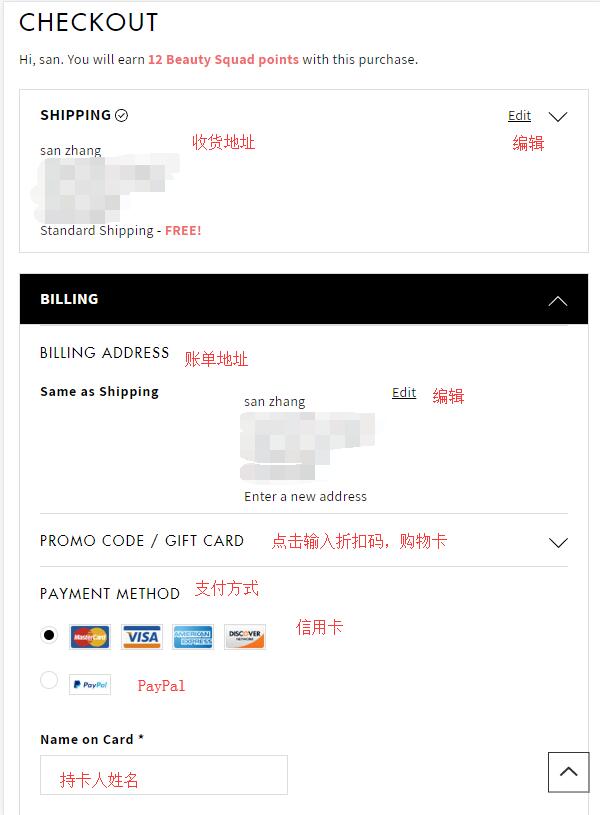
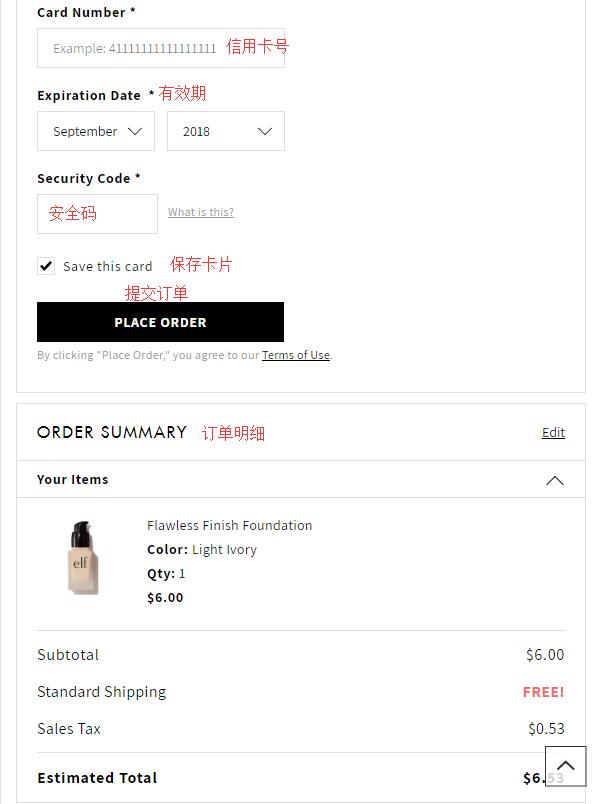
5. Next, enter the payment information. Verify that the shipping address and billing address are correct, then submit your credit card information, including the cardholder's name, card number, expiration date, and security code. Confirm everything is correct, then click "Place Order" to submit the order and complete the purchase.