

Under Armour is a well-known American sports brand founded in 1996. It started by producing compression underwear (worn under sportswear), and its professional moisture-wicking technology has been recognized by professional athletes in the industry. Later, it successively produced various fashionable sports sweatshirts, T-shirts, pants, and a variety of sports shoes such as soccer shoes, basketball shoes, skateboarding shoes, as well as professional sports equipment, backpacks, sunglasses, and more.
Below, we will introduce the overseas shopping guide for Under Armour US Official Website to all UA fans:
Under Armour US Official Website Entrance: www.underarmour.com/en-us
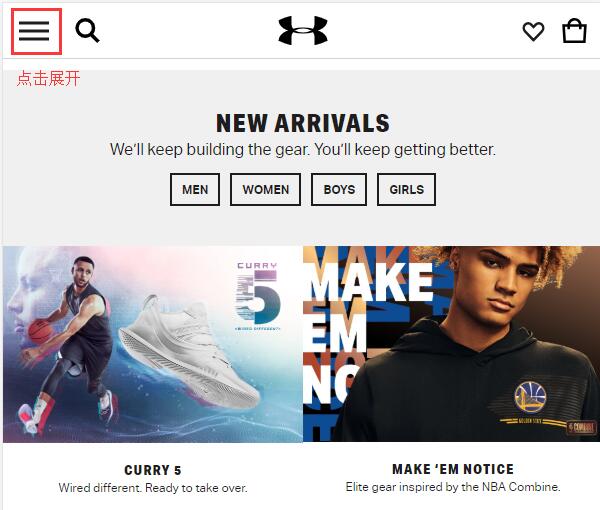
1. First, we need to register an account. Click to expand the menu at the top left of the website homepage:
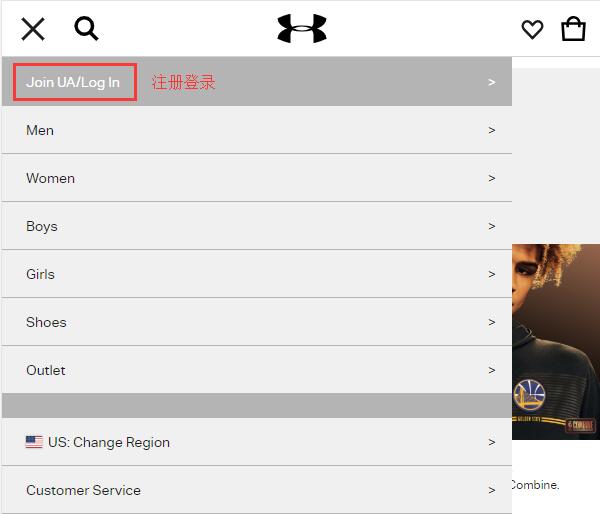
Click Join UA/Log in to register or log in:
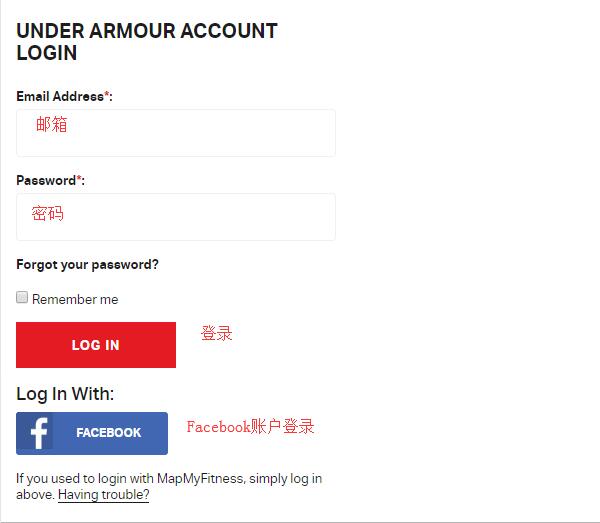
Returning users can directly enter their email and password to log in. New users enter their name, email, and password, then click Sign Up to register an account. You can also log in or register using a Facebook account:
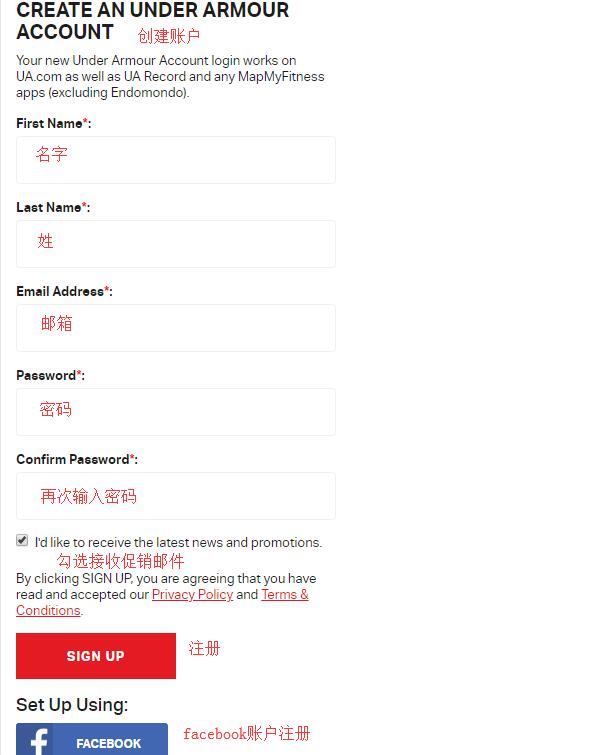
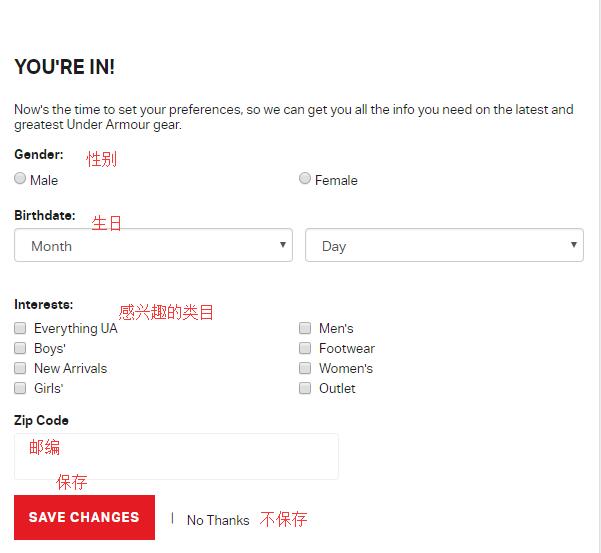
After submission, you will be prompted to enter information such as gender, birthday, and categories of interest. You can choose to fill in this information or skip it based on your personal situation:
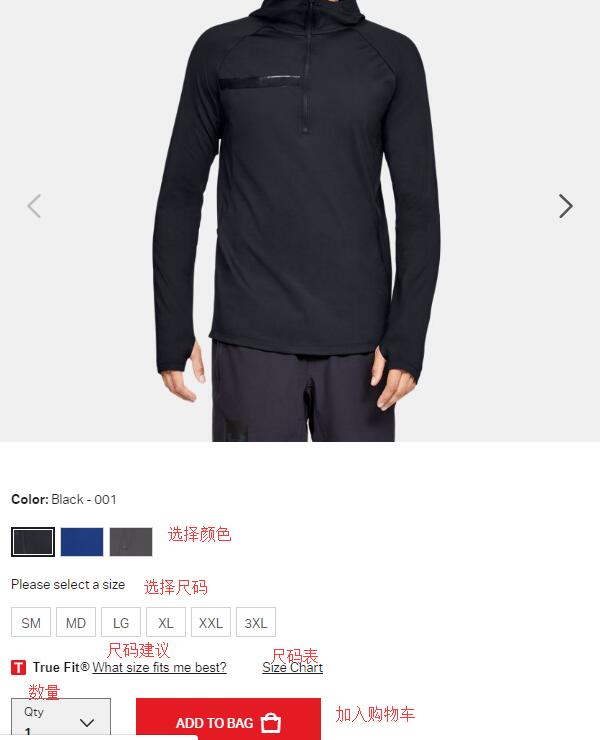
2. Registration complete, start shopping. Select products through categories, homepage navigation, search, etc. I can choose the shoes I want, select equipment based on the technology I prefer, or choose by sport. More importantly, if I want to pick some discounted items, I can directly select them in the OUTLET category. After selecting a product, enter the product detail page, choose color, size, quantity, and click add to bag:
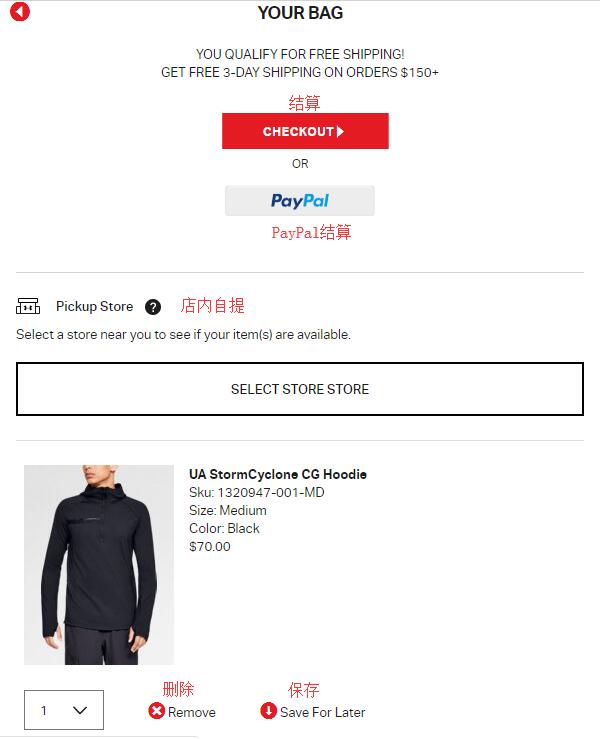
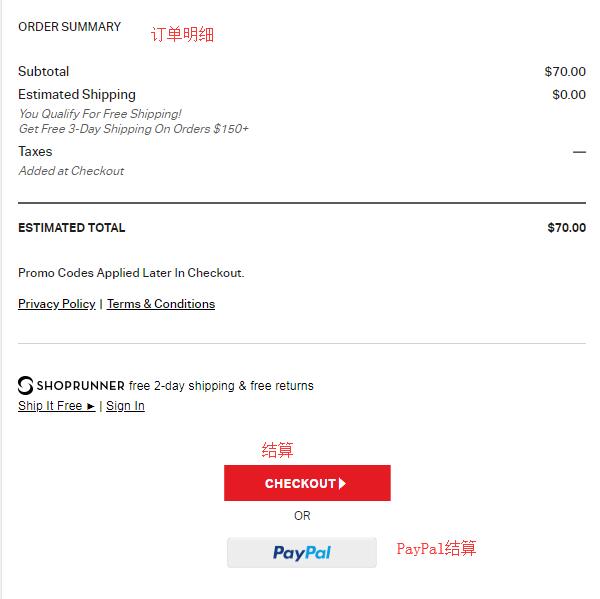
3. Enter the shopping cart, check that the product information is correct, and click Checkout to proceed to payment. You can also choose to pay using PayPal:
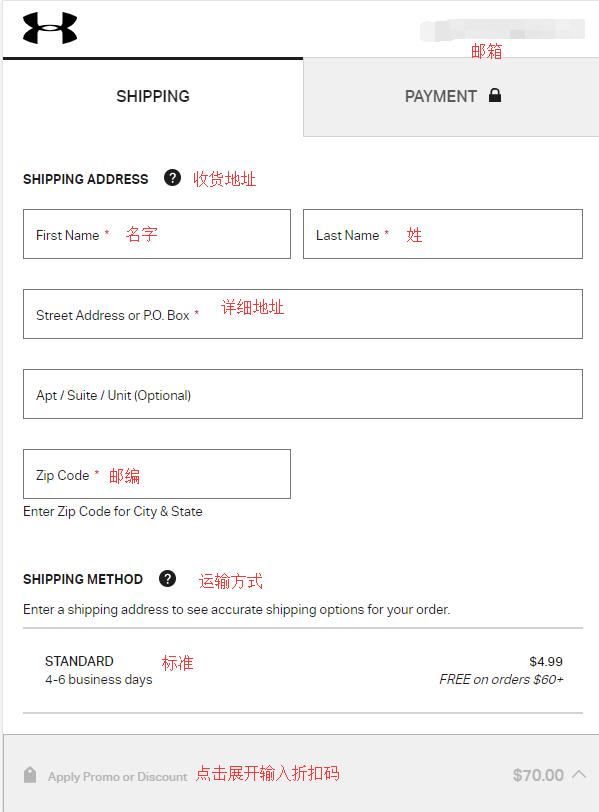
4. First step of checkout, enter the shipping address. The US UA official website does not support direct shipping, so you need to fill in the address of a freight forwarding company in the shipping address field. Then select the shipping method. Usually, we choose the default standard shipping. Below, the Gift option can be selected based on personal preference:
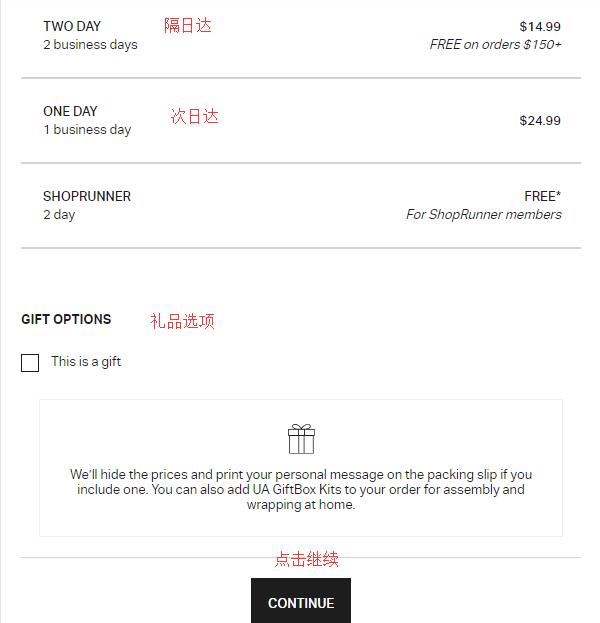
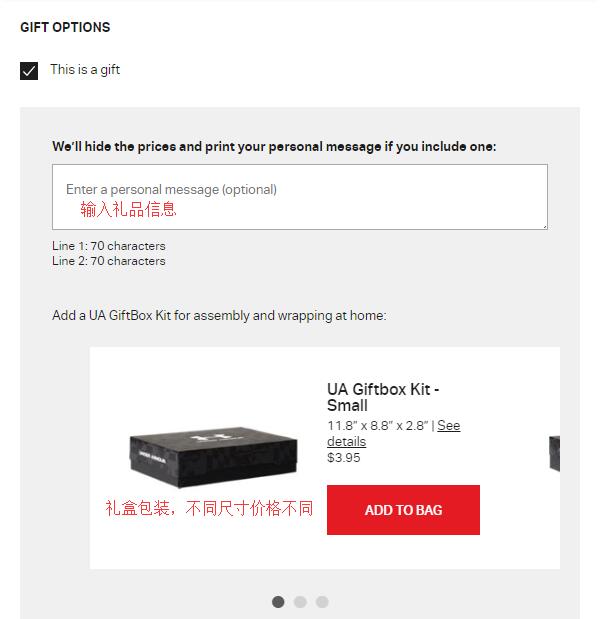
Regarding the gift option, click This is a gift. After expanding, you can see a dialog box for entering gift information, as well as gift box packaging of different sizes, each with different costs. Note that none of them are free! The costs for the small, medium, and large sizes are $3.95, $4.95, and $5.95 respectively. Choose whether to add gift box packaging based on your personal situation.
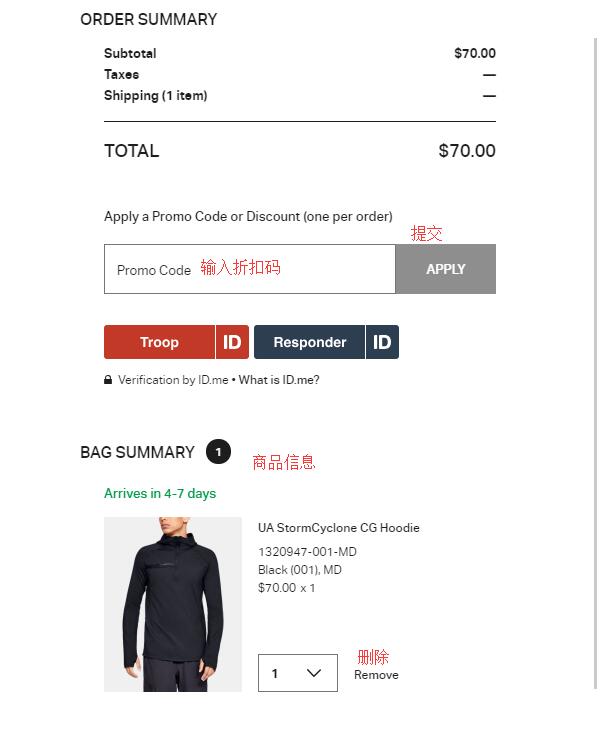
Additionally, click Apply Promo Or Discount at the bottom of the page to expand and enter a discount code to get a deal. The expanded page is as follows:
5. Next step, payment information. First, choose a payment method. You can see that the website supports credit cards, PayPal, PayPal Credit, VISA, etc. We choose to pay with a credit card:
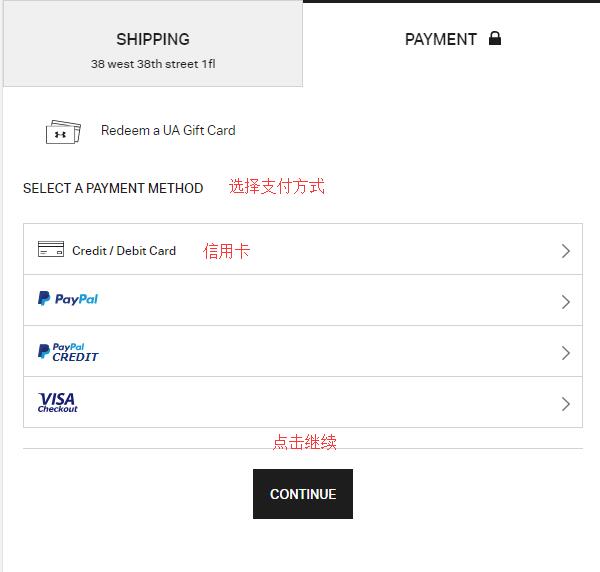
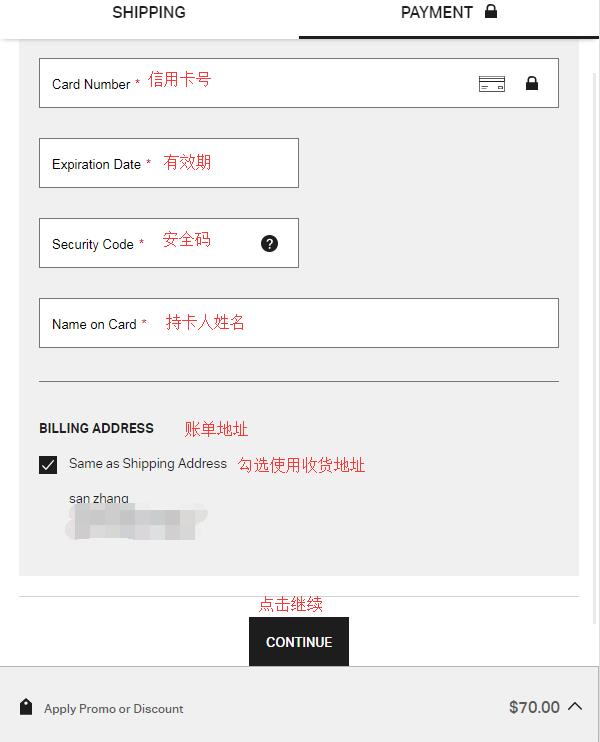
After selecting, enter the credit card number, expiration date, security code, cardholder information, and billing address, then click Continue to proceed:
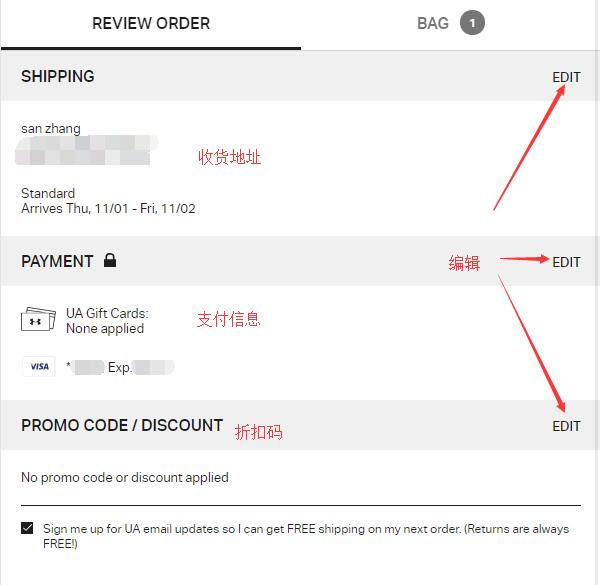
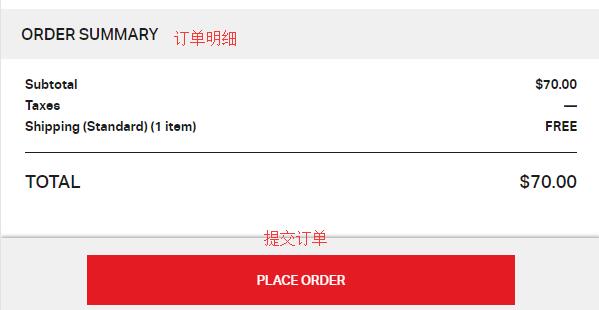
6. The final step is to review and submit the order. Carefully check the address, credit card, and product information. Once all information is confirmed correct, click Place Order to submit the order and complete the purchase.
All that's left is to wait for the delivery!