

Clinique is one of the makeup and skincare brands under Estée Lauder in the United States. For many people, the American brand Clinique is highly recognized and beloved by women. Clinique's 3-Step Skincare System (the "Yellow Butter" trilogy) and its subsequent makeup collections are popular among women both domestically and internationally. However, compared to prices at domestic counters, the official Clinique US website often runs promotions, offering excellent value for money that is definitely worth recommending! Next, we'll walk you through the ordering process on the official US website's mobile interface!
Clinique US official website entrance: https://www.clinique.com/
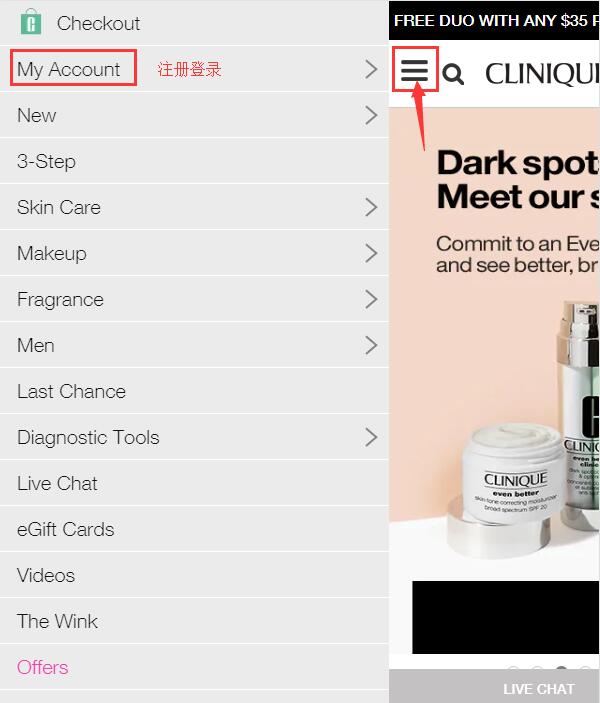
1. First, open the homepage, click to expand the menu in the top left corner, and select My Account on the left to log in or register:
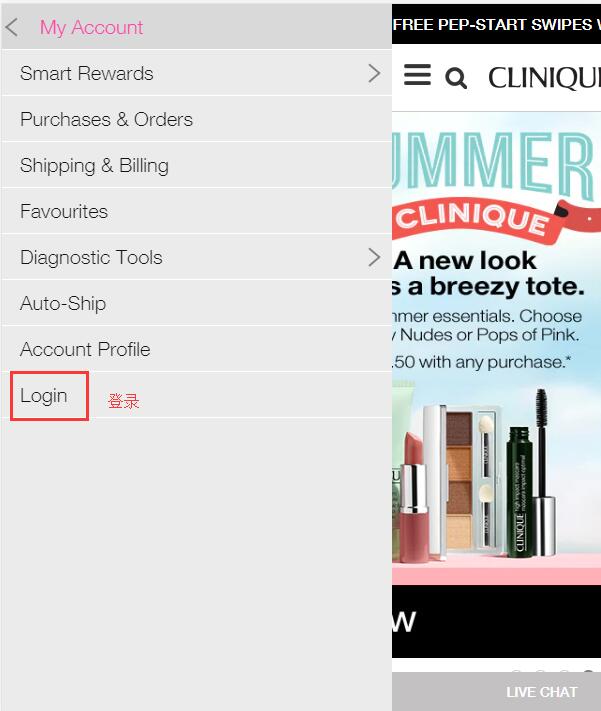
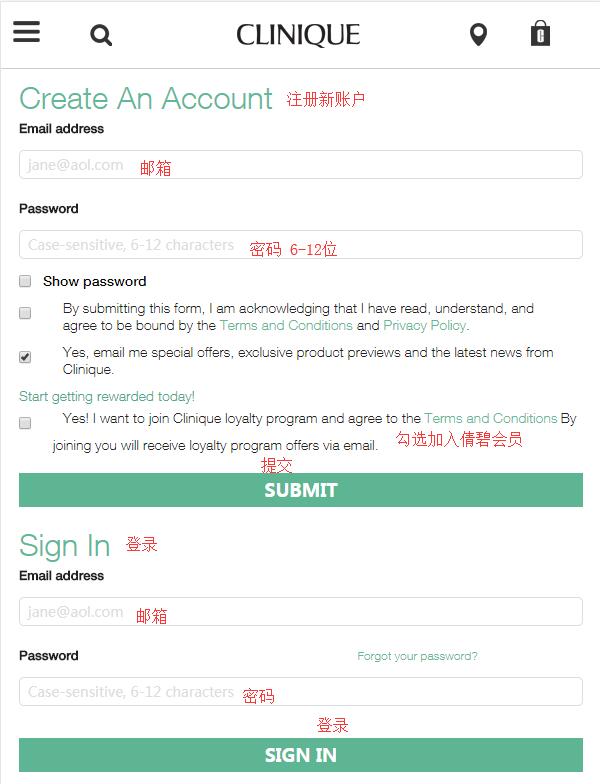
Select Sign In to enter the login/registration page, fill in the required personal information as prompted on the site, and you'll be registered:
2. Once registered, you're ready to shop! Here, we'll use the popular Dramatically Different Moisturizing Lotion (the "Yellow Butter") as an example to introduce the ordering process. Select the moisturizer, choose the size and quantity, and add it to your cart. You can also click the heart icon in the top right corner of the product page to add it to your wishlist.
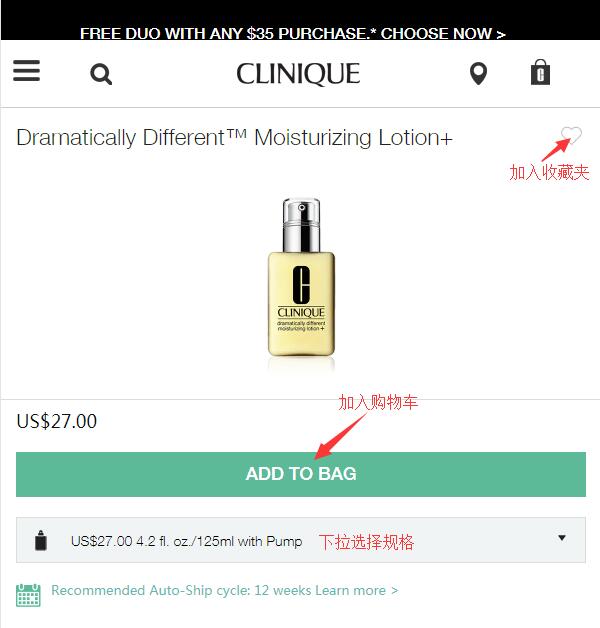
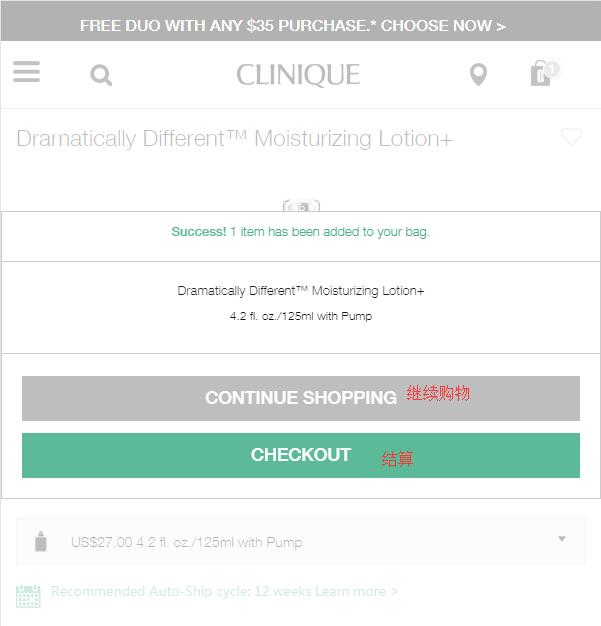
3. After adding to cart, you can choose to continue shopping or proceed to checkout. We'll select Proceed to Checkout:
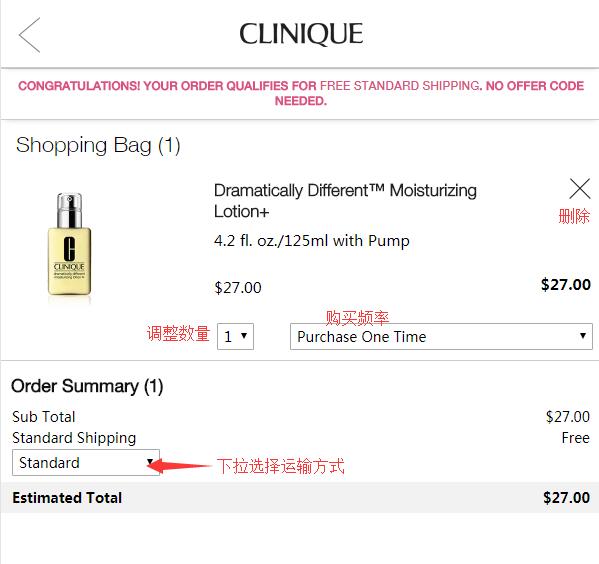
Enter the shopping cart, where you can adjust or modify items and select a shipping method:
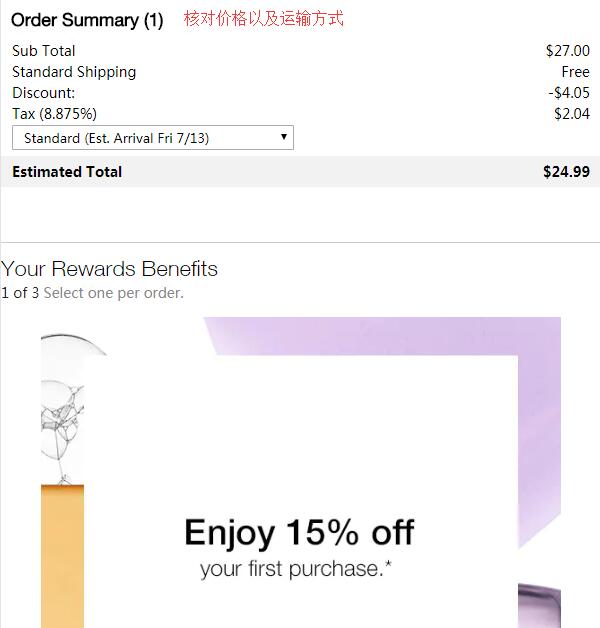
First-time users can also register as a member using their email address to enjoy a 15% discount on their first order:

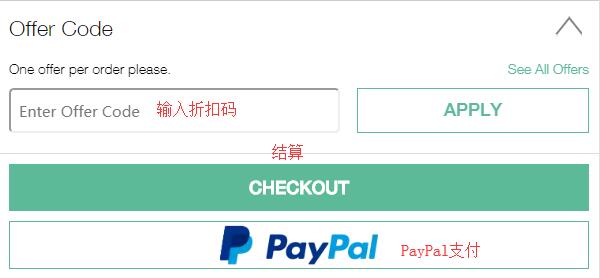
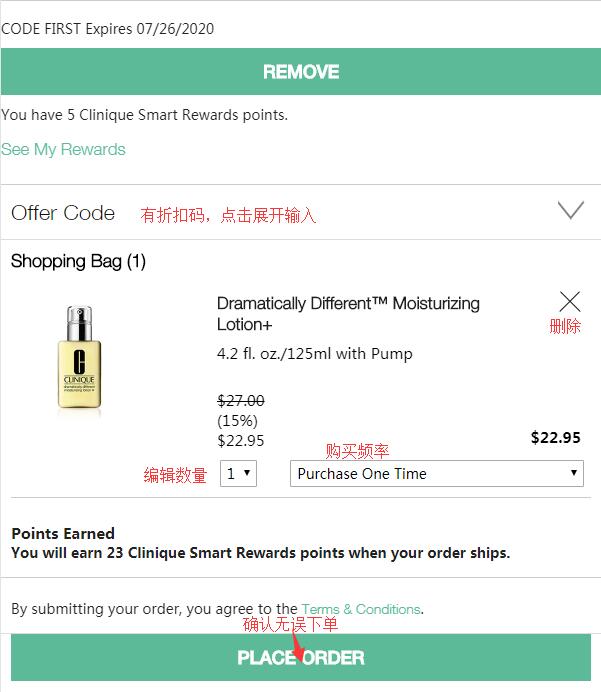
If you have a promo code, you can enter it in the code field at the bottom of the page to get the corresponding discount, then proceed to checkout:
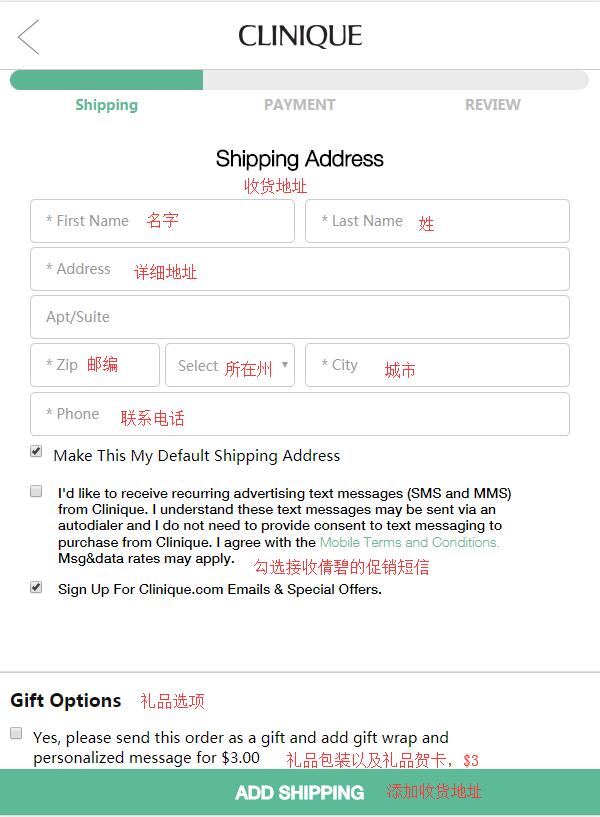
4. Step one of checkout: enter the shipping address. Since the official website currently does not support direct shipping, the shipping address should be a forwarding address:
5. After entering the address, proceed to the payment page and fill in valid credit card information. Regarding the billing address, the official website currently accepts domestic credit cards, but the order cancellation rate is very high. Currently, China Everbright Bank Visa cards have failed, China Merchants Bank Visa cards have succeeded, and SPD Bank, Agricultural Bank of China, and China Construction Bank Visa cards have succeeded. PayPal is also supported, with some users reporting successful payments. So, the billing address can be the forwarding address or your actual domestic billing address.
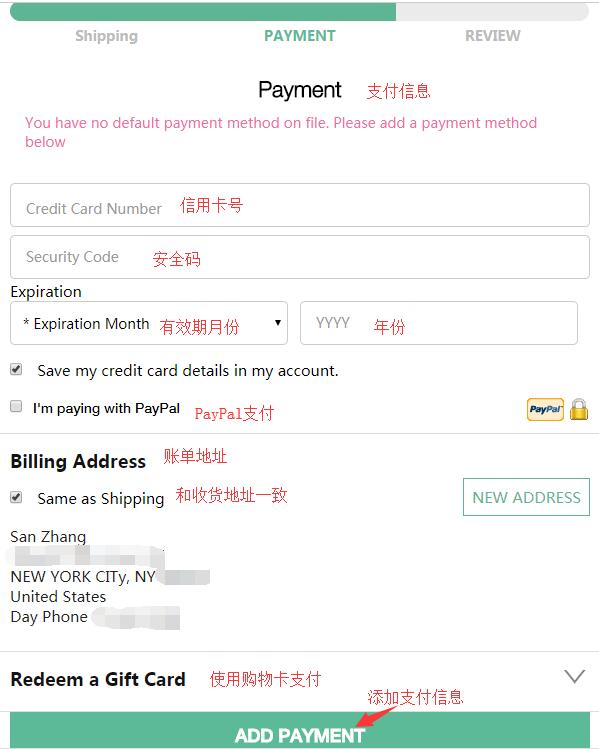
If you have a store gift card, you can also choose to pay with it and fill in the gift card information as required.
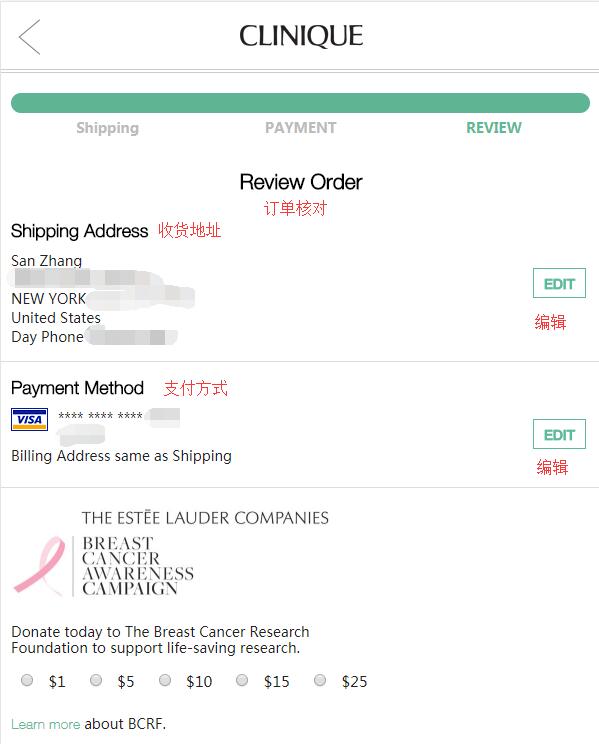
6. After entering the payment information, proceed to the final step: reviewing the order. On this page, double-check that the shipping address, billing address, credit card information, and product details are correct. If everything is confirmed, submit the order.
That completes the entire shopping process. Now, just wait to see if the order is cancelled. If it isn't, once you have the tracking number, go to the forwarding company to make a shipment declaration! Then, just wait at home to receive your package!