

Farfetch is a luxury fashion e-commerce platform based in London, UK. Merchants on Farfetch come from the UK, Italy, France, Switzerland, the US, and Canada, among others. Farfetch provides a platform for merchants to sell their products. The Farfetch website now supports a Chinese interface, which automatically displays in Chinese based on your IP address, making it easy for beginners to use.
This article introduces the Farfetch China official website overseas shopping guide, explaining how to place orders and shop on the Farfetch China official website. If you also want to place an order on the Farfetch China official website but don't know how, feel free to bookmark this Farfetch China official website overseas shopping guide.
1. Open the official website;
Farfetch China official website entrance: https://www.farfetch.cn/, click the link to access directly;
2. Register an account;
Click the login page in the top right corner;

Already registered users can choose to log in. If you don't have an account, select register and click to create an account;
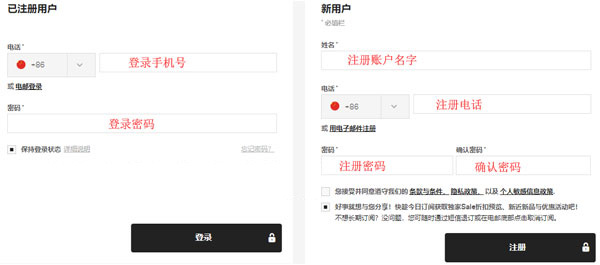
3. Select products;
Add the products you want to purchase to the shopping cart, then click on the shopping cart in the top right corner to go to the shopping cart page;
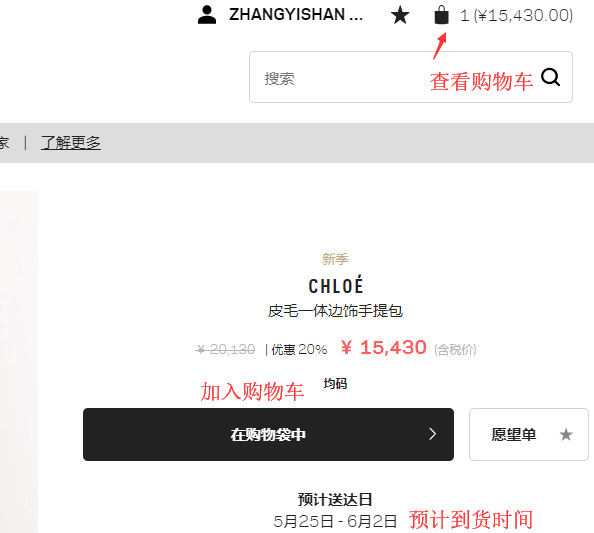
4. Click the shopping cart in the top right corner to enter the shopping cart page;
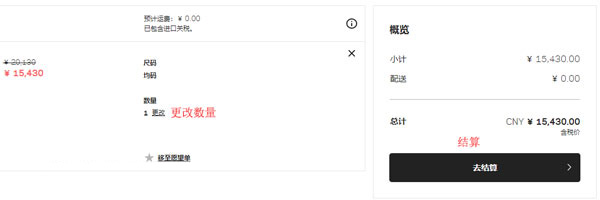
5. Click checkout to enter the shipping address page. Use pinyin for the name, and Chinese is fine for the address;
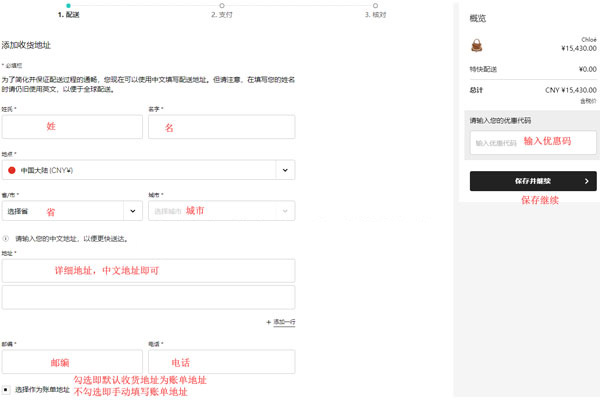
6. Continue to the payment selection page;
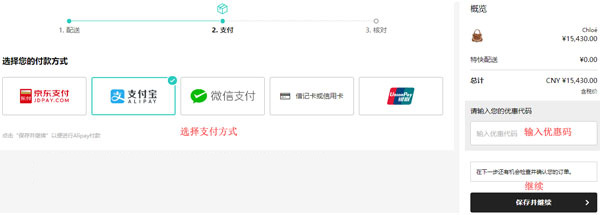
7. Save and continue, review the shipping address, payment method, and other information. Confirm everything is correct, then click confirm and place the order to complete it;
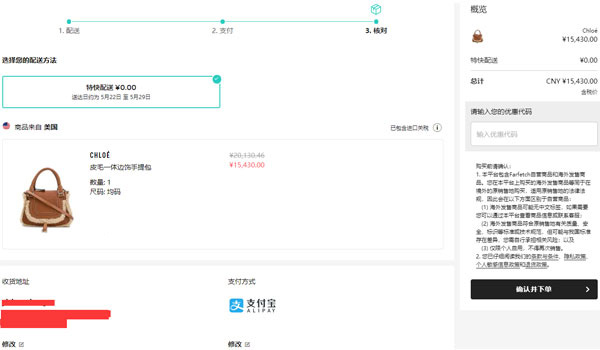
8. Then just wait to receive your order. Direct shipping includes tax, but you can also choose to use a forwarding service.