
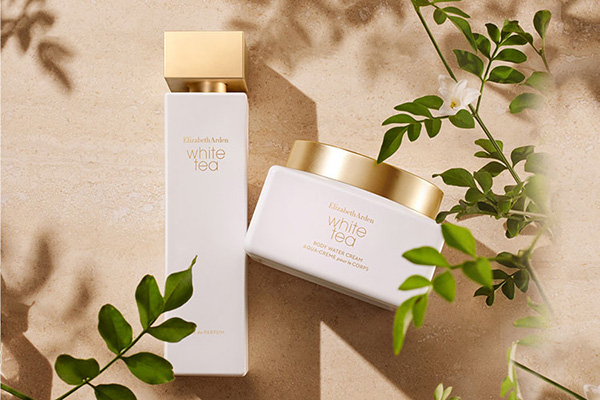
Elizabeth Arden is one of the world's most prestigious cosmetics and fragrance companies, often called the "Nest of Fragrances" — "Beauty is the crystallization of nature and science." Founded in the United States in 1960, the brand offers products including skincare, makeup, and fragrances. With elegant, stylish packaging, it has become synonymous with high technology. Not only does it provide the finest skincare, makeup, and perfumes, but over nearly a century, it has also represented the finest things in life, blending tradition with technology, and elegance with innovation. Today, let's take a closer look at this long-renowned brand!
Elizabeth Arden US official website: https://www.elizabetharden.com/
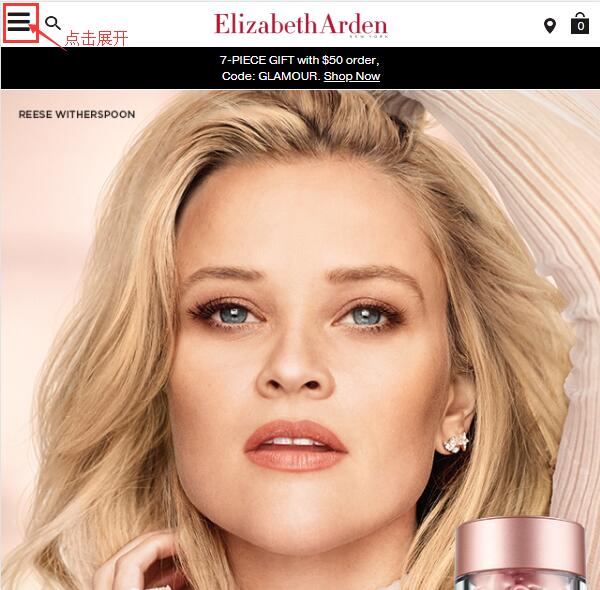
1. First, register an account. Open the official website homepage and click to expand the menu at the top left corner:
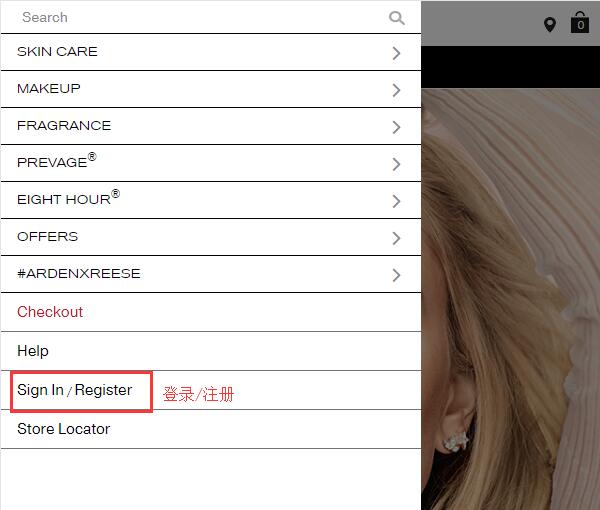
At the bottom left of the menu, click "Sign in/Register" to log in or register. We click "Register" to sign up:
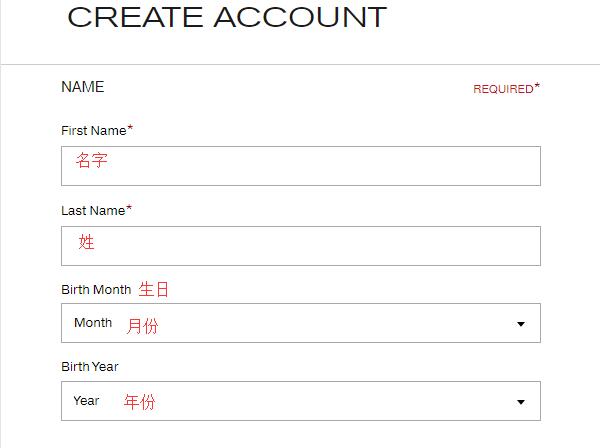
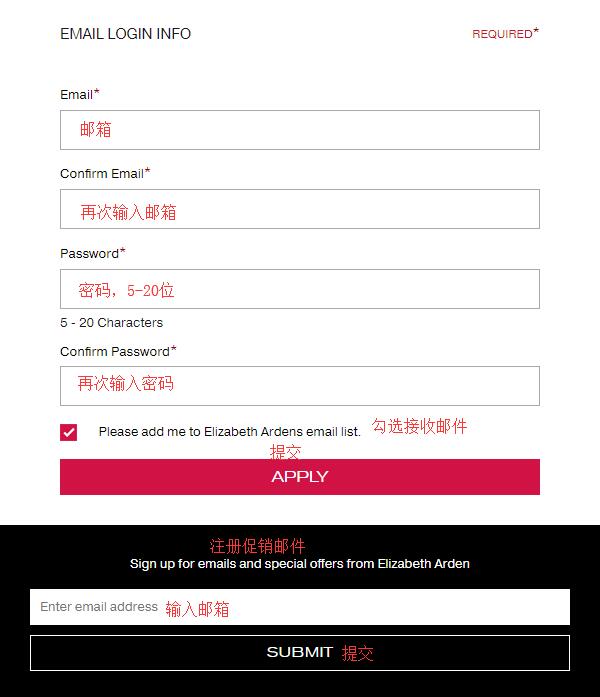
Enter your name, birthday, email, and password (5-20 characters). Click "Apply" below to submit and complete registration. To sign up for the website's promotional information, fill in the email field below and click "Sign up" to submit.
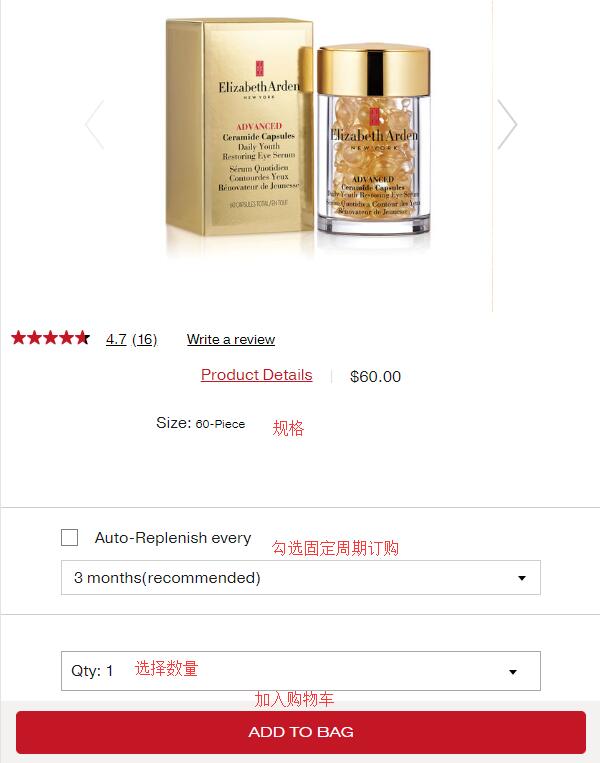
2. After registration, start shopping. Let's use the Time Capsule below as an example. Select the quantity, click "Add to Bag" to add it to your cart. Below that, there is an auto-delivery option, which is not recommended for international shoppers, so we leave it unchecked:
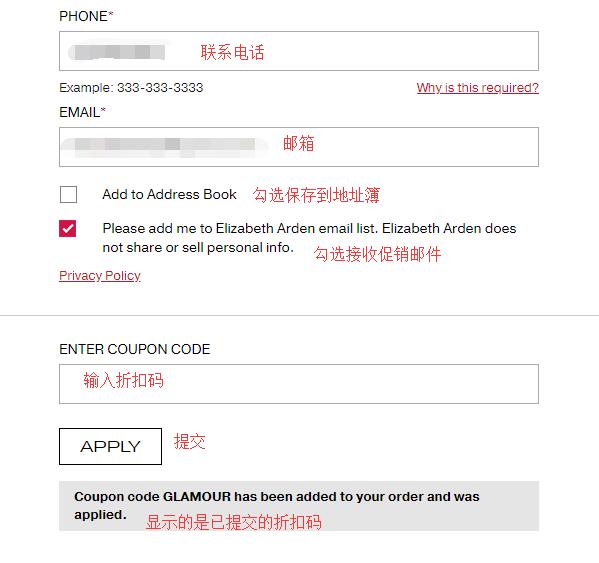
3. Enter the shopping cart and proceed to checkout. If you have a discount code, enter it at the bottom of the page. Once the information is confirmed correct, click "Checkout" to proceed. The website also supports PayPal payment:
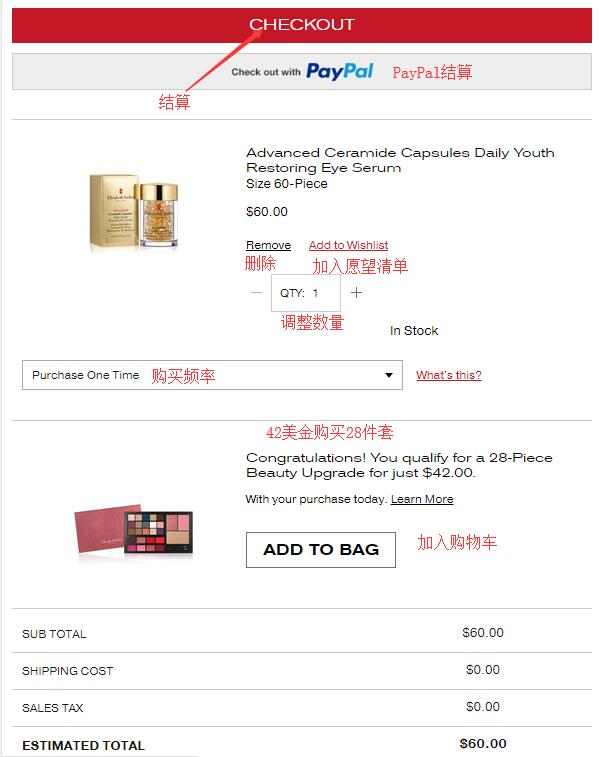
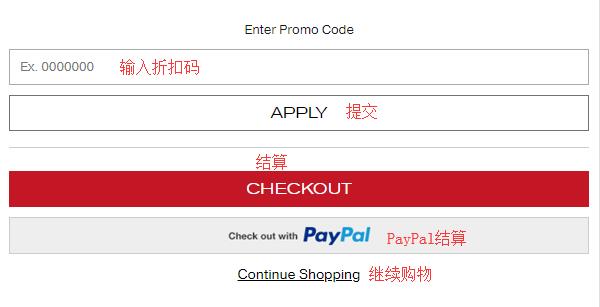
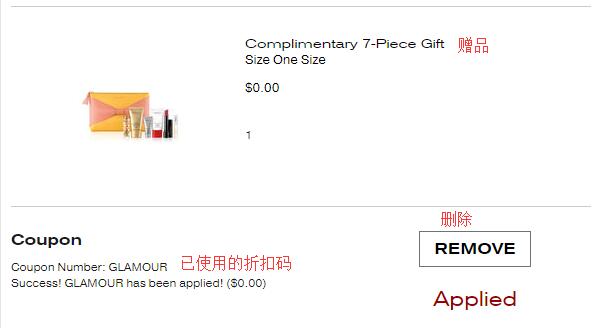
The website currently has a promotion: spend $50 or more to receive a 7-piece gift set. Below is the page display after entering the promo code:
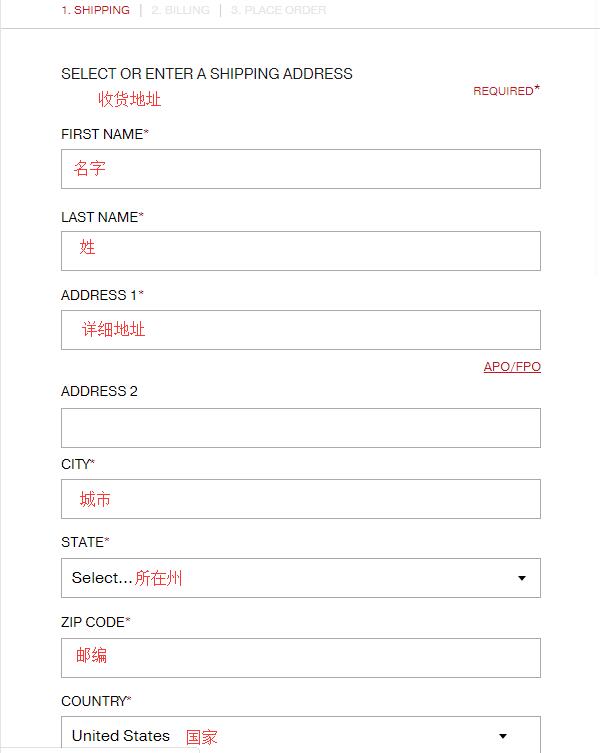
4. The first step of checkout is to enter the shipping address. Currently, the official website does not support direct shipping, so use a forwarding address. Enter the forwarding address according to your forwarder's requirements. The billing address can be the same as the shipping address; check the box "Use this address for billing" below. Then select a shipping method based on your needs; we generally choose the default option:
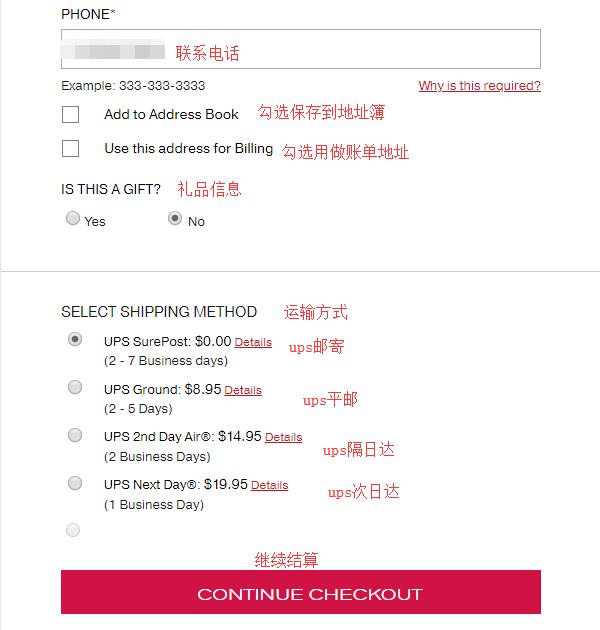
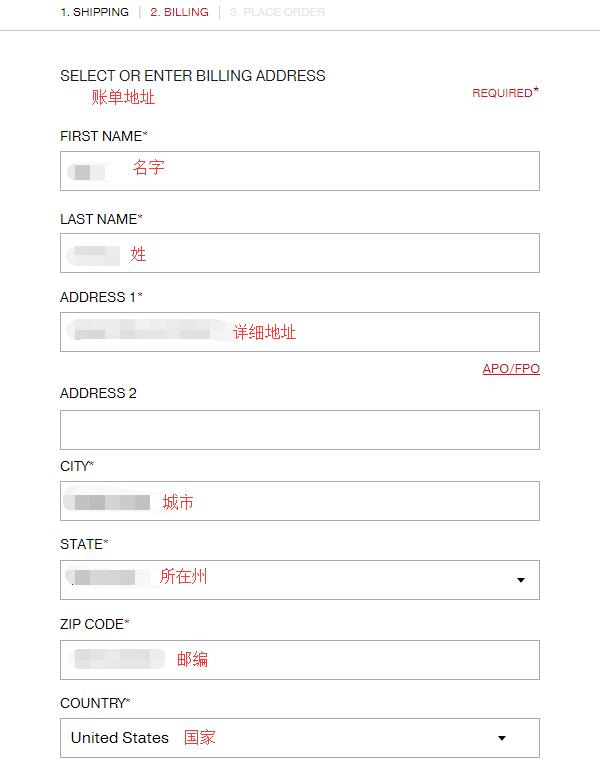
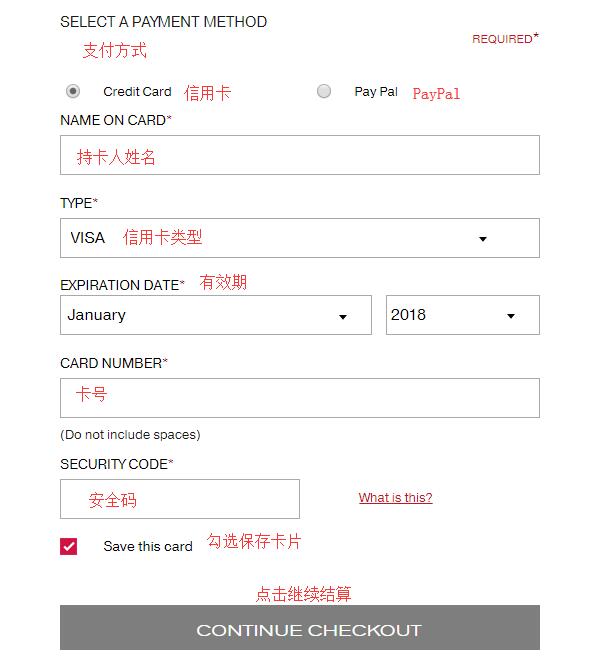
5. Next, the second step: enter the billing address. If you already checked the box to use the shipping address as the billing address, double-check it here. Then select a payment method below. We choose credit card and enter the relevant card information, such as cardholder name, card number, expiration date, and security code. Click "Continue" to proceed with checkout:
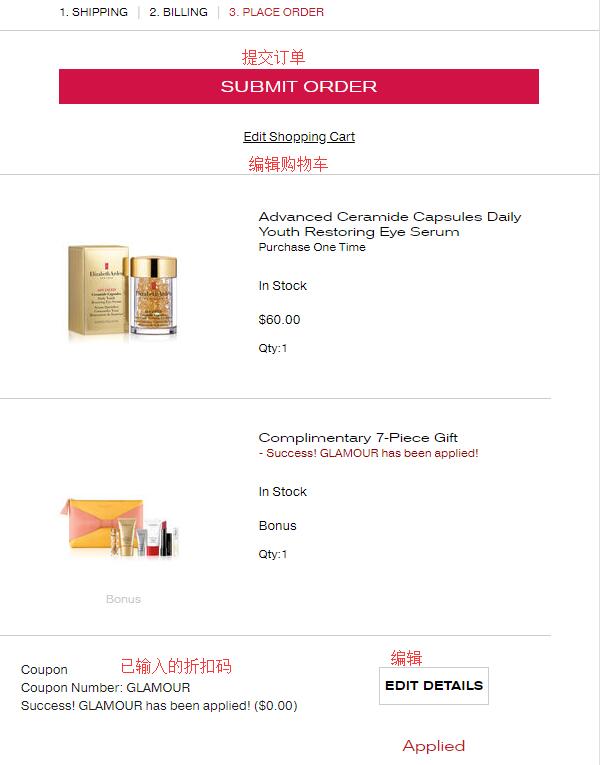
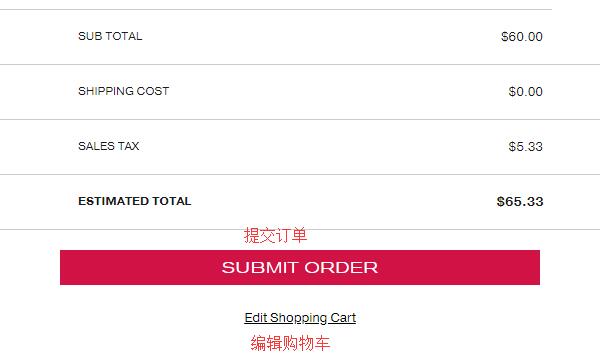
6. The final step of checkout is to review the order and submit it. Double-check the order information for any errors. Once confirmed, click "Submit Order" to complete the purchase.
Some users have tested and successfully placed orders using a card plus a forwarding address. Currently tested and working: Bank of China full-currency card, Guangfa Mastercard, and CCB dual-currency Visa. Some users have also reported success with US PayPal + AE card and China Merchants Bank Mastercard. The success rate for US PayPal payments is relatively high.