

Lab Series, a subsidiary of the Estée Lauder Group, is the world's first leading professional men's skincare brand. Founded in 1987, it has been dedicated to providing the best solutions for various men's grooming needs, creating a simple, effective, and meticulously designed complete series for men, covering products from cleansing, shaving, and repair to hair and body care. It also features multiple multi-functional products, offering great convenience for men's grooming.
Below is a guide to shopping on the Lab Series US official website via mobile.
Lab Series US Official Website Entrance: https://www.labseries.com/
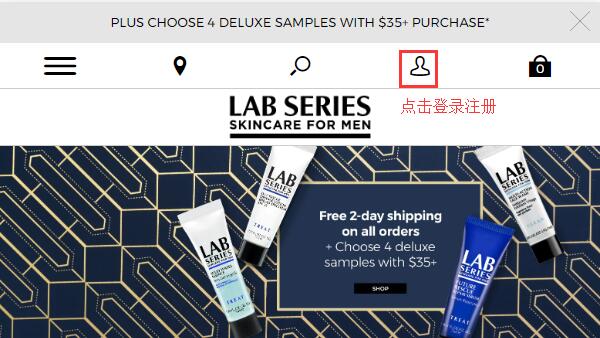
1. First, register an account. Open the homepage, click the profile icon, and log in or register.
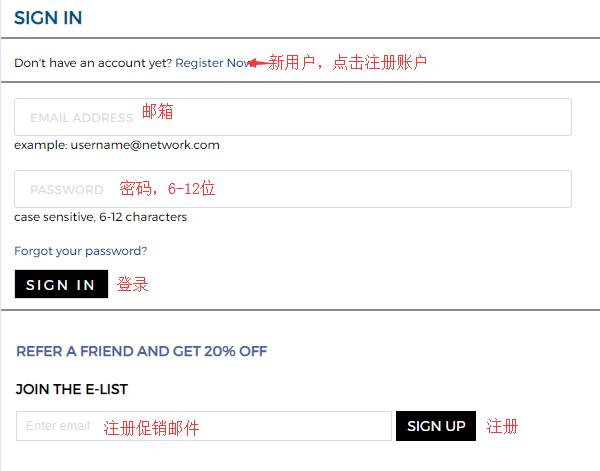
Existing users can directly enter their email and password to log in. New users click Register Now to create an account:
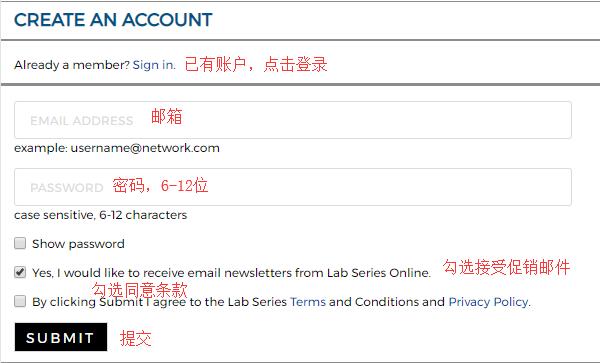
Fill in your email, password, agree to the terms, and click Submit to complete registration easily.
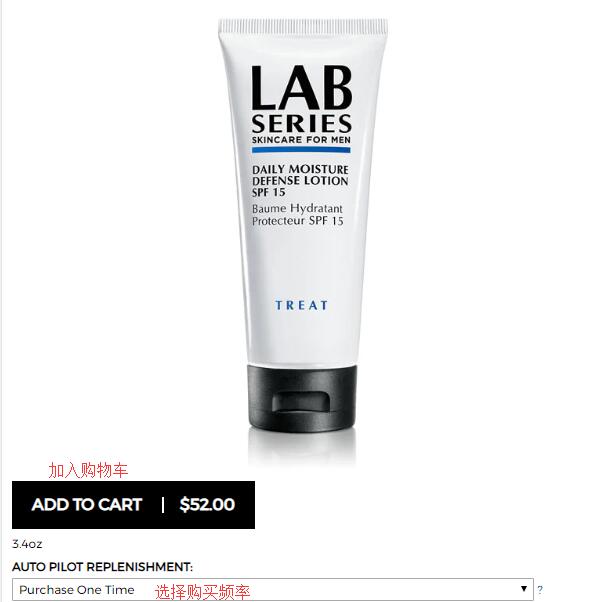
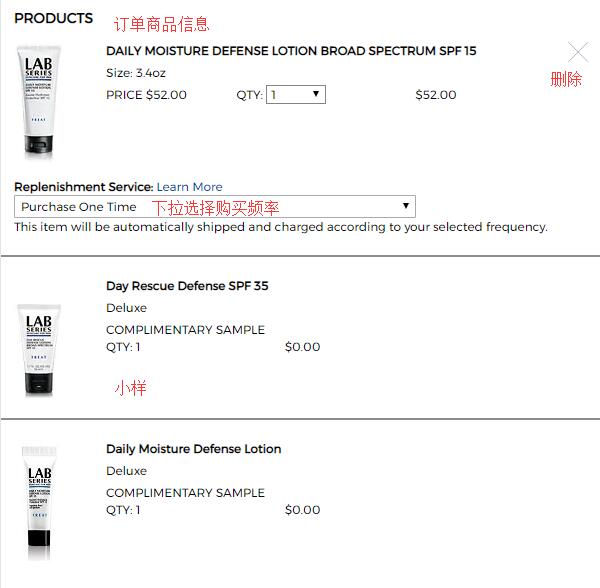
2. Registration complete, now start shopping. You can browse products through the homepage menu, activity navigation, or search. Select your desired items, go to the product page, and add them to the cart. Note the purchase frequency option: one-time purchase or subscription with automatic recurring shipments. For international shopping, it's not recommended to choose the subscription; just select one-time purchase.
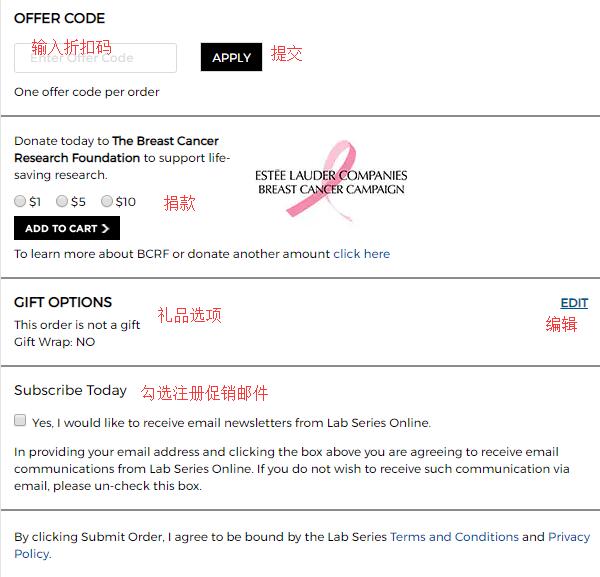
3. Go to the shopping cart, verify the product details are correct, and click Checkout to proceed. If you have a discount code, you can enter it at the bottom of the page to get the offer.
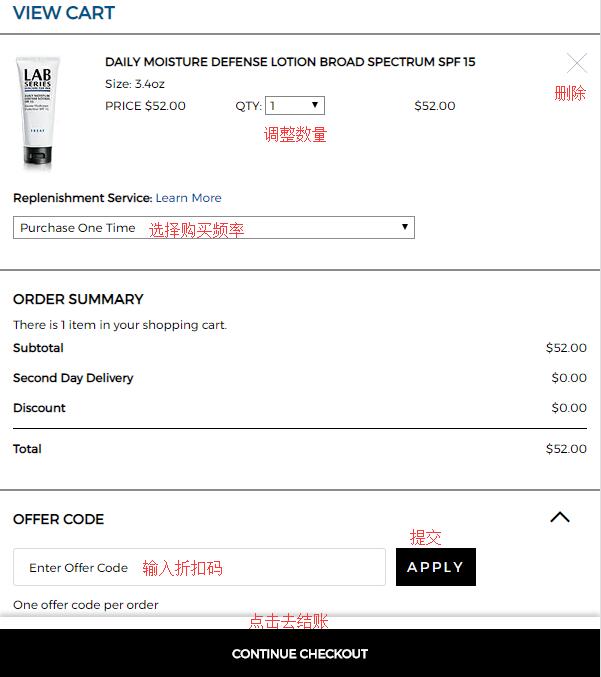
4. First step of checkout: select samples. The official website currently offers 4 free samples for orders over $35. Choose the samples you need based on your preference, then click Continue to proceed:

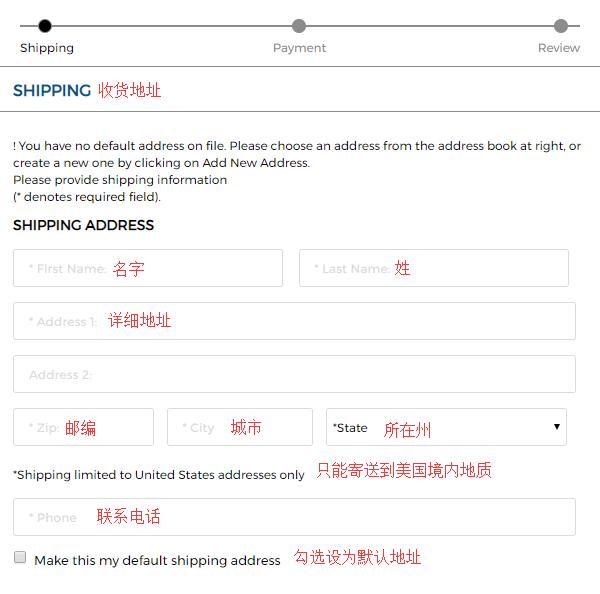
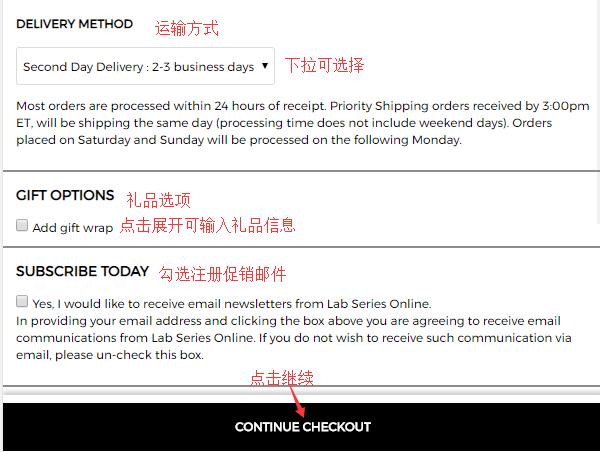
5. Shipping address. Use your US forwarding address here. Enter the detailed address according to the forwarding company's requirements, then select a shipping method. Usually, we choose the default shipping method. For the gift options below, you can expand it to enter gift information if needed, then click Continue:
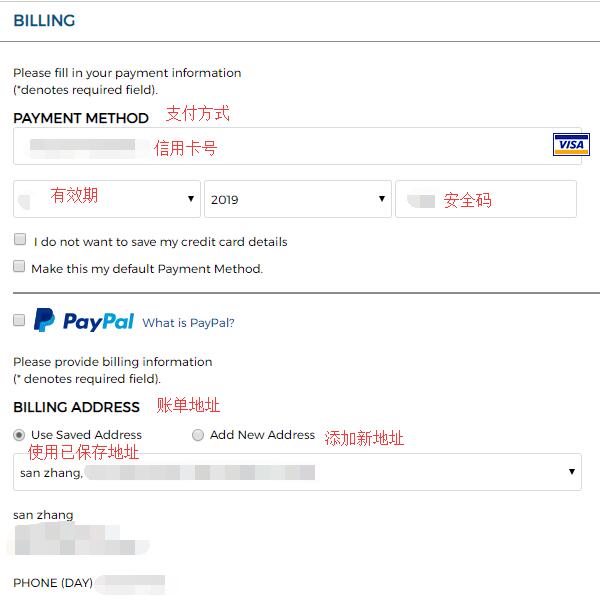
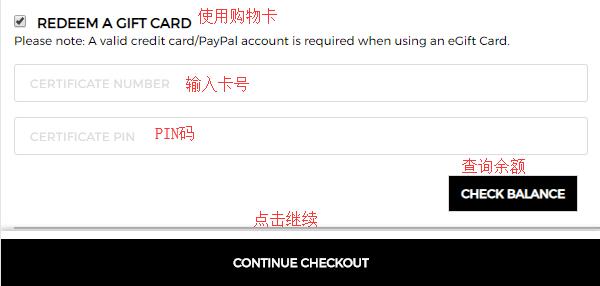
6. Next, payment information. The website supports credit cards and PayPal. Select credit card, enter the card number, expiration date, and security code. For the billing address below, you can check to use the shipping address or enter a new one by clicking Add new address and filling it in the same format as the shipping address. If you have a Gift Card, select Redeem a gift card and enter the card number and PIN. Finally, click Continue to proceed;
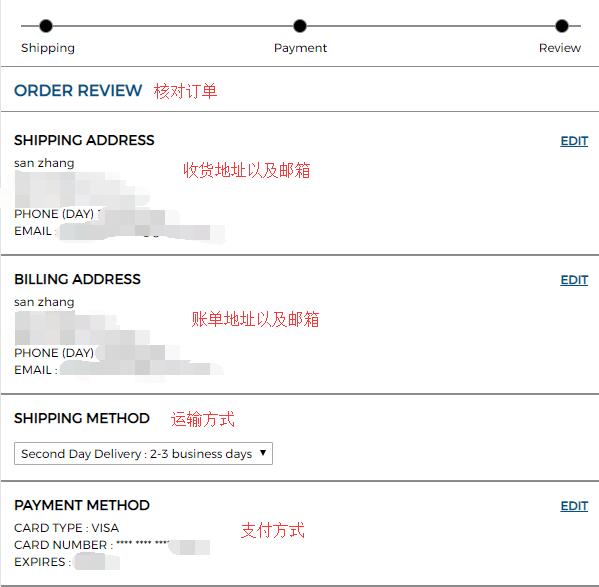
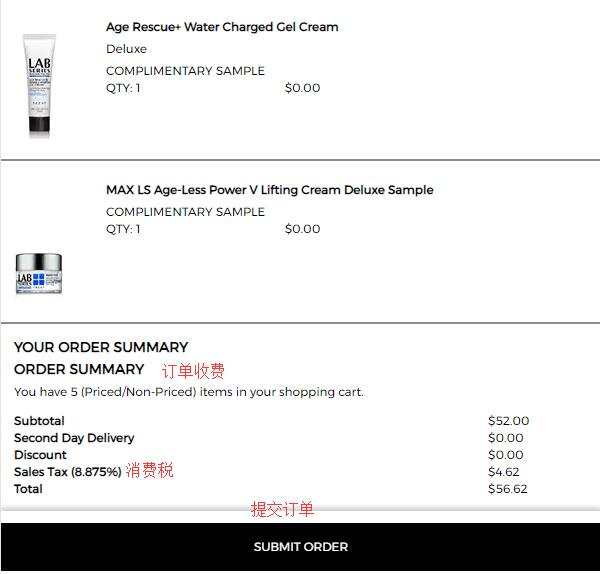
7. Final step: carefully review the product details, address, payment information, and check if any discount code is missing. Confirm all information is correct, then click Submit Order to place the order.
Finally, just wait to receive your package!