

Nordstrom offers a wide variety of products, and you can find many major fashion brands here. The most popular categories are cosmetics and bags. Big names like Kiehl's, MAC, Estée Lauder, Giorgio Armani, Chanel, Lanc?me, TOM FORD, Tory Burch, and Coach are all available, with frequent discount events, making it a great choice for overseas shopping.
This article introduces the Nordstrom US official website overseas shopping guide, explaining how to place orders and shop on Nordstrom. If you want to order from Nordstrom but don't know how, feel free to click and check out this Nordstrom overseas shopping tutorial.
1. Open the website;
Nordstrom US official website overseas shopping URL: https://www.nordstrom.com/. The Nordstrom US site blocks IP addresses from the China region, so you can only access the website from an overseas network environment.
2. Register an account;
It is recommended not to use a QQ email to register an account, as you may not receive verification codes, order confirmations, or shipping notifications!!
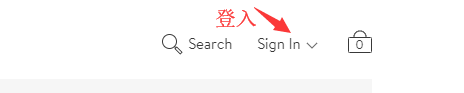
Click "Sign In" in the upper right corner to log in;
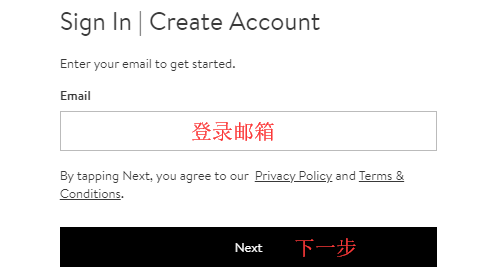
Users who have already registered can select "Sign In" to log in. Unregistered users should select "Create Account" to register;
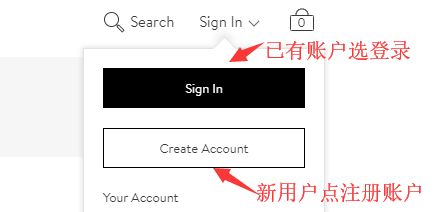
① Unregistered users select "Create Account" to enter the registration page;
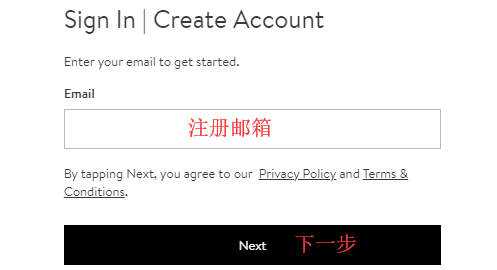
Continue to the next step;
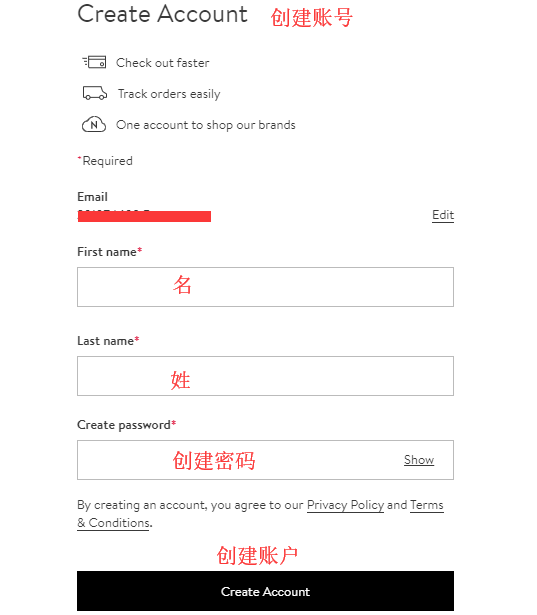
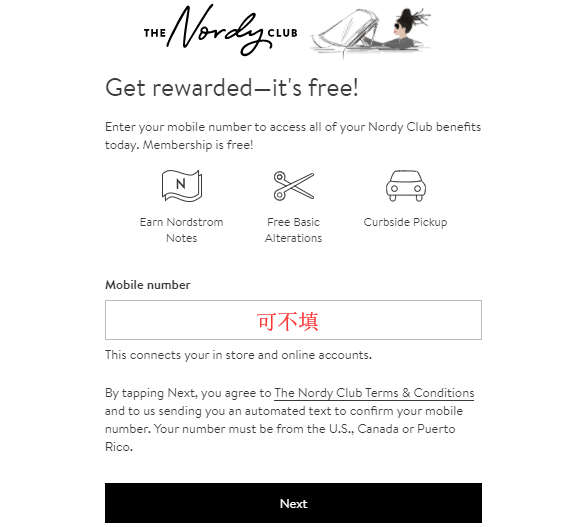
After successfully creating an account, the next step can be skipped. Don't worry about it; a phone number is no longer required for registration;
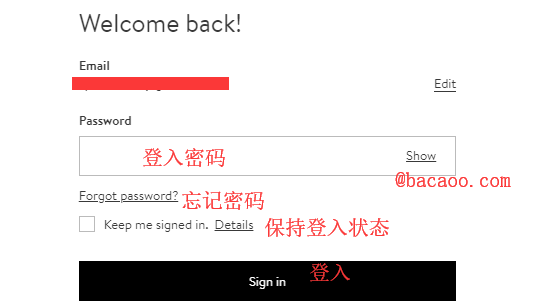
② Users who have already registered can select "Sign In" to log in, entering the login page;
Continue to the next step;
3. Select products;
Add the products you want to purchase to your shopping cart, then click "Bag" in the upper right corner to view your cart and go to the shopping cart page;
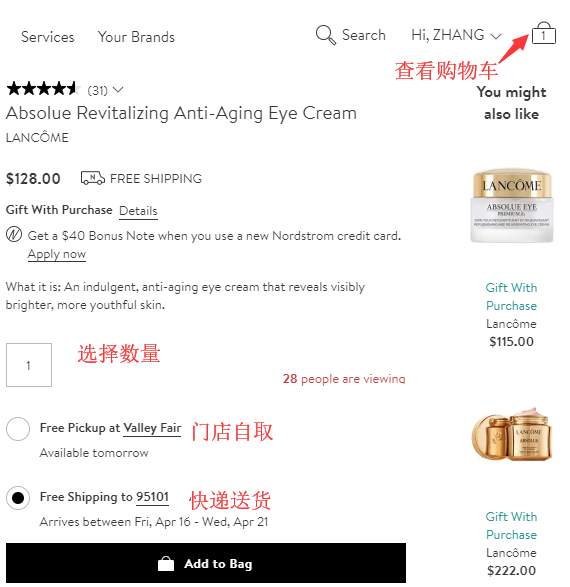
4. Click "Bag" in the upper right corner to view your shopping cart. Remember to select free samples, then enter the shopping cart page;
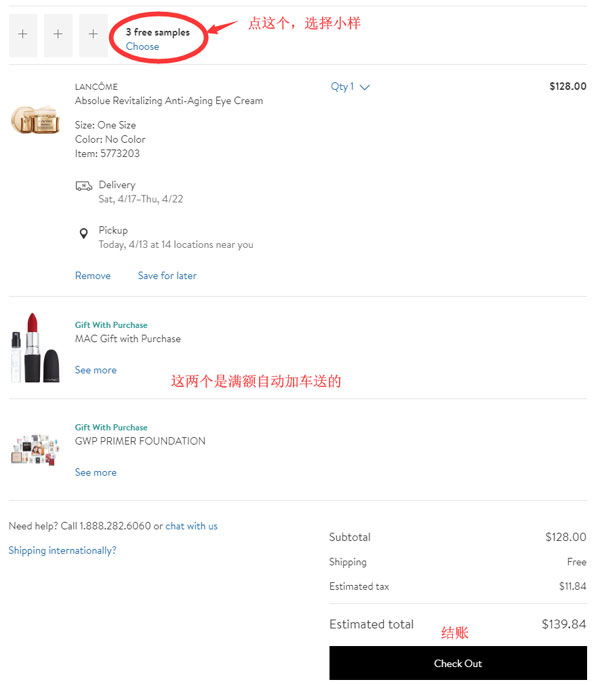
5. Click "CHECKOUT" to enter the shipping method selection and shipping address filling page;
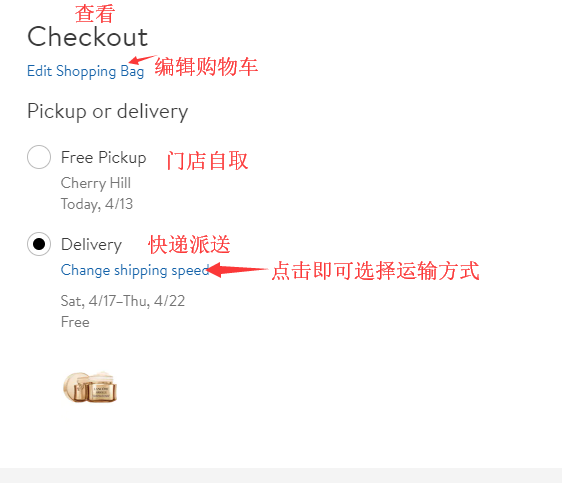
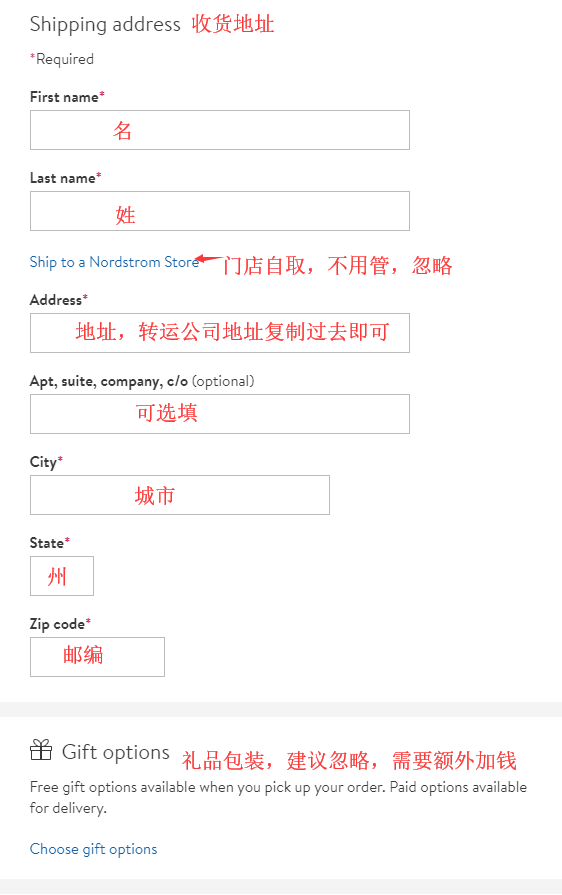
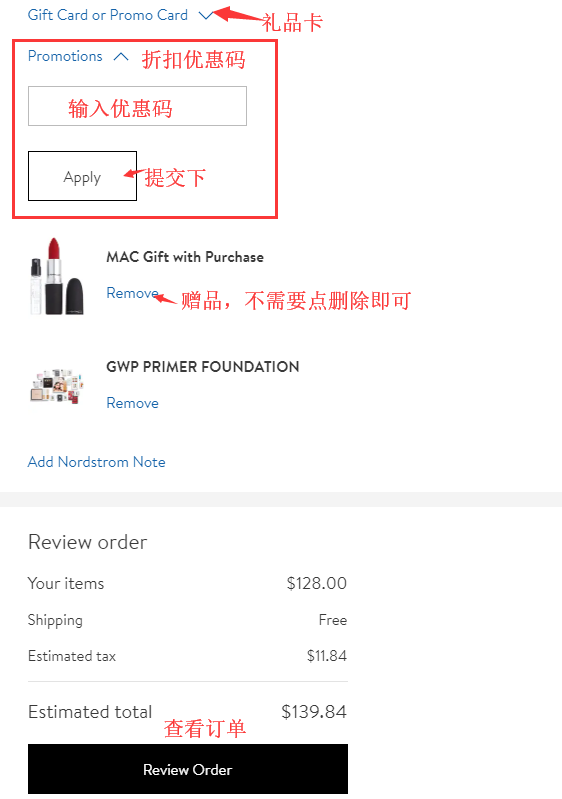
6. Next, enter the payment information and promo code page. After confirming everything is correct, click Place Order to submit and complete the order.
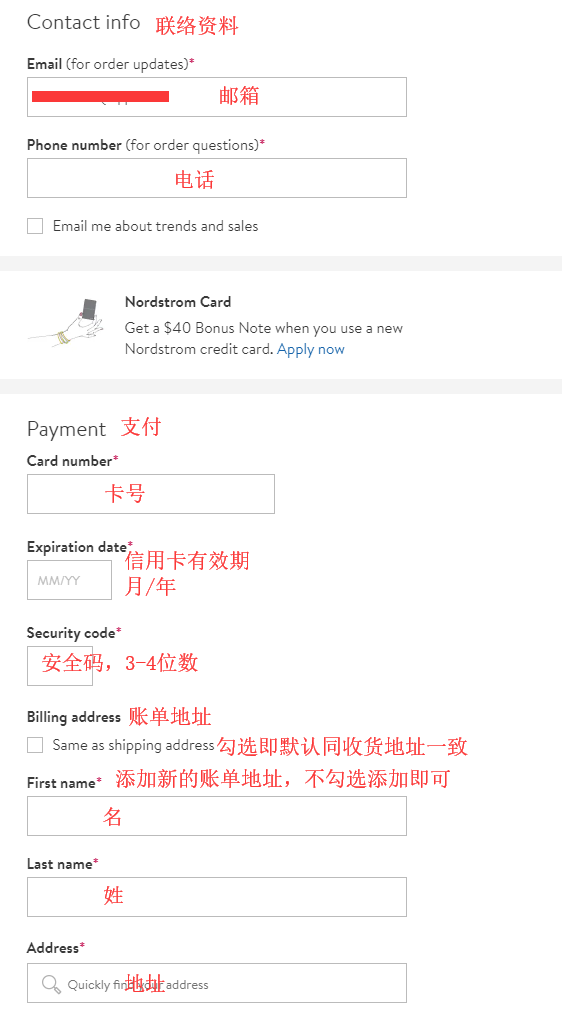
7. All that's left is to wait for the forwarding company to receive the package, fill in the shipping details, and sit tight for your delivery!