

Yoox is the best place to buy both popular and niche European luxury goods. It partners with nearly 1,000 brands, ranging from mid-range to high-end, and offers very affordable prices. Even major luxury brands are often priced very low, earning it the reputation of being a "shopping paradise for luxury goods on a working-class budget."
This article introduces a guide to shopping on the Yoox US official website, explaining how to place orders and shop on the site. If you want to order from Yoox but don't know how, feel free to check out this guide.
1. Yoox US Official Website Ordering Tutorial:
1. Open the website
Yoox US official website entrance: https://www.yoox.com/us
2. Register an account
Click the top left corner of the page
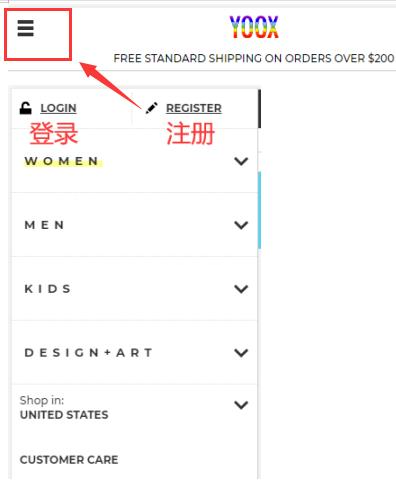
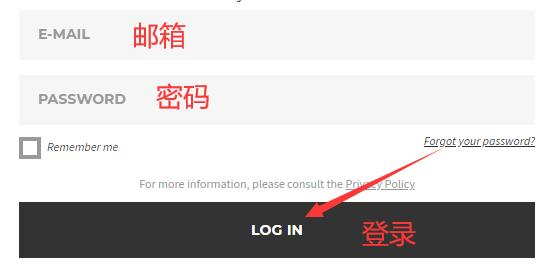
If you already have an account, select Login and enter your email and password to log in
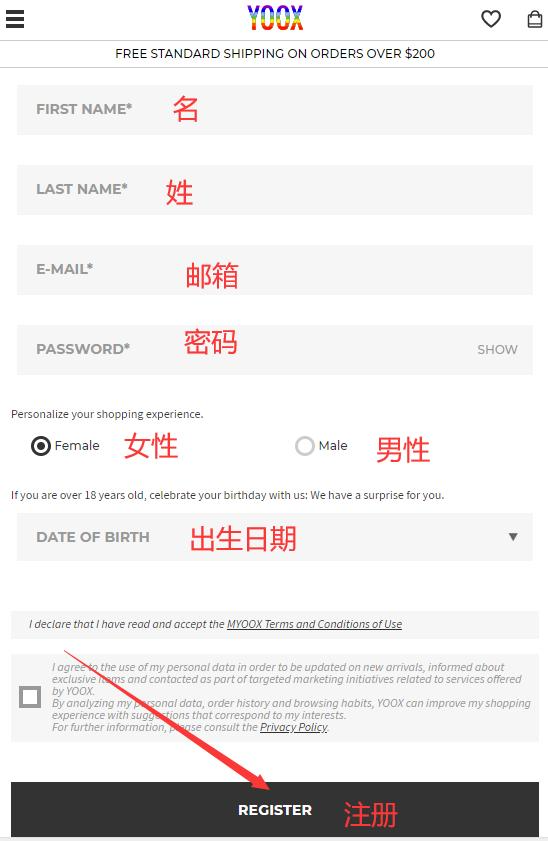
If you are a new user, click Register and enter your information to create an account
3. Select items and add them to the shopping cart
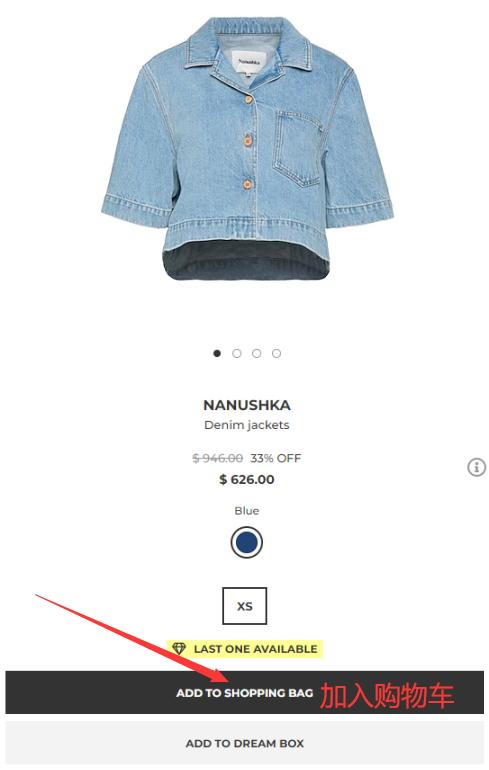
4. Click the shopping cart icon in the top right corner to view your order
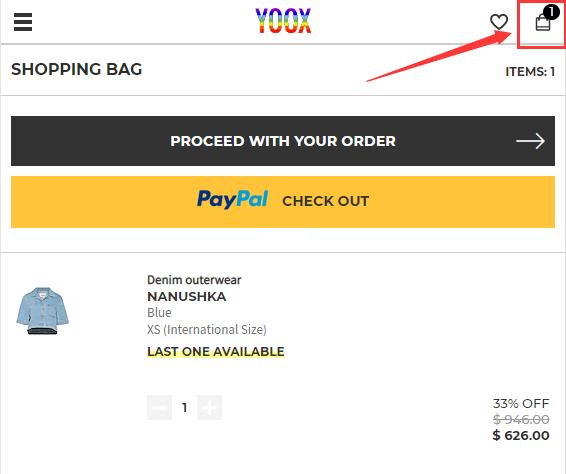
5. Choose a shipping method
If you have a discount code, enter it to get the offer
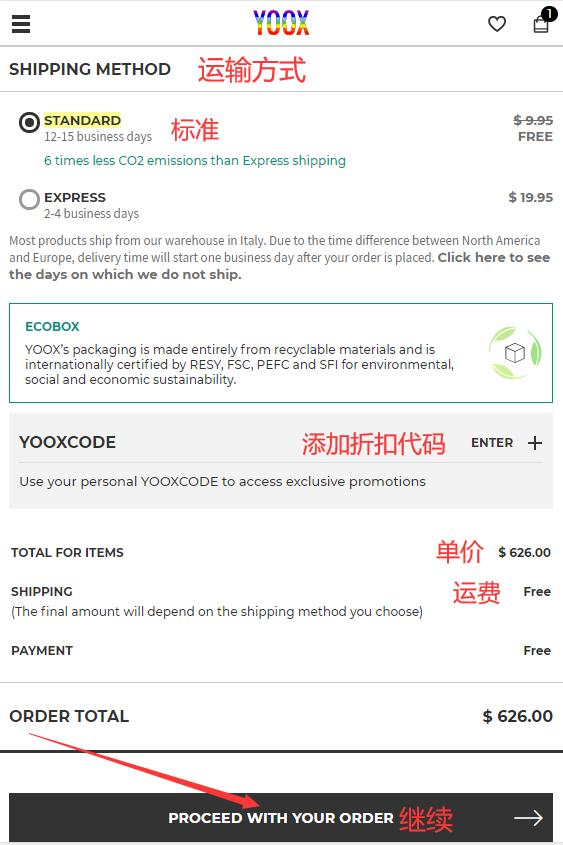
6. Fill in the shipping address
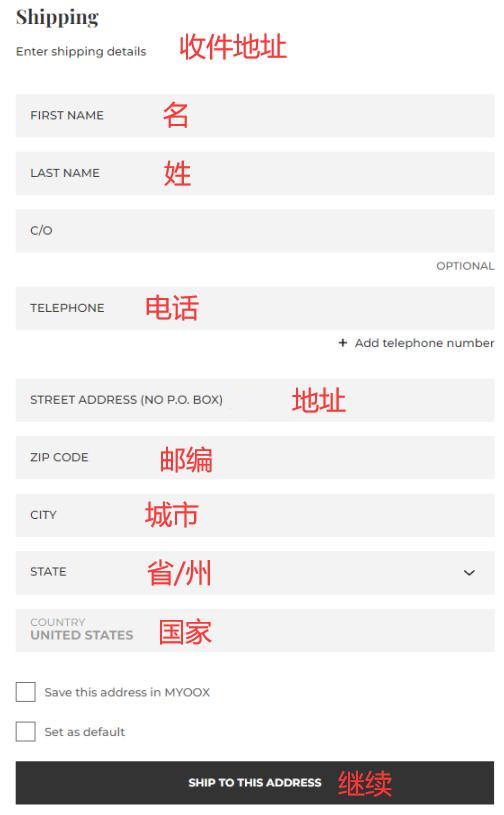
7. Choose a payment method
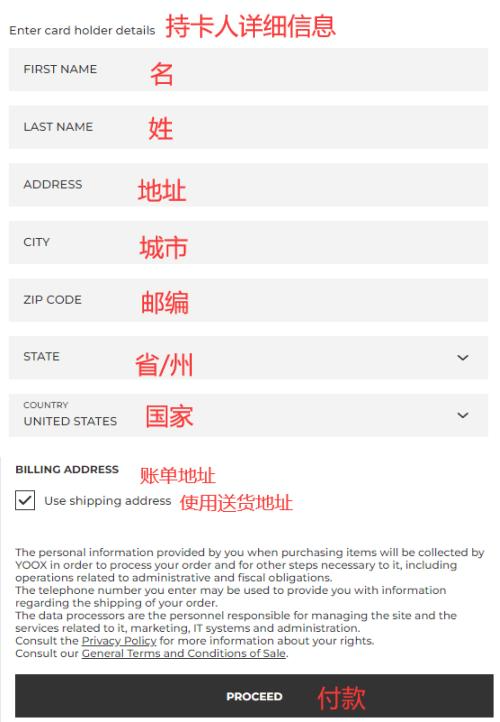
Using a bank card as an example, fill in the card number and expiration date shown in the image, complete the cardholder's personal information, confirm everything is correct, then click Pay to submit the order
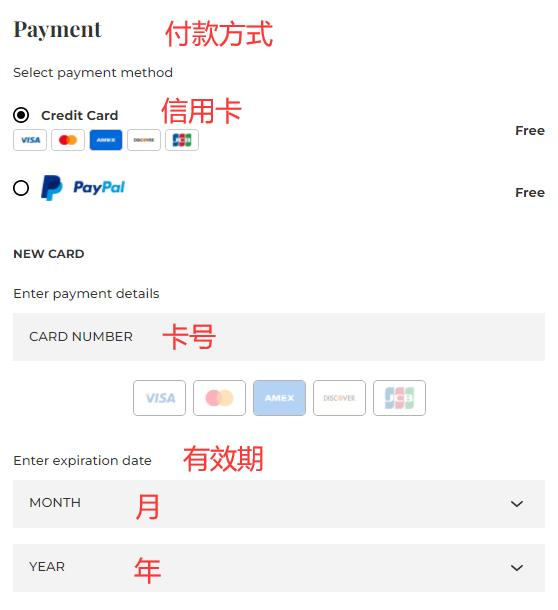
8. All that's left is to wait for the forwarding company to receive the goods, prepare the shipping details, and sit tight for delivery!
2. Notes for Ordering on the Yoox US Official Website
1. The official website supports dual-currency credit cards with VISA, MasterCard, and AE logos, as well as PayPal online payment.
2. The official website does not support direct shipping to China; you can use a forwarding service to place orders.
3. Free shipping within the US for orders over $200.