

SlamJam is a multi-brand store based in Milan, Italy, founded by Luca Benini. Luca Benini started selling streetwear from his home garage, and today SlamJam has become a globally recognized cultural institution and a pioneer of European street culture. This article provides a guide on how to shop on the SlamJam official website, showing you how to place orders and make purchases. If you want to order from SlamJam but don't know how, feel free to check out this SlamJam shopping guide.
1. Slam Jam Official Website Shopping Guide
1. Open the official website
The Slam Jam official website entrance is here:
2. Click the menu to log in
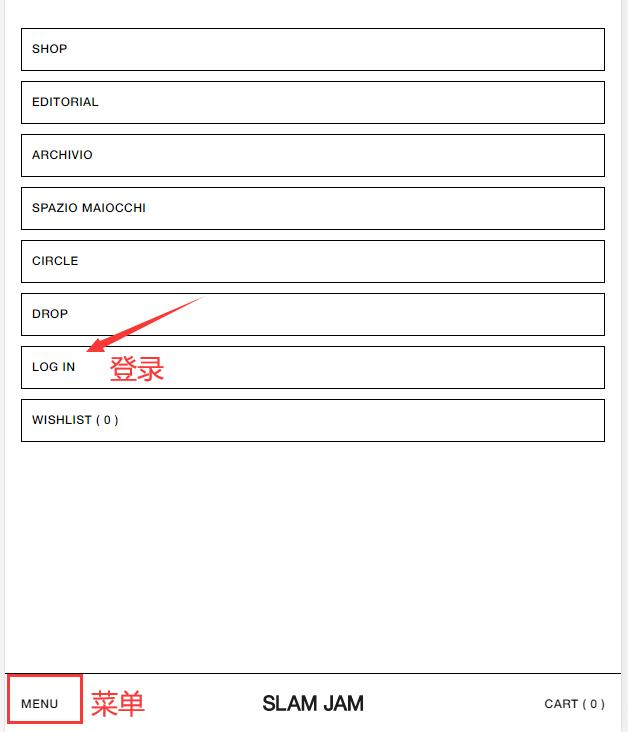
Click the menu in the bottom left corner of the page, and select the "log in" option to access the website.
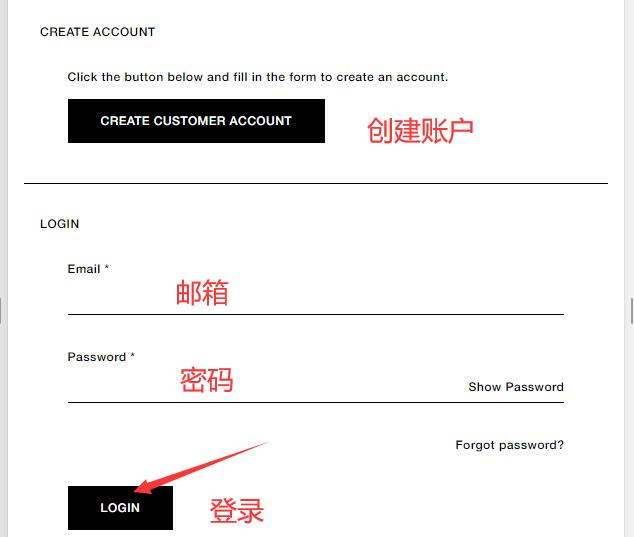
If you already have an account and password, simply log in. If you are not registered, click CREATE to sign up.
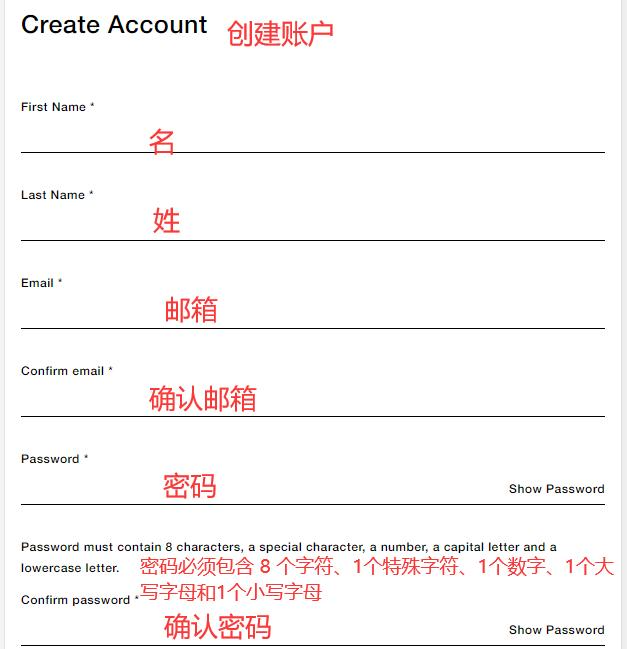
Enter the required registration information on the website to create a new account.
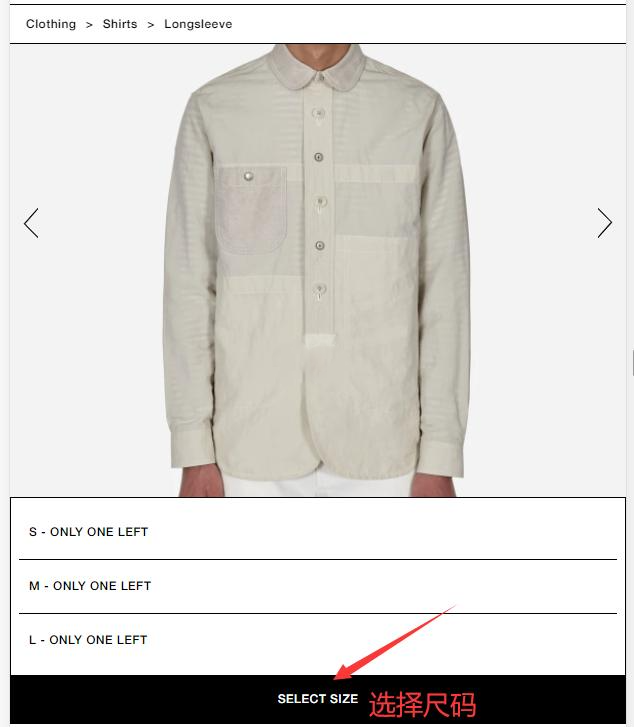
3. Then you can browse products on the website, select your size, and add them to the shopping cart.
4. After selecting, open the shopping cart, review your order, and click CHECKOUT to proceed to payment.
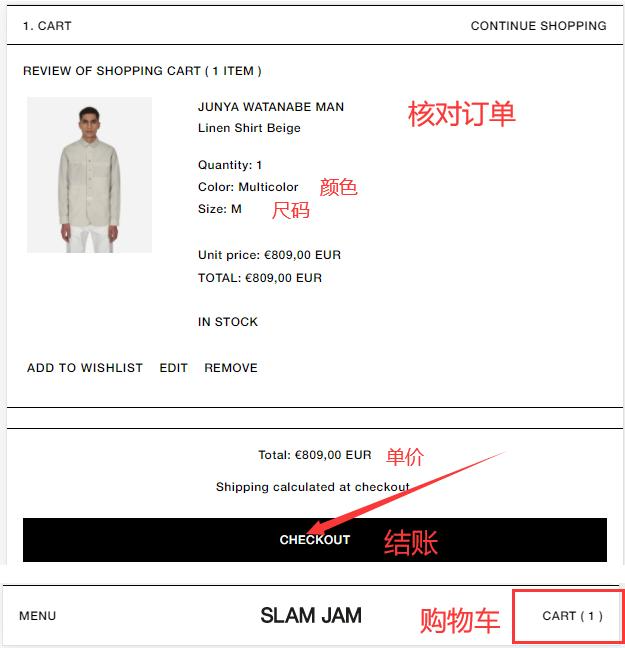
5. Fill in your shipping address as shown below.
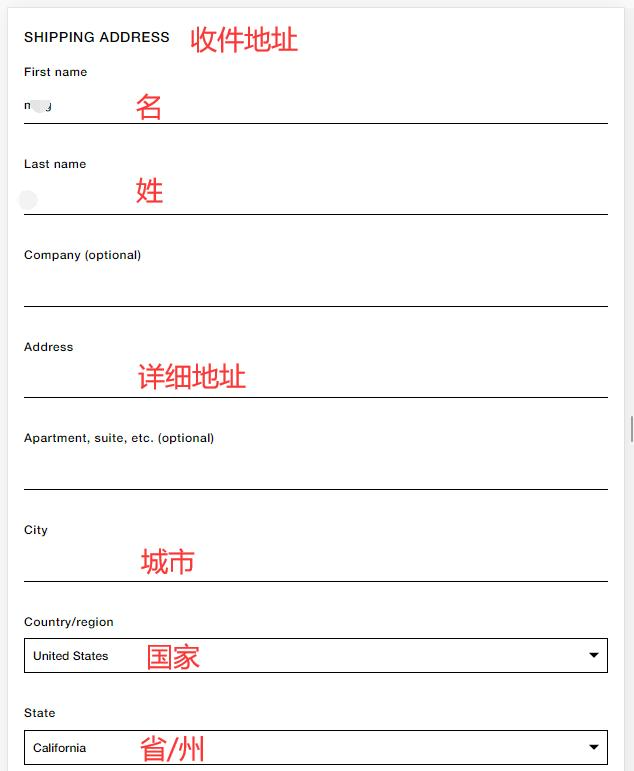
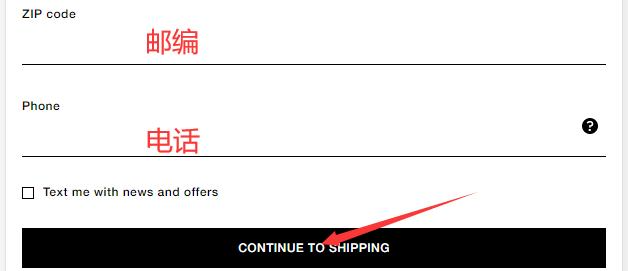
6. Choose your preferred shipping method based on your needs.
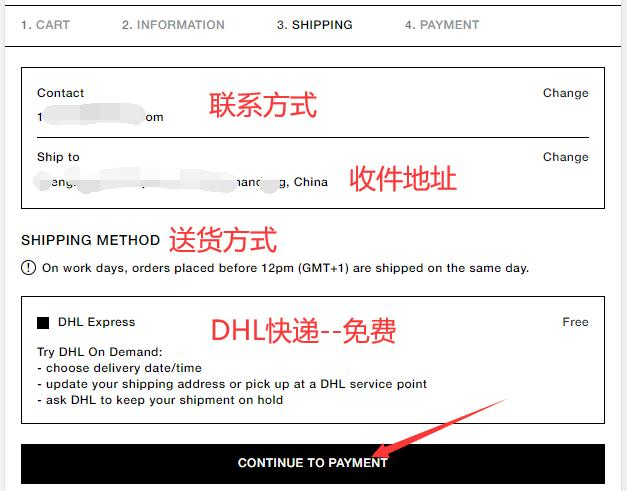
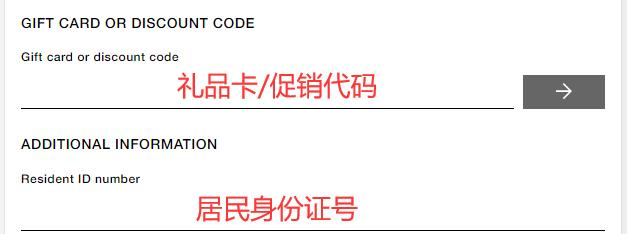
7. Enter your ID card number information.
If you have a discount code or gift card, enter it as shown below to receive the offer.
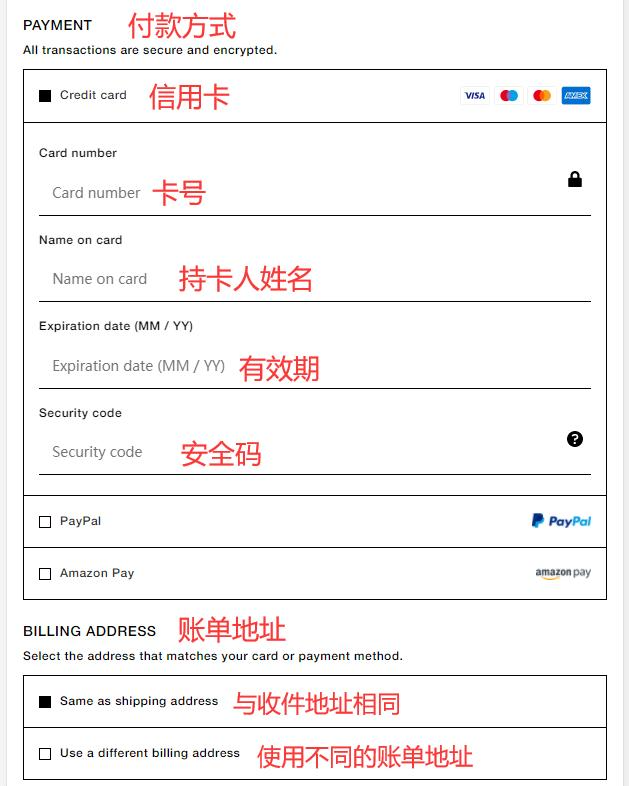
8. Choose a payment method.
Using a bank card as an example, you need to fill in your name, card number, expiration date, and the security code on the back of the card. Then verify your billing address, and click to place the order once everything is correct.
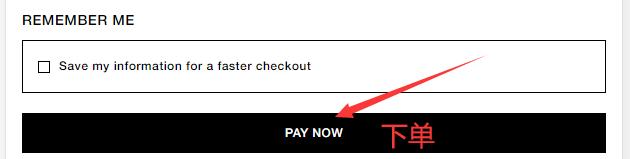
9. That's it! Now you can just wait to receive your package.
2. Other Notes for Ordering on Slam Jam Official Website
1. The website offers direct shipping to China. Shipping costs €35, and orders over €220 qualify for free shipping.
2. Supported payment methods include Visa, MasterCard, American Express credit cards, and PayPal.