
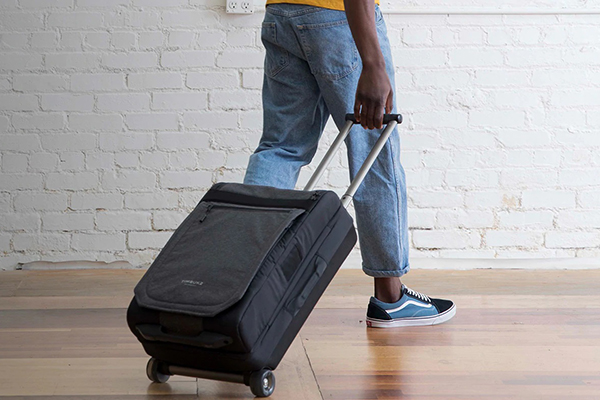
Timbuk2 is the world's largest messenger bag brand. Its bags are stylish, sturdy, and durable, making them very popular among young people. In 2011, Timbuk2 entered the Chinese market and has physical stores in cities like Beijing, Shanghai, Guangzhou, and Wuhan. However, domestic prices are relatively high, so many people choose to buy from the Timbuk2 US official website.
This article introduces a guide on how to buy from the Timbuk2 US official website, telling you how to place an order and shop on the Timbuk2 official website. If you also want to order on the Timbuk2 website but don't know how, feel free to click and check out this Timbuk2 overseas shopping guide.
1. Timbuk2 Official Website Ordering Tutorial
1. Open the website
Timbuk2 US official website entrance: https://www.timbuk2.com
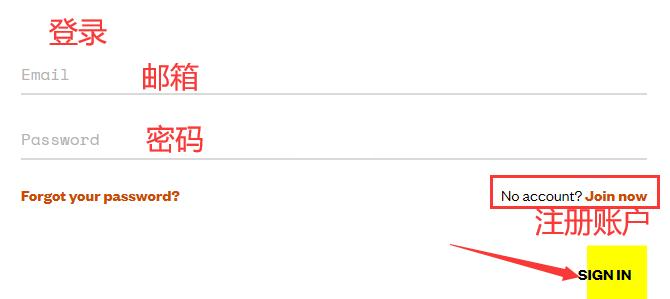
2. Register an account
Click Login in the upper right corner of the page

Customers with an existing account can log in using their email and password. New users who haven't registered should choose to register an account.
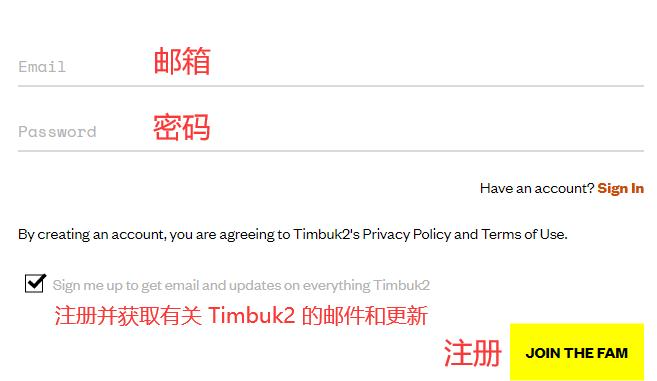
Enter the information and click Register
3. Select products
Choose the product you like, select color, size, and other information, and add it to the shopping cart
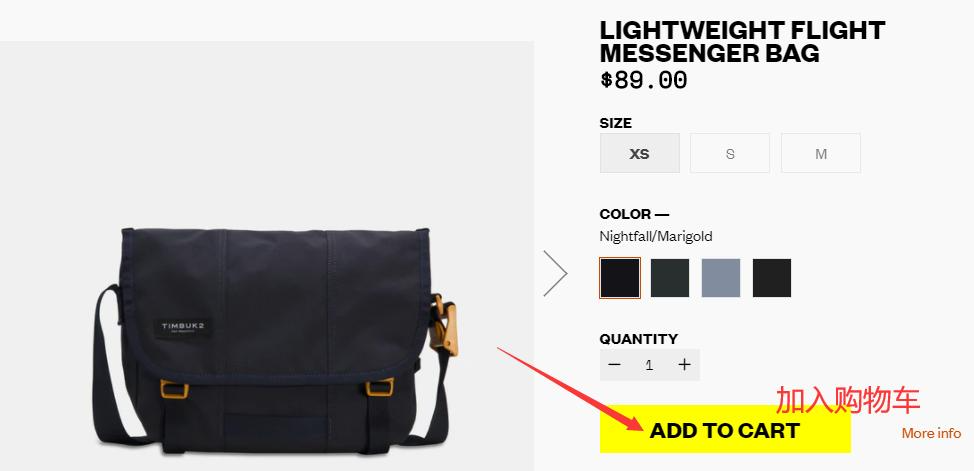
View the shopping cart and click Checkout
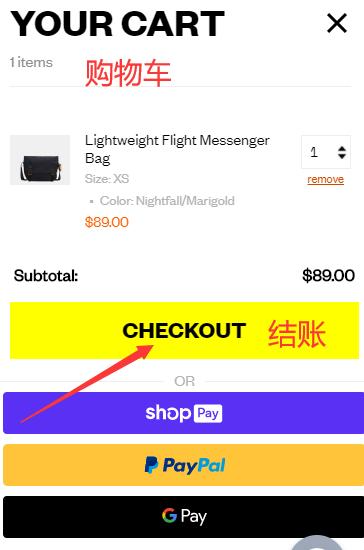
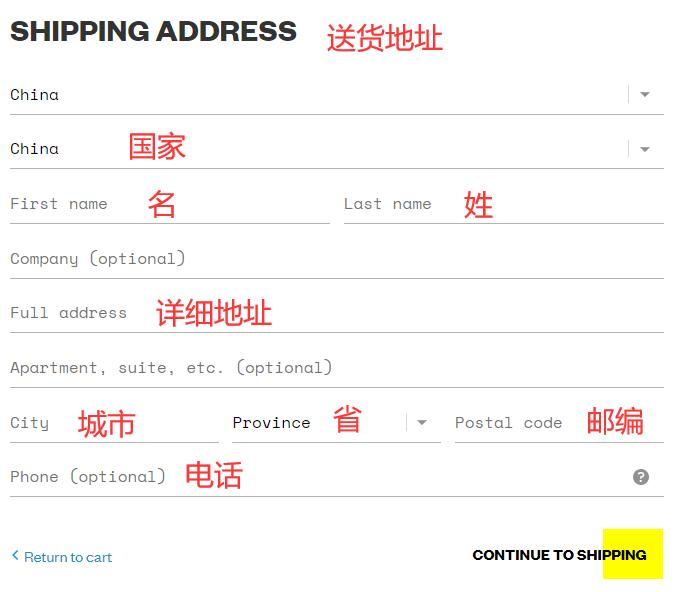
4. Fill in the shipping address
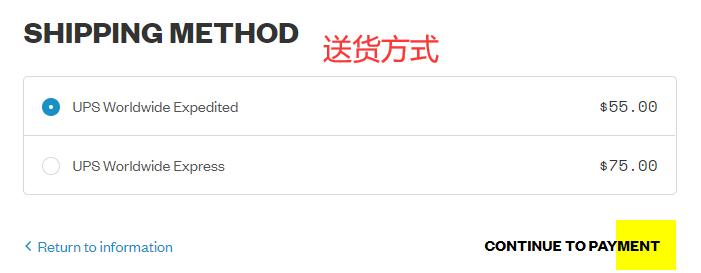
5. Choose shipping method
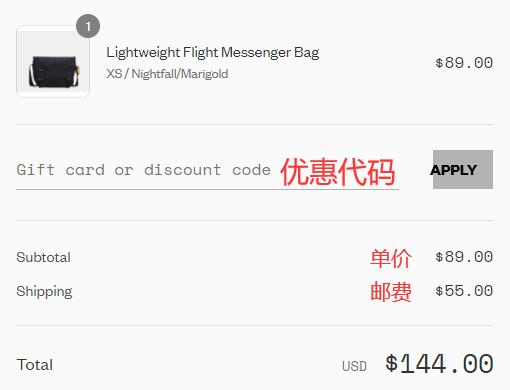
6. Review order
If you have a promo code, enter it and click Apply to get the discount
8. Choose payment method
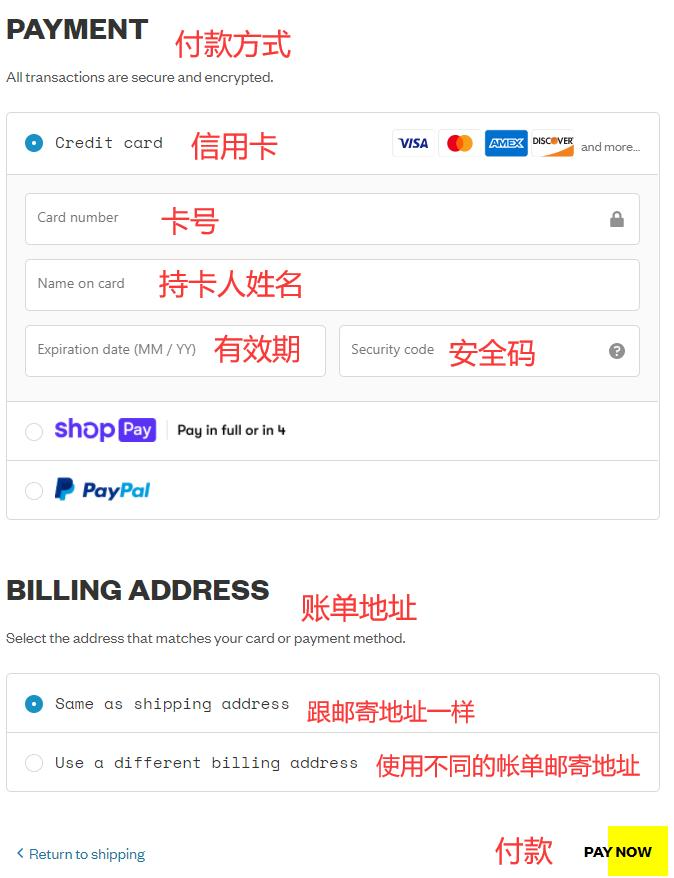
You can pay using credit card, PayPal, etc. Taking credit card as an example, fill in the credit card number, expiration date, security code, and other relevant information shown in the image, then verify the billing address. After confirming everything is correct, click Pay.
7. Then just wait at home to receive your package!
2. Notes for Ordering on Timbuk2 US Official Website
1. New registered users get 15% off their first order
2. Free shipping within the US for orders over $50. Also supports direct shipping to China, standard shipping fee is $55
3. Supports payment via Visa, MasterCard, and PayPal