

Ganni is a Danish women's fashion casual wear brand, founded in 2000. The brand is dedicated to providing every woman with个性时尚单品 and branded accessories. Through bold color palettes and a playful, distinctive style, it has gradually risen in popularity in recent years, becoming a favorite among bloggers and celebrities.
This article introduces a guide on how to shop on the Ganni official website, explaining the steps to place an order and make purchases. If you also want to order from Ganni but don't know how, feel free to click and bookmark this Ganni official website shopping guide.
1. Ganni Official Website Ordering Tutorial
1. Open the official website
Ganni official website link: https://www.ganni.com/en/home
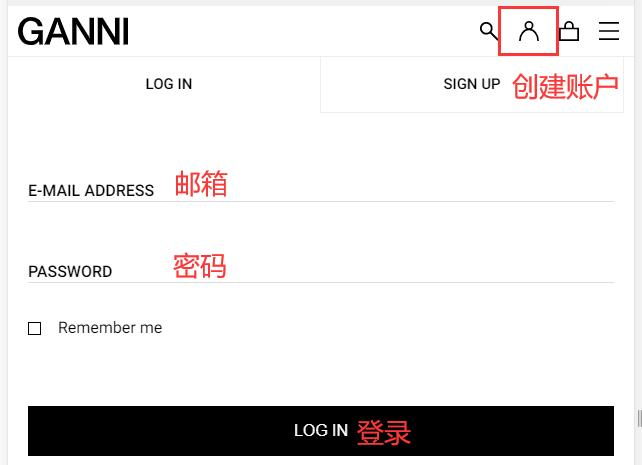
2. Log in to your account
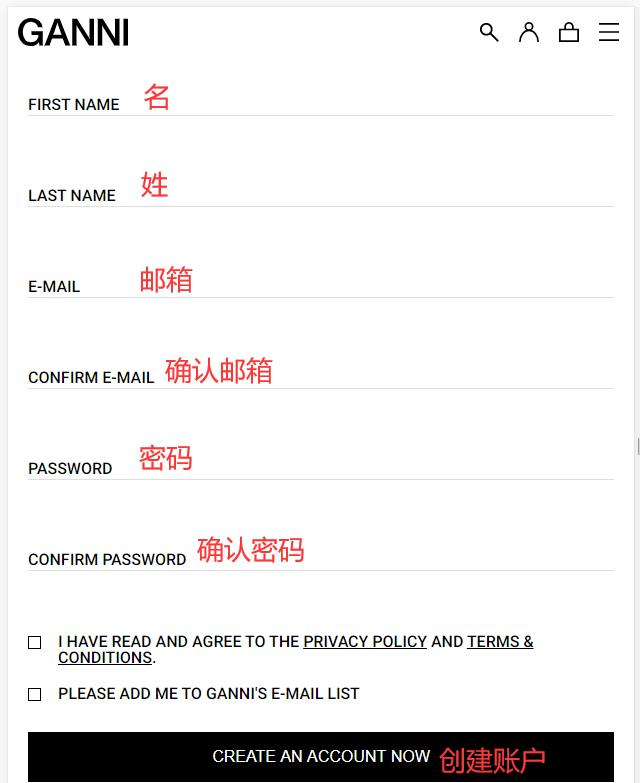
Click on the account icon at the top right of the page. If you already have an account, log in using your email and password. If you are not registered, click on "Create."
Fill in the registration information and click "Create."
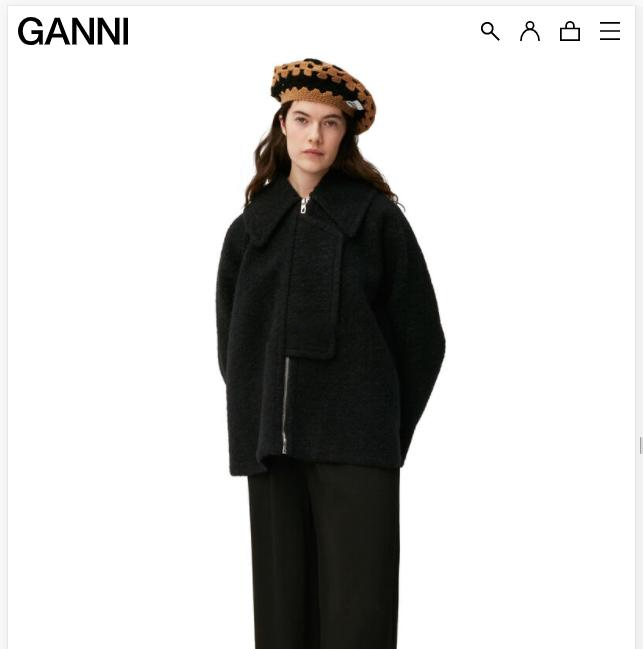
3. Select items and add them to the shopping cart
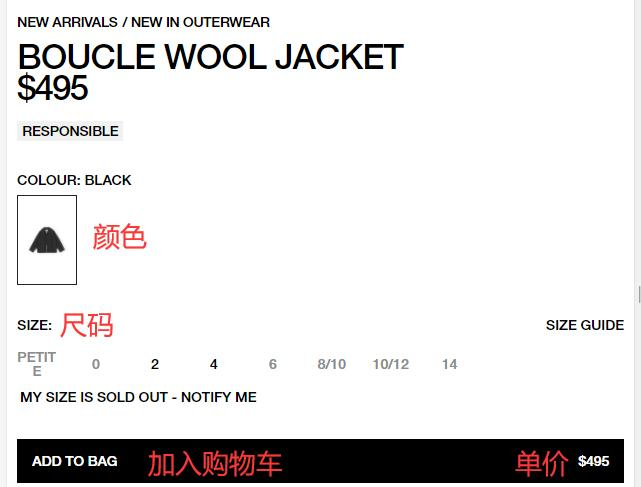
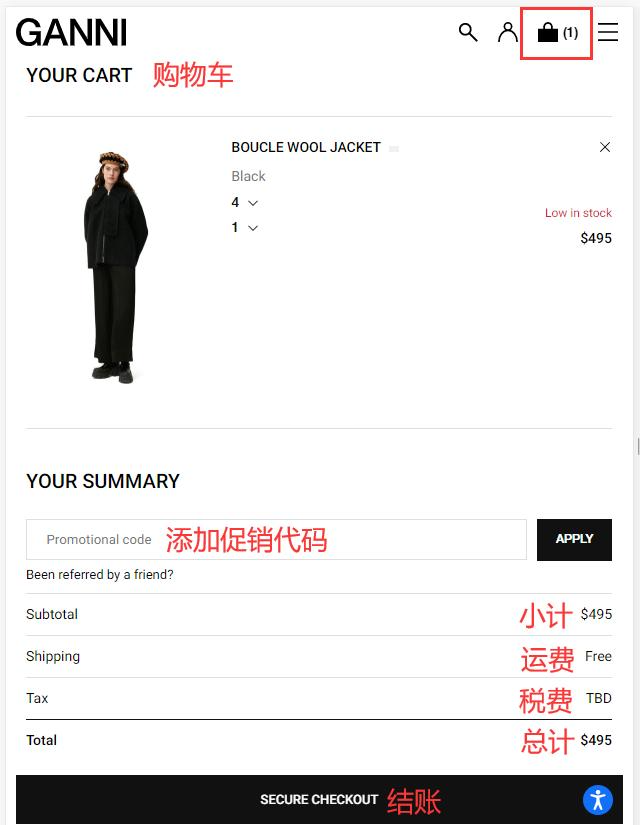
4. Open the shopping cart to review your order, then click "Checkout." If you have a promo code, enter it to receive a discount.
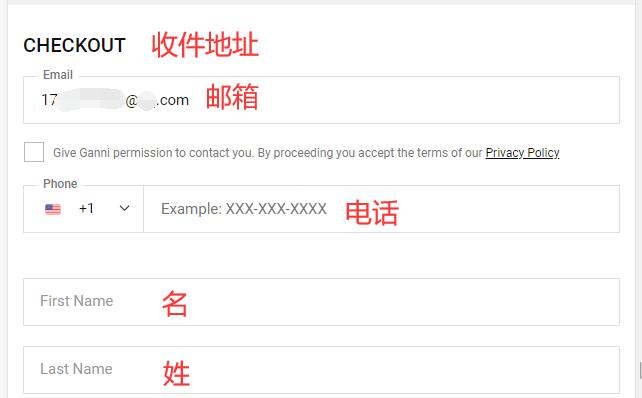
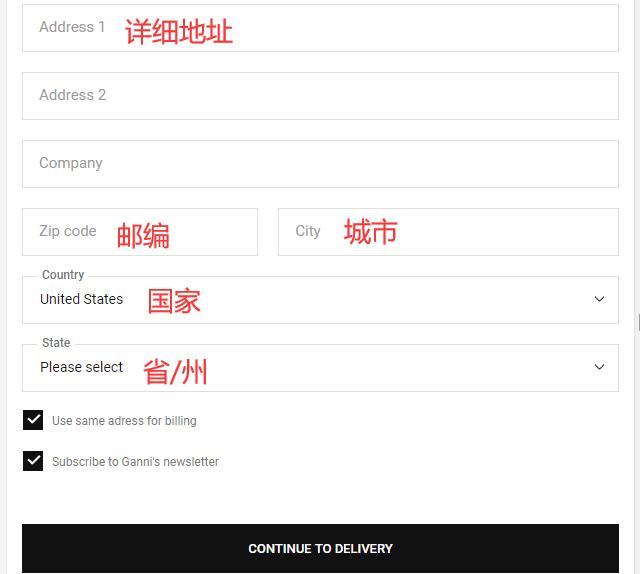
5. Fill in the shipping address
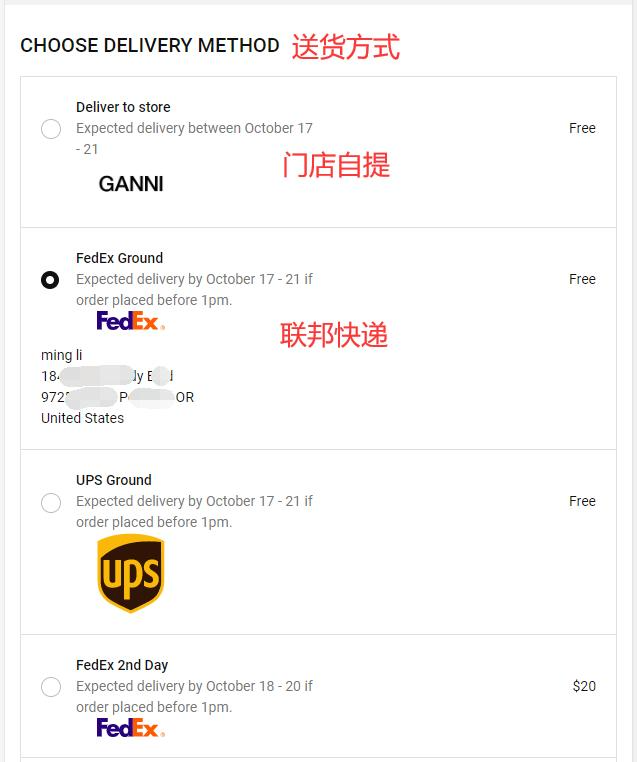
6. Select the shipping method
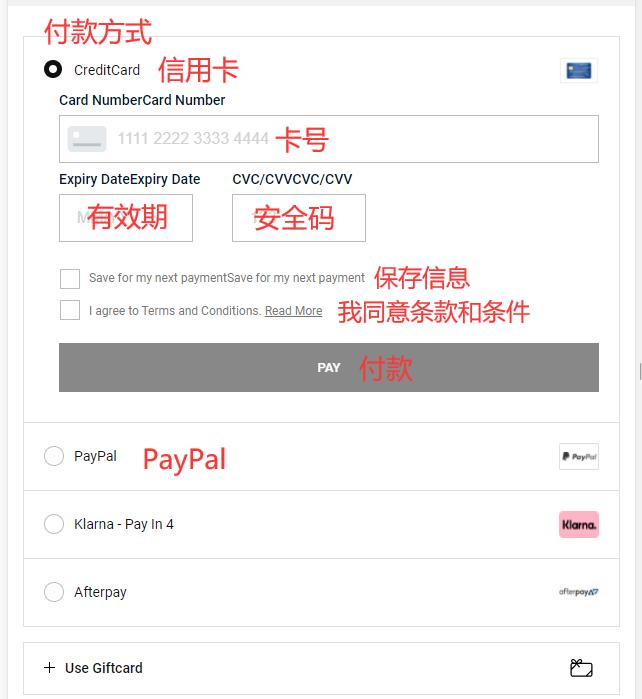
7. Choose a payment method and fill in the payment details
Using credit card payment as an example, fill in the credit card number, expiration date, security code, and other information completely. Proceed to payment once everything is correct.
8. All that's left is to wait for the shipping forwarder to receive the package, prepare the shipping details, and wait for delivery!
2. Other Notes for Ordering on the Ganni Official Website
1. The official website does not support direct shipping to China; you need to use a shipping forwarder to place orders. Free shipping within the United States.
2. Supports payment via Visa, Mastercard, American Express, and Discover credit cards, as well as PayPal online payment.