

Vans was born in 1966 in Southern California, USA, starting with extreme sports. Its main products are skateboarding shoes, with the most famous being the slip-on. Rooted in skateboarding, Vans injects its aesthetic into lifestyle, art, music, and street fashion culture, forming a distinctive youth culture icon and becoming a beloved brand among young extreme sports enthusiasts and trendsetters.
Due to different pricing of Vans products domestically and internationally, the Vans US official website is also one of the popular sites for many young people to shop overseas. In this article, we will mainly introduce the overseas shopping ordering process on the Vans US official website. Interested friends, read on!
Vans US Official Website Entrance: www.vans.com Click to enter (requires a VPN)
The overseas shopping process on the Vans US official website is as follows:
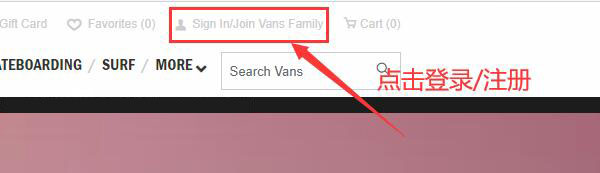
1. Click "Sign in" in the upper right corner of the Vans official website. If you have an account, choose to log in directly using your email and password. New users click directly to register. Below, we will use new user registration as an example to explain in detail.
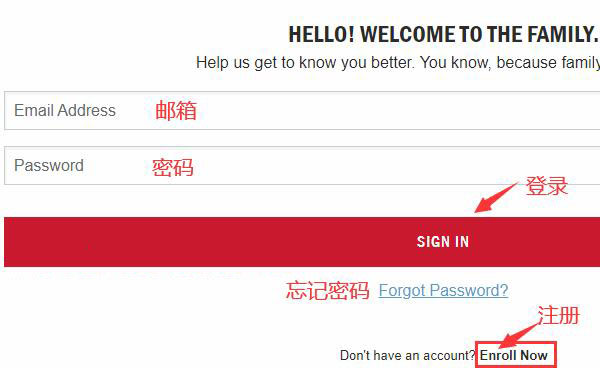
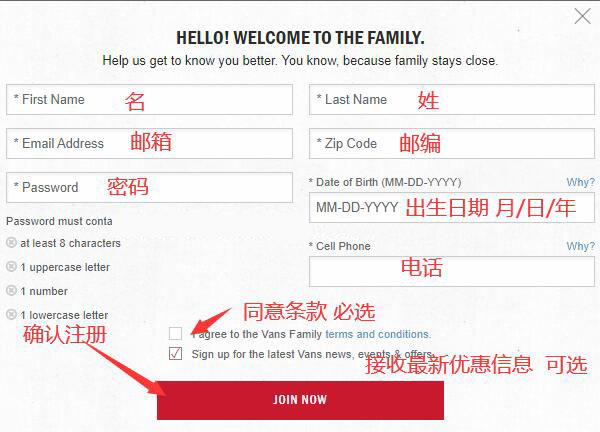
2. For new user registration, fill in the corresponding personal information as required. Choose whether to receive the latest offers based on your needs. Be sure to check the agreement terms, then click register.
3. After registration, a new page will pop up. Just select your shoe size; the rest are optional. It is simply a brief survey.
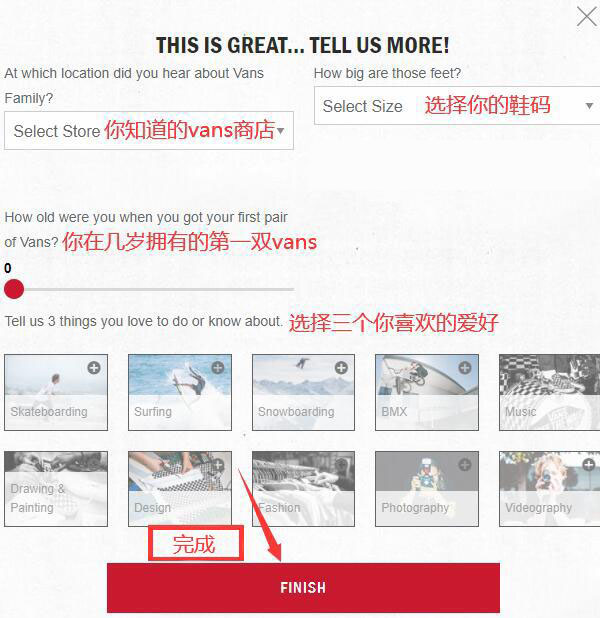
4. Once completed, you can browse and select your preferred products. Choose the desired product specifications and quantity, then add them to the cart.
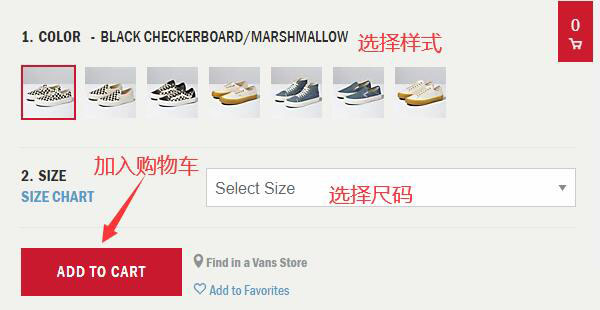
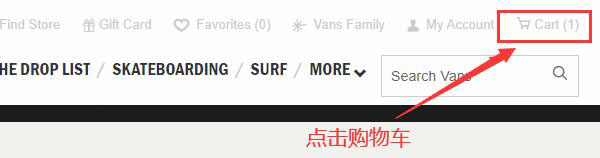
5. After adding to the cart, find the shopping cart icon in the upper right corner of the homepage.
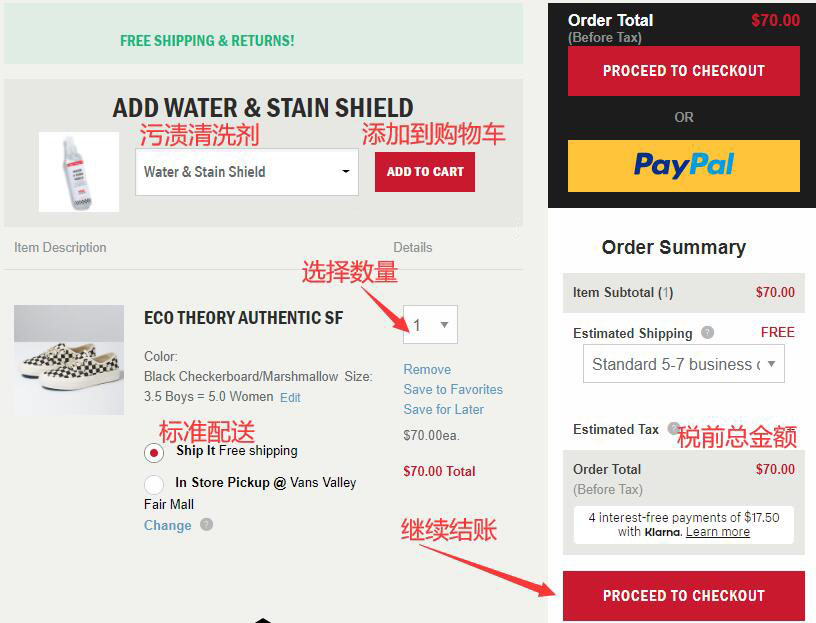
6. In the shopping cart, you can also modify the product quantity, payment method, and shipping method. If everything is correct, click "Proceed to Checkout".
7. Enter the shipping address section. Fill in the corresponding address information as required. Since the Vans US official website currently does not support direct shipping, this address needs to be a US forwarding address. Select the shipping method; generally, standard shipping is selected by default and is free.
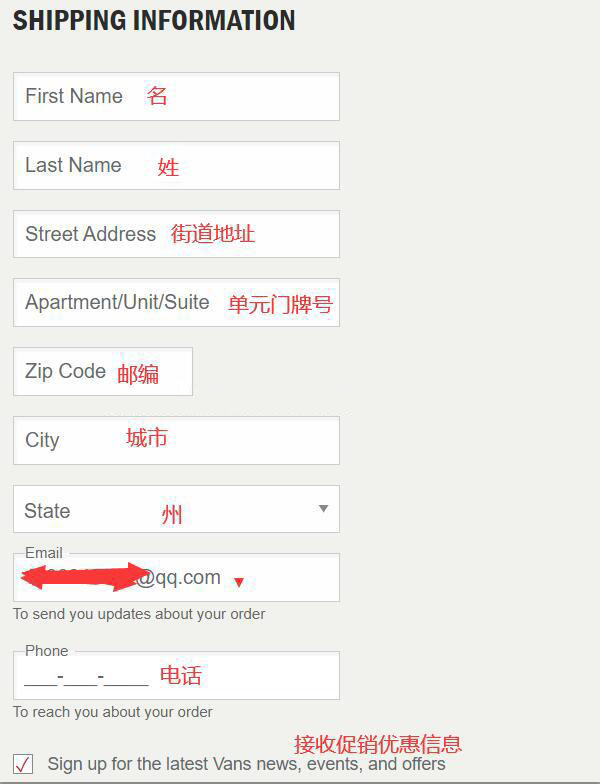
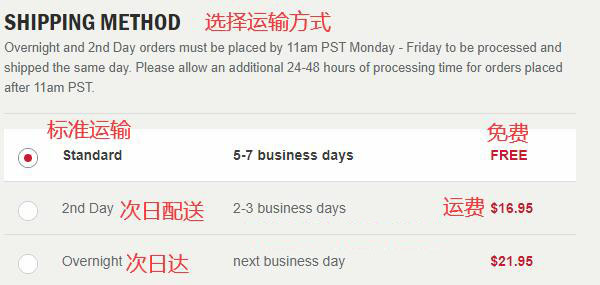
8. After completing the shipping address, click "Continue to Checkout" to enter the payment section.
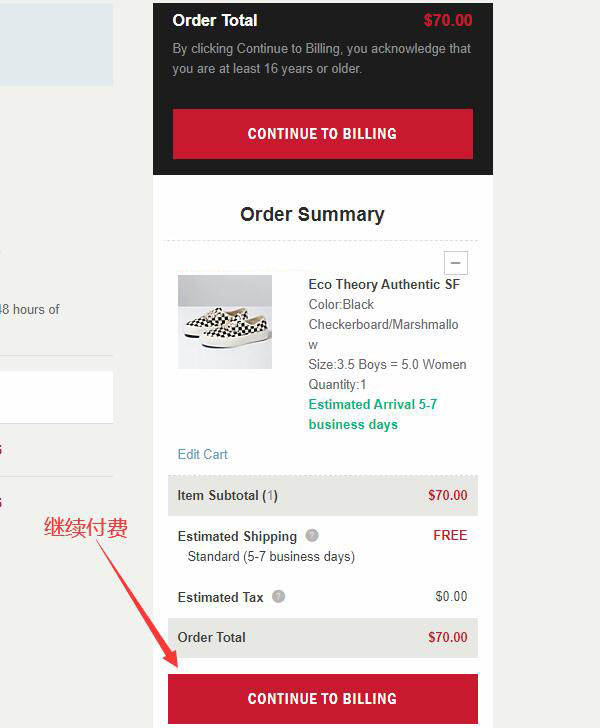
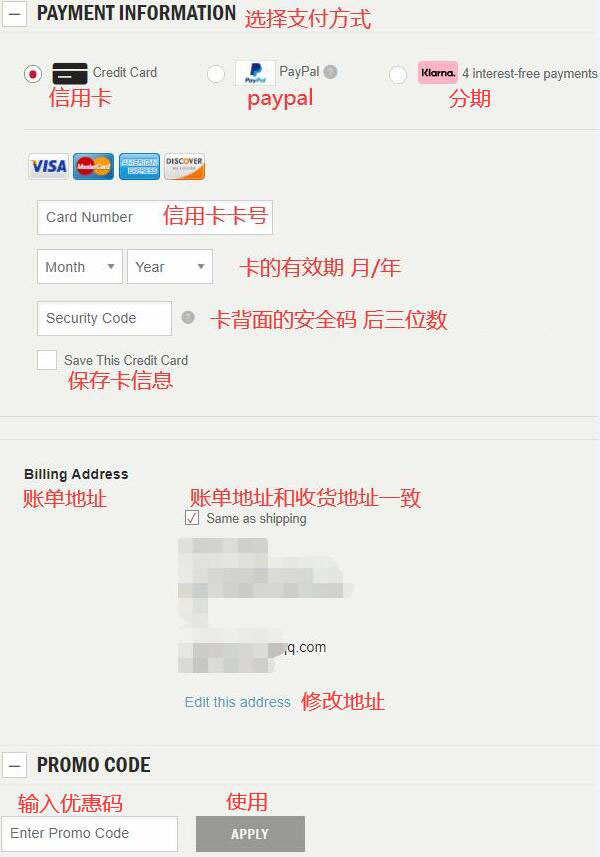
9. Enter the payment section and choose a payment method. Gift cards or promo codes can be used during payment. Fill in the corresponding credit card information below. Regarding the billing address, you can use the forwarding address, but it is recommended to fill in your real billing address.
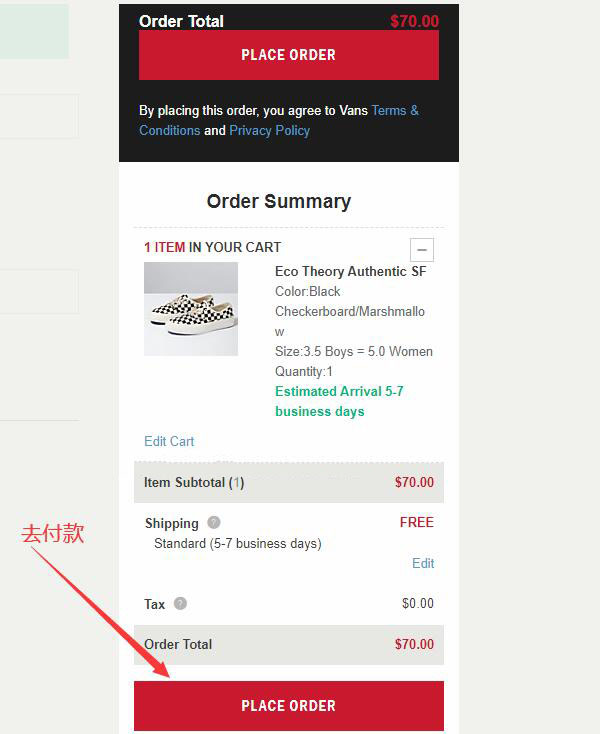
10. After filling in, if everything is correct, click "Place Order" on the right side of the page.
Next, just wait for the forwarding company to receive the goods, contact the forwarding company promptly, submit your domestic address, and sit tight waiting for delivery!
Summary of Important Notes:
1) The Vans US official website supports forwarding but does not support direct shipping.
2) Payment methods supported by the official website include: PayPal, gift cards, VISA, Mastercard, and dual-currency cards with the AE logo.
3) The Vans US official website is not very friendly towards Chinese credit cards and forwarding addresses, and orders are easily cancelled. You can try multiple times.