Alice and Olivia, an internationally renowned fashion brand, was founded in 2002 by female designer Stacey Bendet. With its unique style and design, Alice + Olivia became an instant hit. Today, the Alice + Olivia brand has become a must-have for creating classic vintage styles. Product categories include women's wear, men's wear, accessories, footwear, and children's wear.
Today, we'll introduce you to the overseas shopping guide for the Alice+Olivia US official website.
Alice and Olivia official website link: https://www.aliceandolivia.com
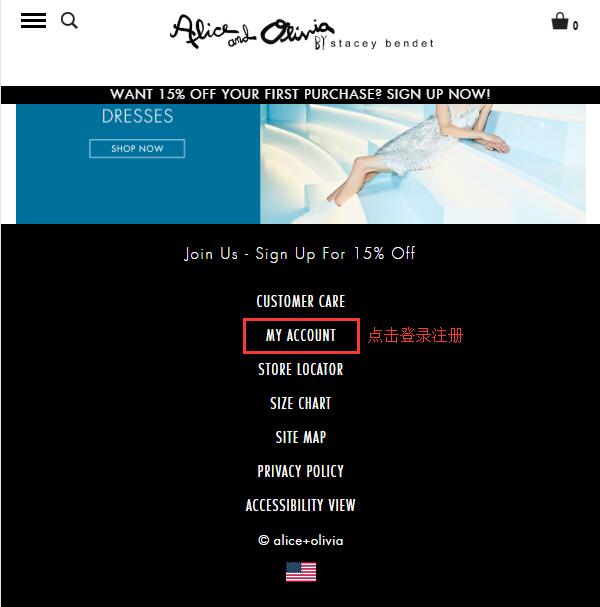
1. First, we need to register an account. Open the homepage, scroll to the bottom of the page to find MY ACCOUNT, and click to log in or register:
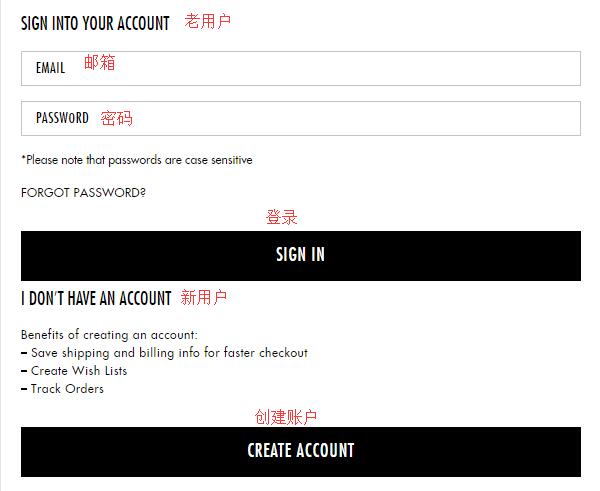
Returning customers with an existing account, enter your email and password and click Log In. New users, select Create Account below to register:
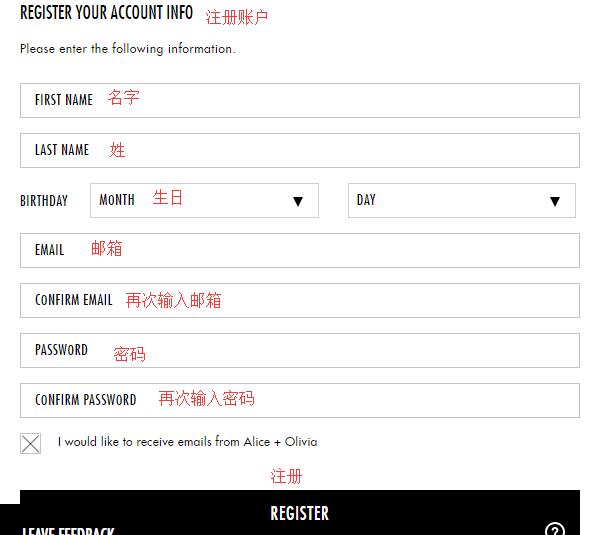
Enter your first name, last name, birthday, email, and password, then click Register to easily complete the registration.
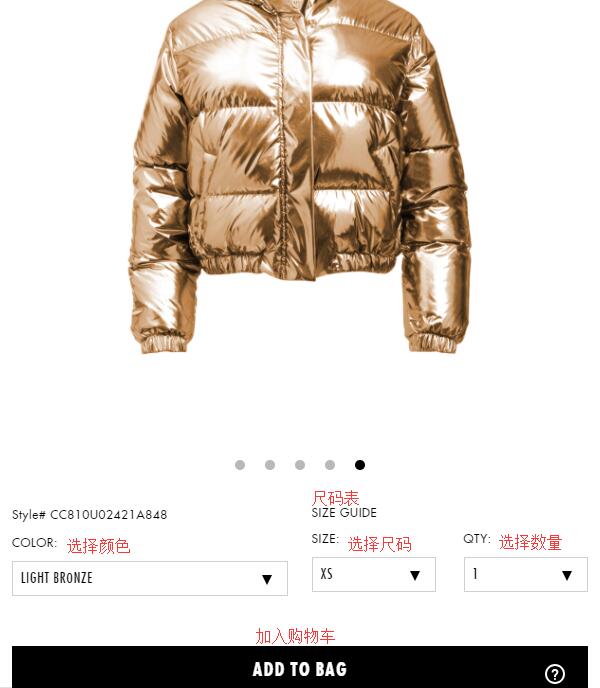
2. Once registered, start shopping. You can browse products through the menu categories, homepage navigation, or directly using the search bar. Enter the product detail page, select color, size, and quantity, then click Add To Bag:
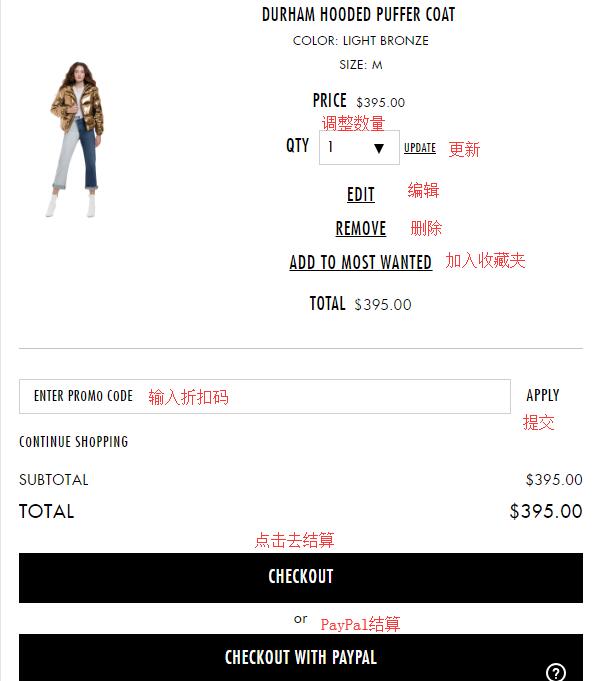
3. Go to the shopping cart, verify the product information is correct, and click Checkout to proceed. If you have a discount code, you can enter it at the bottom of the page to get a discount. The website also supports PayPal payment.
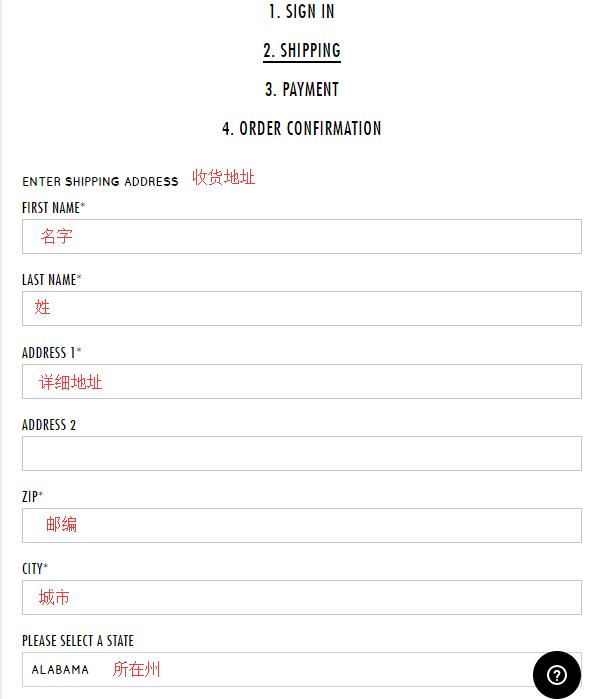
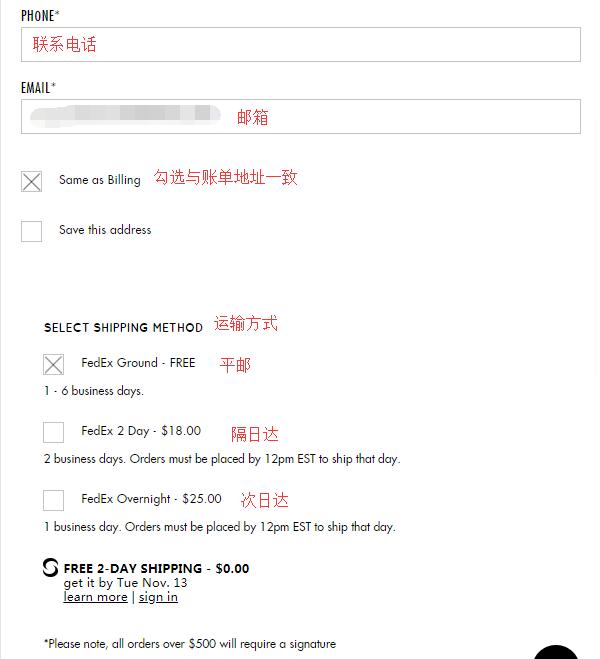
4. First, enter the shipping address. Since the official website currently does not support direct shipping, the shipping address must be a US forwarding address. Please strictly follow the requirements of the forwarding company when entering the address. The billing address can be the same as the shipping address. Then, select the shipping method and click Continue:
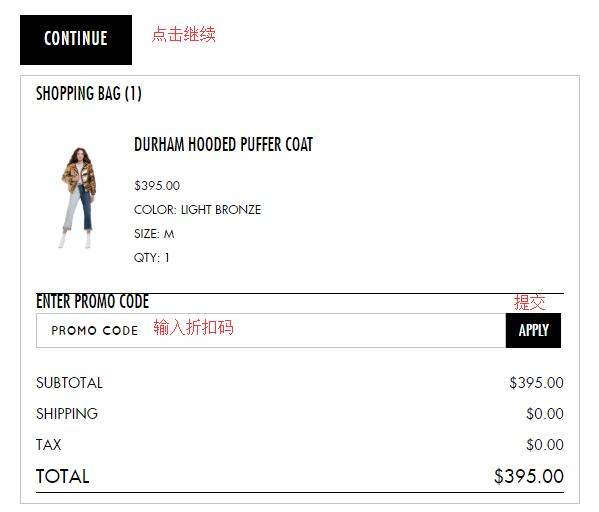
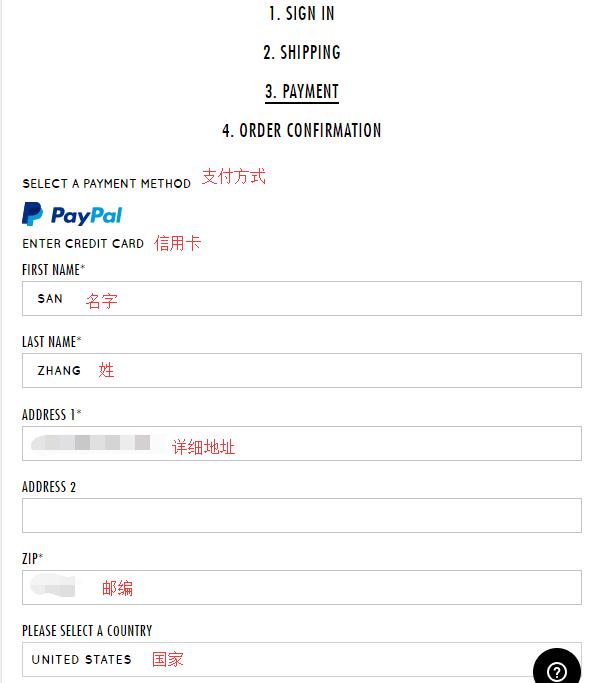
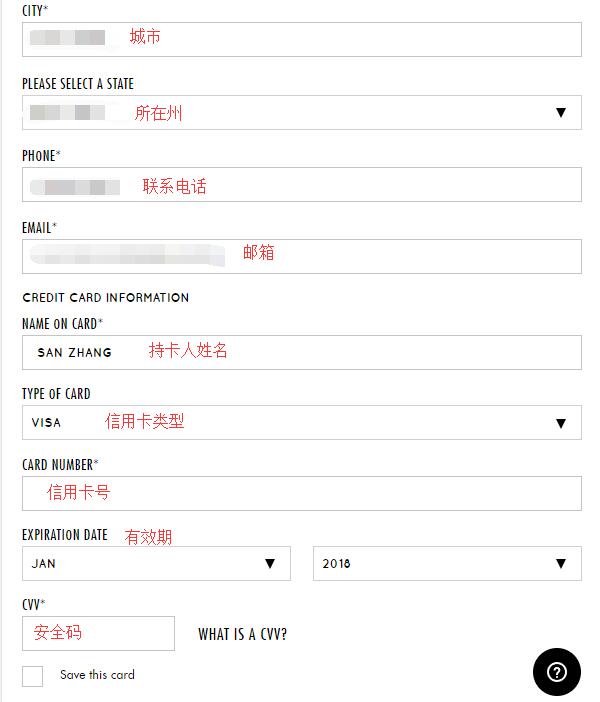
5. For payment, the website accepts credit cards or PayPal. We choose to use a credit card. Verify if the billing address is correct, or enter a new billing address. Below, enter the cardholder's name, card number, expiration date, and security code, then click Continue. If you have a Gift Card, you can enter the card number to use it for payment. If you missed entering a discount code in the previous steps, you can also enter it at the bottom of the page to get a discount.
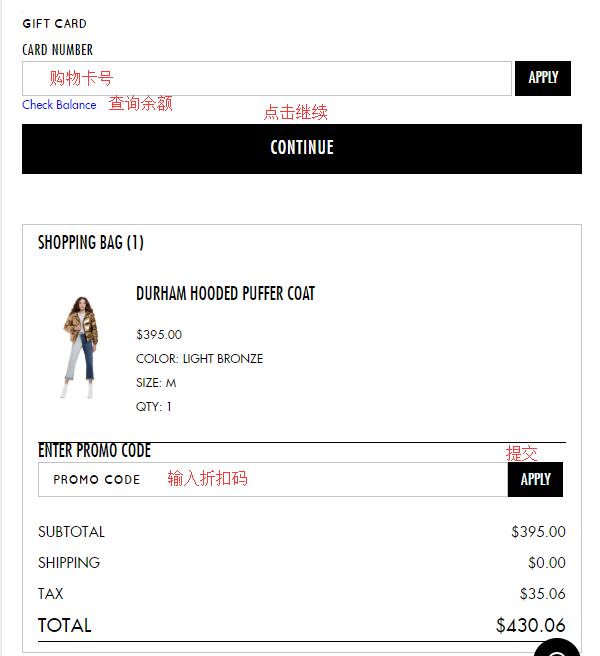
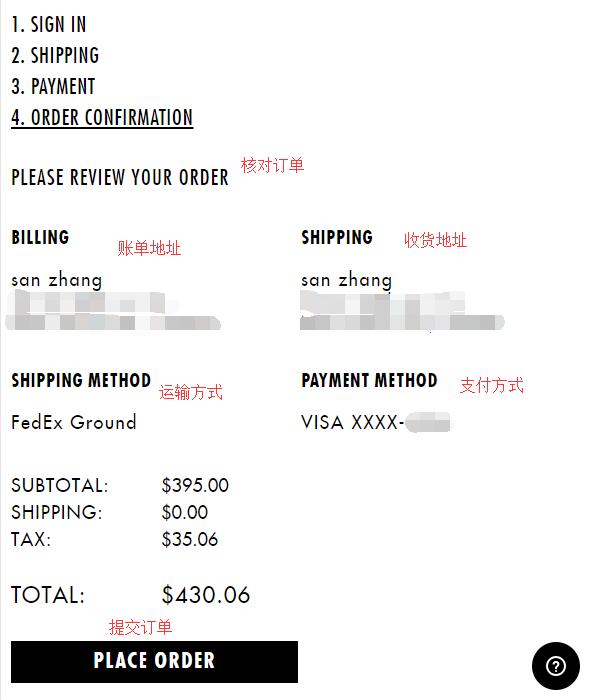
6. The final step is to review and submit the order. Carefully check if the entered address information is correct. Once all information is confirmed, click Place Order to submit the order and complete the purchase.