

As one of Italy's top luxury brands, Giorgio Armani Beauty has won the hearts of world-renowned stars and professional makeup artists with its understated elegance, luxury, and timeless sophistication. Its personal care and cosmetic products—such as foundations, the Maestro drops, and the Pure line—have become favorites among aristocrats, celebrities, and fashion enthusiasts, with many women eagerly adding them to their wish lists.
Today, we'll introduce you to the overseas shopping guide for the Giorgio Armani Beauty US official website.
Giorgio Armani Beauty US Official Site: https://www.giorgioarmanibeauty-usa.com
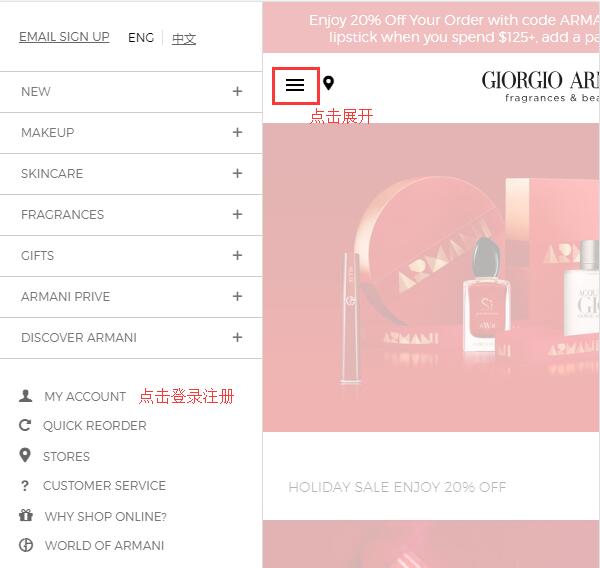
1. First, log in to the Giorgio Armani Beauty website, click to expand the menu at the top left, then click "My Account" at the bottom left of the menu to enter the registration page.
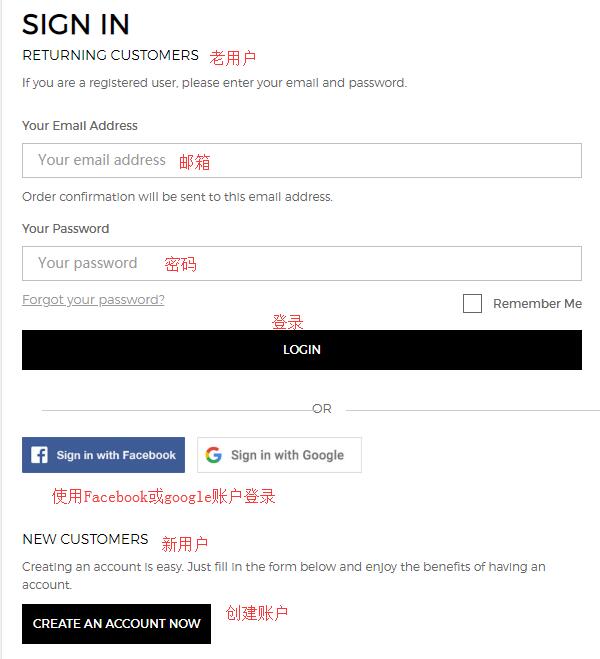
The "Sign in" above is for logging in, while "Create an Account now" below is for creating an account. Choose based on your situation—new users should create an account. The site also supports logging in or registering via Facebook or Google accounts:
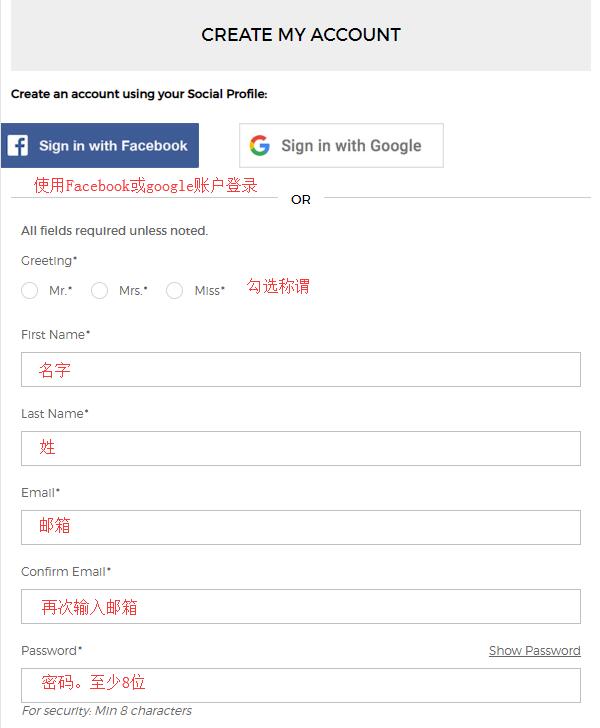
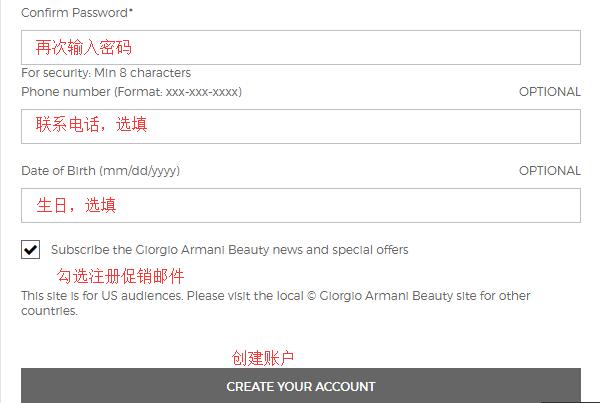
Start creating your account by entering the information shown in the image below. Fields marked with an asterisk are required. Once filled in, submit. Barring any issues, registration will be successful. You can then add or modify personal information, addresses, and check order history in your account, or do so during the shopping process.
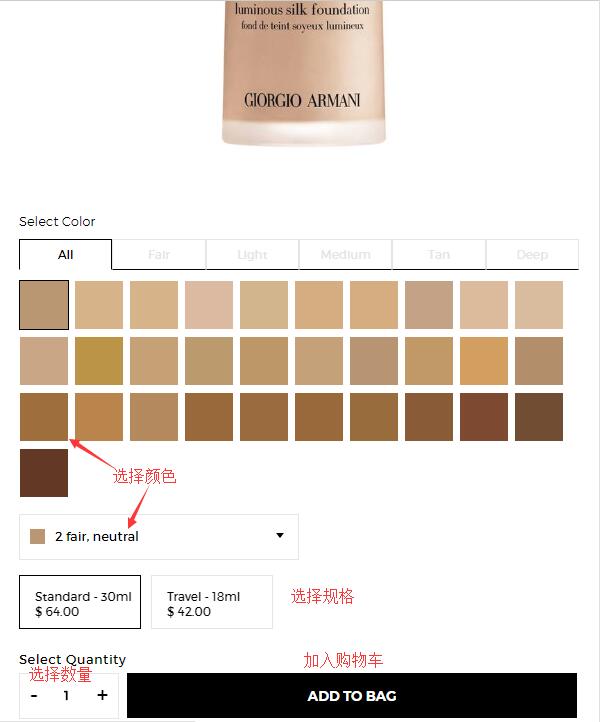
2. Next, browse and select products. If you find something you like at a reasonable price, go ahead and purchase. Quickly find products by browsing categories or using the search function, based on your needs. For example, for the foundation below, choose the color, size, and quantity, then click "Add to Cart."
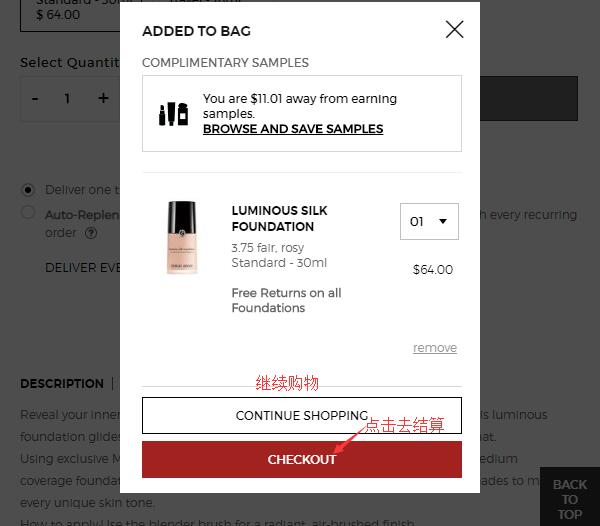
After adding, a pop-up will confirm the item is in your cart. Choose to continue shopping or proceed to checkout. We'll select "Proceed to Checkout":
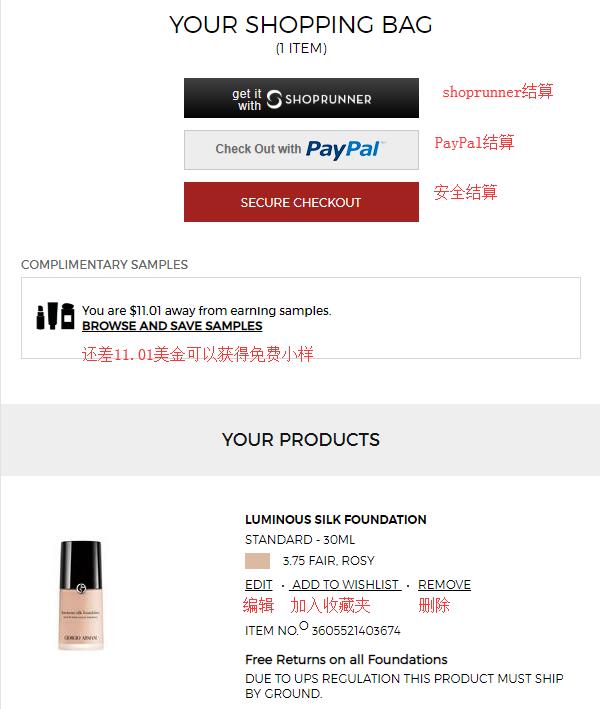
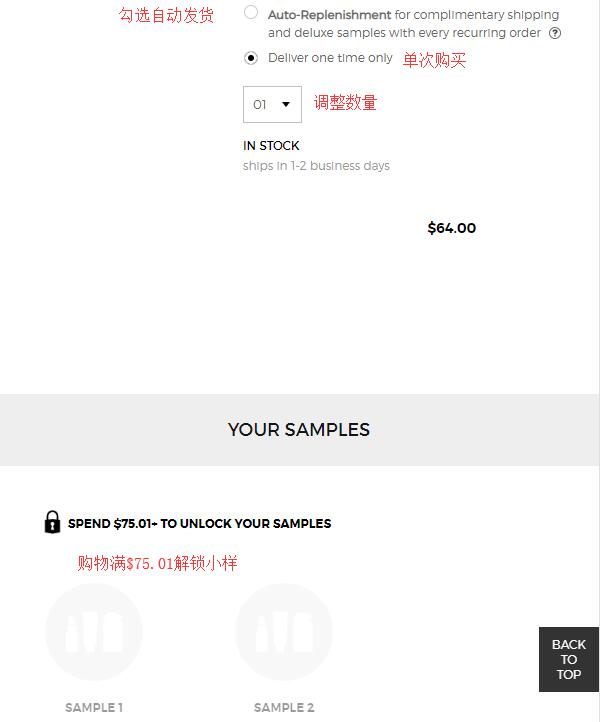
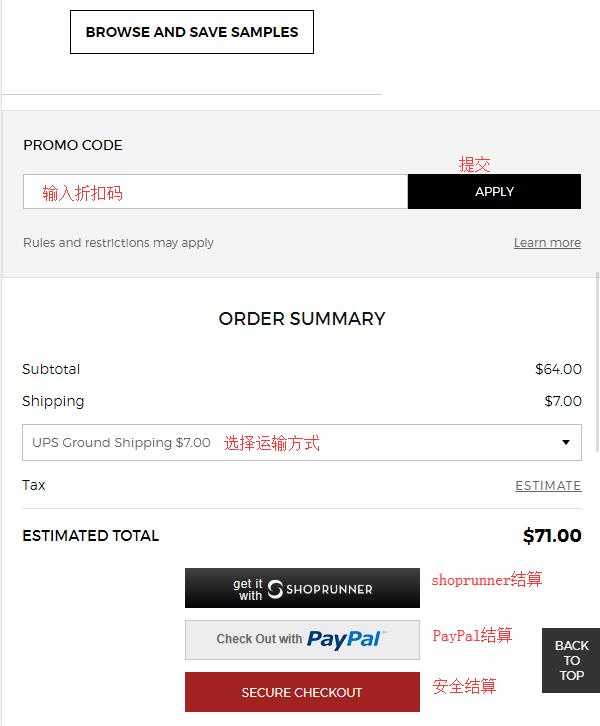
3. Enter the shopping cart, verify the product details are correct, and click "Checkout" to proceed. You'll see three checkout options: ShopRunner requires a separate account, PayPal uses your PayPal account, and we'll choose "Secure Checkout" for standard shopping. Note that purchases over $75.01 qualify for two free samples. Select your products and samples as needed. If you have a discount code, enter it at the bottom of the page to receive the corresponding discount.
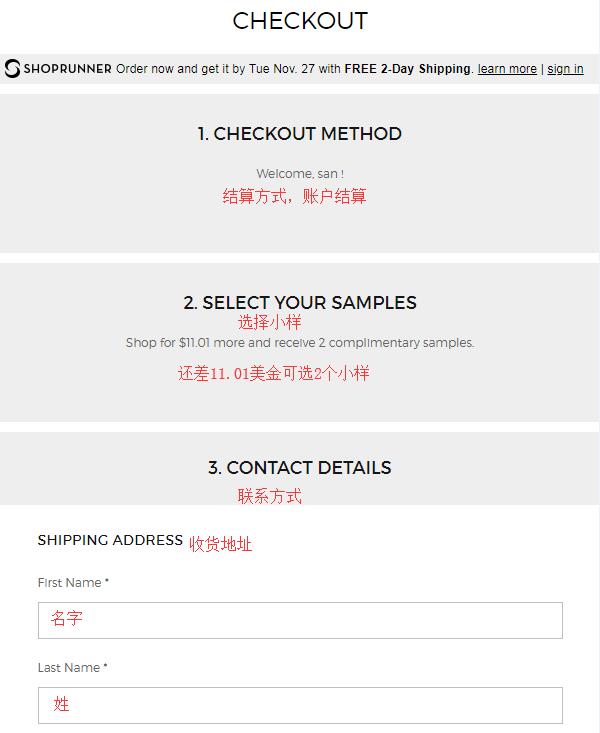
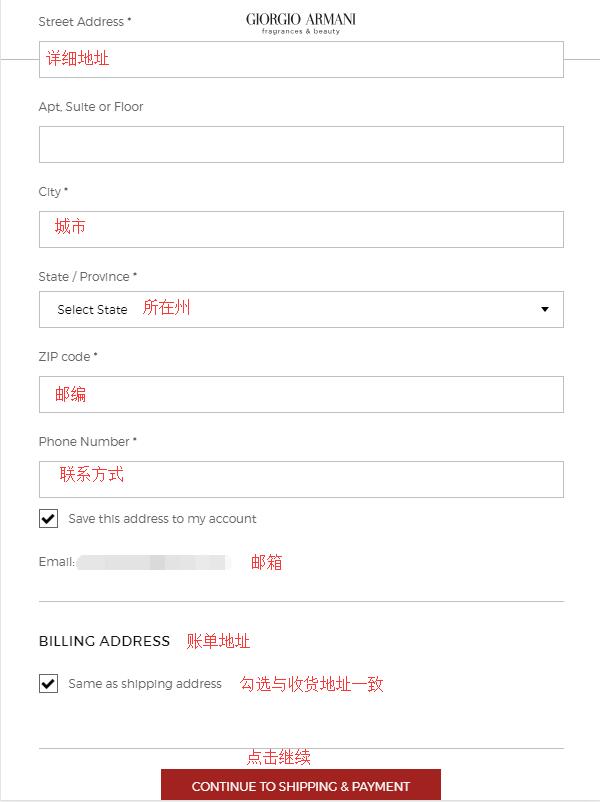
4. Start checkout. Aside from being logged in and unable to select samples, the next step is to enter the shipping address. Enter your forwarding address as required by the site, and keep the billing address the same as the shipping address. Then click "Continue":
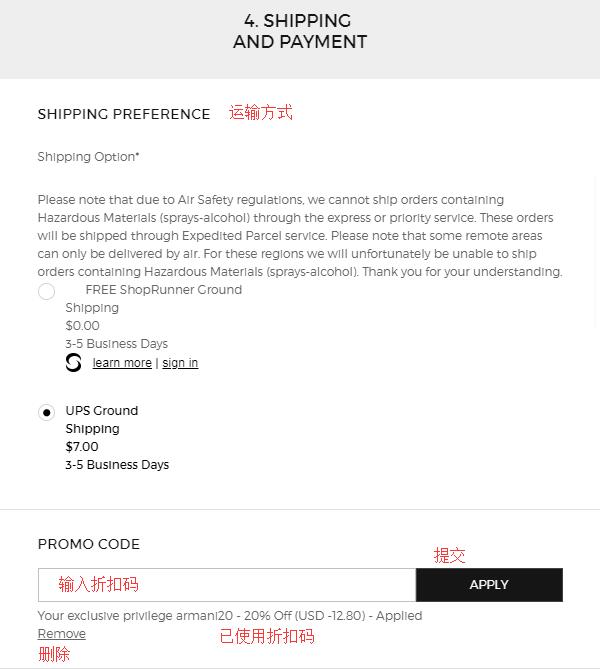
5. Next, choose the shipping method and payment information. The default is UPS Ground. If you have a discount code or gift card, enter it below to apply. Then select credit card payment, enter the card number, expiration date, security code, and click "Continue":
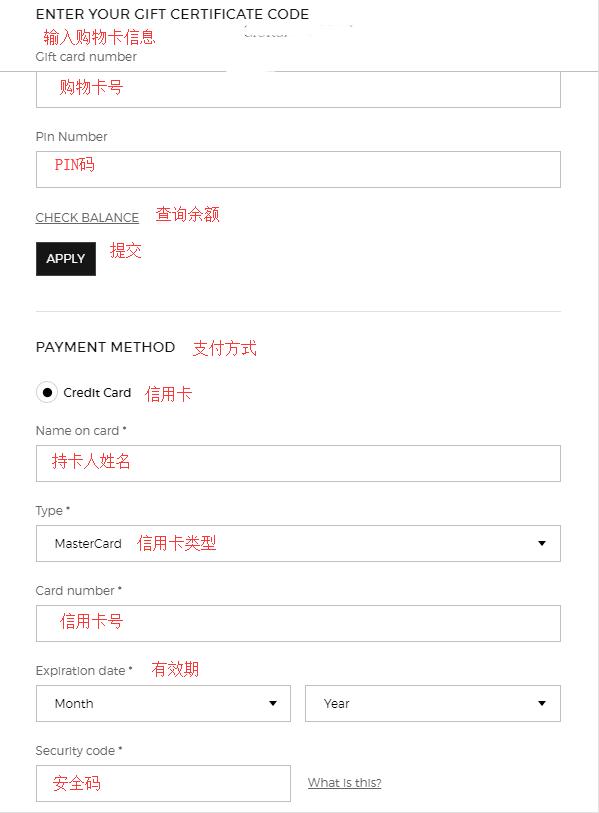
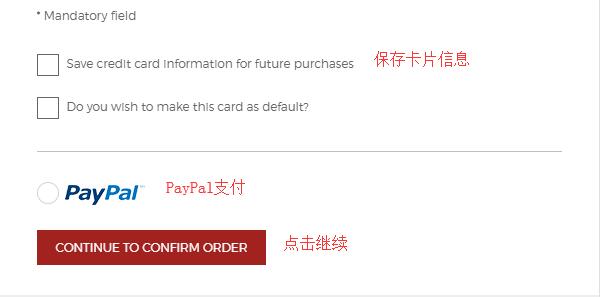
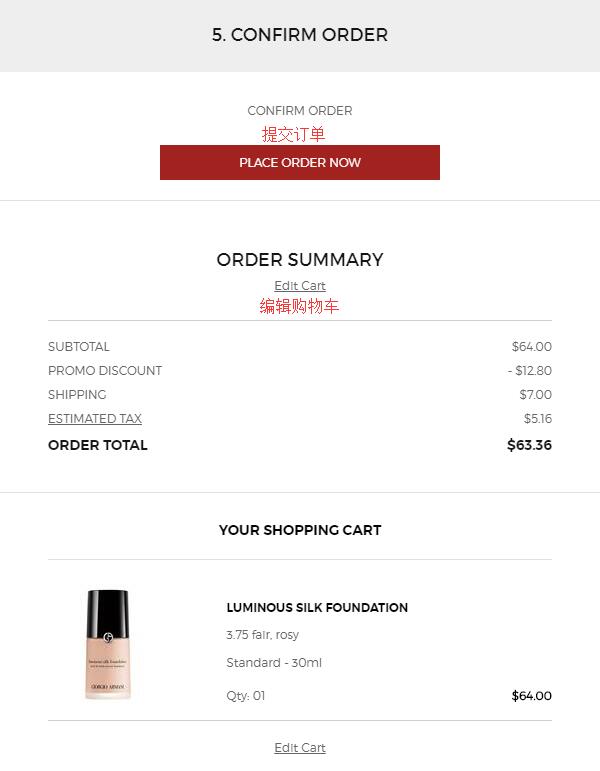
6. Finally, review and submit the order. Carefully check the order details for any errors. If everything is correct, click "Place Order Now" to confirm. This concludes the shopping process on the Armani Beauty US official website.
Tips:
Prices on the US official site are significantly lower than domestic prices. Items like mascaras and lipsticks are available for under $200. The site currently supports Chinese credit cards, making it great for overseas shopping! It is also friendly to forwarding addresses. Although the site accepts Chinese cards, order cancellations are common. Based on user experience, keeping the billing address consistent with the forwarding address can increase the chances of a successful order.