
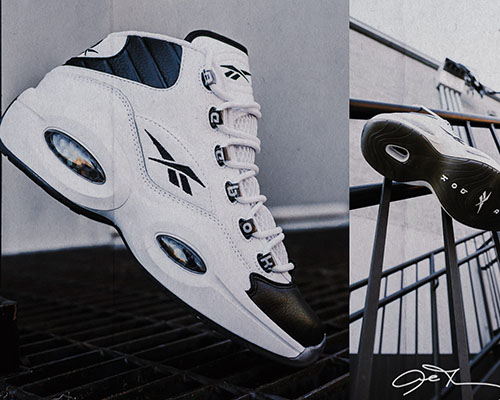
Reebok is a world-renowned fitness and sports brand, offering professional athletic footwear, apparel, and accessories, as well as classic casual collections. It was acquired by Adidas in 2006.
This article introduces a guide for overseas shopping on the Reebok US official website, showing you how to place orders and shop on the Reebok US site. If you want to order from the Reebok US website but don't know how, feel free to click and check out this Reebok US official website overseas shopping tutorial.
1. Open the website;
Reebok US official website overseas shopping URL: https://www.reebok.com/us, click the link to access directly;
2. Register an account;
Click LOGIN in the upper right corner to log into your account;

Unregistered users selectREGISTER to create an account;
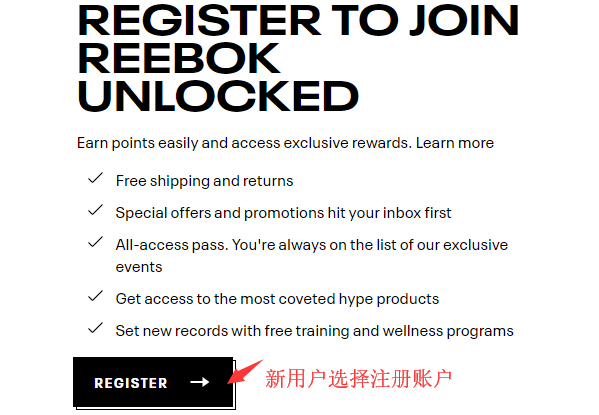
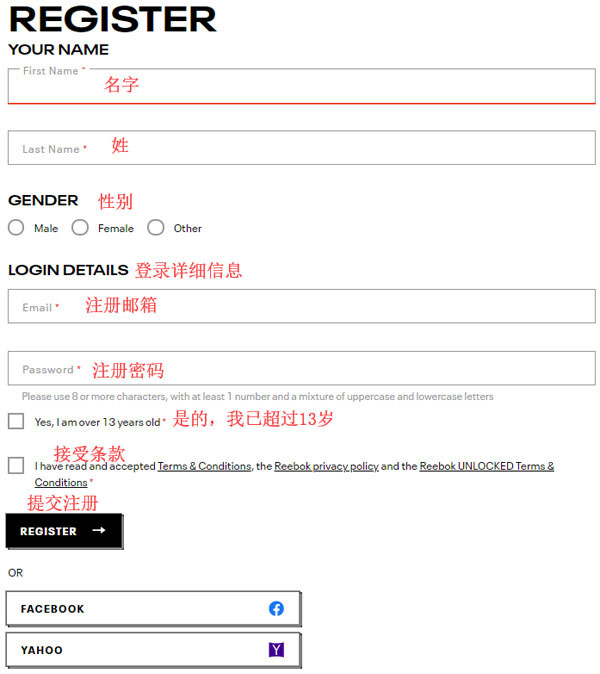
Enter the registration page;
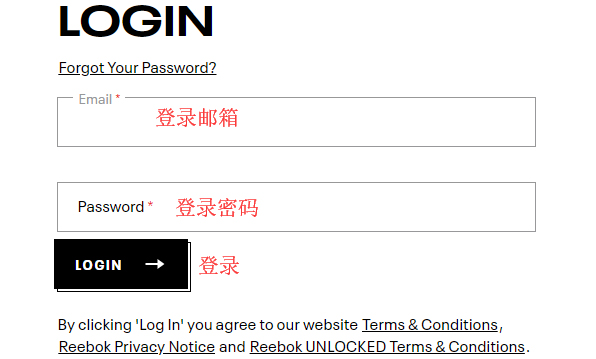
Already registered users can simply select LOGIN to sign in;
3. Select products;
Add the products you want to purchase to the shopping cart, then click Cart in the upper right corner to view the cart and go to the shopping cart page;
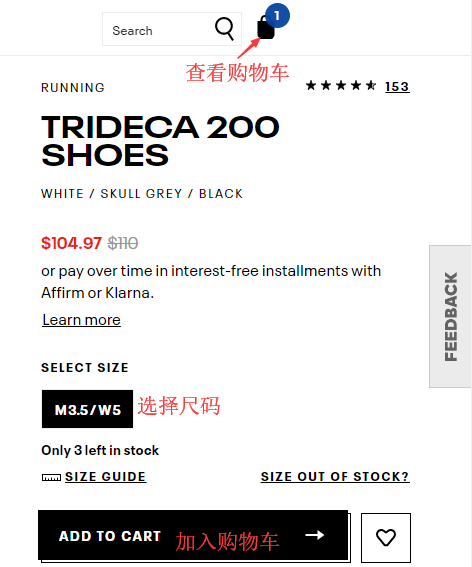
4. Click Cart in the upper right corner to view the shopping cart and enter the cart page;
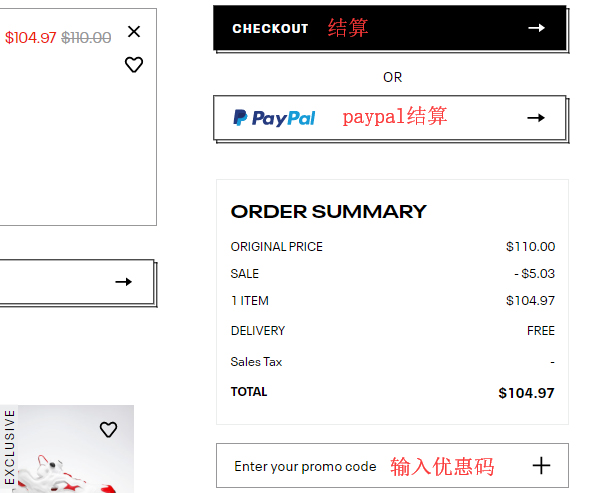
5. Click CHECKOUT to enter the page for filling in the shipping address, selecting shipping method, and billing address;
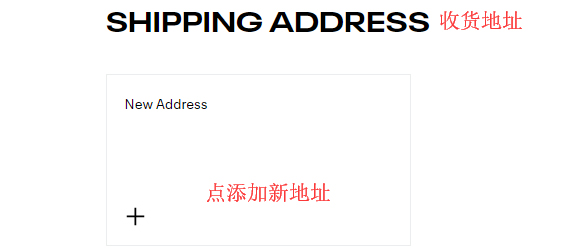
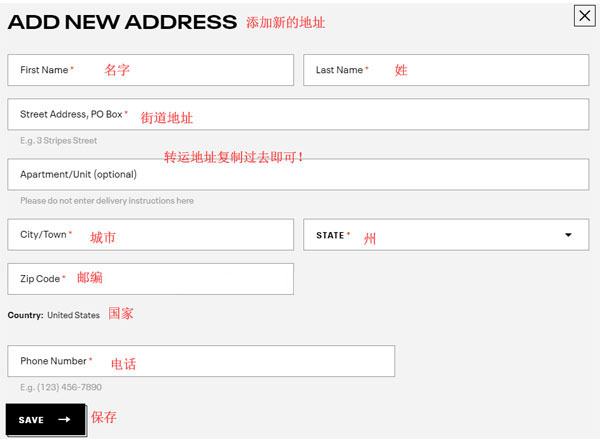
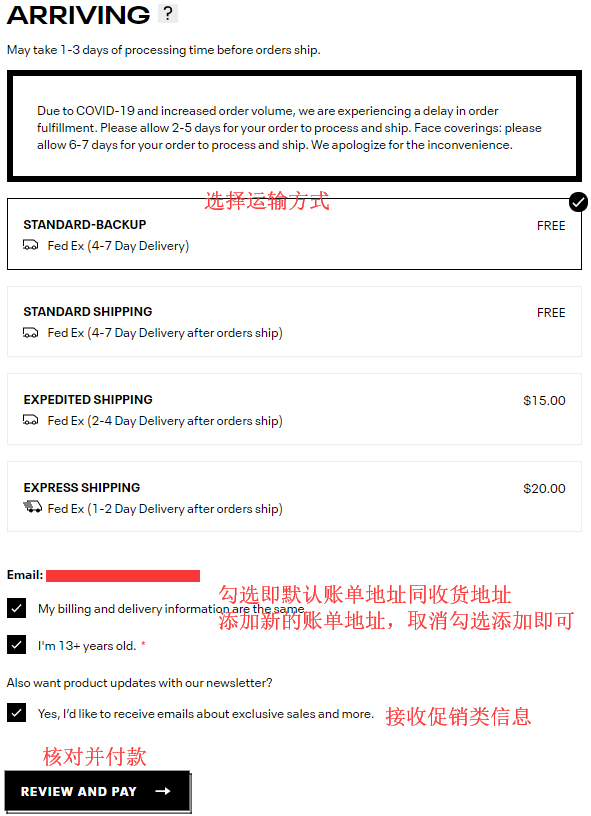
6. Continue to the payment page and PLACE ORDER;
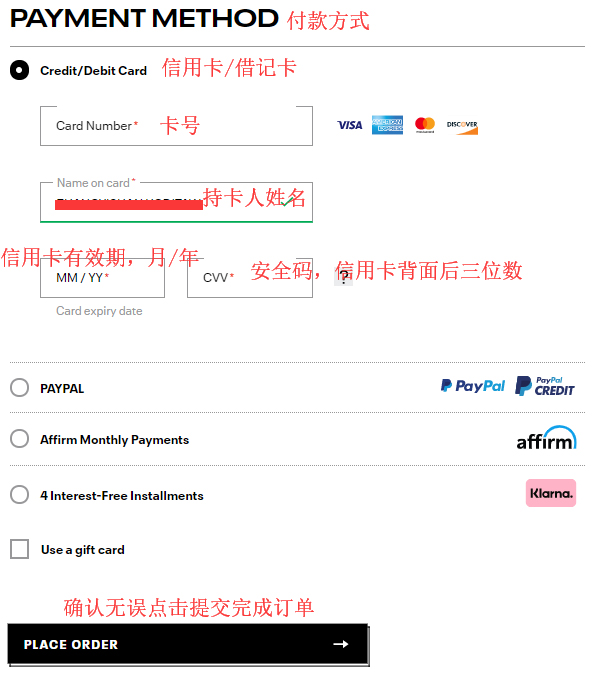
7. All that's left is to wait for the forwarding company to receive the goods, prepare the shipping details, and sit tight for delivery!