

The North Face is an American outdoor apparel brand founded in 1966. Its official US website sells windbreakers, T-shirts, casual pants, hiking shoes, trekking shoes,冲锋衣, soft shells, outdoor backpacks, 3-in-1 apparel, and more. The North Face US official website is the brand's online store in the United States.
This article introduces a guide on how to shop and order on The North Face US official website. If you want to place an order on The North Face US official website but don't know how, feel free to click and bookmark this guide.
1. Open the official website;
The North Face US official website entrance: https://www.thenorthface.com/en-us, click the link to visit directly;
2. Register an account;
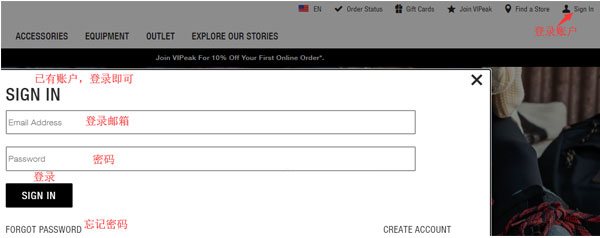
Click "Sign In" in the top right corner. If you already have an account, select "SIGN IN" to log in;
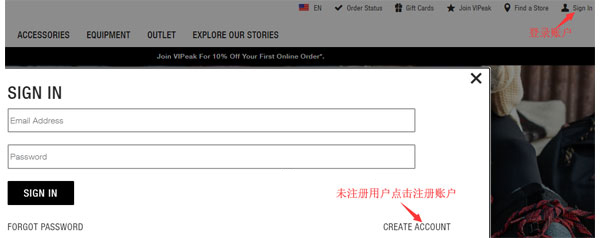
If you don't have an account, select "Create Account" to register;
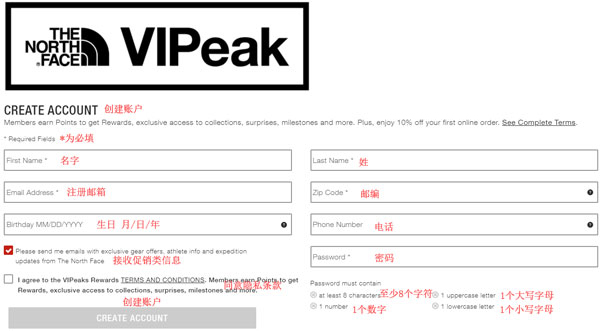
Enter the registration page;
3. Select products;
Add the products you want to purchase to your cart, then click "CART" in the top right corner to view your cart and go to the cart page;
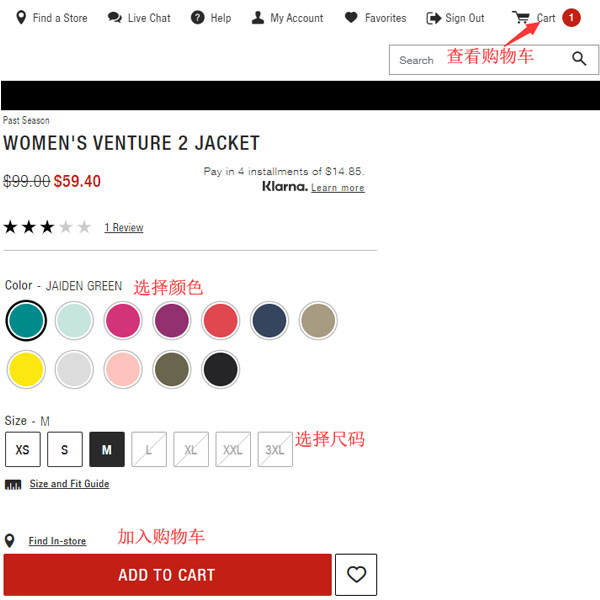
4. Click "CART" in the top right corner to view your cart and enter the cart page;
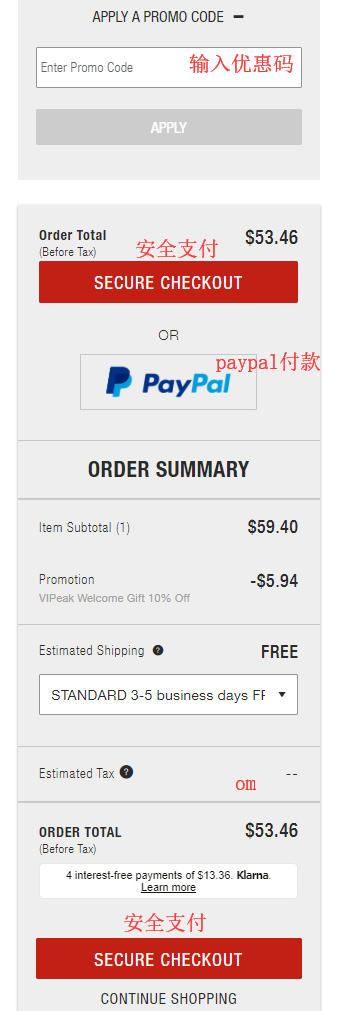
5. Click SECURE CHECKOUT to enter the shipping address and shipping method selection page;
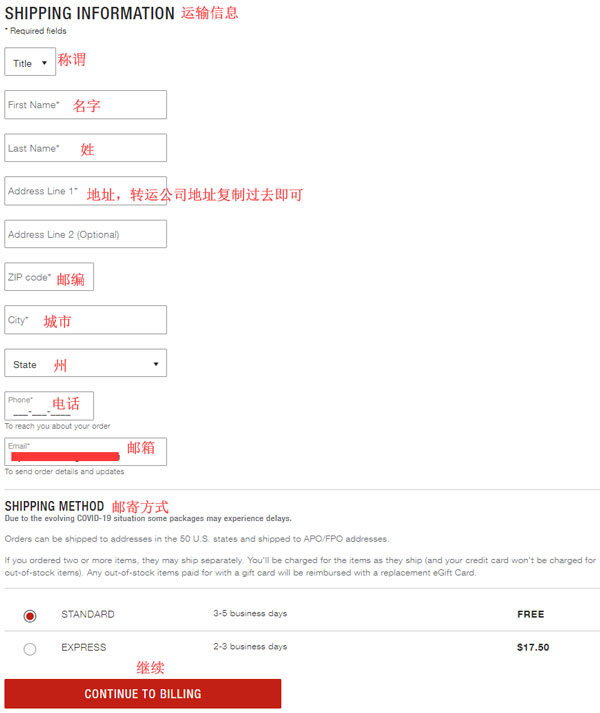
6. Continue to the payment and billing address page. Confirm everything is correct and click PLACE ORDER to submit and complete the order.
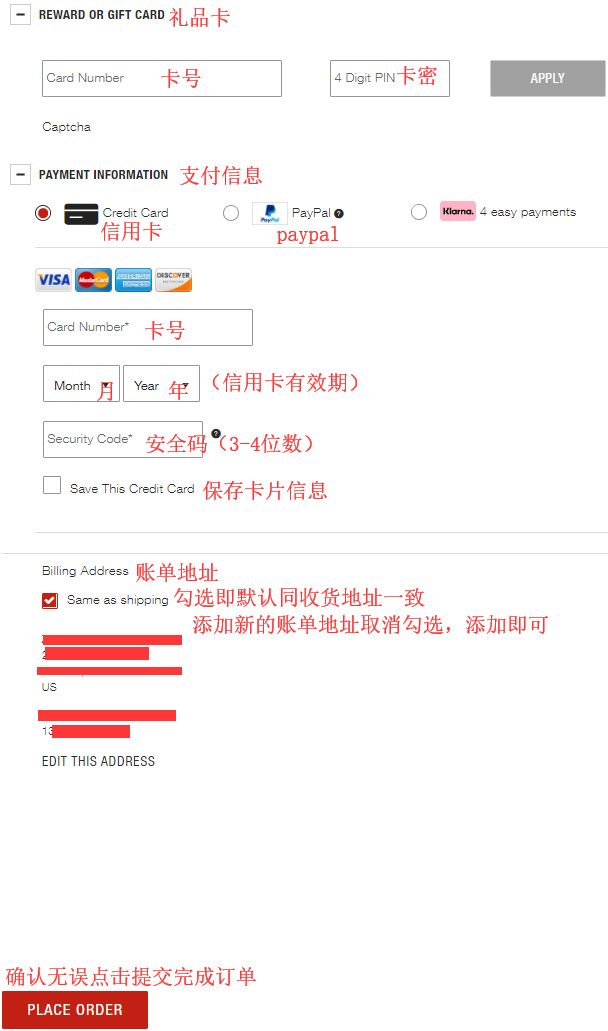
7. All that's left is to wait for the forwarding company to receive the package, prepare the shipping details, and sit back and wait for delivery!