Shopping Guides for Smart Shopping

Read practical shopping tips, store updates and deal advice for smarter everyday buying.

Get The Label 中文官网直邮海淘下单教程

Get The Label Chinese Official Website Direct Mail Order Tutorial

Get The Label is a well-known UK-based fashion and sports multi-brand retail e-commerce site, founded in 2009. It sells clothing, shoes, and accessories for men, women, and children, covering over a hundred brands and offering tens of thousands of products. Adhering to the business philosophy of "affordable prices, excellent quality, and a wide selection," it has been well received and praised by Chinese users. This article introduces the Get The Label overseas shopping guide, explaining how to place orders and shop on Get The Label. If you also want to order from Get The Label but don't know how, feel free to click and check out this Get The Label overseas shopping tutorial. 1. Open the website; Get The Label overseas shopping URL: https://cn.getthelabel.com/, click the link to visit directly; 2. Register an account; Friends who have already registered can select "Login" at the top, while unregistered users should select "Register an account"; Enter the registration page; Enter the login page; 3. Select products; Add the products you want to purchase to the shopping cart, then click on the shopping cart icon at the top right to go to the shopping cart page; 4. Click on the shopping cart icon at the top right to enter the shopping cart page; 5. Click "Proceed to Checkout" to enter the shipping address page. Using direct mail as an example, confirm the details are correct, click "Confirm," and submit the order to complete it. 6. All that's left is to wait for your delivery!

Timberland 添柏岚美国官网海淘下单教程

Timberland US Official Website Overseas Ordering Tutorial

Timberland from the United States is a leading global outdoor sports brand. For every outdoor enthusiast, Timberland is a reliable, sustainable outdoor brand known for its durable, comfortable shoes that have passed numerous outdoor tests and feature continuous design innovation. This article introduces the ordering tutorial for the Timberland US official website, explaining how to shop and place orders on the Timberland US official website for overseas purchases. If you want to buy Timberland shoes but don't know how to order, feel free to click and bookmark this Timberland US registration and ordering tutorial. Timberland?US Official Website: https://www.timberland.com/ (This website requires access from an overseas network environment) 1. Timberland US Official Website Ordering Tutorial: 1. Login/Register Open the official website homepage and click "sign in" to log in. Registered users can log in directly. Users who haven't registered should click "Create" and fill in personal registration information as required. 2. Registration Complete, Start Shopping Select your desired products and add them to the cart. 3. Open the Shopping Cart and Proceed to Checkout 4. Add Shipping Address 5. Add Credit Card Information, Review the Order, and Submit 6. Ship via Forwarding Agent. The Timberland official website will send the products to the forwarding company. Once the forwarding company receives the goods, submit the domestic shipping address and pay the shipping fee for the order. 7. Wait for Delivery! 2. Other Ordering Notes for Timberland US Official Website 1. The Timberland official website supports Chinese dual-currency credit cards. User feedback indicates successful payments with China Merchants Bank dual-currency cards and China Construction Bank Visa cards. 2. Direct shipping to China is not supported; a forwarding agent is required for shipping to China. 3. When shopping on the Timberland official website, you can directly enter the forwarding address as the credit card billing address.

Maje 法国官网最新海淘下单攻略

Maje French Official Website: Latest Guide to Ordering for International Shoppers

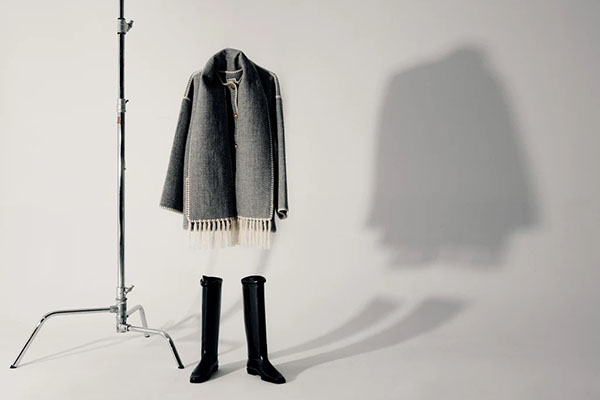
Maje is a niche fashion brand known for its French-inspired designs, characterized by a romantic and sweet aesthetic that embodies the unique Parisian style. Maje's women's clothing often features a mysterious, romantic, and refined bohemian vibe, showcasing a diverse and independent confidence in women. This makes it a popular choice for many celebrities in street style and everyday wear. This article provides a guide on how to shop on the Maje France official website, explaining the steps to place an order. If you want to order from the Maje France website but don't know how, feel free to bookmark this guide. 1. Maje France Official Website Ordering Tutorial 1. Open the website Maje France official website link: https://fr.maje.com/, click the link to access directly 2. Log in or register an account Click on the top right corner of the page to log in Registered users can log in with their email and password. Users who haven't registered should click "Create" Enter your personal registration details and click "Create" 3. Select products and specifications Choose your desired products and add them to the cart Click the shopping cart icon in the top right corner to view Review your order details. If you have a promo code, enter it and apply it to get a discount 4. Choose a shipping method 5. Enter the shipping address 6. Choose a payment method Using a bank card as an example, fill in the card number, expiration date, and other details completely. Once confirmed, proceed with payment and submit the order 7. All that's left is to wait for the forwarding company to receive the package, prepare the shipping details, and then wait for your delivery! 2. Other Ordering Notes for Maje France Official Website 1. The website accepts Visa, MasterCard, American Express, and PayPal payments 2. The website does not support direct shipping to China, so you need to use a forwarding service to place an order

Kiko Cosmetics英国官网最新海淘攻略

Kiko Cosmetics UK Official Website Latest Overseas Shopping Guide

Kiko Milano, known as KIKO, is a cosmetics brand from Milan, Italy. Popular across Europe, it is the official makeup brand used for Armani runway shows. The KIKO MILANO cosmetics universe features a diverse range of color combinations, with products made from high-purity, vibrant pigments. Combined with unique formulas and innovative textures in both makeup and skincare, KIKO MILANO has become a benchmark of innovation in the cosmetics world. Due to price differences between countries, the KIKO UK official website has also become a popular cross-border shopping site for Chinese users. This article mainly introduces the ordering process for KIKO UK official website. Interested readers, please continue reading below! KIKO UK official website entrance: https://www.kikocosmetics.com/en-gb/ Click to enter. The specific cross-border shopping process on the KIKO UK official website is as follows: 1. Click the icon in the top right corner of the KIKO UK official website to select login or registration. If you have an account, choose to log in directly using your email and password. If you don't have an account, you can click to register. Below, we use new user registration as an example to explain in detail. 2. For new user registration, fill in the corresponding personal information as required, then click to confirm registration. It is recommended to log in and register under an overseas network, as the KIKO official website has a human verification process. Successful registration is only possible after passing the verification. 3. After registering your account, start selecting your favorite products. When choosing a foundation, KIKO will match a suitable one for you based on a test. If you don't need this, simply click on a new tab to reselect. Then, choose the desired specifications and quantity, and add them to the shopping cart. 4. After adding items to the cart, click the shopping cart icon in the top right corner. 5. On the new page that opens, you can modify the delivery country. However, the KIKO UK official website currently does not support direct shipping to China, so there is no need to change this. The minimum order amount is £15, and shipping is free for orders over £25. Then, click "Proceed to Checkout". 6. In the shopping cart, you can also modify the quantity and specifications of the products. If you have a promo code, enter it to apply it, then click "Proceed to Payment". 7. Enter the shipping address section and fill in the corresponding address information as required. Since the KIKO UK official website does not support direct shipping, this address needs to be a UK forwarding address. Regarding the billing address, you can use the forwarding address or fill in your actual billing address. 8. After completing the shipping address, proceed to the payment section. The official website supports payment via gift cards, PayPal, credit cards, and Alipay. Select the appropriate payment method and fill in the relevant information: 2) Credit Card Enter the card number, card expiry date, and security code. 3) Alipay After selecting Alipay, click "Complete Order" to proceed to payment. You will enter a currency selection interface. Choose Chinese Yuan (RMB), click confirm, and you will be directed to a payment QR code page. Scan the code with Alipay to complete the payment. 4) PayPal Log in to your PayPal account and complete the payment. Summary of Important Notes: 1. The KIKO UK official website supports forwarding but does not support direct shipping. 2. It supports payment via gift cards, PayPal, Alipay, and credit cards with Visa, Mastercard, and AE logos. 3. After placing an order, you will receive an order confirmation email. This email contains the purchase information. It is best to double-check the details for accuracy. If there are any issues, contact the official website's customer service as soon as possible.

Lamer 海蓝之谜英国官网海淘攻略

Lamer UK Official Website Shopping Guide

La Mer is a top-tier luxury skincare brand under the Estée Lauder Group, founded in 1965. The UK official website is La Mer's British site. Since its inception, the brand's products have earned an excellent reputation for their effectiveness, with star products including the Crème de la Mer, The Regenerating Serum, The Eye Concentrate, and The Regenerating Serum, which are also highly popular items. This article introduces a guide to shopping on the La Mer UK official website, explaining how to place orders and shop on the La Mer UK site. If you want to order from the La Mer UK official website but don't know how, feel free to click and check out this La Mer UK official website shopping guide. 1. Open the website; La Mer UK official website shopping URL: https://www.cremedelamer.co.uk/, click the link to visit directly; 2. Register an account; Click SIGN IN in the top right corner, then select SIGN IN; Already registered users can select Sign In to log in, while unregistered users should choose Sign Up below to register an account; Enter the registration page; 3. Select products; Add the products you want to purchase to the shopping bag, then click SHOPPING BAG in the top right corner to view your shopping bag and go to the shopping bag page; 4. Click SHOPPING BAG in the top right corner to view your shopping bag and enter the shopping bag page; 5. Click CHECKOUT to enter the sample selection page; 6. Click CONTINUE CHECKOUT to proceed to the shipping address page; 7. Continue to the payment page, confirm everything is correct, and click PLACE ORDER to submit and complete the order. 8. All that's left is to wait for the forwarding company to receive the goods, prepare the shipping details, and sit tight for delivery!

Lamer DE 海蓝之谜德国官网最新海淘攻略

Lamer DE Official Website Latest Shopping Guide

LAMER, hailed as a miracle in the cosmetics world, is a globally renowned high-end luxury skincare brand with strong recognition and popularity both domestically and internationally. As the official site, the La Mer Germany website sells its full range of products online, including star items like the Crème de la Mer Moisturizing Cream, The Treatment Lotion, and The Eye Concentrate. This article provides a guide on how to shop on the La Mer Germany official website, explaining the steps to place an order. If you want to order from the La Mer website but don't know how, feel free to check out this La Mer Germany online shopping tutorial. 1. La Mer Germany Official Website Ordering Tutorial 1. Open the website La Mer Germany official website link: https://www.cremedelamer.de 2. Register an account Click "MEIN KONTO" in the top right corner. Existing customers can log in with their email and password, while new users should select register. Enter the information and click confirm 3. Select products Choose your desired products and add them to the shopping cart 4. Open the shopping cart in the top right corner to review your order If you have a promo code, enter it to get a discount 5. Choose free samples and proceed to checkout Orders over 90€ qualify for 2 free deluxe samples 6. Fill in the shipping address 7. Choose payment method, verify billing and shipping addresses 8. Review order and select payment type Using a Visa credit card as an example, fill in the card number, expiration date, security code, and other relevant details completely. Confirm everything is correct and submit the order 9. All that's left is to wait for the shipping forwarder to receive the package, prepare the shipping details, and wait for delivery! 2. Important Notes for Ordering on La Mer Germany Official Website 1. The official website supports Visa and MasterCard credit cards, as well as PayPal payments 2. The official website does not support direct shipping to China; you need to use a shipping forwarder. Shipping within Germany is free 3. Customer service contact number: +4932212249256

Allen Edmonds 美国官网最新海淘下单教程

Allen Edmonds US Official Site: Latest Overseas Ordering Guide

Allen Edmonds is a well-known American premium men's footwear brand, renowned for its classic style and top-tier quality. The brand perfectly embodies a pure yet refined American lifestyle, dedicated to providing customers with the highest quality handmade men's leather shoes, ranging from formal wear for business and social occasions to casual leather shoes for everyday use. The Allen Edmonds US official website also offers apparel, ties, belts, raincoats, and other men's leather accessories, all highly popular among customers. This article introduces a guide on how to place an order on the Allen Edmonds US official website for overseas shopping. It explains the steps to successfully purchase items on the Allen Edmonds official website. If you want to order from Allen Edmonds but don't know how, feel free to bookmark this Allen Edmonds overseas shopping guide. I. Allen Edmonds US Official Website Ordering Tutorial 1. Open the official website Allen Edmonds US official website entrance: https://www.allenedmonds.com/ 2. Log in to your account Click on the account icon at the top right of the page. If you already have an account, enter your email and password to log in. If you are not registered, click "Create Account". Enter registration information Open your email to check the verification code, enter it, and click submit Registration complete, log in again. 3. Select products, choose color, size, and shipping method, then add to cart 4. View your shopping cart If you have a promo code, enter it to get the discount. Switch the shipping country and checkout currency 5. Enter the shipping address 6. Choose a shipping method 7. Review your order 8. Select a payment method, verify the billing address, and submit the order once everything is correct Using a credit card as an example, fill in the cardholder's name, card number, expiration date, and other relevant information completely, then submit. 9. The rest is waiting for the forwarding company to receive the package, preparing the shipping details, and then waiting for your items to arrive! II. Other Ordering Notes for Allen Edmonds US Official Website 1. The website supports domestic credit cards and PayPal payments. 2. It can ship directly to China; international shipping fees will be displayed at checkout. However, many styles do not support ordering to China, so using a forwarding service is recommended. 3. Free shipping is available for US orders over $100.

Forward 官网最新海淘下单教程

Forward Official Latest Overseas Ordering Tutorial

Forward is a sister site of REVOLVE, primarily selling mid-to-high-end designer brands, including well-known names like McQueen, Alexander Wang, Givenchy, Valentino, and Lanvin. Forward has launched a Chinese shopping page, making it more convenient to place orders. This article introduces a tutorial for shopping on the Forward official website, explaining how to place an order. If you also want to order on the Forward official website but don't know how, feel free to click and bookmark this Forward shopping guide. 1. Forward Official Website Ordering Tutorial: 1. Open the official website Forward official website entrance: https://www.fwrd.com/, click the link to enter 2. Click the top right corner of the page to switch the region to China 3. Log in or register an account Click the top right corner of the page and select log in Registered users can log in using their email and password Users who haven't registered should enter registration information and click create 4. Select products and specifications Browse by category or search to choose your preferred products, and add them to the cart Review the order information and prepare to checkout 5. Fill in the shipping address You can fill it in using Chinese 6. Select shipping method Provide real identity information for customs clearance declaration 5. Select payment method If you have a promo code, enter it below to get the discount; once confirmed, pay and submit the order 6. Just wait to receive your package! 2. Notes for Ordering on the Forward Official Website 1. The official website supports direct shipping to China, with free international shipping on orders over $100. 2. The official website accepts Alipay, WeChat Pay, Visa, MasterCard, American Express, Discover, JCB, Diners Club credit cards, and PayPal. 3. The shipping address can be filled in Chinese, and you need to provide your real name and ID number when placing an order.

HBX 官网2022最新海淘下单攻略教程

HBX Official 2022 Latest Overseas Ordering Guide

HBX, founded in 2012, is a fashion shopping website under HYPEBEAST, specializing in apparel, shoes, and bags. HBX focuses on a high-end trendy style, offering a wide range of brands and products at affordable prices. It has now grown into a shopping site featuring over 300 curated brands. The HBX official website supports Chinese pages, accepts payment methods like Alipay, UnionPay, and credit cards, and offers direct shipping to China, making overseas shopping very convenient. This guide to shopping on the HBX official website explains how to place an order and shop on HBX. If you want to order from HBX but don't know how, feel free to check out this HBX overseas shopping guide. 1. HBX Official Website Ordering Tutorial 1. Open the website HBX official website entrance: https://hbx.com/, click the link to enter 2. Click the top right corner to switch region 3. Click the top right corner of the page to select login 1) If you have an account, log in directly with your email and password. If you don't have an account, click Create Account. 2) Fill in the registration information as required 3. After registration, you can navigate to different channels via the website menu. Vintage items are second-hand goods and are not eligible for returns or exchanges, so please take note. 4. Select your desired product, add it to the cart, and choose size, color, etc. 5. Proceed to checkout in the shopping cart. HBX uses a pre-paid duty model. The duty details for the items are visible in the cart. Click "Checkout" to proceed to the next step to fill in the address. 6. Fill in the address. For direct shipping to China, select "China". You can fill in the address directly in Chinese. 7. Select shipping and payment method, then complete the order. 8. Wait for delivery 2. HBX Official Website Overseas Shopping Notes 1. Payment Information: Supports Alipay, WeChat Pay, credit cards, PayPal, and other payment methods. 2. Shipping Information: Direct shipping to China (pre-paid duty model) or can use a forwarding service. 3. Shipping Fee Information: Free shipping on direct mail orders over 960 RMB (some items may not apply). 4. All items on the website are shipped from Hong Kong.

Swarovski 施华洛世奇2021最新海淘攻略

Swarovski 2021 Latest Overseas Shopping Guide

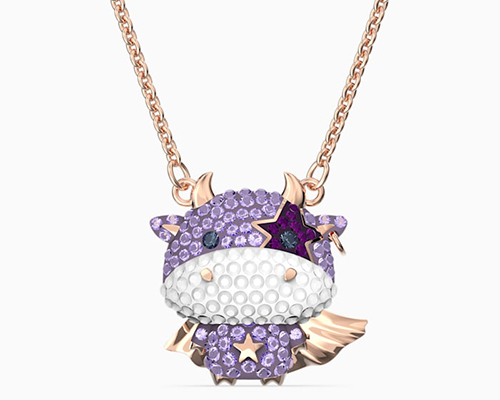
Swarovski jewelry has always been loved and welcomed by female friends, regardless of age or profession. The styles are fashionable, exquisite, high-end, and beautiful, with very fine craftsmanship. They are also frequently worn by celebrities at various events. The swan crystal logo is the traditional hallmark of Swarovski and a symbol of the brand's exquisite and elegant spirit. Beyond swan-themed pieces, each season's featured items from Swarovski become hugely popular, from the earlier Evil Eye collection, to the Zodiac series, to the Dancing Stone, and now the wildly popular Bee collection. These have been widely promoted by fashionistas, influencers, and personal shoppers. The Swarovski official website allows you to directly purchase all your favorite Swarovski product lines, which is very convenient. The Swarovski US official website does not support direct shipping to China, but it does support freight forwarding, Chinese credit cards, and does not support Chinese PayPal. Domestic bank dual-currency credit cards from ICBC, CMB, and BOC have been reported to work successfully. Next, let's take a look at the ordering guide on the mobile site: Swarovski Official Website Entry: https://www.swarovski.com/ 1. First, click the menu in the upper left corner of the Swarovski homepage and select Login/Register: 2. New users select "Register New Account" at the top of the page. Existing users select "Log in with email and password" below. Here, we will use new user registration as an example to introduce the ordering process: 3. First, fill in the shipping address, billing address, and relevant personal information as required by the website. Note that since the US official website does not yet support direct shipping, it is best to fill in a US freight forwarding address for both the shipping and billing addresses: Below is "BE SWAROVSKI," a unique membership program from Swarovski. Joining allows you to enjoy special benefits: exclusive gifts, reward points, and member-only discounts. Whether to join is entirely up to you. If you wish to join, simply check the box. It is free: Next, choose whether to subscribe to the website's promotional emails by checking the box. Additionally, you need to select a language; the default is English. After checking the boxes, click "Register" to proceed: 4. After registration is complete, it's time to start shopping. Select your desired products, choose the quantity and style, and add them to the cart: 5. In the shopping cart, you can view items, modify quantities, continue shopping, or proceed to checkout. The official website offers free gift wrapping and cards. If it's a gift, you can check the card option and enter your greeting message, which is very convenient. If you have a discount code, enter it in the designated field below to receive the corresponding discount. Once everything is set, select "Checkout": 6. The first step of checkout is to confirm the product information, shipping address, and billing address are correct. Select the shipping method, then proceed to the payment section: 7. In the payment section, you can choose to pay by credit card or PayPal. Here, we use credit card payment as an example. Select the credit card type, enter the required information, confirm everything is correct, and submit the order: 8. This concludes the entire shopping process. Regarding order confirmation and shipment, the website system will send an email to your registered email address. Please keep an eye on your inbox.

Swarovski 施华洛世奇美国官网海淘下单攻略

Swarovski US Official Website Overseas Ordering Guide

Swarovski is an Austrian brand known for its high-quality, dazzling, and highly precise crystal jewelry and related products. Iconic items like the Swan necklace, Evil Eye, Bee bracelet, Lip necklace, and Dancing Stone are very famous, and the Swarovski US official website has always been a popular destination for international online shoppers. This article provides a step-by-step guide on how to shop on the Swarovski US official website, explaining the ordering and purchasing process. If you also want to place an order on the Swarovski US site but don't know how, feel free to bookmark this Swarovski US official website shopping guide. 1. Swarovski US Official Website Ordering Tutorial 1. Open the official website Swarovski US official website entrance: https://www.swarovski.com/en-US/, needs to be opened under an overseas network environment 2. Login/Register Click Login/Register at the top right corner of the page Registered users can log in using their email and password. New users who haven't registered click Create Enter registration information and click Register 3. Select your desired items, choose specifications like color and size, then add to cart 4. Click the shopping cart icon at the top right to view and review your order, then proceed to checkout Enter a promo code if available to get a discount 5. Choose shipping method 6. Fill in shipping address 7. Choose payment method Using credit card payment as an example, fill in the card number, name, expiration date, and other details completely, then submit the order once confirmed 8. All that's left is to wait for the forwarding company to receive the package, prepare the shipping details, and wait for delivery! 2. Swarovski US Official Website Ordering Notes 1. Does not support direct shipping to China; requires using a forwarding service 2. Free shipping within the US on orders over $75 3. Supports UnionPay, Visa, MasterCard, American Express, and PayPal payments

Kiehl's 科颜氏加拿大官网海淘下单攻略

Kiehl's Canada Official Website Overseas Shopping Guide

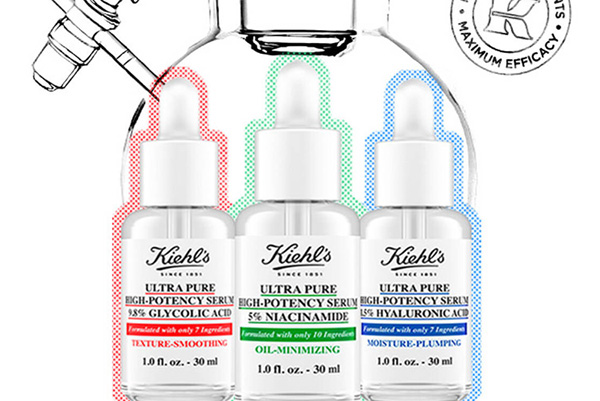
kiehl's is a well-known skincare brand, with star products including Clearly Corrective Dark Spot Solution, Creamy Eye Treatment with Avocado, and Rare Earth Deep Pore Cleansing Masque. Compared to the negligible promotions on the domestic Kiehl's official website, the international Kiehl's site often offers 50% off deals, making overseas purchasing of Kiehl's products more cost-effective. This article provides a step-by-step guide on how to place an order on the Kiehl's Canada official website. It mainly explains how to shop and order on the Kiehl's Canada site. If you also want to place an order on the Kiehl's Canada official website but don't know how, feel free to click and bookmark this Kiehl's Canada official website overseas shopping guide. I. Kiehl's Canada Official Website Ordering Tutorial Kiehl's Canada Official Website Link: https://www.kiehls.ca/ 1. Click the menu bar in the upper right corner of the homepage to log in or register for a Kiehl's Canada official website account. Then click "My Account" to enter the account login/registration page. Kiehl's Canada official website account login page: Kiehl's Canada official website account registration page. Fill in your name, email, password, birthday, and phone number (you can use the phone number provided by your shipping forwarder). After entering the registration information, click "Reign A Account" to create the account. 4. Place an order. Select your desired products and sizes on the Kiehl's Canada official website and add them to the shopping cart: 5. Go to the Kiehl's Canada official website shopping cart. After confirming the items are correct, you can select free samples. If there are promotional offers, you can also enter a discount code to enjoy savings, then choose your payment method. 6. Add the order shipping address. Since the Kiehl's Canada official website does not support international orders, you need to fill in the shipping information of the forwarding company found in the first step. Copy the forwarding company's recipient first name, last name, the email used for Kiehl's Canada registration, phone number, address, city, and province, then proceed to the next step. Select the shipping method. 7. Add a payment method and verify the credit card. Once the credit card is verified, the payment can be completed. 8. Monitor the order status on the Kiehl's Canada official website. After shipment, you can obtain the tracking number. Report the package arrival at the forwarding company's website or other platforms. Once the package arrives at the forwarding company, weigh it, pay the shipping fee, choose a suitable shipping method, submit it for dispatch, and wait for delivery. II. Notes for Ordering on the Kiehl's Canada Official Website: 1. The Kiehl's Canada official website primarily serves Canadian consumers and does not support international orders. Therefore, you need to register with a forwarding company located in Canada in advance and obtain the forwarding warehouse address and recipient information. 2. Prepare a payment method for the Kiehl's Canada order. The website accepts Visa, Mastercard, American Express, and PayPal payments. You can apply for a credit card or register a PayPal account in advance. 3. The website accepts Visa, Mastercard, and AE credit card payments, but it is not very friendly towards international credit cards during the actual ordering process. 4. Orders on this website cannot be shipped to the US; you need to register with a forwarding company located in Canada to place an order. 5. Having a US-based PayPal account and a private address can increase the success rate of placing an order. 6. The Kiehl's US website offers better discounts than the Canadian website, but it is also more difficult to place orders. 7. For the phone number required during registration, you can fill in the recipient phone number of the forwarding company you choose.

Colourpop 2021最新海淘攻略

Colourpop 2021 Latest Overseas Shopping Guide

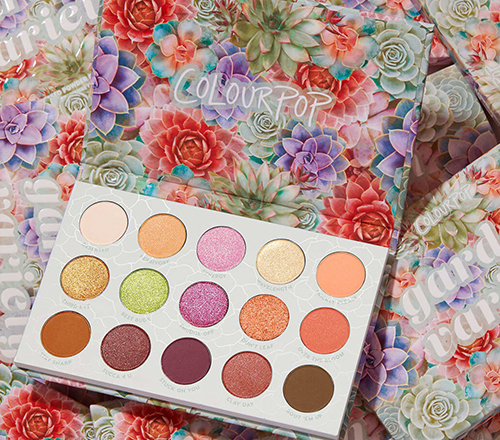
Colourpop is a rising star in the beauty world, born in Los Angeles. It has no physical stores, only an official website. From eyeshadows to lip liners, every product is simply amazing. The brand was only founded in 2014, but it has already taken the world by storm. Beauty lovers who frequent YouTube and Instagram likely discovered this brand early on. Many top Western influencers have recommended it countless times on these platforms, causing it to explode in popularity in China at lightning speed. Now, a quick search on Weibo reveals countless swatches and even makeup tutorials. Colourpop offers direct shipping to China for some products, with a Sunshine Customs Clearance model that includes prepaid duties and shipping fees. Alipay payments are supported, making purchases even more convenient! Colourpop offers free US domestic shipping on orders over $30, and free international shipping on orders over $50. However, direct shipping and free shipping promotions do not include Mainland China. So today, I'm sharing a guide on how to shop internationally via the Colourpop official website on mobile. Hope you enjoy it. Colourpop Official Website Direct Link: https://colourpop.com/ Colourpop Official Website International Ordering Process: 1. First, you need to register an account. When you open the homepage, a pop-up window will prompt you to sign up for promotional emails. This gets you a $5 coupon for new customers. After registering, you'll receive a related email. You can use this coupon on any order over $10. Note that the discount code becomes invalid after one use! 2. On the homepage, click to expand the menu in the top left corner, then click "My Account" at the bottom left of the page to go to the login/registration page: Existing customers can log in using their email and password: 3. New customers should select "Register" below, fill in your name, email, and password, then click "Register" below to complete the registration. 4. Now you can start shopping! Use the homepage navigation, categories, or search to find your desired products. Select the quantity, click "Add to Bag," then proceed to choose your payment method and checkout: 5. Continue by filling in the shipping address. Regarding the shipping address: 1) Direct Shipping (fill in your domestic address in pinyin); 2) Freight Forwarding (register with a freight forwarder to get their address); 3) Discount Code: In the box on the right, if you have a discount code (new registrants can use the code from the registration email), enter the discount code or gift card code in the "Gift card or discount code" field below the product info, and click the right arrow to submit and get the discount. 6. Next, choose the shipping method: 1) Freight Forwarding defaults to domestic shipping, costing $5.99. Of course, orders over $30 qualify for free US domestic shipping; 2) Direct Shipping is free for orders over $50, with only prepaid duties charged. 7. Proceed to the payment section: Payment methods include Visa, American Express, or PayPal, with Alipay added as a new option. Using Visa as an example, you need to fill in the cardholder's name, card number, expiration date, security code, and other relevant details shown in the image. 8. In the billing address section below, to avoid order cancellations, it's best to fill in your real personal information and address. Select "Add a new billing address" and fill it out in the same format as the shipping address. Then click "Complete Order" to finish your purchase. Complete your purchase, monitor your registered email for order status updates, wait for the website to ship your order, submit the forwarding request to your freight forwarder, and then just sit back and wait for your package to arrive.

SSENSE 官网最新海淘直邮教程

SSENSE Official Website Latest Overseas Direct Shipping Guide

SSENSE is an online fashion retailer based in Canada, offering brand-name apparel from D&G, Juicy Couture, Miss Sixty, G-Star, Diesel, and more, including men's wear, women's wear, bags, shoes, and accessories. It is a popular site for international shopping. This article provides a guide on how to shop on the SSENSE official website, explaining the steps to place an order for direct shipping. If you want to order direct delivery from SSENSE but don't know how, feel free to bookmark this SSENSE direct shipping tutorial. 1. SSENSE Official Website Direct Shipping Order Tutorial 1. Open the official website SSENSE official website link: https://www.ssense.com/ 2. Log in to your account Click the top right corner of the page and enter your email to log in Unregistered users set a password to create an account Open your email and click the confirmation link to activate 3. Select items and add to cart 4. Open the cart and review the order 5. Fill in the shipping address 6. Choose a shipping method 7. Choose a payment method Using credit card payment as an example, fill in the cardholder's name, card number, expiration date, security code, and other details, then verify the billing address 8. After confirming the order information is correct, click submit 9. Just wait to receive your package! 2. Notes for Placing Orders on the SSENSE Official Website 1. The official website supports direct shipping to China, with a shipping fee of $40 2. Product prices include tax, so there is no need to worry about customs clearance issues 3. Supports Alipay, Visa, MasterCard credit cards, and PayPal payments

Allsaints 英国官网最新海淘下单教程

AllSaints UK Official Website Latest Overseas Ordering Guide

London's trendy new brand All Saints, often called the affordable Vivienne Westwood by many avant-garde fashion enthusiasts, enjoys strong brand recognition among young people in the UK and is widely regarded as one of the most successful young brands in the British fashion scene. This article introduces a guide on how to shop on the All Saints UK official website, explaining how to place orders and make purchases. If you also want to order from the All Saints UK official website but don't know how to proceed, feel free to click and bookmark this All Saints UK official website shopping guide. 1. All Saints UK Official Website Ordering Tutorial: 1. Open the official website All Saints UK official website entrance: https://www.allsaints.com/, needs to be opened under an overseas network environment 2. Login and Register Select Sign in at the top right corner of the page Registered users can log in using their email and password, or log in with their Amazon account Users who haven't registered click Create Account Enter registration information to create an account Password must contain uppercase letters, numbers, and characters 3. Select items and add to cart Choose your preferred products by category or search, Click the shopping cart icon at the top right corner of the page to view 4. Review order information and prepare for checkout If you have a promo code, enter it and click Apply to get the discount 5. Fill in personal contact information 6. Add shipping address 7. Choose delivery method 8. Choose payment method Using bank card payment as an example, fill in the card number, expiration date, and other details completely. After confirming everything is correct, pay and submit the order 9. Wait to receive your order! 2. All Saints UK Official Website Ordering Notes 1. Free direct shipping to China for orders over £250, free UK domestic shipping for orders over £150, also supports ordering via forwarding services 2. Supports payment methods such as Visa, Mastercard, AE card, PayPal, etc.

JBL 美国官网最新海淘下单教程

JBL US Official Website Latest Overseas Ordering Tutorial

Friends who love electronics may have heard of the JBL brand. It is a world-leading audio industry leader, primarily designing, developing, and selling various home, car, and portable high-end audio products. From professional fields to various entertainment venues, from the most advanced audiophile speakers to the currently popular home theater systems, JBL can be seen everywhere. This article introduces a guide on how to shop on the JBL US official website, explaining how to place orders and shop on the JBL official website. If you also want to place an order on the JBL official website but don't know how, feel free to click and bookmark this JBL US official website shopping guide. I. JBL US Official Website Ordering Tutorial 1. Open the official website JBL US official website link: https://www.jbl.com/, requires a VPN 2. Login/Register Click Login at the top right of the page Registered users enter their email and password and click login Unregistered users click register, enter registration information to create an account Registration password must contain at least 8 characters, one number, and one special character Open your email to activate the account Then enter your email and password to log in 3. Select products and add to cart Choose your desired product, select quantity, specifications, etc. If you need to purchase additional warranty service, click to add it 4. Click the shopping cart at the top right of the page to view order information and prepare to checkout 5. Fill in the shipping address 6. Select shipping method 7. Review order information If you have a promo code, enter it and click Apply to get the discount 8. Select payment method Taking credit card payment as an example, fill in the credit card number, expiration date, security code, and other relevant information completely, then verify the billing address. Once correct, proceed with payment. 9. All that's left is to wait for the forwarding company to receive the goods, prepare the forwarding details, and sit tight waiting for delivery! II. Notes for Ordering on JBL US Official Website 1. The official website does not support direct shipping to China; you need to use a forwarding service to place orders. Free shipping within the US. 2. Supports payment via Visa, MasterCard, American Express, Discover, and PayPal.

Tory Burch 英国官网海淘下单教程

Tory Burch UK Official Website Overseas Ordering Guide

Tory Burch is a fashion lifestyle brand from New York, USA, known for its free-spirited, romantic pastoral style. Its product range mainly includes women's clothing, shoes, handbags, and accessories. The Tory Burch UK official website primarily serves British consumers and does not support international orders. However, due to its lower pricing and full range of styles, the Tory Burch UK site is also a popular destination for overseas shoppers looking to buy Tory Burch products. This article provides a guide on how to shop on the Tory Burch UK official website. Users who want to place an order on the Tory Burch UK site but don't know how to proceed can bookmark this for reference. 1. Tory Burch UK Official Website Ordering Tutorial 1. Tory Burch UK official website entry: https://www.toryburch.com/en-gb/ 2. First, since the Tory Burch UK official website does not support direct shipping to China, you will need to use a forwarding service. Users should first find and register with a UK-based forwarding company and obtain the forwarding address information. 3. Next, prepare a payment method for orders on the Tory Burch UK official website. The site supports Visa, Mastercard, AE credit cards, and PayPal payments. 4. First, click the menu bar in the top right corner of the page to log in or register for a Tory Burch UK official website account. You can see the account login/registration entry. Tory Burch UK official website account login page. Tory Burch UK official website account registration page. 5. Shopping and ordering: Browse and select the items you want to buy on the Tory Burch UK official website, then add them to the cart and proceed to checkout. Shopping cart checkout page. Here you can edit the cart, add any site promotional codes, and then click "CHECKOUT" to proceed to the payment page. 6. After entering the order checkout page, fill in the shipping information. Since the Tory Burch UK official website does not support direct shipping, you need to enter the shipping address of the forwarding company you registered in the first step. 7. Enter the payment page. You can choose to pay by gift card, PayPal, Klarna, or credit card. Selecting PayPal will redirect you to the PayPal website for payment. Here we choose credit card payment. Fill in the credit card number, cardholder name, expiration date, security code, and other details. Verify the order is correct, then click "PLACE ORDER" to complete the payment. 8. Monitor the order status on the Tory Burch UK official website. After the item is shipped, take the tracking number to the forwarding company platform to declare the package. Once the package arrives in the warehouse, pay the forwarding shipping fee, submit it for outbound delivery, and wait for the package to arrive. 2. Notes for Overseas Shopping on the Tory Burch UK Official Website: 1. The Tory Burch UK official website requires an overseas network environment to access properly. 2. When setting a password for a Tory Burch UK official website account, it must include numbers, letters, and special characters to be submitted. 3. Before placing an order, be sure to find a reliable UK forwarding company to reduce the risk of lost or confiscated packages. 4. The Tory Burch US official website is more suitable for overseas shopping, with lower product prices and more promotions. It is also easier to find a forwarding company. You can switch directly using the option on the left.

Tory Burch 汤丽柏琦官网2021最新海淘攻略

Tory Burch Official Website 2021 Latest Overseas Shopping Guide

Tory Burch is a very popular American fashion brand among young people. Founded in 2004, the brand's product line includes women's clothing, women's shoes, handbags, accessories, fragrances, and home decor. Its design style is the currently trending sporty-chic look, full of unrestrained energy without sacrificing the exquisite details that showcase taste, making it a favorite among celebrities and socialites. The bags feature a clean and simple design, the logo is instantly recognizable and memorable, and the clothing is elegant and appropriate, easily commanding attention in any setting. The shoes are comfortable, durable, and versatile, making them wardrobe essentials. There are relatively few cities in China with Tory Burch boutiques, and the prices are not very friendly. The official Tory Burch US website is a much better destination for fashion enthusiasts to get their hands on elegant, affordable luxury. Tory Burch official website link: https://www.toryburch.com (Open in an overseas network environment) Next, we will introduce the specific ordering process on the US official website's mobile version: 1. First, on the Tory Burch homepage, click to expand the menu in the upper left corner: Click My Account to log in or register: 2. Existing users can choose to log in using their email and password. Those without an account can choose to create one. Additionally, on the login page, you can check the status of existing orders by entering the order number and the billing address zip code. Below that, you can also enter your email to sign up for promotional emails and receive a 10% discount on your first order! (Sign up if you don't mind receiving bulk emails.) Fill in your personal information such as name, email, password, country, birthday, and gender as required by the website, and submit to easily complete the registration: 3. Once registered, you can shop with ease! You can browse products through the menu by clicking the menu icon in the upper left corner of the page, or search for your favorite items using keywords. Click on a product image to enter the product details page, select the appropriate size and color, and add it to your shopping cart. You can refer to the product's size chart. If your size is temporarily unavailable, you can add it to your wish list. When you're done shopping, click the shopping bag icon in the upper right corner to proceed to checkout. 4. In the shopping cart, you can adjust the items. If you need gift wrapping, you can check the box. Below that, enter gift card details. If you have a discount code, you can enter it in the space provided to receive the corresponding discount. Then, click Checkout to proceed: 5. The first step of checkout is to enter the shipping address. The Tory Burch official website can ship directly to China without canceling orders, but the prices are not very favorable, and you won't be able to enjoy some promotions like free shipping within the US. Therefore, we recommend using a freight forwarder. Enter your freight forwarder's address here, select the shipping method, and click Continue: 6. Proceed to the payment section. For the billing address, you can choose to use the freight forwarder address, or uncheck it and enter your real domestic billing address. If you have a gift card, you can use it for payment: For payment information, pay with a credit card. Enter the cardholder's name, card number, expiration date, and security code. Once confirmed, proceed to the order review section. The official website also supports PayPal payment: 7. Enter the final step: order review. Double-check the shipping address, shipping method, billing address, and payment information entered above. To avoid unnecessary returns or exchanges, carefully verify the product, size, and color information. Once all information is confirmed correct, submit the order. After the payment is completed, the shopping process on the Tory Burch official website is finished. You can log in to your account to check the order number and track the shipping status. Then, you just need to go to your freight forwarder to declare the package, and wait to receive it!


Fenty Beauty 美国官网最新海淘下单攻略

Fenty Beauty US Official Site Latest Overseas Ordering Guide

Fenty Beauty is a cosmetics brand from the United States, founded by famous singer and actress Rihanna. It has many popular products, such as highlighters, lipsticks, and foundations, with its diamond highlighter being especially well-loved. This article introduces a guide for overseas shopping on the Fenty Beauty US official website, explaining how to place orders and shop on the Fenty Beauty official website. If you also want to place an order on the Fenty Beauty official website but don't know how, feel free to click and bookmark this Fenty Beauty overseas shopping guide. 1. Fenty Beauty US Official Website Ordering Tutorial 1. Open the official website Fenty Beauty US official website entrance: https://fentybeauty.com/ 2. Log in or Register Click Log In at the top right corner of the page Registered users can log in using their email and password. Users who haven't registered should select Create Account Enter registration information and submit to register 3. Select items and add to cart Choose your preferred products, select colors, sizes, etc. Open the shopping cart at the top right corner of the page to prepare for checkout 4. Fill in the shipping address 5. Select shipping method 6. Review order information If you have a promo code, enter it and click Apply to get the discount 7. Choose payment method You can pay using credit card, PayPal, etc. Here, credit card payment is used as an example. Fill in the credit card number, name, expiration date, security code, and other details completely, then verify the billing address. Once correct, proceed with payment 8. All that's left is to wait for the forwarding company to receive the goods, prepare the forwarding details, and sit tight waiting for your package! 2. Notes for Ordering on the Fenty Beauty US Official Website 1. The official website does not support direct shipping to China; you need to use a forwarding service to place orders 2. Free standard shipping on all orders within the US 3. The official website supports payment via Visa, MasterCard, American Express, Discover, and PayPal

Clarins 娇韵诗加拿大官网海淘下单教程

Clarins Canada Official Website International Ordering Guide

Clarins is a professional plant-based skincare brand from France, using plant extracts to provide comprehensive facial and body care. It is highly renowned worldwide, and many of its products are extremely popular. This article introduces a guide on how to shop on the Clarins Canada official website, explaining the steps to place an order. If you also want to order from the Clarins Canada official website but don't know how, feel free to click and bookmark this Clarins Canada official website shopping guide. 1. Clarins Canada Official Website Ordering Tutorial 1. Open the official website Clarins Canada official website link: https://www.clarins.ca/ 2. Log in to your account Select the dropdown menu at the top left of the page to log in Registered users log in with email and password, unregistered users choose to register Enter registration information to create an account 3. Select products and add to cart 4. Click the shopping cart at the top right of the page to review the order If you have a promo code, enter it to get the discount 5. Fill in the shipping address 6. Select shipping method 7. Select payment method Using bank card payment as an example, fill in the card number, expiration date, security code, and other relevant information completely. After confirming it is correct, submit the order 8. All that's left is to wait for the forwarding company to receive the goods, prepare the shipping details, and sit tight for delivery! 2. Clarins Canada Official Website Ordering Notes 1. The official website supports VISA, MasterCard, American Express cards, and PayPal payments 2. Direct shipping to China is not supported; you can use a forwarding service to place orders. Free shipping within Canada for orders over $50 USD