Shopping Guides for Smart Shopping

Read practical shopping tips, store updates and deal advice for smarter everyday buying.

Theory 美国官网最新海淘下单攻略教程

Theory US Official Website Latest Overseas Ordering Guide

Theory is a fashion brand from New York, USA, currently owned by Japan's Fast Retailing Co. (the parent company of Uniqlo). The brand is primarily designed for professional women, pursuing a philosophy of comfort and perfect fit. Its clothing is simple and elegant, with unique designs and comfortable fabrics, making it widely popular among consumers. This article introduces a guide on how to shop on the Theory US official website, explaining how to place orders and make purchases. If you also want to order on the Theory official website but don't know how, feel free to bookmark this Theory US official website shopping guide. 1. Theory US Official Website Ordering Guide 1. Open the official website Theory US official website link: https://www.theory.com/, requires a VPN 2. Log in or register an account Click the dropdown menu in the upper left corner of the page and select Log In / Register Existing users can log in with their email and password. Users who haven't registered should click Create Enter registration information to create an account 3. Select items and add to cart 4. Open the cart and checkout 5. Fill in the shipping address 6. Select shipping method 7. Carefully review the order 8. Review billing address and select payment method Using credit card payment as an example, fill in the cardholder name, card number, expiration date, security code, and other information completely. Submit the order once everything is correct. 9. All that's left is to wait for the forwarding company to receive the package, prepare the forwarding details, and sit tight for delivery! 2. Other Notes for Ordering on the Theory US Official Website 1. Supports payment via WeChat Pay, Alipay, UnionPay, Visa, Mastercard, American Express, and Discover credit cards, as well as PayPal online payment 2. Does not support direct shipping to China; requires forwarding service for orders 3. Free shipping on orders within the US


Free People 官网最新海淘购物下单攻略

Free People Official Website Latest Overseas Shopping Guide

Free People is a professional women's clothing brand from the United States, under Urban Outfitters. It encompasses a wide range of the latest trends, specifically targeting female consumers who love fashion, art, music, travel, and a free-spirited lifestyle. It is renowned worldwide for its multiple design concepts, including Bohemian, modern, romantic, and sexy styles. This article introduces a guide on how to shop on the Free People US official website, explaining the steps to place an order and make a purchase. If you also want to order from the Free People official website but don't know how, feel free to click and bookmark this Free People shopping guide. I. Free People US Official Website Ordering Tutorial 1. Open the official website Free People US official website entrance: https://www.freepeople.com/ 2. Log in or register an account Click the dropdown menu in the upper right corner of the page and select Log In / Register Registered users enter their email and click Next Verify your identity to log in Unregistered users click Create, fill in email and phone number Enter the SMS verification code to create an account 3. Select items and add to cart 4. Open the shopping cart and proceed to checkout 5. Fill in the shipping address 6. Select shipping method, review order information Enter a promo code if available to get a discount 7. Select payment method, review billing address Using credit card payment as an example, fill in the card number, expiration date, security code, etc., confirm the billing address is correct, and submit the order 8. Wait to receive your order! II. Other Notes for Ordering on the Free People US Official Website 1. Supports credit card payments via UnionPay, Visa, Mastercard, American Express, JCB, and Discover, as well as PayPal online payment 2. Can ship directly to China. Free shipping on orders over $150. Orders under $150 require a $35 shipping fee. You can also use a forwarding service. For US domestic orders under $150, a $7.95 shipping fee applies.

MLTD 美国官网2021最新海淘购物攻略

MLTD US Official Site 2021 Latest Overseas Shopping Guide

Moose Limited (MLTD) is a website that brings together multiple streetwear brands, such as popular labels like Stussy and OBEY, skateboarding brands HUF and VANS, as well as the well-known Canadian bag brand Herschel Supply Co., and more. Plus, the site often features special deals on popular styles, frequently attracting trendsetters to shop for their gear here. If you see something you like, be sure to grab it quickly! As a trendsetter, you absolutely can't miss out! Step 1: Log In MLTD Official Website: http://www.mltd.com/ First, go to the MLTD official website. Click on the 【SIGN IN】 button in the upper right corner of the homepage to log in or register as a member. Step 2: Enter Member Information A pop-up window will appear. 1. If you are already a member, simply enter your account and password to log in. 2. If you are not yet a member, please click 【REGISTER】 to create a new account~ At this point, the page will redirect to the next page. After filling in the registration fields in order, click 【SUBMIT】 to register as a member. Once registration is successful, you will be logged in directly. You can go to 【MY ACCOUNT】 to edit your personal account information, including the address of your commonly used US freight forwarder warehouse, so you won't have to fill it in again during checkout! After saving, you're ready to start shopping! If you need to modify your personal information or check order details, you can do so here. Step 3: Start Shopping~ On the homepage, you can shop by different product categories or search for products directly to start shopping! Click into a category page, find the item you like, and you can clearly see the price, color, size, and other detailed product information. I picked out some Stussy apparel that's a must-have for trendsetters! Click to enter the product page, and you can clearly see the relevant product information. After selecting 【ADD TO BAG】, the website will add the item you want to purchase to your shopping cart. If you need to buy other items, you can simply select them and repeat the steps above to add them to your cart before checking out all at once. If you don't need to continue shopping, click 【VIEW BAG】 in the upper right corner to view the items in your cart and proceed to checkout. Step 4: Shopping Cart List In the shopping cart list, you can review all the items you've selected for this purchase, their details, and the total amount. This step allows you to do a final confirmation of your order before proceeding to checkout. Once confirmed, click 【PROCEED TO CHECKOUT】 to proceed with the checkout steps. If you have a discount code, you can also enter it here~ After entering the discount code, the checkout total in the cart will directly show the discounted amount! Step 5: Checkout On the checkout page, there are three sections where you need to fill in information and confirm. I'll explain each one for you! 1. First, "BILLING/SHIPPING INFORMATION": This is for filling in the billing and shipping address. This is the receiving address of the US freight forwarder. If you need to edit the "BILLING/SHIPPING INFORMATION", click the edit button on the box, and it will redirect you to another page (as shown below). After filling it in, click 【UPDATE PROFILE】 to save. 2. "SHIPPING METHOD": Select the shipping method for your items. If you want to receive your items sooner, you can also choose to pay a little extra for a faster shipping method! After selecting the shipping option you need, click 【CONTINUE】 to proceed with the checkout steps. 3. "PAYMENT METHOD": Enter your credit card information and billing address. Here, you must enter your credit card details in the fields provided. This is for MLTD to verify with your credit card company; they won't send a bill to your home~ (After successful payment, your credit card statement will show the store name and amount charged.) Once all order information is confirmed correct, you can press 【SUBMIT ORDER】 to submit the order! Step 6: Complete Your Order Finally, after submitting the total order information, review and confirm it, and you're done~ Then check your email to see if MLTD has sent you a message. After that, go to the freight forwarder to pre-register the order.

Illamasqua 官网最新海淘攻略教程

Illamasqua Official Website Latest Overseas Shopping Guide

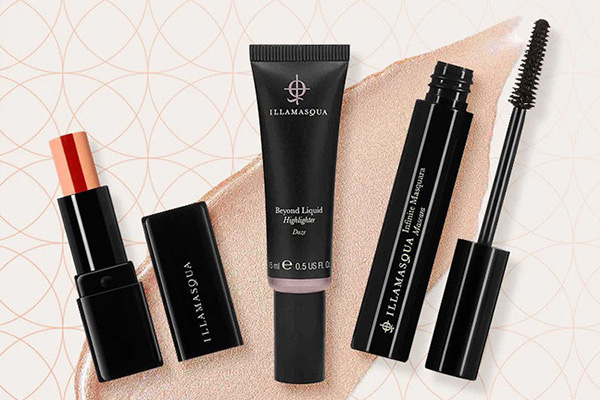
illamasqua is a professional makeup brand from the UK, known for its high pigmentation, vibrant color saturation, and extensive product range. It is hailed as "the UK's answer to M.A.C. as a master of color." Many illamasqua products are extremely popular, such as primers, highlighting powders, and blushes, which have won the hearts of numerous consumers. This article provides a guide on how to shop on the illamasqua official website for overseas purchases, explaining the steps to place an order. If you also want to order from illamasqua but don't know how, feel free to bookmark this illamasqua UK official website shopping guide. 1. illamasqua UK Official Website Ordering Tutorial 1. Open the official website illamasqua UK official website URL: https://www.illamasqua.com/ 2. Switch country language and currency Click the dropdown menu at the top left of the page and select to switch Select the delivery country and currency 3. Log in to your account Click the account icon at the top right of the page, then select Log in / Register Existing users can log in with their email and password. New users click to create an account Fill in the registration information to create an account 3. Select products and add to cart 4. Open the shopping cart to review the order and proceed to checkout Enter any discount code here to apply savings 5. Enter the shipping address 6. Select a shipping method 7. Choose a payment method and review the billing address Using a credit card as an example, fill in the card number, expiration date, security code, and other details completely. Once confirmed, submit the order 8. Wait for delivery! 2. Other Notes for Ordering on the illamasqua UK Official Website 1. Supports direct shipping to China, with free delivery for orders over 420 RMB 2. The website can switch to display prices in RMB, and supports payment via WeChat Pay, Alipay, as well as credit cards from Visa, Mastercard, American Express, and Discover

ChristopheRobin 美国官网最新海淘攻略教程

ChristopheRobin US Official Website Latest Shopping Guide

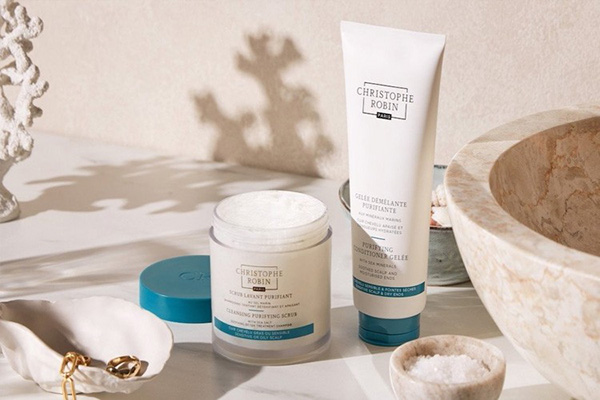
Christophe Robin is a salon-grade hair care brand from France, founded by Christophe Robin in 1999. The brand focuses on color protection and hair repair after dyeing. To thoroughly address scalp issues, Christophe Robin drew inspiration from natural therapies and worked with a team to develop a series of cleansing and hair care products, quickly gaining popularity. This article provides a guide on how to shop on the Christophe Robin US official website, explaining the steps to place an order. If you want to order from Christophe Robin but don't know how, feel free to bookmark this Christophe Robin shopping guide. 1. Christophe Robin Official Website Ordering Tutorial 1. Open the official website Christophe Robin US official website link: https://www.christopherobin.com/ 2. Log in to your account Click the account icon in the top right corner, then select Log In / Create Account Existing users can log in with their email and password. New users click Create Account Fill in the registration information to create an account 3. Select products and add to cart 4. Open the shopping cart page to review Review the order and proceed to checkout. Enter a promo code if available to get a discount 5. Enter shipping address 6. Select shipping method 7. Select payment method Using a credit card as an example, fill in the cardholder name, card number, expiration date, and security code completely. Confirm the information is correct and submit the order 8. Wait for delivery! 2. Other Ordering Notes for Christophe Robin Official Website 1. Supports international shipping. Free shipping on orders over $200. Also supports forwarding orders. Free shipping within the US on orders over $65 2. Accepts Visa, Mastercard, American Express, JCB, and Discover credit cards, as well as PayPal online payment

Byredo 美国官网最新海淘下单攻略

Byredo US Official Website Latest Overseas Ordering Guide

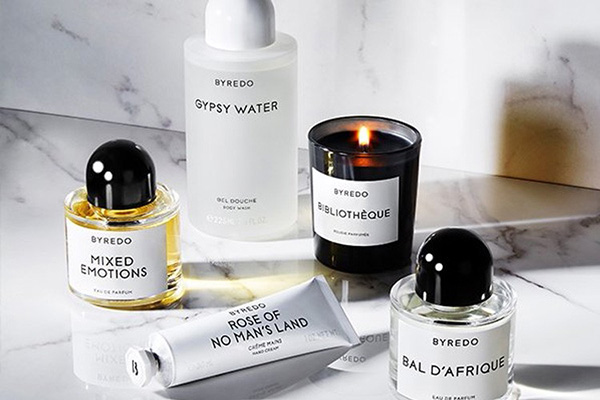
Byredo is a top-tier fragrance brand from Sweden, extremely popular in Europe and the US. Its scents are mostly unisex, and each fragrance is thoughtfully crafted. The Byredo US official website is a popular destination for international online shoppers, offering the brand's full range of products, including perfumes, hair and body care lines, leather goods, and accessories. This article provides a guide on how to shop on the Byredo US official website, explaining the steps to place an order. If you want to order from Byredo but don't know how, feel free to bookmark this Byredo US official website shopping guide. 1. Byredo US Official Website Ordering Tutorial 1. Open the Website Byredo US official website entrance: https://www.byredo.com/eu_en/ 2. Log In to Your Account Click the account icon in the top right corner. If you already have an account, log in with your email and password. If you are not registered, click "Create Account." Fill in the registration information to create an account. 3. Select Products and Add to Cart 4. Open the Shopping Cart Page, Choose a Gift, and Proceed to Checkout 5. Fill in the Shipping Address 6. Select Shipping Method 7. Verify Billing Address and Select Payment Method Using a credit card as an example, fill in the card number, expiration date, security code, and other details completely. Once confirmed, complete the order. 8. All that's left is to wait for the forwarding company to receive the package, prepare the shipping details, and receive your order! 2. Other Notes for Ordering on the Byredo US Official Website 1. Direct shipping to China is not supported; you need to use a forwarding service. Free shipping within the US. 2. Supports credit card payments via Visa, Mastercard, American Express, and Discover, as well as PayPal online payment.

First Aid Beauty 美国官网海淘下单教程

First Aid Beauty US Official Site Overseas Ordering Guide

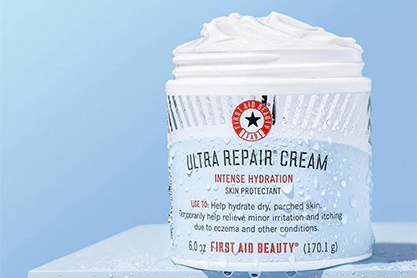
First Aid Beauty is a niche skincare brand from the United States, founded in 2009 by Lilli Gordon. It focuses on natural and effective skincare products and has gained attention for being known as an affordable "La Mer." This article introduces a guide on how to shop on the First Aid Beauty US official website, showing you how to place orders and make purchases. If you also want to order from the First Aid Beauty US official website but don't know how, feel free to click and check out this First Aid Beauty US official website shopping guide. 1. Open the website; First Aid Beauty US official website shopping URL: https://www.firstaidbeauty.com/, click the link to access directly; 2. Register an account; Users who have already registered can choose Sign In to log in, while unregistered users should select Register to create an account; Enter the login/registration page; 3. Select products; Add the products you want to purchase to the shopping cart, then click the Bag icon in the top right corner to view the cart and go to the shopping cart page; 4. Click the Bag icon in the top right corner to view the shopping cart and enter the shopping cart page; 5. Click SECURE CHECKOUT to enter the shipping address page; 6. Continue to select the shipping method; 7. Continue to the payment information page, confirm everything is correct, and click PLACE ORDER to submit and complete the order. 8. All that's left is to wait for the forwarding company to receive the goods, prepare the shipping details, and sit tight for delivery!

Deciem 加拿大官网最新海淘攻略

Deciem Canada Official Website: Latest Overseas Shopping Guide

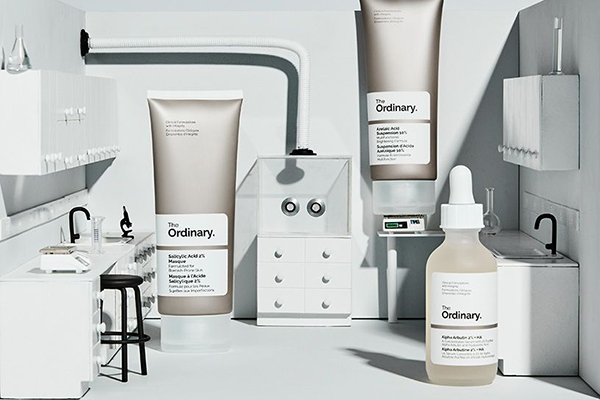
Many people may not be very familiar with the Canadian beauty e-commerce company Deciem, but everyone has certainly heard of Estée Lauder. In February 2021, Estée Lauder invested $1 billion in Deciem, completing the largest acquisition in Estée Lauder's history. So what unique charm does Deciem, this Canadian beauty e-commerce company, have that made Estée Lauder willing to spend such a huge sum to acquire it? Deciem was founded in 2013 by Brandon Truaxe, known as "the most exciting disruptor in the beauty industry." Unlike most beauty companies, Deciem approached products with an internet mindset from the very beginning. Their philosophy includes "THE ABNORMAL BEAUTY COMPANY." Compared to international first-tier brands, Deciem's products offer higher cost performance and better meet the needs of young people. Its brand The Ordinary, often called the "affordable raw material barrel," is particularly popular among Chinese consumers. So today, let's take a look at how to shop on the Deciem Canada official website. Deciem official website address: https://deciem.com/gb 1. Click the smiley face in the upper right corner of the webpage to register 2. Fill in the relevant information 3. After registration is complete, you will be automatically redirected to the personal information page, where you can edit your profile, add shipping addresses, etc. 4. After selecting your items, add them to the shopping cart, then click the shopping cart icon in the upper right corner to proceed to checkout. Free shipping within Canada is available for orders over 25 Canadian dollars. 5. Fill in the shipping address. Note that Deciem does not support direct shipping to China, so you will need to use a forwarding company. Also, choose a payment method. Currently, only credit card payments are supported, but most credit cards are accepted. Once this is done, the purchase is complete. Just wait patiently for the forwarding company to ship it to China.

Stila Cosmetics美国官网2022最新海淘攻略

Stila Cosmetics US Official Site 2022 Shopping Guide

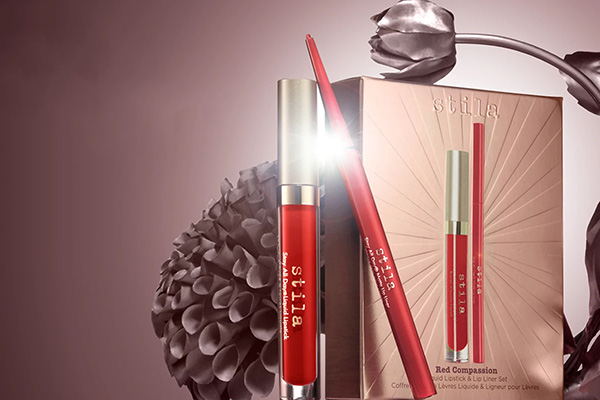
Stila Cosmetics is an affordable American makeup brand known for its high cost-performance ratio. Many of its products, such as blushes and liquid eyeshadows, are extremely popular. From concept, formula, packaging, to design, the Stila brand is revolutionary. The Stila Cosmetics official website targets women aged 16 to 60, with products and makeup characteristics specifically designed for the everyday woman. This article mainly introduces a guide and tutorial for the Stila US official website, explaining how to place an order on Stila. Friends who want to order from Stila but don't know where to start can bookmark this for reference. Below is a brief introduction to the overseas shopping guide and tutorial for the Stila US official website. 1. Open the official website Stila US official website overseas shopping URL: https://www.stilacosmetics.com/, access requires an external network; 2. Register an account Click LOGIN / REGISTER in the upper right corner to register an account; If you don't have an account, select Register to create one; If you already have an account, select Login to sign in; 3. Select products; Add the products you want to purchase to your shopping cart, then click YOUR BAG in the upper right corner to view the cart and go to the cart page; 4. Click "CHECKOUT" to enter the shipping address interface. Just copy the forwarding company address there! 5. Click CONTINUE TO BILLING to enter the billing address page; 6. Next, enter the payment page; 7. Confirm all information is correct, click PLACE ORDER to submit the order and complete the purchase. 8. All that's left is to wait for the forwarding company to receive the package, prepare the forwarding details, and sit tight for delivery!

Lime Crime 独角兽官网最新海淘攻略

Lime Crime Unicorn Official Website Latest Overseas Shopping Guide

You may not have heard of Lime Crime cosmetics, but you've probably seen them featured by major beauty bloggers. This is a cosmetics brand from Los Angeles, USA, known for its dreamy, fairy-tale style. Since its launch in 2008, the brand's mission has always been to deliver the most striking, saturated, and vibrant colors. With a core spirit of colorful, bold, whimsical, and limitless makeup, Lime Crime's daring style has attracted a large following. This article provides a guide on how to shop on the Lime Crime US official website, explaining the steps to place an order. If you want to order from the Lime Crime US site but don't know how, feel free to bookmark this tutorial. 1. Open the official website; Lime Crime US official website link: https://limecrime.com/, click the link to visit directly; 2. Register an account; Click "My Account" in the top right corner; If you already have an account, select LOGIN to sign in; If you don't have an account, select "Create one" to register; Enter the registration page and fill in your information; 3. Select products; Add the products you want to purchase to your cart, then click "Bag" in the top right corner to view your cart and go to the cart page; 4. Click "Bag" in the top right corner to view your cart and enter the cart page; 5. Click CHECKOUT to enter the shipping address page; 6. Next, enter the shipping method selection page; 7. Continue to the payment information and billing address page. Confirm everything is correct and click "Pay now" to complete the payment; 8. All that's left is to wait for the forwarding company to receive the package, prepare the shipping details, and sit back and wait for delivery!

Smashbox 美国官网2022海淘下单教程

Smashbox US Official Website 2022 Overseas Ordering Guide

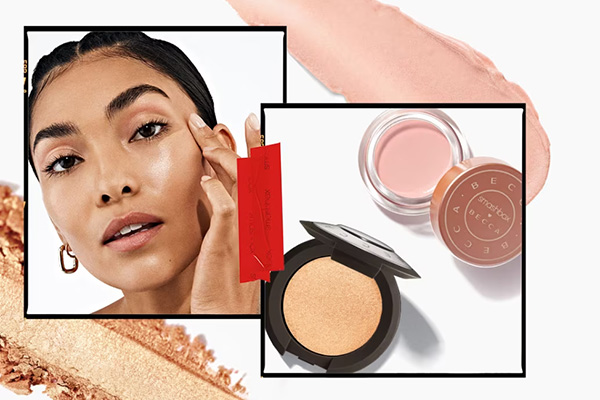
Beauty lovers will surely be familiar with the brand Smashbox. It is a well-known cosmetics brand under the Estée Lauder Group, dedicated to designing the perfect makeup collections for professional makeup artists. Its lipsticks, lip glosses, primers, and setting sprays are popular products, known not only for their great results but also for their high cost-effectiveness, making them widely loved by the public. This article introduces a tutorial on how to place an order on the Smashbox US official website for overseas shopping, explaining the steps to order and shop on the Smashbox US official website. If you also want to place an order on the Smashbox US official website but don't know how to proceed, feel free to click and bookmark this Smashbox overseas shopping tutorial. 1. Smashbox US Official Website Ordering Tutorial 1. Open the official website Smashbox US official website link: https://www.smashbox.com/ 2. Register an account Click on Sign in/My Smashcash at the top right corner of the page If you already have an account, log in with your email and password. If you are not registered, click to register Enter your personal information and click to register 3. Select products and add to cart Choose your favorite products and add them to the shopping cart Click on the shopping cart at the top right corner of the page, then click checkout 4. Review the order If you have a promo code, enter it and click Apply to get the discount Select free samples 5. Fill in the shipping address 6. Choose a payment method Using a bank card as an example, fill in the card number, expiration date, security code, and other details completely, then review the billing address. Once confirmed, submit the order 7. All that's left is to wait for the shipping forwarder to receive the package, prepare the shipping details, and sit back and wait for your delivery! 2. Smashbox US Official Website Ordering Notes 1. First-time orders get 15% off 2. Does not support direct shipping to China; requires using a shipping forwarder. Free shipping within the US 3. Supports UnionPay payment, as well as Visa, MasterCard, American Express, Discover, and PayPal

BH Cosmetics美国官网2022最新海淘教程

BH Cosmetics US Official Site 2022 Latest Overseas Shopping Guide

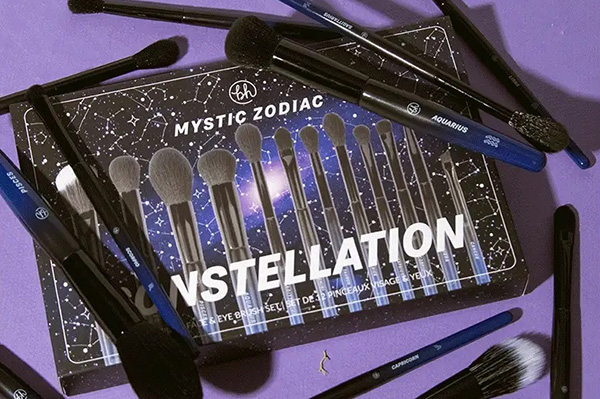
BH Cosmetics is a professional makeup brand that is a favorite among many runway makeup artists. Known for its rich color selection, affordable prices, and high cost-performance ratio, this brand is always popular among beauty enthusiasts. This article mainly introduces a guide on how to shop from BH Cosmetics in the US, explaining the steps to place an order on BH Cosmetics. If you want to order from BH Cosmetics but don't know where to start, feel free to bookmark this guide. Below is a brief overview of the BH Cosmetics overseas shopping tutorial. 1. Open the official website BH Cosmetics US official website URL: https://www.bhcosmetics.com/, click the link to access directly; 2. Register an account Click "Login or register" in the top right corner to create an account; If you haven't registered before, select "Create an Account," enter your personal information, and click "SIGN UP" to submit your registration; If you already have an account, select "Sign in," enter your email and password, and log in; 3. Select products After successfully registering your account, you can return to the official website homepage to start browsing products. You can find specific items using the search bar or browse through the categories on the homepage. Add the products you want to purchase to your cart, then click the cart icon in the top right corner to go to the shopping cart page, and click "Check Out" to proceed to payment; 4. Click "CHECKOUT" to pay, then enter the shipping address interface. Simply copy and paste your forwarding company address! 5. Select shipping method 6. Fill in your credit card information and billing address. After confirming everything is correct, click "COMPLETE ORDER" to finalize the order. 7. Wait for delivery. Regarding shipping tracking information, after BH Cosmetics ships your order, they will send an email to your registered account with the tracking number and inquiry details. The above is a detailed tutorial on how to register and place an order on the BH Cosmetics US website for overseas shopping. It should be quite thorough. If you haven't bought anything from BH Cosmetics yet, you can follow the steps to place your order.

The Body Shop 美国官网最新2022海淘下单教程

The Body Shop US Official Website 2022 Latest Overseas Ordering Guide

The Body Shop, also known as TBS, is a British beauty and skincare brand with over 30 years of history. Its retail operations span 55 countries, with more than 2,200 stores. The biggest feature of The Body Shop products is the use of natural raw materials. Product lines include hair care, skincare, men's care, bath and body care, wellness products, fragrances, home fragrances, and cosmetics. Based on personal testing, the author especially recommends the bath and body care products. They are very gentle on the skin, leaving it smooth, firm, and elastic after use, with a light fruity or floral scent that feels refreshing. Classic products from the brand, such as Elderflower Eye Gel, Vitamin E Eye Cream, Tea Tree Oil, and skincare masks, are well-known. Next, let's take a look at a guide for overseas shopping on The Body Shop US official website via mobile. The Body Shop US official website link: https://www.thebodyshop.com/en-us/ 1. First step: register an account. Open the homepage and click to expand the menu in the top left corner: Click the profile icon below the menu to log in: Existing customers select Log In and use their email and password. New users who haven't registered can choose Register on the right or click Register now below Log In to create an account: Enter your name, email, password, and other required information as prompted. Birthday, phone number, gender, etc., are optional and can be filled in based on personal preference: The prominent image below asks if you want to join the Body Club membership system. It's free, and you can choose whether to join based on your situation: Enter your address information below, then click Register below to complete registration: Once registration is complete, a success message will appear, and you can see your account dashboard: 2. After registration, you can start shopping. Usually, people choose The Body Shop for its star products. You can search or browse categories to find the products you want. Let's use the Vitamin E Intensive Moisture Cream from the VE series as an example: Go to the product detail page, select the size and quantity, and add to cart: After adding to cart, a pop-up will appear. Choose to continue shopping or proceed to checkout. We select Proceed to checkout: 3. In the shopping cart, you can adjust the quantity. If you have a promo code, you can enter it in the dialog box below to get the corresponding discount. Below that, there is a gift option where you can enter gift card information for free. If needed, click ADD to add the info: Below is the product information in the cart. Confirm everything is correct, then click Checkout securely. The site also accepts PayPal. We'll use credit card payment as an example: 4. The first step in checkout is to enter the shipping address and select a shipping method. We usually choose the default Free Ground shipping. Enter your forwarding address, strictly following the requirements of your forwarding service. For the billing address below, it can match the shipping address, or you can use your real domestic billing address. Check The same to match, or select to use a different address to enter a new billing address. Then click Continue: 5. Payment information. We choose Card (credit card) payment. Enter the card number, expiration date, security code, etc. Carefully check that the entered address and product information are correct. Once everything is confirmed, check the box to agree to the terms, and click Submit order below. The entire shopping process is complete. Tips: The Body Shop US official website occasionally runs promotions, and sometimes offers can be stacked. If you're interested, feel free to check our latest promotional updates anytime to grab deals conveniently!

Make Up For Ever 官网2022最新海淘下单攻略

Make Up For Ever Official Website 2022 Latest Overseas Shopping Guide

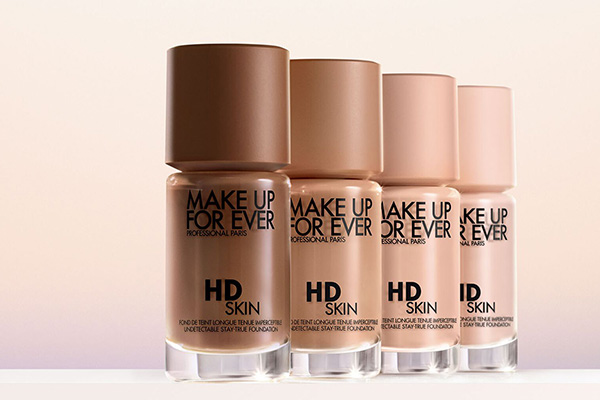
Make up for ever's original intention was to meet the needs of professionals for various makeup styles, creating effects ranging from traditional classic to luxurious opulence. Today, it has over 1,400 products, making it the professional makeup brand with the most extensive product line on the market. Make up for ever products have achieved strong sales results in Sephora stores across Europe and the US, as well as in department stores in Asia and the Middle East. This article introduces a guide on how to shop on the Make Up For Ever US official website, explaining how to place an order and purchase. If you also want to order from the Make Up For Ever US official website but don't know how, feel free to bookmark this tutorial. 1. Open the website; Make Up For Ever US official website shopping URL: https://www.makeupforever.com/; 2. Register an account; Click the icon-user in the top right corner, and select sign in to register an account; Users who have already registered can select Sign In to log in. Users who haven't registered should select Create An Account to register; 3. Select products and add to cart; Add the products you want to purchase to the shopping cart, then click the Bag icon in the top right corner to view the cart and go to the shopping cart page; 4. Click Bag in the top right corner to view the shopping cart and enter the shopping cart page; 5. Click CHECKOUT to enter the page for selecting shipping method and filling in the delivery address; 6. Next, enter the page for filling in the billing address; 7. Then, enter the payment information page; 8. Continue to the page for confirming payment information; 9. Click pay to enter the final step and review the order. If everything is correct, click Receipt to submit the order. The shopping process is now complete. 10. All that's left is to wait for the forwarding company to receive the goods, prepare the shipping details, and sit tight for delivery!

Lab Series朗仕官网2022最新海淘攻略

Lab Series Official Website 2022 Latest Overseas Shopping Guide

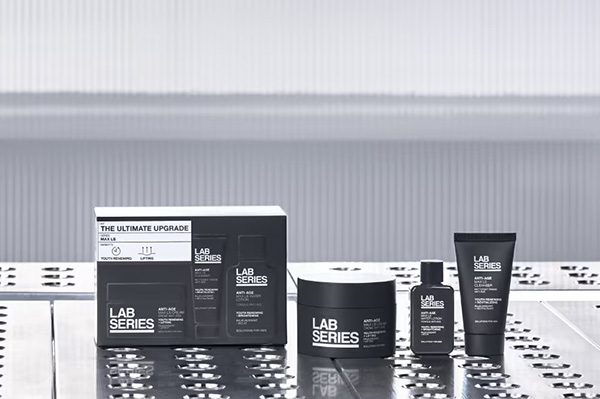
Lab Series, a subsidiary of the Estée Lauder Group, is the world's first leading professional men's skincare brand. Founded in 1987, it has been dedicated to providing the best solutions for various men's grooming needs, creating a simple, effective, and meticulously designed complete series for men, covering products from cleansing, shaving, and repair to hair and body care. It also features multiple multi-functional products, offering great convenience for men's grooming. Below is a guide to shopping on the Lab Series US official website via mobile. Lab Series US Official Website Entrance: https://www.labseries.com/ 1. First, register an account. Open the homepage, click the profile icon, and log in or register. Existing users can directly enter their email and password to log in. New users click Register Now to create an account: Fill in your email, password, agree to the terms, and click Submit to complete registration easily. 2. Registration complete, now start shopping. You can browse products through the homepage menu, activity navigation, or search. Select your desired items, go to the product page, and add them to the cart. Note the purchase frequency option: one-time purchase or subscription with automatic recurring shipments. For international shopping, it's not recommended to choose the subscription; just select one-time purchase. 3. Go to the shopping cart, verify the product details are correct, and click Checkout to proceed. If you have a discount code, you can enter it at the bottom of the page to get the offer. 4. First step of checkout: select samples. The official website currently offers 4 free samples for orders over $35. Choose the samples you need based on your preference, then click Continue to proceed: 5. Shipping address. Use your US forwarding address here. Enter the detailed address according to the forwarding company's requirements, then select a shipping method. Usually, we choose the default shipping method. For the gift options below, you can expand it to enter gift information if needed, then click Continue: 6. Next, payment information. The website supports credit cards and PayPal. Select credit card, enter the card number, expiration date, and security code. For the billing address below, you can check to use the shipping address or enter a new one by clicking Add new address and filling it in the same format as the shipping address. If you have a Gift Card, select Redeem a gift card and enter the card number and PIN. Finally, click Continue to proceed; 7. Final step: carefully review the product details, address, payment information, and check if any discount code is missing. Confirm all information is correct, then click Submit Order to place the order. Finally, just wait to receive your package!

Glamglow 美国官网2022最新海淘攻略

Glamglow US Official Site 2022 Latest Shopping Guide

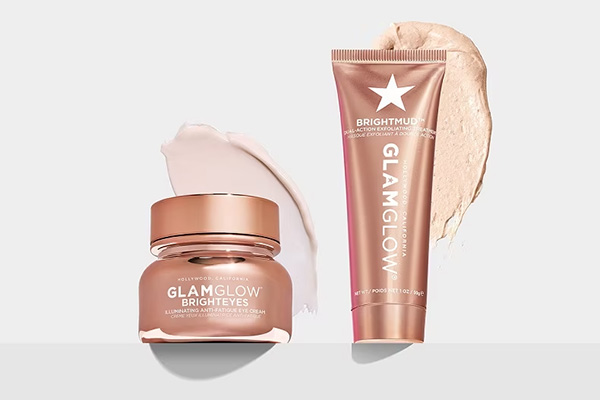
GLAMGLOW is a face mask brand from the United States, founded in 2001 by American couple Glenn Dellimore & Shannon Dellimore, with its headquarters in Hollywood, USA. It was primarily created to provide rapid skin repair for Hollywood celebrities and professionals before appearing on camera. Popular products include: SUPERMUD Clearing Mask, THIRSTYMUD Hydrating Mask, YOUTHMUD Resurfacing Mask, POWERMUD Deep Cleanse Mask, and more. The GLAMGLOW glow mask series is the most worthwhile mask line to purchase, offering different types for various skin conditions. Among them, the white jar is the most popular, with strong cleansing power that removes impurities from pores while eliminating dead skin cells, allowing subsequent skincare products to absorb better. There is also the star mask that was all over Instagram. Now, they have launched a collaboration mask with Little Pony, adding a playful touch to skincare. Today, we will take a look at the overseas shopping guide for the GlamGlow official website on mobile: Glamglow US official website entry: https://www.glamglow.com/ 1. First, register an account. Open the homepage, scroll to the bottom of the page to My Account, and click to log in or register! If you already have an account, log in using your email and password. If you do not have an account, click Register below to sign up: Enter your email and password, check the box "By clicking Submit I agree to…" to accept the terms, and click the Submit button to create your account. 2. Start shopping. Take the following Youthmud Resurfacing Mask as an example. Select the product, go to the product details page, choose the quantity, and click Add to Bag. After adding to the bag, a prompt dialog box will appear for checkout. You can also click the shopping bag icon in the top right corner to proceed to checkout. Enter the shopping bag, where you can see the price, quantity, discount amount, order total, and other information for the products you have purchased. If there is an ongoing promotion, do not forget to expand the Offer Code section below, enter the promo code in the Enter promo code text box, and click APPLY to get the corresponding discount. For shipping, select the free standard method. Once everything is confirmed, click the CHECKOUT button to proceed. Each order can also select two free samples. After choosing, click CONTINUE CHECKOUT to proceed: 3. Checkout. First, enter the shipping address. On the address addition page, correctly fill in the warehouse address assigned to you by the shipping forwarder. Next is the payment information. The Glam Glow official website supports international credit cards and shipping forwarder addresses. Enter your credit card number, select the expiration date, and enter the 3-digit CVV security code as prompted. For the billing address below, you can check Use Shipping to indicate it is the same as the shipping address. You can also click New Address to add a new address. If you have a gift card, click Redeem gift card to pay with it, then click continue to checkout: 4. The final step is to review the order. Carefully check the shipping address, credit card information, billing address, shipping method, and discount code entered. Once all information is confirmed correct, click Place Order to submit the order. Shopping Tips: 1. Attentive shoppers may have noticed a donation option above the order submission. This is a charity initiative by the Estée Lauder Group. You can choose whether to donate based on your personal situation. 2. According to user feedback, the US official website uses very large boxes for packaging, resulting in high shipping forwarder costs.

Kat Von D 官网海淘最新下单攻略教程

Kat Von D Official Website International Shopping Guide & Tutorial

The Kat Von D Beauty brand was founded by Kat Von D, a famous Mexican tattoo artist. At the age of 14, Kat Von D began her career in tattoo art, creating incredibly lifelike designs. She later launched her own cosmetics and fragrance brand, Kat Von D Beauty, which has become very popular in the United States. Kat Von D Beauty prioritizes quality over quantity, so each new product release becomes a limited edition. This article mainly introduces a guide and tutorial for the Kat Von D Beauty US official website, explaining how to place an order on Kat Von D Beauty. For those who want to order from Kat Von D Beauty but don't know where to start, feel free to bookmark this. Below is a brief introduction to the overseas shopping guide for the Kat Von D Beauty US official website. 1. Open the official website Kat Von D Beauty US official website entrance: https://kvdveganbeauty.com/, click the link to visit directly; 2. Register an account Click LOGIN in the upper right corner to register an account; If you don't have an account, select CREATE ACCOUNT and click to register; If you already have an account, select LOGIN to sign in; The far right is for order inquiry 3. Select products and add to cart Add the products you want to purchase to the cart, then click BAG in the upper right corner to view the cart and go to the cart page; 4. Click "CHECKOUT" to enter the shipping address interface. Just copy and paste the forwarding company's address! 5. Click CONTINUE TO PAYMENT to enter the payment page. Confirm all information is correct, then click REVIEW MY ORDER to submit the order and complete the purchase. 6. All that's left is to wait for the forwarding company to receive the goods, prepare the shipping details, and sit tight for delivery!

Elizabeth Arden伊丽莎白雅顿美国官网2022最新海淘教程

Elizabeth Arden US Official Website 2022 Latest Overseas Shopping Guide

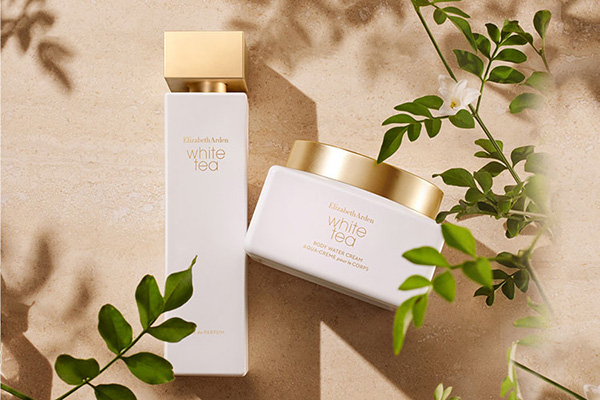
Elizabeth Arden is one of the world's most prestigious cosmetics and fragrance companies, often called the "Nest of Fragrances" — "Beauty is the crystallization of nature and science." Founded in the United States in 1960, the brand offers products including skincare, makeup, and fragrances. With elegant, stylish packaging, it has become synonymous with high technology. Not only does it provide the finest skincare, makeup, and perfumes, but over nearly a century, it has also represented the finest things in life, blending tradition with technology, and elegance with innovation. Today, let's take a closer look at this long-renowned brand! Elizabeth Arden US official website: https://www.elizabetharden.com/ 1. First, register an account. Open the official website homepage and click to expand the menu at the top left corner: At the bottom left of the menu, click "Sign in/Register" to log in or register. We click "Register" to sign up: Enter your name, birthday, email, and password (5-20 characters). Click "Apply" below to submit and complete registration. To sign up for the website's promotional information, fill in the email field below and click "Sign up" to submit. 2. After registration, start shopping. Let's use the Time Capsule below as an example. Select the quantity, click "Add to Bag" to add it to your cart. Below that, there is an auto-delivery option, which is not recommended for international shoppers, so we leave it unchecked: 3. Enter the shopping cart and proceed to checkout. If you have a discount code, enter it at the bottom of the page. Once the information is confirmed correct, click "Checkout" to proceed. The website also supports PayPal payment: The website currently has a promotion: spend $50 or more to receive a 7-piece gift set. Below is the page display after entering the promo code: 4. The first step of checkout is to enter the shipping address. Currently, the official website does not support direct shipping, so use a forwarding address. Enter the forwarding address according to your forwarder's requirements. The billing address can be the same as the shipping address; check the box "Use this address for billing" below. Then select a shipping method based on your needs; we generally choose the default option: 5. Next, the second step: enter the billing address. If you already checked the box to use the shipping address as the billing address, double-check it here. Then select a payment method below. We choose credit card and enter the relevant card information, such as cardholder name, card number, expiration date, and security code. Click "Continue" to proceed with checkout: 6. The final step of checkout is to review the order and submit it. Double-check the order information for any errors. Once confirmed, click "Submit Order" to complete the purchase. Some users have tested and successfully placed orders using a card plus a forwarding address. Currently tested and working: Bank of China full-currency card, Guangfa Mastercard, and CCB dual-currency Visa. Some users have also reported success with US PayPal + AE card and China Merchants Bank Mastercard. The success rate for US PayPal payments is relatively high.

Erno Laszlo奥伦纳素官网2022最新海淘教程

Erno Laszlo Official Website 2022 Latest Overseas Shopping Guide

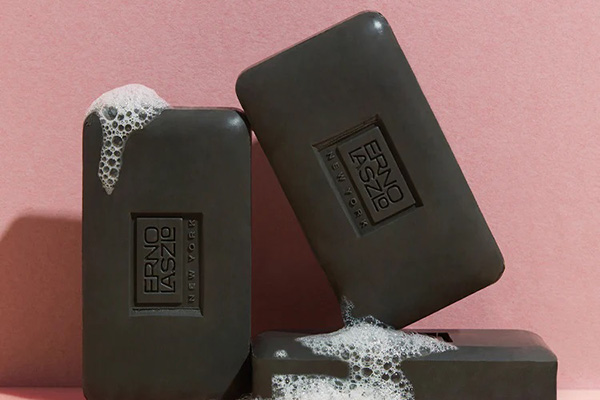
Erno Laszlo is a renowned American skincare brand founded in 1927. Dr. Erno Laszlo is a pioneer in the skincare and beauty industry. Many of the skincare concepts he pioneered are still widely used today. Erno Laszlo products are recognized for their efficacy and skincare benefits. The brand follows a minimalist approach, advocating for the use of concentrated botanical extracts and natural ingredients to accelerate skin metabolism, shed old dead skin cells, and rejuvenate the complexion. Erno Laszlo is also the only cosmetics brand ever endorsed by Marilyn Monroe during her lifetime, maintaining a low-key yet mysterious allure. This article provides a guide on how to shop and place orders on the Erno Laszlo US official website. If you also want to order from the Erno Laszlo US official website but don't know how, feel free to click and bookmark this Erno Laszlo US official website shopping tutorial. 1. Open the official website; Erno Laszlo US official website entrance: https://www.ernolaszlo.com/, click the link to access directly; 2. Register an account; Users who have not registered click Register in the upper right corner to create an account; Enter the registration page; Friends who have already registered can choose Sign In to log in; Enter the login page; 3. Select products and add to cart Add the products you want to purchase to the shopping cart, then click Bag in the upper right corner to view the cart and go to the shopping cart page; 4. Click Bag in the upper right corner to view the shopping cart, and enter the shopping cart page; 5. Click CONTINUE CHECKOUT to enter the page for filling in the shipping address and selecting the shipping method; 6. Continue to the payment method and billing address page, confirm everything is correct, and click PLACE ORDER to submit and complete the order; 7. All that's left is to wait for the shipping forwarder to receive the package, prepare the shipping details, and sit tight for delivery!

Shu Uemura 植村秀美国官网2022最新海淘攻略

Shu Uemura US Official Website 2022 Shopping Guide

Shu Uemura, a cosmetics brand under L'Oréal, advocates a nature-based skincare philosophy. Its product formulations are based on pure deep-sea water and natural plant ingredients, fully enhancing the skin's own metabolic capabilities. Even the most sensitive skin can be revitalized, creating a fashionable, natural, and refined makeup look. Today, we'll introduce a guide to shopping on the Shu Uemura US official website. Shu Uemura US Official Website: https://www.shuuemura-usa.com/ 1. First, you need to register an account. Click to expand the menu in the top left corner of the homepage: In the expanded menu, you will see "Sign In or sign up". Click to enter the login/registration page: Existing customers can log in using their email and password. New users should click "Create an account" below. You can also register using your Facebook or Google account: Clicking "Create Account" will trigger a pop-up prompt. Subscribing to promotional emails offers a 10% discount. Decide whether to subscribe based on your personal preference: To create an account, enter your first name, last name, email, password (at least 8 characters), phone number, birthday, and other required information. Click "Create Account" below to complete the registration. 2. After registration, start browsing your favorite products. Select the size/options, quantity, and add them to your cart: After adding to the cart, a pop-up will appear. Choose "Go to my cart" to proceed: 3. Enter the shopping cart to view your items. If you have a discount code, you can enter it below to receive the applicable discount. Then click "Secure Checkout" to proceed. You can also use PayPal. Here, we will use credit card checkout as an example: 4. Checkout Step 1: Select the checkout method, which is the "Secure Checkout" we chose. Step 2: Select samples. Each order comes with two free samples. Click "Select" to choose. Then, click "Continue" to proceed with checkout: 5. Checkout Step 3: Enter the shipping address, i.e., the forwarding address. Please fill in the address strictly according to the requirements of your forwarding service. Below, for the billing address, you can check the box to make it the same as the shipping address, or leave it unchecked and enter your real domestic billing address. Then click "Continue": 6. Next, select the shipping method. The default is standard shipping. If you missed entering a discount code earlier, you can enter it again here. Below, enter your credit card number, expiration date, security code, and other information. Once all information is confirmed correct, click "Place Order" below to submit the order and complete the purchase. All that's left is to wait for the website's shipping notification, register the package with your forwarding company, and wait to receive it!